Free shipping over $35 · 60-day returns · Price-watch guarantee

Ventari

Wbacon

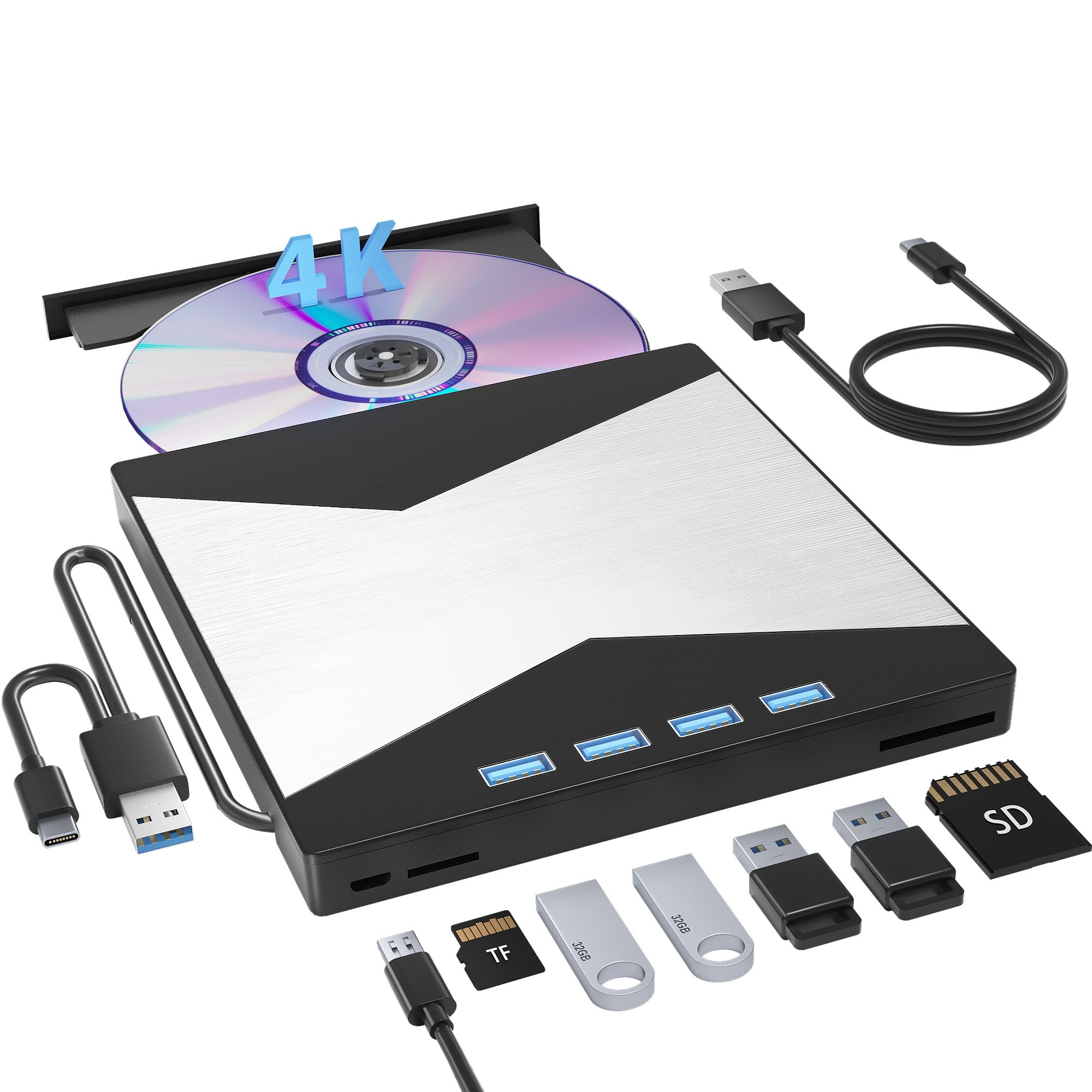
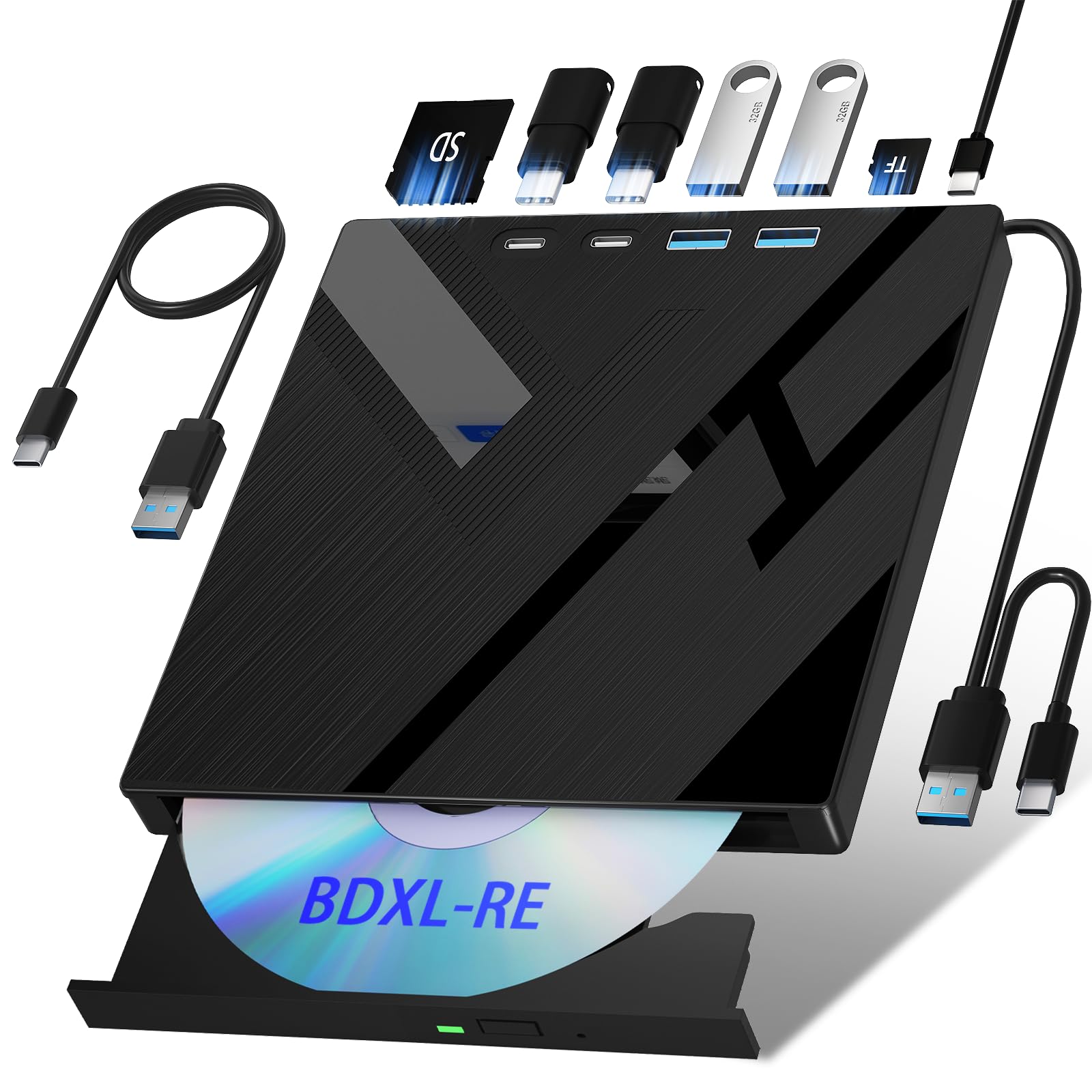
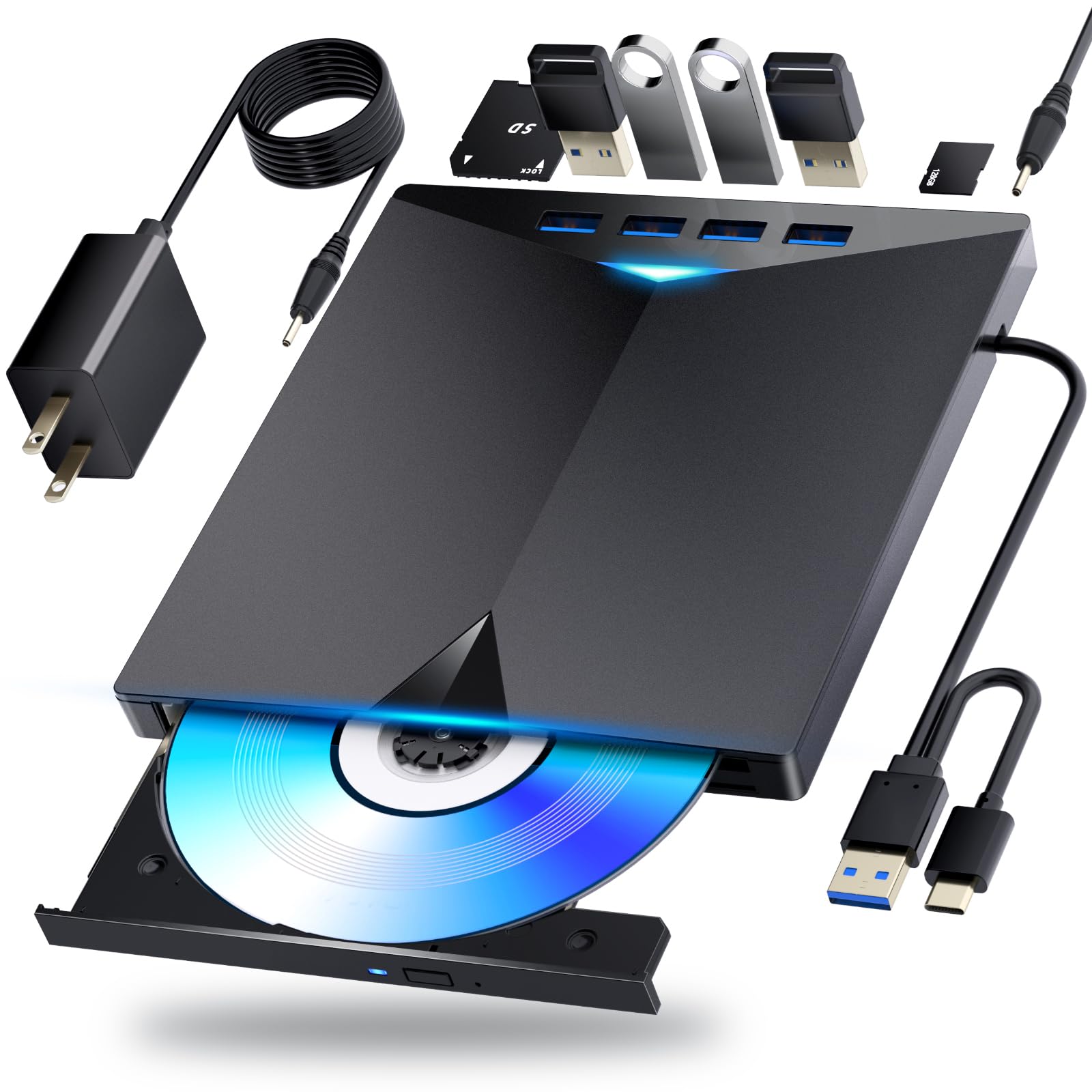
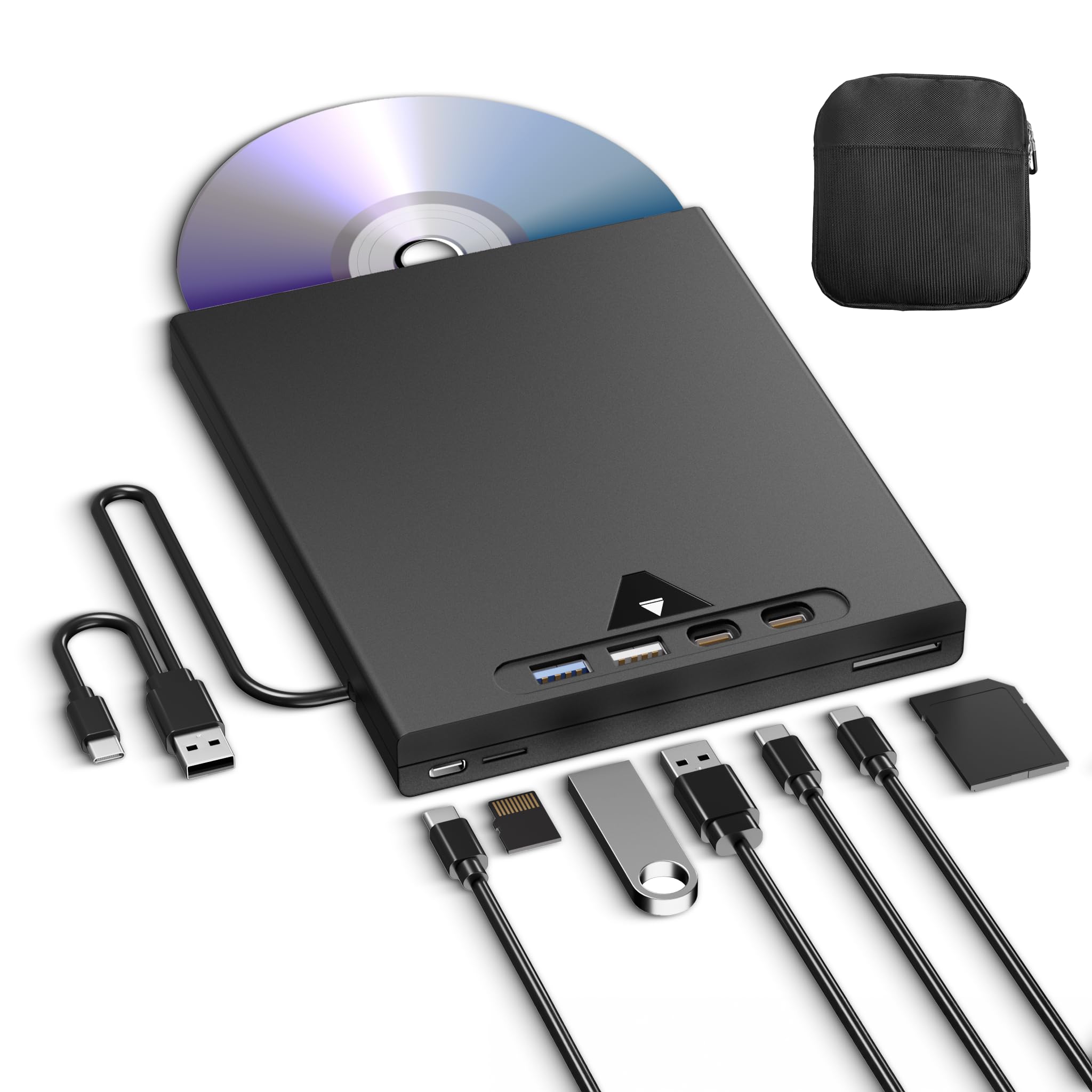
5 in 1 External Blu Ray Drive with Extension Data Cable Portable Blu Ray Player with USB 3

$49.39$51.99

52+ bought in the past month

Sobre este artículo

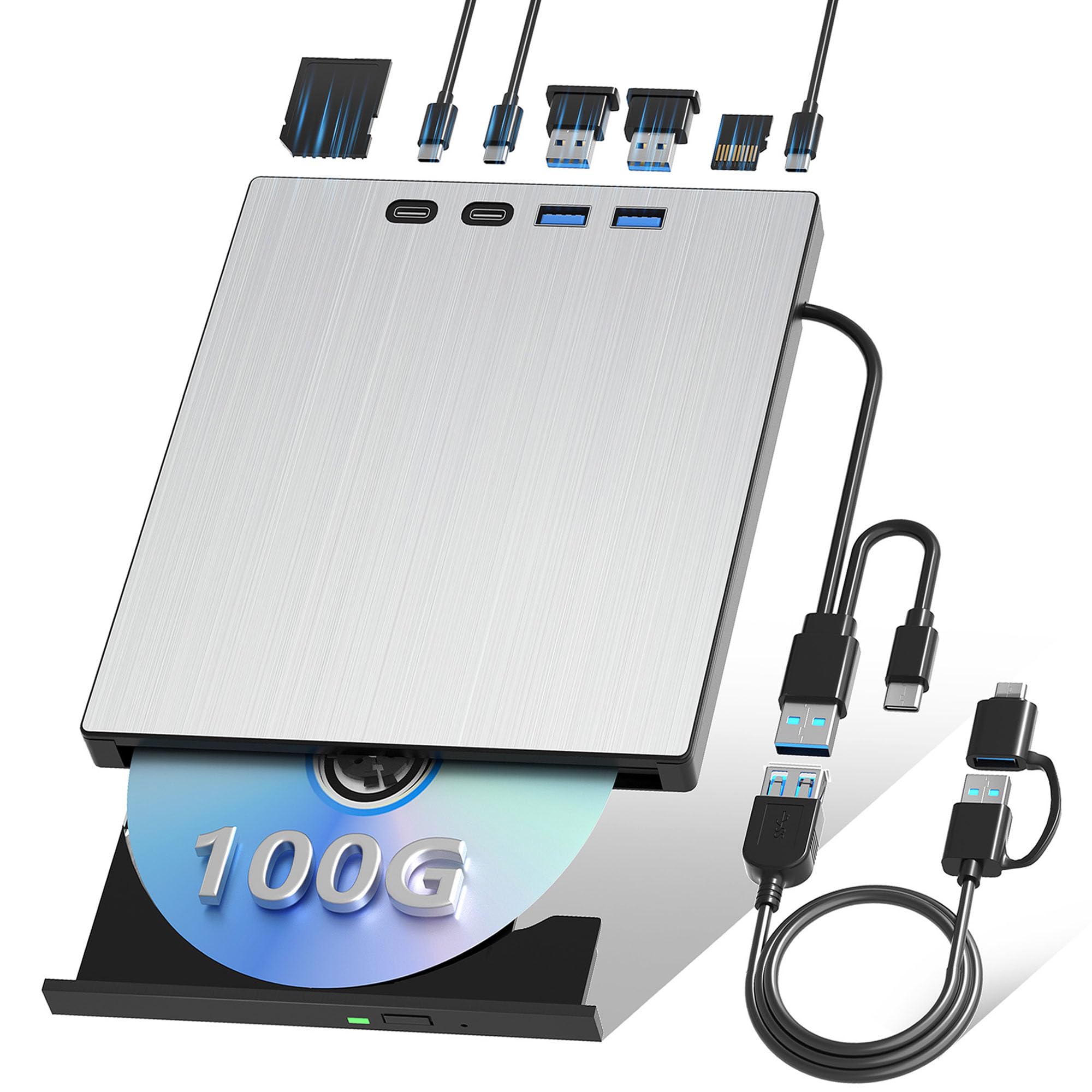
  • Say Goodbye to Short Cables: This Blu-ray external drive comes with a handy extension cable featuring both USB 3.0 and Type-C connectors, giving you the flexibility and reach you need. No more straining to connect—enjoy hassle-free setup and seamless performance wherever you work or relax!" With its portable design, it's incredibly simple to carry and use wherever you go.
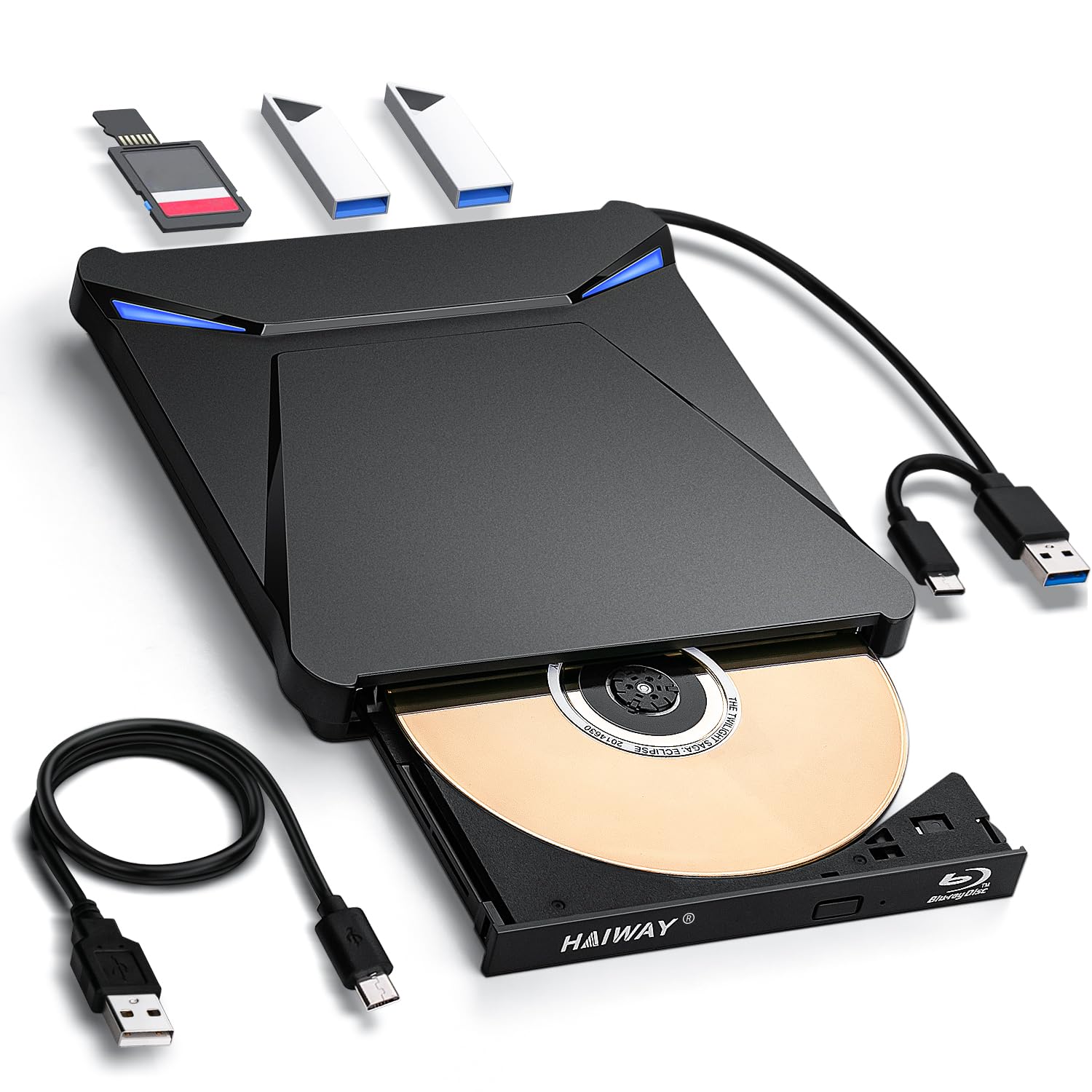
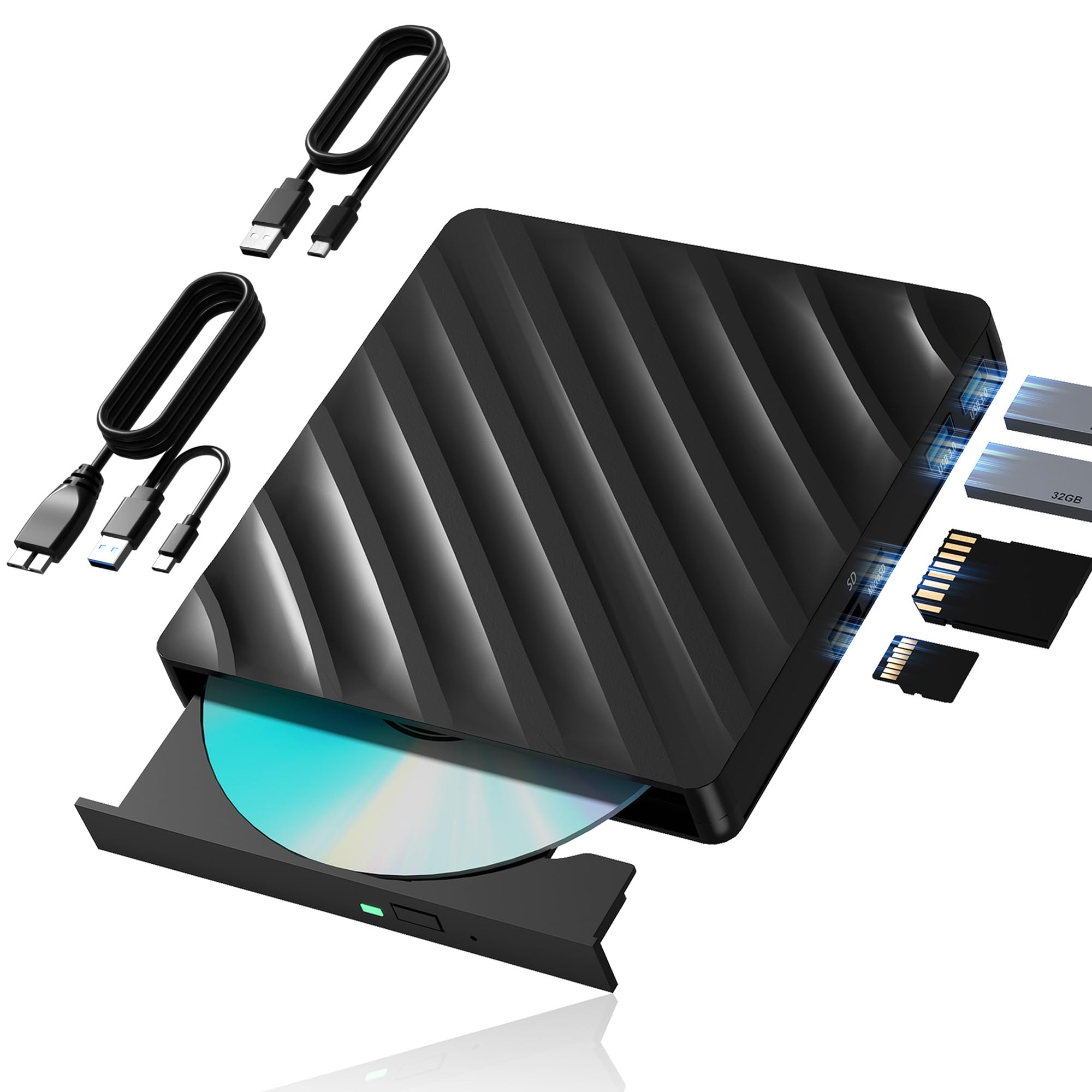
  • Multifunction Blu Ray Drive:This 5 in 1 blu ray player external offers versatile features, plug and play. It can read BD/DVD/CD discs and has 1 SD card slot, 1 TF card slot, and 2 USB 3.0 ports for data transfer or charging purposes. You can easily transfer music, blu ray uhd movies, and data files from SD cards, TF cards, or through the USB/Type-C ports to your computer. Additionally, you can transfer files from a external blu ray drive to an SD card, USB hard drive, or USB flash drive. Please note that you can only use either the SD card or the TF card at a time. However, both can function simultaneously with the 2 USB 3.0 ports.
  • Portable Blu Ray Player: The unique design of our blu ray player for laptop combines both the drive and two different USB cables in one, and the usb bluray player features two concealed wire grooves that are specifically designed to store and carry both USB3.0 and Type-C interfaces. This feature helps users to easily store and transport the external usb blu ray drive without taking up too much space or risk losing one or both cables. The design is both stylish and functional, allowing for hassle-free connectivity and setup. With its innovative design and practical features, our Blu ray drive is an great choice for users seeking a reliable and versatile external optical drive.
  • Wide Compatibility: The Wbacon blu ray dvd drive external is fully compatible with a wide range of operating systems, including Windows 7, 8, 10, Vista, ME, SE, XP, and 2000, as well as Linux and all versions of MAC OS 10 or below. However, that it is not compatible with BD recorders, tablet iPads, Surface tablets, TVs, projectors, smartphones, or cars.
  • Note: (1) Check whether your computer is compatible with the blu ray rw drive external to play by downloading the software 'Cyberlink BD & 3D Advisor’. (2) Make sure you have the appropriate software installed before playing a CD/DVD on your laptop with this BD player. When playing BDs, it is recommended to use the professional BD player 'PowerDVD10-19' (For Mac OS, Macgo Blu ray Player is recommended). (3) Note that including the initial setting, the region code can only be changed 5 times.

Key details

Special Feature
Lightweight
Hardware Interface
USB 3.0 Type C
Brand
Wbacon
0
[object Object]

Technical specifications

Optical Storage Write Speed
DVD:8X CD:24X
Optical Storage Read Speed
BD:6X DVD:8X CD:24X
Highlights

About this item

  • Say Goodbye to Short Cables: This Blu-ray external drive comes with a handy extension cable featuring both USB 3.0 and Type-C connectors, giving you the flexibility and reach you need. No more straining to connect—enjoy hassle-free setup and seamless performance wherever you work or relax!" With its portable design, it's incredibly simple to carry and use wherever you go.
  • Multifunction Blu Ray Drive:This 5 in 1 blu ray player external offers versatile features, plug and play. It can read BD/DVD/CD discs and has 1 SD card slot, 1 TF card slot, and 2 USB 3.0 ports for data transfer or charging purposes. You can easily transfer music, blu ray uhd movies, and data files from SD cards, TF cards, or through the USB/Type-C ports to your computer. Additionally, you can transfer files from a external blu ray drive to an SD card, USB hard drive, or USB flash drive. Please note that you can only use either the SD card or the TF card at a time. However, both can function simultaneously with the 2 USB 3.0 ports.
  • Portable Blu Ray Player: The unique design of our blu ray player for laptop combines both the drive and two different USB cables in one, and the usb bluray player features two concealed wire grooves that are specifically designed to store and carry both USB3.0 and Type-C interfaces. This feature helps users to easily store and transport the external usb blu ray drive without taking up too much space or risk losing one or both cables. The design is both stylish and functional, allowing for hassle-free connectivity and setup. With its innovative design and practical features, our Blu ray drive is an great choice for users seeking a reliable and versatile external optical drive.
  • Wide Compatibility: The Wbacon blu ray dvd drive external is fully compatible with a wide range of operating systems, including Windows 7, 8, 10, Vista, ME, SE, XP, and 2000, as well as Linux and all versions of MAC OS 10 or below. However, that it is not compatible with BD recorders, tablet iPads, Surface tablets, TVs, projectors, smartphones, or cars.
  • Note: (1) Check whether your computer is compatible with the blu ray rw drive external to play by downloading the software 'Cyberlink BD & 3D Advisor’. (2) Make sure you have the appropriate software installed before playing a CD/DVD on your laptop with this BD player. When playing BDs, it is recommended to use the professional BD player 'PowerDVD10-19' (For Mac OS, Macgo Blu ray Player is recommended). (3) Note that including the initial setting, the region code can only be changed 5 times.

De la marca

Product detail

Product videos

Product video 1

Customer reviews

316 reviewsMixed

Rated 3.6/5 across 316 reviews — opinions are mixed.

  • 100% of sampled reviews are from verified purchases.
  • 25% of sampled reviews rate 2 stars or below.

Customers say

Customers find the Blu-ray drive easy to use and appreciate that it can read CD/DVD/Blu-ray discs as intended.

Generated from the text of customer reviews

Reviews with images

Customer review image for Good product. Recommended.
See all photos
★★★★★

External Blu Ray Drive

The Cyberlink PowerDVD is expensive the one they suggest to use as it costs here in the states $39.99 ($42.43) however I found an absolutely free yet legal alternative which is "VLC Video Player" and this can be found on Windows, Linux, Mobile, Mac, etc. Also it does play Blu-Ray Discs even though it does not say it on the box, I have tested DVD, CD, along with Blu-Ray and they all work great! VLC Video Player does require some additional steps due to the protection of Blu-Ray content (all it needs is the key to unlock and playback the content which is not illegal as all mainstream Blu-Ray Players also possess this same digital key) i shall explain the additional steps down below. I. You gotta go to a site called "VLC Blu-Ray" from there click on the link called "Fetch the up-to-date file from FindVUK online database and unzip it" that is one of the first ones you spot that will bring you to the AACS Decode Key file that you gotta download. (This one is a tricky one to do cause you gotta enter a program command) II. Go to the command prompt by clicking "Windows + R key at the same time" and type in %APPData% after this click "Open" and it will bring you to the main programs on your PC from here click add "New Folder" and name it "AACS" after this is complete you gotta unzip the key file you downloaded from the site above and copy along with paste just the .key file to the "AACS" folder you had just created. III. Once finshed with the top two tasks go back to the main site and download the "libaacs.dll" file which is also a link towards the bottom of the page as this is what enables VLC to decode the AACS (Advanced Access Code Security) on the Blu Ray Disc after that copy and paste the .dll file to the Root Directory of VLC itself. (Program Files -> VideoLan -> VLC) IV. After all this is done you should be able to play Blu-Ray Discs using the VLC Video Player without any issues. These steps are not too difficult however if everyone wants me to i could set up a video to show you all how to do it as well just hit me up and let me know and I'll gladly help you all save $42.43. (I am not a wealthy man so had to find alternative ways that are legal and i found one💪) Read more

Zx86Legend (Mr. Tepee)Verified purchase
☆☆☆☆

works occasionally, often dismounting CDs repeatedly and causes system crashes.

Updated 2-12-25 I’ve tried a number of CDs that work fine on other drives and they all fail, the drive mounts and dismounts, crashes music player apps and will not stay mounted. I’ve replaced the wires and tried other ports and connecting to other computers. The drive is simply bad. Since I took the time to try and make it work, I’m now out of the return window and I’m stuck with it. Don’t buy this drive! I bought this so I could burn Blu-Ray disks for larger archive backups. The extra ports were nice but I could not get anything to work when plugged into them. Worse, all my older media like DVDs won't play on it even though my 10-year-old drive mounts and plays them fine. I also tried to play an MP3-CD which would not mount but does on my old drive. Regular CDs and Blu-ray disks mounted fine. I normally don't test speeds and just rely on my my impressions of performance. However, these other issues above made me do two tests. I put in three CDs to copy the music to my hard drive from two albums and timed how long it took to copy the music. I did the same copy from my old DVD-RW drive and it was the same speed. That would be okay only they advertised it as being many times faster than older drives. It was no faster at all. If you just need an external drive to play movies it's fine but for anything more, I'd recommend trying another model and brand. Read more

MMMVerified purchase
★★★★★

Blueray

Works great. Read more

CVerified purchase
★★★★

Solid Optical Drive

First one I recieved was DOA but they were very quick to send out another. The second one is a very good drive that can read CD/DVD/Blu-ray as intended. It has a very decent design and works pretty well. Does not burn Blu-ray but burns DVDs and CDs pretty well. Works very well as a Blu-ray player. Read more

CustomerVerified purchase
★★★★★

Required other software to use.

You will need software for burning any thing. Extra cost. Read more

GregVerified purchase
☆☆☆☆

Junk, half worked 1 time did work at all the second time

Used it twice worked the first time only if I used the usb 3.0 cable if I used the standard usb it crashes my computer. Tried to use it for ripping homemade DVDs to mp4 and won’t work. Won’t even play a dvd using vlc media player Read more

cheetoVerified purchase
★★★☆☆

Inexpensive and eventually sort of worked. Buyer Beware!

Why do I give it 3 stars? Eventually I got it to do what I needed it to do... be able to recognize that a BluRay data disc had been put in it and get the data copied off... and it's cheap. Why ONLY 3 stars? Because it never would recognize the disc when I attached it to my main computer - even after 20+ attempts and all sorts of troubleshooting. And it failed to recognize the disc several times as well when connected to my laptop. I would have given up - but the first time I connected it to my laptop, it DID recognize the disc before I screwed up and disconnected it. Then it failed to see the disc about 5 times when I was trying to get it to work again... before it finally connected properly. I got the data off. Because it eventually got the data off... That is +1 from a junk-rating. Because it was a cheap price, that's a 2nd +1... So 3 stars. Honestly, it doesn't deserve that. It probably deserves 2 stars. Whatever. Buyer beware. Read more

Matthew BeckerVerified purchase
★★★★★

Good product. Recommended.

Good product. Does not work with all blu ray players, but found a free blu ray player on microsoft that works just fine. Overall, good player for the price. Plug and play. Read more

Customer review image for Good product. Recommended.
Mary Jane HernandezVerified purchase
Recently Viewed

We use optional analytics cookies to understand how visitors use Ventari and improve the experience. This banner controls analytics measurement only. See our Cookie Policy.