itcollaboration—January 21, 2026
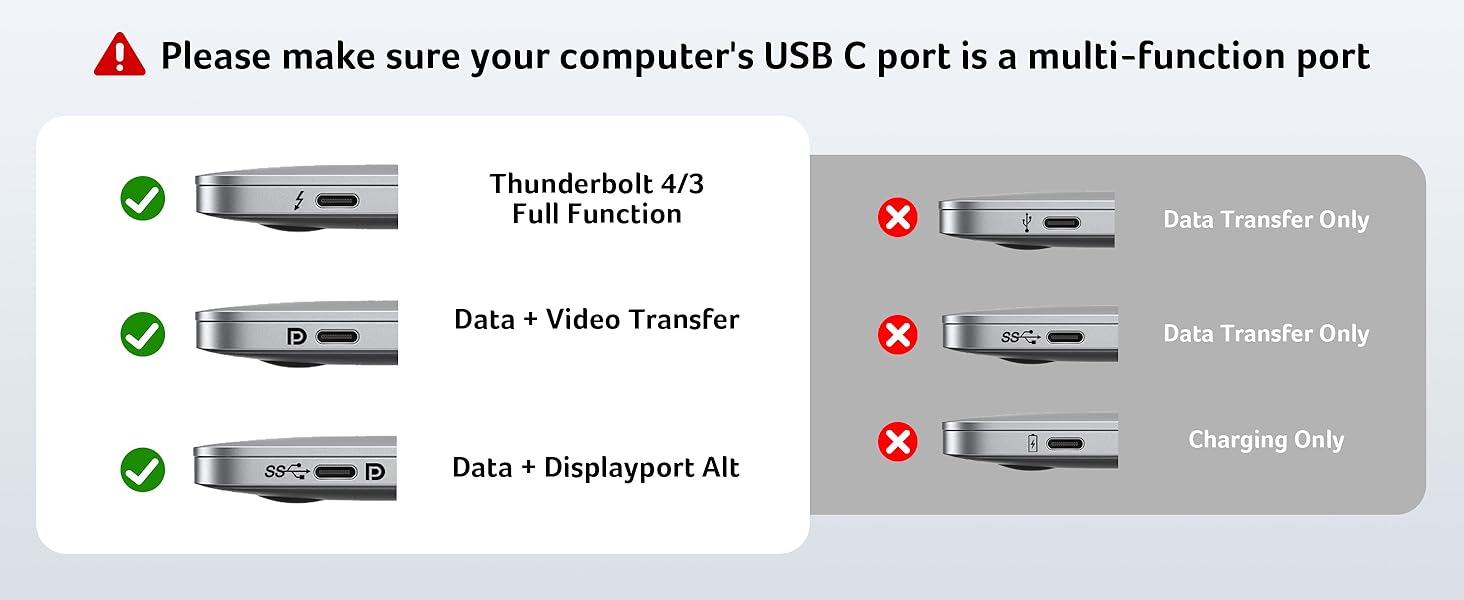
It's a name brand product. The packaging is excellent, the product itself feels heavy and premium in the hand. The housing is aluminum, dissipates heat well and is very aesthetically pleasing. It's got a small footprint and can just be wedged right under your laptop. Charging speed is decent. My issues however surprisingly were quality control, and functionality. The dock was not easy to use. I tested the dock with 3 different laptops all with Thunderbolt/DisplayPort Alt mode ports on them, and each had different issues. First laptop the HDMI ports worked to connect screens perfectly but the Ethernet port wasn't recognized, the second I couldn't get the USB pass-through ports or the Ethernet, and the third wouldn't do much of anything. I tried different configurations of cables, and power supplies. I even looked online for documentation or drivers (there are none.) The product is marketed as not needing drivers, but honestly I think it probably should. The durability of the dock is also suspect. The rubberized pads that keep the metal dock from rubbing against your laptop came off literally after using the product one time. The glue used to stick them on is not very good. See my attached photo. For the premium price, this product doesn't offer enough premium value. In the end I went back to using an older less functional off-brand dock because, I was able to actually get it working and it had drivers available. Unlike this Acer dock that only some things worked, some of the time. Read more


Song Bee—December 26, 2025
The packaging and overall presentation are very good and give a solid first impression right out of the box. The dock itself feels sturdy and well-built, using premium materials that don’t feel cheap or flimsy. I’m using this dock with a 16-inch MacBook Pro. It did take a little trial and error to find the right placement on top of the stand to make the laptop feel perfectly stable, but once positioned correctly, it works well. A big plus is that the stand lifts the laptop, which noticeably improves airflow and helps with cooling during longer use sessions. Despite its solid construction, the dock is very light and portable, making it easy to move between desks or pack for travel. For display output, I only use one HDMI port. macOS mirrors external displays even when more than one HDMI port is connected, so that’s a platform limitation rather than an issue with the dock itself. The ports are well spaced, which makes plugging in cables and accessories easy without everything feeling crowded. One thing worth noting: I had to use the dock’s USB-C Power Delivery port instead of the MacBook’s magnetic charging port. Otherwise, the external monitor wouldn’t power back on after the laptop woke from sleep. Once connected via PD, everything worked reliably. At this price point, my main wish is for more USB ports—specifically more than the current two USB-C and two USB-A ports. That would make it even more versatile for users with multiple peripherals. Overall, this is a well-designed docking station that combines functionality, portability, and improved ergonomics, with just a bit of room for improvement in port expansion. Read more
Techusiast21—January 3, 2026
An Acer branded usb-c hub, more than a docking station, though it does also function as a laptop stand or riser for the back. Its a nice way to add a plethora of connections to your laptop, and still be organized by having all your connections at the back of the laptop. As a bonus, it also raises the back of your laptop, allowing for better airflow. While this hub is branded for Acer, it will work with other laptops. I've only used it with a windows laptop (LG and HP), but the hub has worked for both. I do get a warning that the power pass-thru is not sufficient, but there seems to be more than enough power to keep the battery from dropping under use. I do appreciate all the connections, especially for having 2 HDMI ports, and 1 DisplayPort. The silicone ovals are also sufficiently grippy to keep the laptop from sliding around when the laptop is on top. Overall a nice hub, but it does still seem a bit expensive at the $100 asking price. Maybe its fair though, considering how expensive other branded hubs are for laptops, but still, there are other USB-C hubs that can do most, if not all, that this unit does, but at nearly half the price. Read more
Antonio—February 3, 2026
This hub works well for streaming and everyday use. I appreciate the sturdy build and compact design, making it easy to move around and fit on my desk. The picture and sound quality are reliable, and setup is straightforward across different devices. Customer support is excellent—any issues I encountered were quickly resolved. That said, I ran into connection issues when using HDMI and charging at the same time, and a few ports had quality control problems. The design is a bit bulky, which makes it prone to unplugging if not positioned carefully. USB options are limited, and the rubber pads feel like they could be more durable. Read more
Customer—December 23, 2025
This docking station gets the job done really well for everyday work tasks. What I absolutely love is how it lifts your laptop up - the airflow improvement is fantastic and keeps everything running cooler. It's basically like getting a laptop stand and dock rolled into one, which is pretty convenient. All the ports work as advertised and I haven't had any connection issues. The multiple monitor setup works fine for office work and general productivity stuff. The build quality feels sturdy and my laptop sits securely on it. My main gripe is the price point. For what you're getting - 4K60 and 8K30 - it feels expensive compared to other options out there. This is for basic work tasks and not heavy content creation or gaming. Pros: Excellent laptop cooling design, reliable connections, good port selection Improvements: Overpriced for the specs, limited to standard resolutions Recommend for anyone who wants the dual benefit of a laptop stand and docking station, but shop around if budget is a concern. Read more