Free shipping over $35 · 60-day returns · Price-watch guarantee

Ventari

ASUS

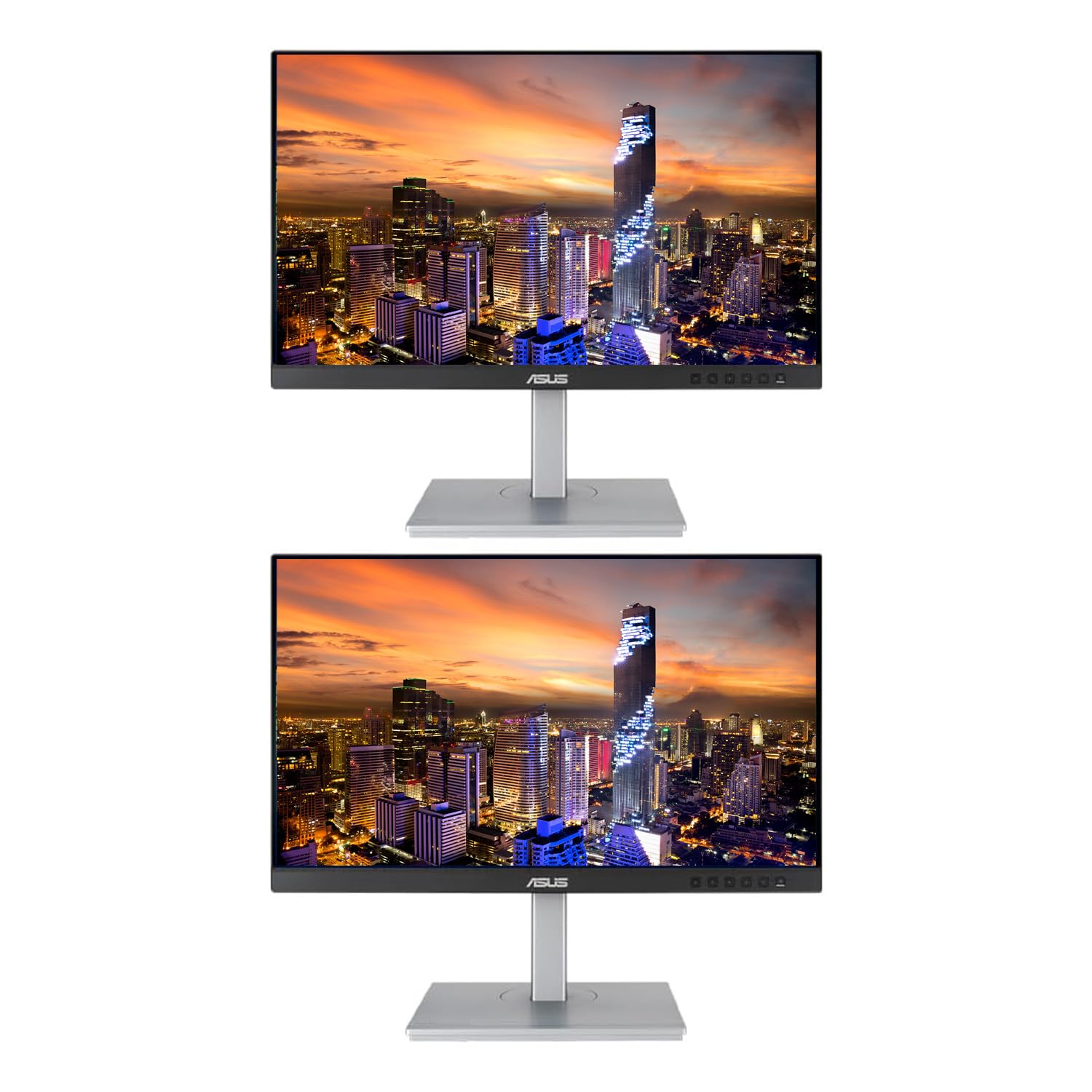
ASUS ProArt PA329C 32 4K 3840 x 2160 HDR10 DisplayHDR600 Monitor 100 Adobe RGB IPS Eye Care DisplayPort

$879.00

531+ bought in the past month

Sobre este artículo

  • 32-Inch 4K UHD (3840 x 2160) resolution display with DisplayPort 1.2, HDMI (V2.0) x3, USB Type-C
  • Brightness is 450cd/m²
  • 100% Adobe RGB and 100% RGB true Color reproduction, factory pre calibrated for outstanding color accuracy (Delta). supports 98% DCI-P3 and 84% rec. 2020 color standards
  • Asus ProArt calibration technology with 14-bit look-up table (LUT) and uniformity Compensation capability
  • Compatible with major hardware calibrators such as X-Rite i1 Display Pro and data color spider 5 Series, with the ability to save color parameter profiles directly to the monitor (accessible via hotkey)
  • Ergonomic tilt, swivel, pivot and height adjustment stand with Asus Eye Care flicker-free and low Blue light technologies

Key details

Brand
ASUS
Resolution
4K HDR 2160
Aspect Ratio
16:9
Screen Surface Description
Flat
screen_resolution
3840x2160

Dimensions and fit

Screen Size
32 Inches
standing_screen_display_size
32 Inches

Item information

max_screen_resolution
3840 x 2160 Pixels
number_of_usb_30_ports
6
best_sellers_rank
#541,561 in Electronics ( See Top 100 in Electronics ) #10,444 in Computer Monitors
Highlights

About this item

  • 32-Inch 4K UHD (3840 x 2160) resolution display with DisplayPort 1.2, HDMI (V2.0) x3, USB Type-C
  • Brightness is 450cd/m²
  • 100% Adobe RGB and 100% RGB true Color reproduction, factory pre calibrated for outstanding color accuracy (Delta). supports 98% DCI-P3 and 84% rec. 2020 color standards
  • Asus ProArt calibration technology with 14-bit look-up table (LUT) and uniformity Compensation capability
  • Compatible with major hardware calibrators such as X-Rite i1 Display Pro and data color spider 5 Series, with the ability to save color parameter profiles directly to the monitor (accessible via hotkey)
  • Ergonomic tilt, swivel, pivot and height adjustment stand with Asus Eye Care flicker-free and low Blue light technologies

De la marca

Product detailProduct detailProduct detailProduct detailProduct detailProduct detailProduct detailProduct detail
Product detailProduct detailProduct detailProduct detail

Product videos

Product video 1

Customer reviews

138 reviewsMixed

Rated 3.6/5 across 138 reviews — opinions are mixed.

Customers say

Customers praise the monitor's color accuracy, with one noting its full Adobe RGB support, and find it to be a high-quality display with many different settings and presets.

Generated from the text of customer reviews

Reviews with images

Customer review image for It cuts corners where it can but delivers on what matters most!Customer review image for It cuts corners where it can but delivers on what matters most!Customer review image for Positive review for an amazing monitor plagued by bad QCCustomer review image for Positive review for an amazing monitor plagued by bad QCCustomer review image for Positive review for an amazing monitor plagued by bad QCCustomer review image for Positive review for an amazing monitor plagued by bad QCCustomer review image for Positive review for an amazing monitor plagued by bad QCCustomer review image for Positive review for an amazing monitor plagued by bad QC
See all photos
★★★★★

It cuts corners where it can but delivers on what matters most!

Bought 3 of these during Black Friday sales but even at full price, this 1k price tagged monitor is packed with features found only in monitors that are more than double its price tag! What more can you ask for, 32", 4k, 10bit, 100% sRGB/AdobeRGB monitor WITH hardware calibration support. Sprinkle in the HDR, various Eye care technologies & a monitor stand that supports portrait mode, and you have one heck of a solution. Calibration can be easy, luckily, I already owned a supported device (xRite i1Display). What is not so great about calibration falls in line with where one could argue that Asus gets corners. For starters the application used to calibrate is NOT what is listed on the Asus's official product page. On their site, they mention the "Asus ProArt Calibration Technology", in reality, you need the Asus ProArt Creator Hub which is only downloadable via the Microsoft Store within your Windows OS (If you go to Asus support product page, it does reference the ProArt application, but directs you to the Microsoft Store to download it). This may confuse people as clearly Asus changed gears and what does this mean for MAC people? Not sure if there is a MAC equivalent to this application and without it, you won't be able to access the Hardware calibration feature of this monitor. The only other problem I have with the calibration is the software just seems buggy and slow being from a big company like Asus. If you have a mulitple monitor setup (like I do), calibration is even harder as you are unable to tell which monitor you are attempting to calibrate because the selection window only gives you the model number. It would be so nice if Asus allowed you to either rename each device OR within the details page, reference a serial number or something unique to each monitor. So, for me to calibrate correctly, I can only have 1 monitor powered on at a time when I go to calibrate. Another place where I see price cutting is perhaps the build. When looking at my desktop setup, you see 3 very nice monitors on arms, looks professional however when you get up and close to each monitor, you can see some defects, like the bezel being "clickily" on 1 of my monitors, or on the other monitor there is a slight bent towards the top of the frame. (I have 0 concerns that these monitors were previously used and return to Amazon. No way a consumer would have been able to pack it as well as it was, and I even doubt some 3rd party shop would have been able to reconstruct the OEM shipping look). Given that this is a 32" beast, it has a lot of room to support ports. What I don't understand is the amount of HDMI in's this monitor offers (3). For practical purposes, I do not know why this doesn't come with support for daisy chaining solutions like, DisplayPort or Thunderbolt. I would also have liked to see this monitor supporting 10gbps vs 5gbps, but then again, it's only a 1k priced monitor! At the end of the day, you really can't complain about this device. I NEVER understand why people leave negative reviews (not so much specifically on this device) on a product and compare it to another product that is 2 or 3 time the price. Someone will mention BenQ, and there is no doubt BenQ makes an amazing product, but their 32" 4k hardware calibrated monitor starts with a price tag of 2k. Out of the box, this monitor offers a very good picture quality, but at the end of the day, you want this monitor if you want to take control over quality with calibration. If you do not intend to, I would go with the PA329cv (B09D7JCT5Y) or go with the BenQ PD3205U (B09NF4FVKR). I should also mention, you can calibrate ANY monitor out there, if the monitor does not support access to the LUT table, the calibration is saved on the Graphics Card or OS (software). There are many articles around hardware vs software of which you can search for to help get clarification. My current setup (3 x PA329c) was an upgrade from my previous editing setup (2 x Dell u3014). The only thing I miss from the Dells is that their software calibration tool just seemed more polished (it should as it was designed by xRite). Update: As another potential work around to my multiple monitor issue within the calibration tool, I stumbled onto 1 piece of identifiable data that I actually created. When saving your calibration, you can give that a name, so named each one _L for left montior, R for right and M for middle. I can now go into each model from the top drop down, go into the calibration section and look to see what profile is assigned to that monitor. Thus allowing me to know which monitor I am calibrating without having to power off the other 2. Read more

Customer review image for It cuts corners where it can but delivers on what matters most!Customer review image for It cuts corners where it can but delivers on what matters most!
Dave
★★★☆☆

Positive review for an amazing monitor plagued by bad QC

First of all, don't let the "big bezels" scare you off. In person they re not big and screen looks sleek. First impressions: - Super bright!!! Had to use it at 30% (Note: I usually have my screens at ~300nits fairly bright) - Color reproduction is amazing really close to the values specified (100% sRGB, 100% AdobeRGB, 97% DCI-P3 according to Spyder X Elite) See first pic. - Response Time and Latency: This display is the most fluid I ve exer experienced at 60Hz. Its the smoothest monitor I ve had. PLayed some Overwatch no issues, no delay! It's really impressive (coming from someone who has returned other 60hz monitors for being sluggish due to high input lag) Perfect monitor?? I am afraid not. To the negative aspects now: - The panel has moderate IPS glow if you sit close to the panel. This is not an issue for me! - Hundreds of bright pixels stuck green, seen on black background. - Lots of dead pixels seen as black on white background. I will be returning this to amazon but my overall experience was amazing other than the defective panel. Will give it another chance once there are more in stock. EDIT: I tried 3 units, 1 from Amazon, 1 from NewEgg and 1 from B&H Photo. The first two had thousands of stuck pixels and a few dead ones. See pictures. The last one had no defective pixels and I was so happy only to realize there was a bright vertical line on the right side of the panel like image burn in that would never go away. Only visible on gray background images or applications like Photoshop/Visual Studio that I use. Had to remove 1 star. Will have to think good before trying a 4th sample of the same monitor. Update: My 5th sample had an even worse panel. Multiple dead and stuck pixels, green and red this time. I m done with Asus. Will not try another sample, removed a star. Read more

Customer review image for Positive review for an amazing monitor plagued by bad QCCustomer review image for Positive review for an amazing monitor plagued by bad QCCustomer review image for Positive review for an amazing monitor plagued by bad QCCustomer review image for Positive review for an amazing monitor plagued by bad QC
Perry Leros
★★★★★

For photographers, this is it.

I did an unreasonable amount of research into monitors before pulling the trigger on this. Weeks of trial and error, testing different monitors, and reading reviews. As a professional landscape photographer I’ll give you my two cents. This monitor truly is the unsung hero of its class. Without a doubt, it’s a top contender with others in the 2K - 3K range. And it’s only $1,100. Perfect color accuracy right out of the box, the software is great for calibration and making the experience that much better. I use a PC I built in early 2022 using an Asus ProArt motherboard and the software recognized the motherboard, the monitor, and has options to optimize everything from start to finish. Very cool features. If you’re wondering if this is the right choice, it is. Being a perfectionist about my workflow, this ticks all the boxes. Make sure you have a calibrator to check and tune the monitor every month or so to keep the colors right. For my photographers out there, here is my recommended workflow: - Shoot in RAW + Adobe RGB colorspace in camera - Edit in Pro Photo RGB with the monitor set to Adobe RGB - When you output for web, embed the sRGB profile into the output file - switch over to sRGB on the monitor, check your edit and make any minor adjustments that are needed - save your original edit, Adobe RGB edit, and sRGB edit separately in the same folder. You now have your original, your print file (Adobe) and your web sharing file (sRGB). Perfect workflow, easy to do, and all made possible by being able to see what you’re doing. And most importantly, seeing what your photo really looks like. 10/10 recommend. I’ll update this as time goes on using the monitor. It was hard to find info about this model, but it’s by far the best option under 2K, and even contends with those at that price and higher. Read more

Nicholas
Recently Viewed

We use optional analytics cookies to understand how visitors use Ventari and improve the experience. This banner controls analytics measurement only. See our Cookie Policy.