Brian C.—November 13, 2023
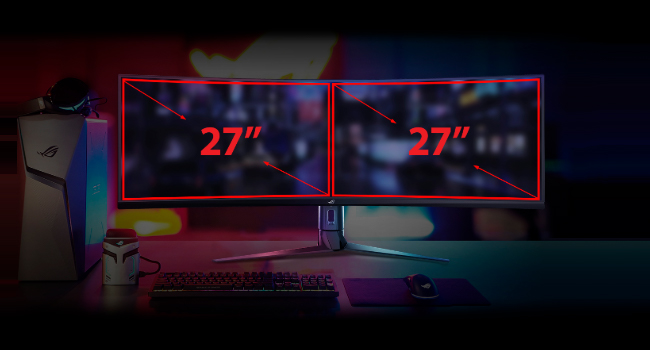
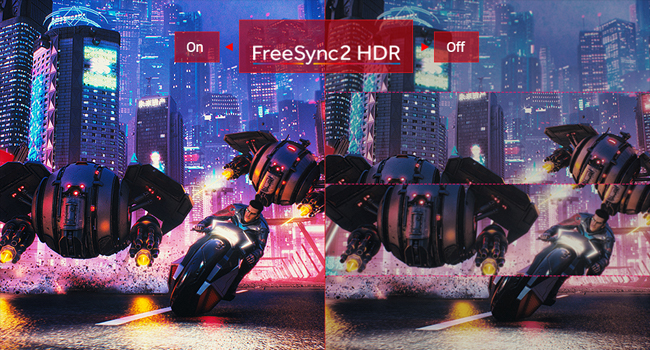
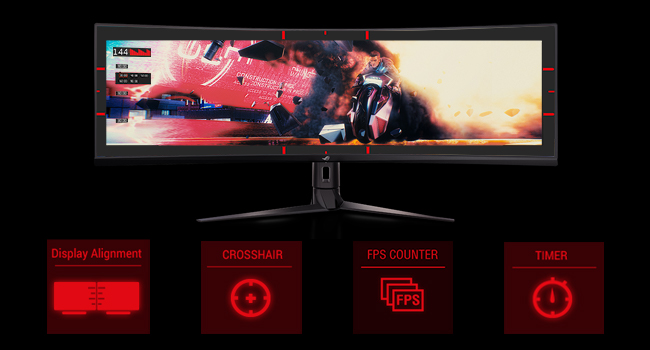
Computer Spec: AMD 5700X CPU, AMD 7900XT GPU, 32GB RAM, 3840x1080 @144Hz Why buy this: - Play games in Ultrawide with two little side edge partitions for Discord and watching Twitch. It's so clean. - 1080p resolution; If you don't have a RTX4090 you can't drive an Odyssey G9 DQHD at anything more than ~40fps on High Settings in most AAA games. Whose paying $1500 to play at 40fps? - You need two monitors and like the idea of one big workspace. It's INCREDIBLY impressive when you sit down in front of this monitor. Why you shouldn't buy this: - You have a RTX4090, you should buy the Samsung Odyssey G9 - You can't afford it - You're ok with 60+FPS; get a single 27/32" 2K panel. It's a couple more pixels (~900k) so you'll lose some FPS compared to UWHD but that's the trade. Notes: - Wondering how you break up this monster into 2/4/8 windows? Windows Powertools FancyZones. It's free, made by MS, and works well. - When I bought this monitor I had a NVidia 3080, which had the juice to run UWHD at ~90fps. This specific monitor HATES G-sync on, massive blue ghosting around anything moving. Turn G-Sync off, get screen tearing. I sold my 3080 and bought an AMD7900XT, god's gift. No tearing with Freesync, no ghosting with Freesync on. Final Thoughts: You should get this monitor. It's an absolute delight and doesn't need a $4,000 rig to push130fps average in Cyberpunk 2.0 on Ultra with R/T Off. I mean, you still need a $2,000 rig but that's PC gaming. Read more

Jeff K.—June 28, 2025
Had this a few months and have really been impressed by the overall quality and at the time was wondering why I couldn't find reviews despite its list of top specs. Yes it has large plastic buttons to interface with on the back that feel a little cheap but there much better than joysticks that can break or even most dpads in my opinion. I was surprised to find very little backlight bleed for it being an IPS display. I was really set on OLED for the inky blacks but I couldn't really find much in the 24-27 range so I decided to give this a try and I'm glad I did. For reference I was coming from the Alienware 34 ultrawide which has been great and works well for less competitive games but its so wide you don't have a great FOV. Yes I do miss using it sometimes when playing story based games (just played the dead space remake) but I play more FPS so the trade offs of using the smaller IPS panel is worth it. The biggest annoyance which is fairly small is on boot up, the panel displays in a very large red box which port your connected to right in the middle of the screen which blocks the windows password log in, I haven't been able to figure out if that can be turned off. It does of course disappears soon after but its kinda weird its so prominent. p.s. I also tried the Samsung G4 which goes on pretty good sales but I personally didn't care for it, lots of backlight bleed Read more
I'mNotGhenghisKhan—November 13, 2025
It is expensive compared to the competition however it has one of the sharpest and brightest displays out there. The colors are amazing and it is also pretty easy to setup and move around. Read more
Tobin—December 10, 2020
Simple as this, this monitor rocks and I push it to the limits with fast action and games that really play to the high refresh rates like racing games and ArmA 3. Some of the previous reviews are just product snobs about the fit and finish. To be honest when I'm playing a game I don't care what kind of plastic it is and I am not going to pay $4-500 more for a Samsung product that has only a better external finish. Without a doubt Samsung CH-90 is a nice monitor, but when the lights are off and I'm racing I don't care. I tested the Samsung and the biggest gripe I had was a ghosting effect at times on the outer edges with fast racing. Colors would bleed towards the outer 1/4 of the screen on both sides on the Samsung with action and the Asus does not. Clear picture through out even with fast action. FPS in full races would drop to 169-178FPS which if you don't know is important in a review. If you dip below the refresh rate for the monitor then you will encounter problems. With a 1080ti at max settings in iRacing and Assetto Corsa, the picture is dynamic and amazing. So if you want to listen to the 1star Product snob reviews who don't usually supply tech specs of what they are doing and some screenshot or single picture of their RPG low FPS game and call it crappy, who will you believe? Some person who decided to go and spend $500+ extra on a monitor just as capable because it had silver bezels and fanciness? I also use this monitor for work for 8-9hrs a day and the picture is great and has a great split screen feature i use with HDMI while using Display Port for gaming. One note most of the reviews won't tell you that states in the manual, to use Display Port and Not HDMI if you want refresh rates above 120hz. If you notice some of the reviews are done with HDMI capabilities and not Display Port as the flipping manual states to use. Anyhow have had this monitor since April and absolutely love it! Worth every penny compared to Samsung overpriced elitist CH90. Read more