Mr. Next Level—January 19, 2026✓ Verified purchase
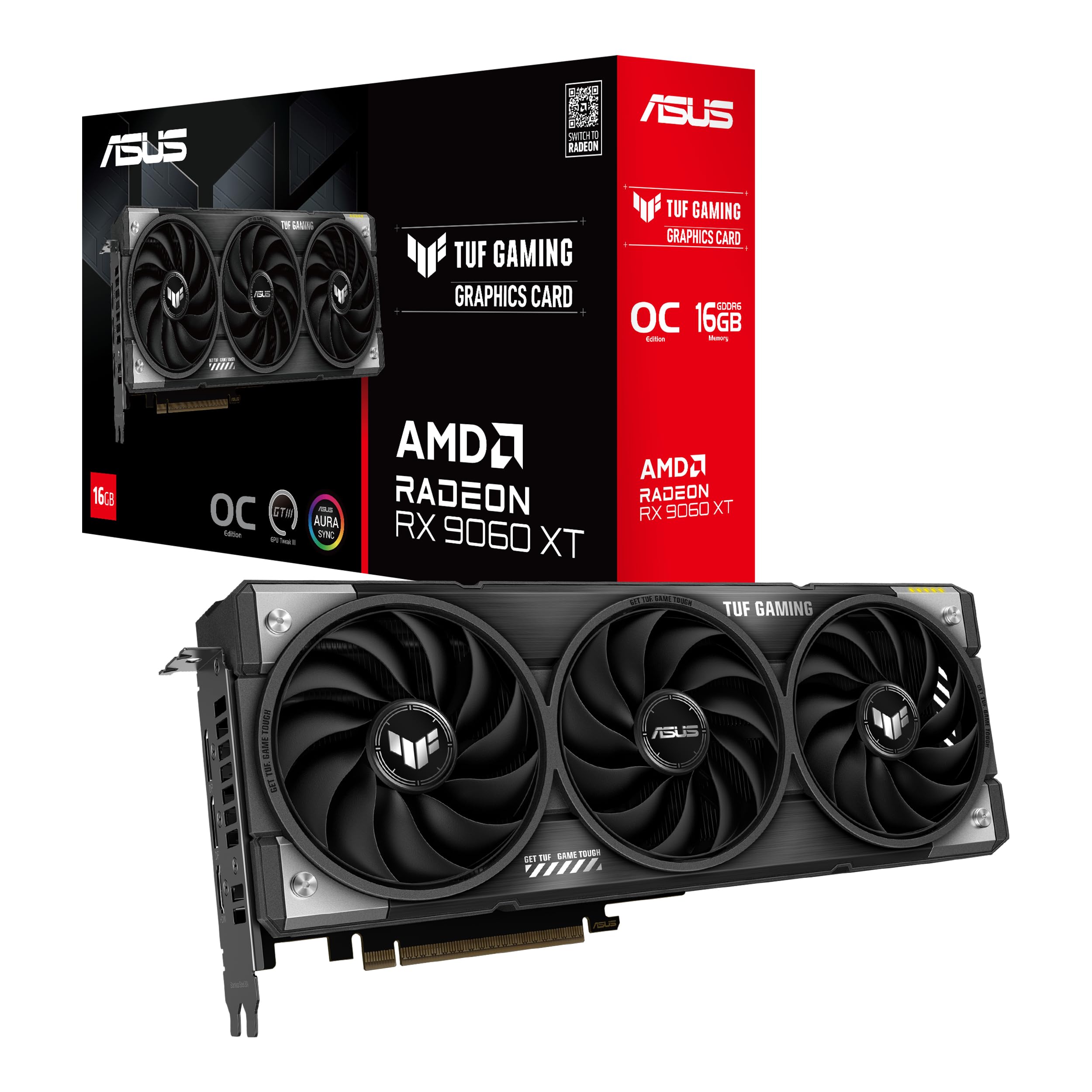
From the moment I started using this card, performance has been excellent. I game at 3440×1440p on a 34-inch ultrawide at 240Hz, and performance has been excellent across the board. I mainly play competitive FPS games, and the card delivers consistently smooth, high frame rates with no issues. Every game I’ve played has run smoothly, and I’ve never felt limited by performance. The design aesthetic is another highlight. The metallic gray and silver color scheme looks clean and premium, with very minimal RGB, which I really appreciate. It fits seamlessly into my build, giving me exactly the aesthetic I wanted. The card feels extremely well built and durable, with high-quality materials throughout that give it a solid, premium feel. It also has a nice selection of rear I/O ports to accommodate additional displays. Cooling performance has been excellent as well. Even during long gaming sessions, temperatures remain well controlled, and the card stays quiet while under load. It came extremely well packaged and protected, with great attention to detail in the branding on the box, along with thoughtful extras like the included TUF graphics card holder, TUF Velcro hook-and-loop straps, and a TUF magnet. Overall, this GPU has been fantastic to use and easily lives up to the TUF Gaming reputation for quality, performance, and reliability. Read more


sharkeer—April 6, 2026✓ Verified purchase
Overclocking is a bit meh (3150MHz core max freq at 1.04V). Runs cool at stock setting (below 70C at full load 1400-1500rpm fan speed, ambient 28C) with uv. Excellent build quality though a bit too big. Expensive for the price offered. Very decent card. Nothing to write home about. Read more
Kel—January 12, 2026✓ Verified purchase
Great GPU but skip the included adapter! Beginner guide to getting the power cables right (what I learned the hard way) GPU = Graphics card PSU = Power supply unit PCI cable = A power cable that connects your PSU to your GPU. It has 8-pin plugs (with holes) on one end for the PSU ports, and a big 16-pin end (looks like 12 big holes + 4 tiny ones on the side) for the GPU. This graphics card works awesome, but you need the right power cables or it won't start properly (red light, no video, etc.). DON'T use the short adapter that comes in the box with the GPU — I read a bunch of warnings on forums/Reddit that it often causes issues, so I skipped it completely. I'm new to this, so here's what I figured out after researching one night when it wouldn't work. This GPU needs three separate PCI cables from your PSU (one or two isn't enough). My son's old GPU only needed two, so that confused me at first. I had to unscrew and remove the back cover of the case to see the PSU (it was hidden behind it). Shine a light in there and follow the existing cables — they go through a hole to the back of the PSU. The ports are labeled VGA1, VGA2, VGA3, etc. (these are for GPU power cables). My son's PSU had 4 VGA ports, which is plenty. You may have to squeeze your hand in to add or remove cables, make sure the ports say VGA and not CPU you don't wanna unplug the wrong cables. I didn't remove my PSU I left it in and patiently struggled to get the cables in lol **The picture I added shows where my VGA ports were on the PSU, they were to the left of the ports labeled CPU, I circled the area in red but yours might be left or right of that just make sure the ports say VGA1, VGA2, etc.** You basically have two options: Option 1 – Easier if you already have three cables coming out of the PSU (what I wanted at first): Buy a "PCIe to 12VHPWR extension adapter" (or "3x8-pin female to 16-pin male adapter" / "12VHPWR adapter cable"). It has three holes/sockets on one end (your existing PCI cables plug into those) and the big 16-pin end that goes into the GPU. It's short (often around 30cm), no need to unplug anything from the PSU — just add it on top. Search Amazon for: "12VHPWR adapter 3x8-pin to 16-pin extension" (brands like CableMod, EZDIY-FAB, or Fasgear with "extension" in the title). Option 2 – What I accidentally bought (cleaner but more work): The Fasgear 600W PCIe 5.0 GPU Power Cable Sleeved 70cm (the long black one with 3x8-pin male plugs for the PSU and one big 16-pin for the GPU). You have to unplug the old cables from the PSU's VGA ports, then plug this new cable's three 8-pin ends into those same ports (they click in), and the big 16-pin end into the GPU. It uses three separate lines for better power stability and looks neater. I ended up going with Option 2 because that's what I ordered (thinking it was an adapter at first!). I reached in, swapped the two old cables for the new three, plugged it in — and it worked perfectly on the first try! My son gave me a 6/10 chance lol, but mom proved him wrong. Always turn off and unplug the PC before messing with cables, and make sure the big plug on the GPU is pushed all the way in (no gaps). If your card is heavy, add a support bracket to prevent sagging. Hope this helps someone else avoid the confusion — take your time and research like I did! Read more

Hickabilly—November 7, 2025✓ Verified purchase
I initially bought a 5060 and found that it only had one HDMI port. I have a multi-monitor setup and I don't want to spend the money replacing my monitors after already dropping a decent chunk of money on a graphics card. Fortunately the 5070 has dual HDMI. The only problem I ran into was that when I connected everything up, the computer booted but did not display any output on the HDMI ports. I connected one monitor to the motherboard HDMI and got Windows to recognize the new card. Online I found that the card needed a bios update to make it display on boot. After downloading and installing the update, the card started working and displays the ATI bios information as the computer boots. The card is solid and nice looking. The ARGB lighting can be controlled through the Corsair iCUE software so that it is in sync with the Corsair CPU display and memory. The lighting is subtle but attractive. The only thing that I was concerned with is that when installed in the correct slot of an ASUS TUF motherboard, the card is so far from the bottom of the computer that the little support pole that comes with the RTX card cannot reach the card to provide any support. So I bought another product to support the weight of the card. Read more
Leonardo Silveira—December 4, 2025✓ Verified purchase
I upgraded from an older RTX card and the difference is huge. This ASUS TUF RTX 5070 Ti runs all my games smoothly at high/ultra settings, with very stable FPS and great image quality. The card is quiet, temperatures stay under control and the build quality feels solid. Installation was easy and the RGB is subtle, which I like. Overall, excellent performance for gaming and content consumption. Read more