Free shipping over $35 · 60-day returns · Price-watch guarantee

Ventari

G-STORY

G-STORY Cooling Fan for Xbox Series S with Automatic Fan Speed Adjustable by Temperature LED Display High Performance

$35.99$119.99

418+ bought in the past month

Sobre este artículo

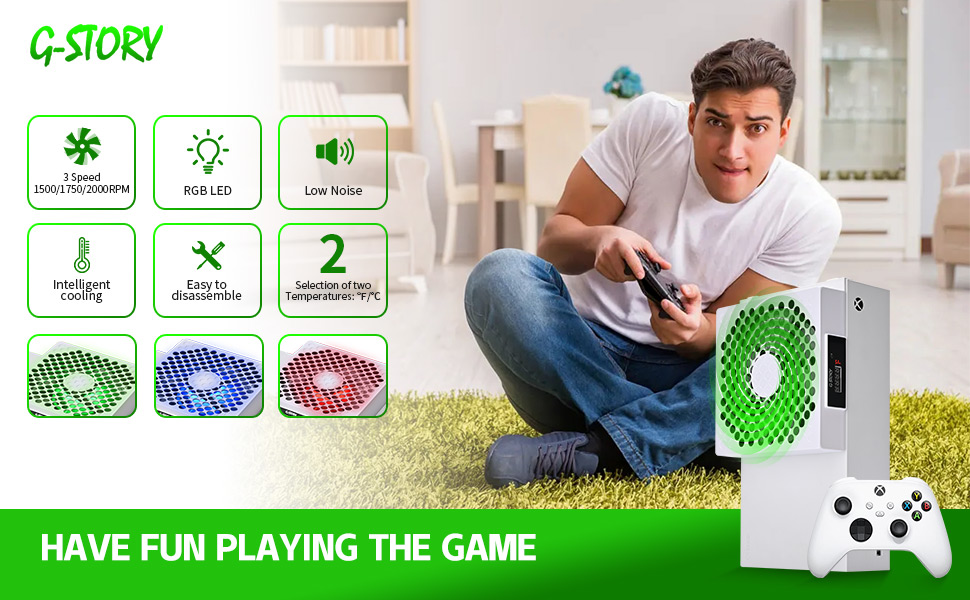
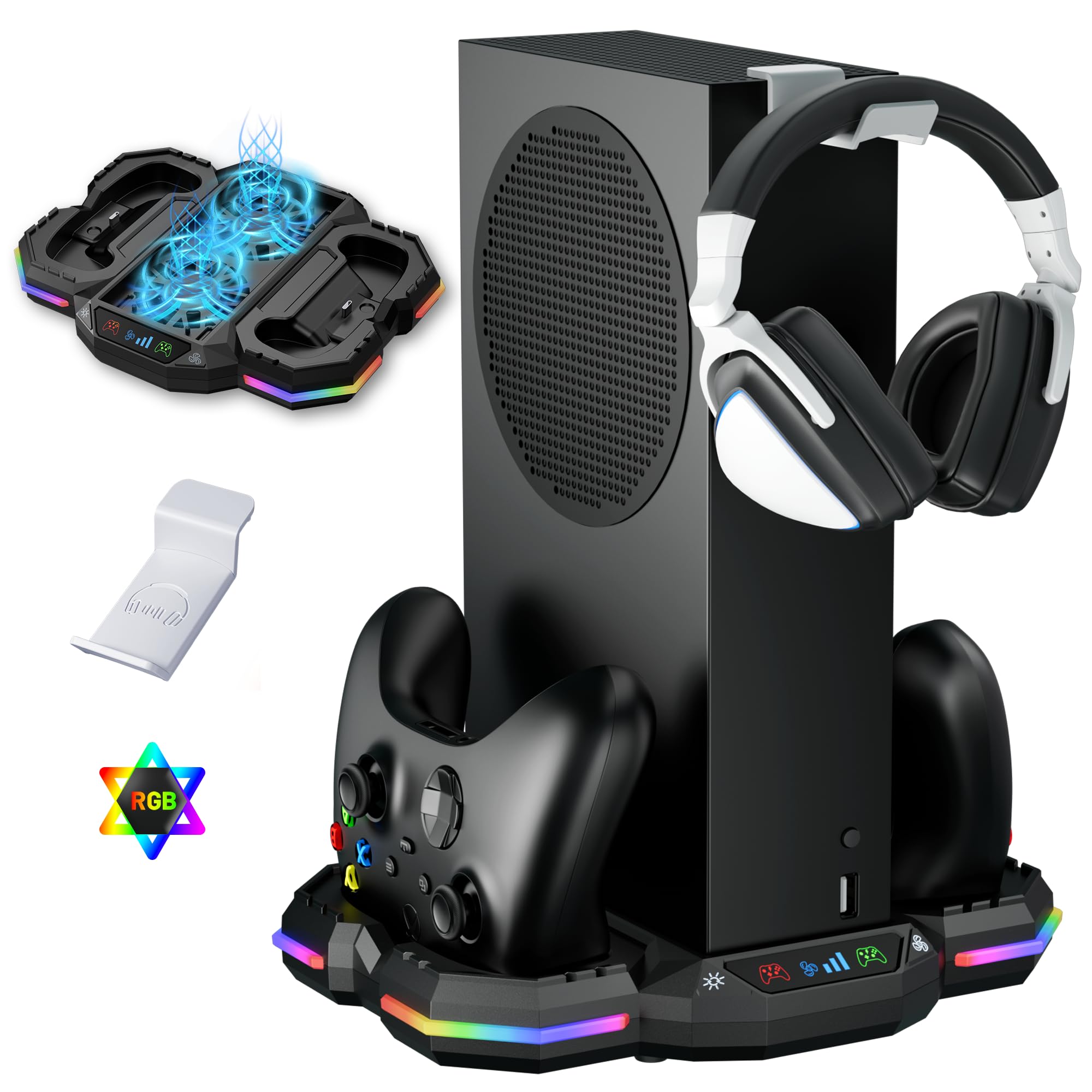
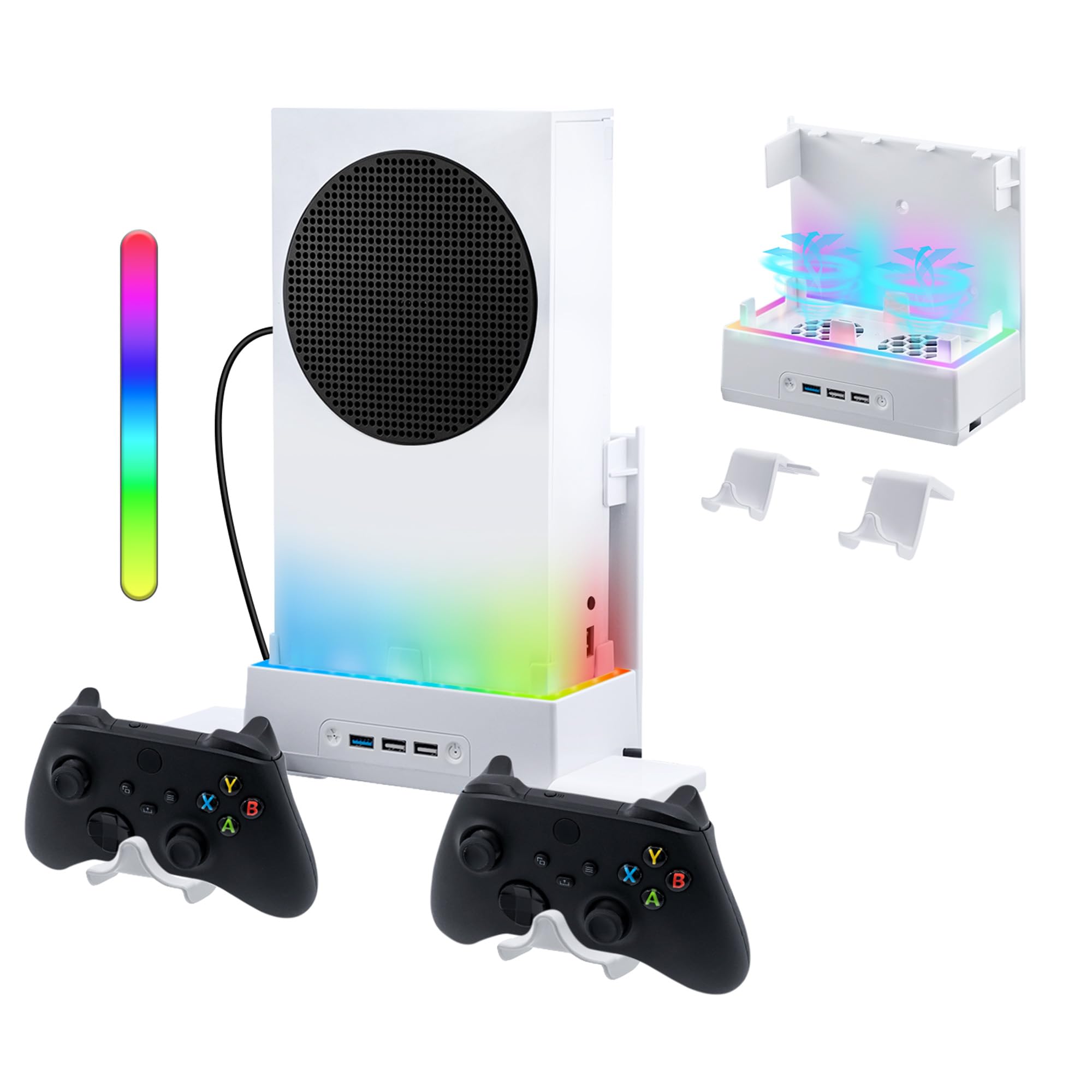
  • 🍃The new upgrade, black design tailored for Xbox Series S 1TB.LED Temperature Display-You can always know the temperature of your Xbox Series S console. It helps to prevent your Xbox Series S console from over-heating to extend the life of your Xbox Series S.
  • 🍃Intelligent Control & Custom fan speed-[Automatic Mode]: The chip of G-STORY Xbox Series S cooling fan can automatically sense the temperature to adjust the fan speed, you can just enjoy the game and leave the heat to our cooling fan. (when the temperature is <35℃/95℉, it will stop working.) [Manual Mode]:Press the button to select the 3 speed you need, the LED will change color with the speed. (Note: Press down the button for 3s to switch between manual and automatic mode.)
  • 🍃Three Level Fan Speed: Depends on the temperature of your xbox console, the Xbox Series S fan cooling system has 3 levels of fan speed(1500/1750/2000RPM) with RGB LED (Green light: 35~43℃/95~109℉; Blue light: 44~48℃/110~118℉; Red light: >48℃/119℉), it can cool your console at the most appropriate speed to protect your console.
  • 🍃Low Noise & Light Weight: The Xbox Series S cooling fan is low noise and light-weight, it's powered by your xbox console, it's super portable and won't take too much space.
  • 🍃Easy to Install: Just simply place the cooling fan on your console, and connect the cable to your xbox console, it will start to work.

Key details

Brand
G-STORY
Wattage
5 Watt-hours
Cooling Method
Air
Compatible Devices
Gaming Console
Noise Level
17.8 Decibels

Dimensions and fit

Product Dimensions
5.91"L x 1.38"W x 5.91"H

Technical specifications

Power Connector Type
3-Pin
Voltage
12 Volts
Maximum Rotational Speed
2000 RPM
Highlights

About this item

  • 🍃The new upgrade, black design tailored for Xbox Series S 1TB.LED Temperature Display-You can always know the temperature of your Xbox Series S console. It helps to prevent your Xbox Series S console from over-heating to extend the life of your Xbox Series S.
  • 🍃Intelligent Control & Custom fan speed-[Automatic Mode]: The chip of G-STORY Xbox Series S cooling fan can automatically sense the temperature to adjust the fan speed, you can just enjoy the game and leave the heat to our cooling fan. (when the temperature is <35℃/95℉, it will stop working.) [Manual Mode]:Press the button to select the 3 speed you need, the LED will change color with the speed. (Note: Press down the button for 3s to switch between manual and automatic mode.)
  • 🍃Three Level Fan Speed: Depends on the temperature of your xbox console, the Xbox Series S fan cooling system has 3 levels of fan speed(1500/1750/2000RPM) with RGB LED (Green light: 35~43℃/95~109℉; Blue light: 44~48℃/110~118℉; Red light: >48℃/119℉), it can cool your console at the most appropriate speed to protect your console.
  • 🍃Low Noise & Light Weight: The Xbox Series S cooling fan is low noise and light-weight, it's powered by your xbox console, it's super portable and won't take too much space.
  • 🍃Easy to Install: Just simply place the cooling fan on your console, and connect the cable to your xbox console, it will start to work.
Close-up view of the G-STORY Cooling Fan for Xbox Series S with Automatic Fan Speed Adjustable by Temperature LED Display High Performance
Details

Materials and care

Material
Aluminum, Copper, Plastic

De la marca

Product detailProduct detailProduct detailProduct detailProduct detailProduct detailProduct detailProduct detailProduct detailProduct detailProduct detailProduct detail

Product videos

Product video 1

Customer reviews

1,877 reviewsPositive

Rated 4.7/5 across 1,877 reviews — highly regarded by customers.

  • 100% of sampled reviews are from verified purchases.
  • 88% of sampled reviews give 4–5 stars.

Customers say

Customers find the cooling fan effective at maintaining console temperatures below 100°F and appreciate its automatic temperature-based operation, with the auto mode kicking in at 95 degrees. Customers consider the product well worth its price.

Generated from the text of customer reviews

★★★★★

Worth it!

Works great. I’ve had this for about 6 months and have never had an issue. The temperature sensor may be lying, but regardless I believe it cools the Xbox incredibly well. The lights correspond with the fan speed and there are modes that automatically change based on temperature. It’s also super easy to use, you just plug in the usb on the back and slide it down over the factory fan. I was pleasantly surprised to recieve mesh covers for the factory air intakes that keep dust out while letting air in. They fit great. Overall, worth every penny and then some. Read more

A friendVerified purchase
★★★★★

It's worth it.

Can't recommend this enough if your console is old. Recently my Series S was over heating till the point of shutting off. I took the console apart for a deep cleaning and a thermal paste replacement and it was still over heating even when I cleaned out the heatsinks. After installing this second fan my console has been running COLD. Truly its worth the cheap price for this fan it runs good and strong. Read more

Tucker Comer-LunsfordVerified purchase
★★★★★

Great buy!

Great product! Dropped the temperature of my Xbox by 20°F. The fan is pretty quiet too. Perfect Series S fit. Easy to install. Read more

Chevy79Verified purchase
★★★★

Keeps things cool, looks great

This fan really helps regulate heat during longer sessions. The automatic speed adjustment is a nice touch, and the LED display is a cool bonus. It’s not silent, but not loud either. Works as expected. Read more

AmandaVerified purchase
★★★★★

Gets the job done

Gets the job done. Very god product if u game for long periods , definitely keeps the game cooler Read more

KymaniVerified purchase
★★★★★

Good cooling fan for XBox series S

I got this for my XBox series S (in my office). It was both easy to install and quiet when running. It also has the nice "auto" feature where you can leave it plugged in all the time and let the fan decide (based upon the temp of the XBox) when to turn on and off. Also, this fan fits on the console so well (held in place by strong magnets), that it looks like an official Microsoft accessory custom made for my XBox (when really its an accessory made by a 3rd party for use with an XBox). While this fan was a little more costly than some other cooling fans I've seen or used (in the past), this one has the advantage of properly fitting the console, and being both quiet and automatic as it runs (some of the cheaper cooling fans I tried made a lot of noise when running, and many of those cheaper fans also needed to be manually started/stopped). While I may have personally liked a little lower temp cutoff (maybe 85 degrees?) before the fan (in "auto" mode) starts (thereby keeping the console even cooler), I still doubt that letting the console get up to 95 degrees is likely to cause the console much (if any) "heat damage". So from a "protect the console" standpoint, the 95 degree startup the maker chose (for the "auto" mode of the fan) is probably reasonable. NOTE: Some other reviewers are annoyed by the LED with this fan, and state it causes a little distraction/glare when watching their TV (which likely depends upon where their XBox is relative to which angle they watch their TV from). For those reviewers, I suggest you either move your Xbox to a location out of your line of sight, or use the option built into this fan to keep the LED turned off. However, my console is behind my monitor (and therefore already out of my line of sight). So I personally chose to leave the LED on, so I could easily look over my monitor to see the current state of the fan. When I look at my console, the LED will quickly show the state of the fan (an off LED means the fan is also off, and an on LED shows the fan is on with the color indicating fan speed). Read more

CustomerVerified purchase
★★★★★

Super cool

Use it every day and it works. I put this thing through punishment everyday and it keeps on going. Not sure what's up with the Xbox but it doesn't move much air and gets hot. I put this fan on it, I have no more problems with glitches that result in high heat. I have this fan on two xbox's. Read more

Jamie HipsakVerified purchase
★★★★★

Buy It, Maybe...

This fan is easy to install and operate and the temperature display provides visual verification of the fan's effectiveness. When the fan was delivered, I was well into a gaming session and my Series S (which I have in the horizontal position) was about as hot as it gets. The digital temp display read 105 degrees. In the default Automatic Mode, the fan had the temp down to 94 degrees within minutes and maintained that temperature throughout a 4 hour, graphics-intensive play session. In Manual Mode, I was able to maintain a temperature of 85 degrees at the lowest fan speed. This fan works really well. I've seen a marked decrease in occurrences of Borderlands 3 crashes. Update I: I just discovered that the LEDs can be toggled off on by two rapid presses of the mode button. At first I thought the LEDs had gone out. Update II: The fan needs to be seated securely or it will rattle at certain speeds due to resonance. Read more

J. HewlettVerified purchase
Recently Viewed

We use optional analytics cookies to understand how visitors use Ventari and improve the experience. This banner controls analytics measurement only. See our Cookie Policy.