Free shipping over $35 · 60-day returns · Price-watch guarantee

Ventari

HP

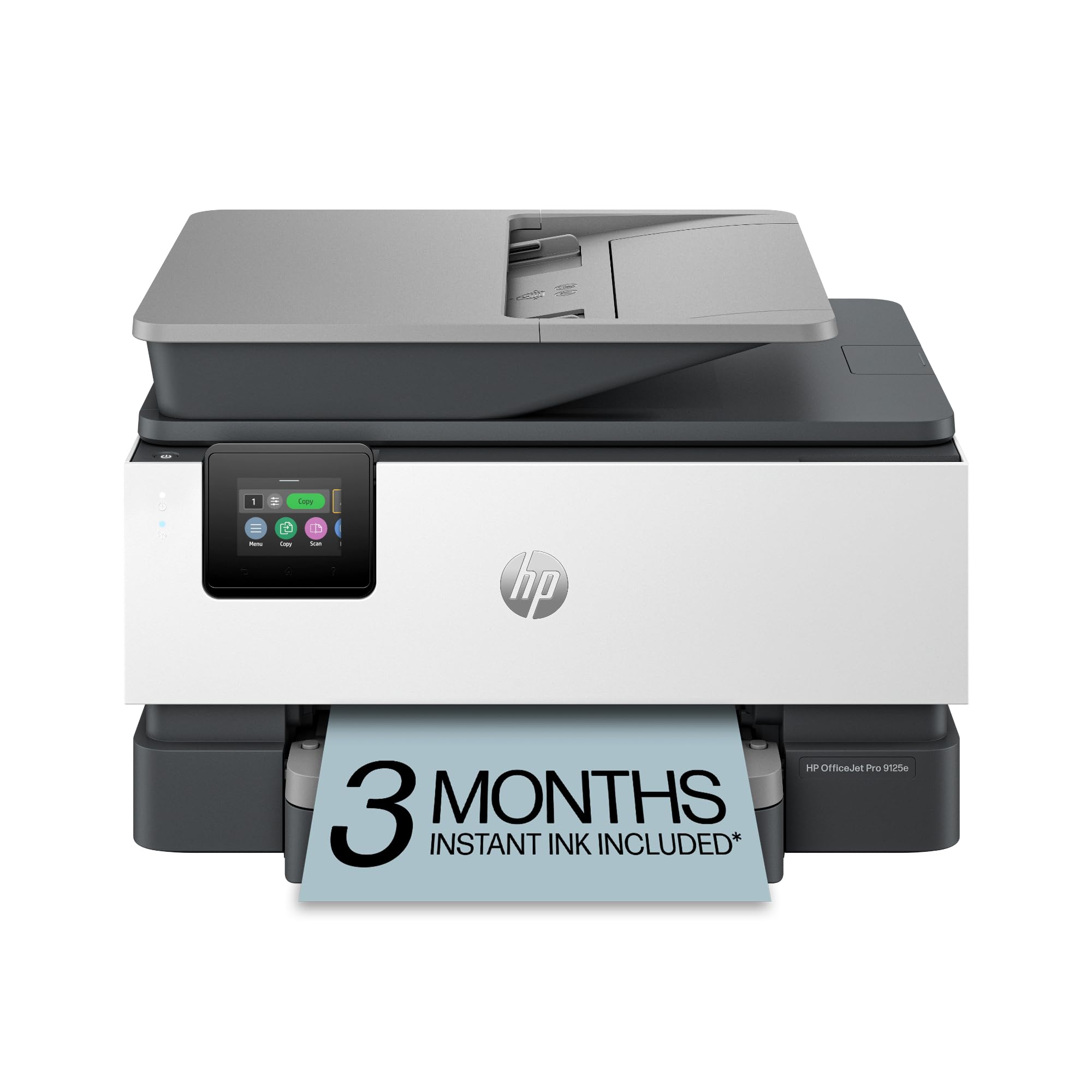
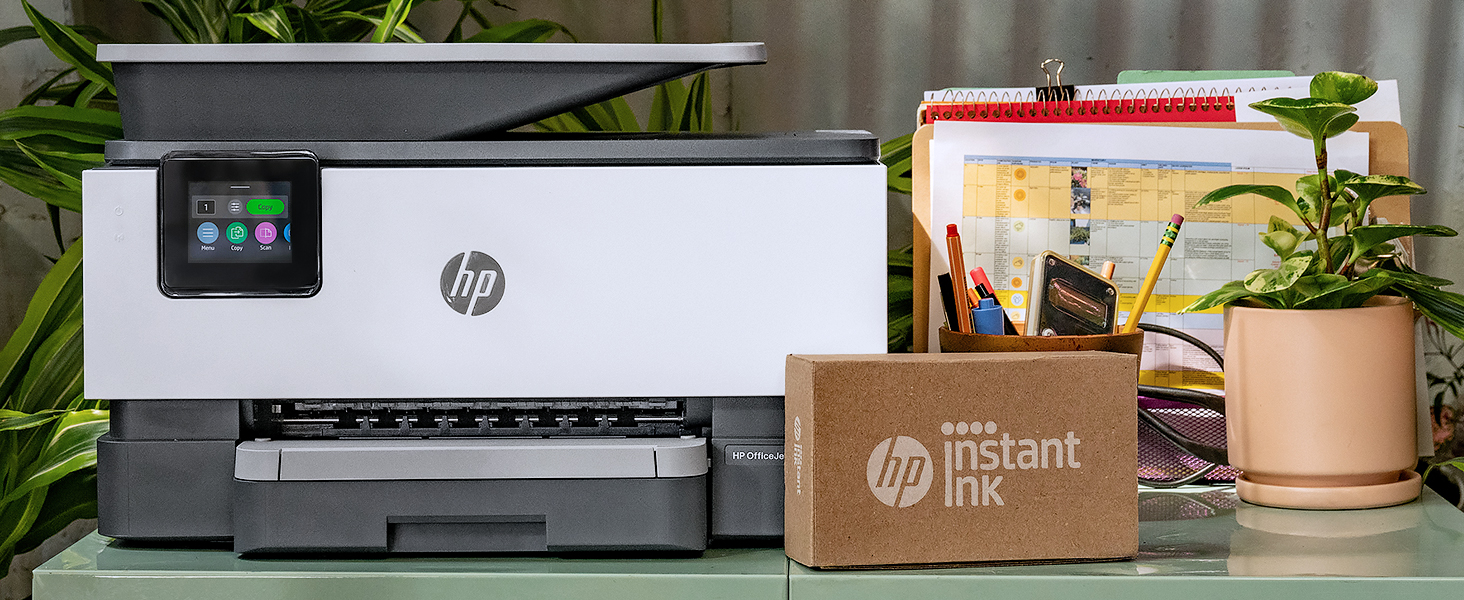
HP OfficeJet Pro 9125e Wireless All-in-One Color Inkjet Printer Print scan copy fax ADF Duplex printing best-for-office 3

$219.89$309.99

132+ bought in the past month

About this item

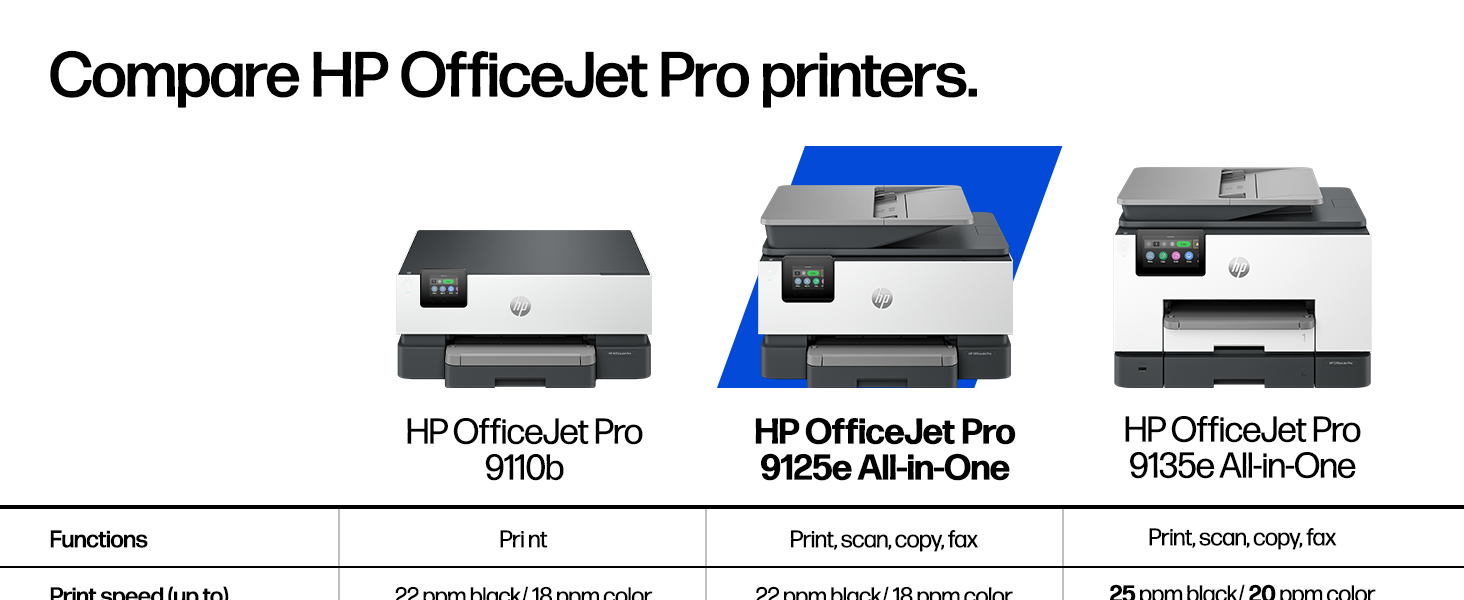
  • The OfficeJet Pro 9125e is perfect for offices printing professional-quality color documents like presentations, brochures and flyers. Print speeds up to 18 ppm color, 22 ppm black.
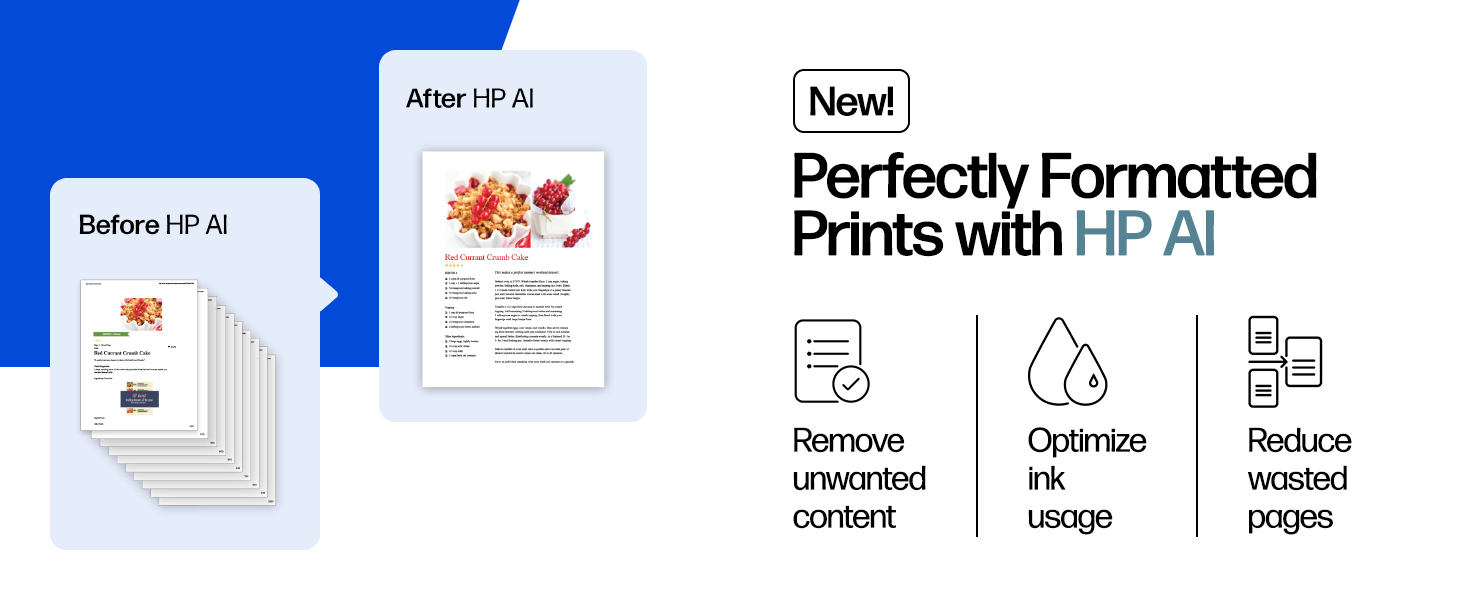
  • PERFECTLY FORMATTED PRINTS WITH HP AI – Print web pages and emails with precision—no wasted pages or awkward layouts; HP AI easily removes unwanted content, so your prints are just the way you want
  • UPGRADED FEATURES – Fast color printing, copy, fax, auto 2-sided printing and scanning, auto document feeder, and a 250-sheet input tray
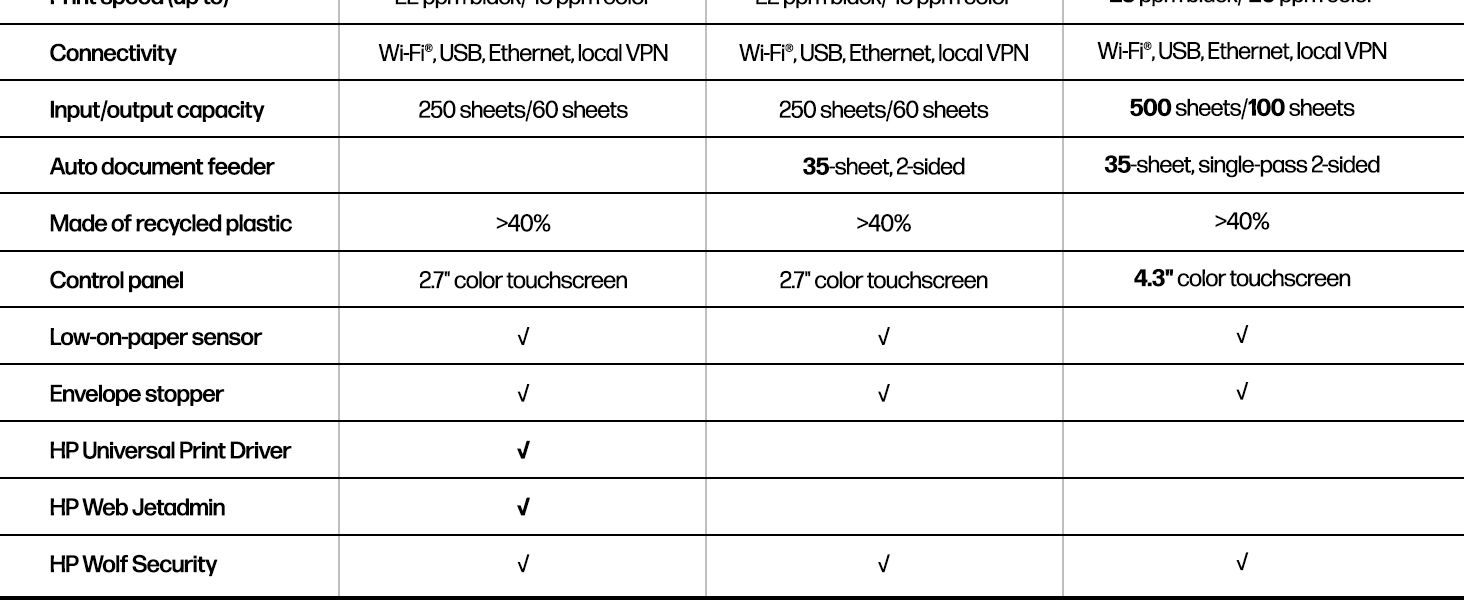
  • WIRELESS PRINTING – Stay connected with our most reliable dual-band Wi-Fi, which automatically detects and resolves connection issues
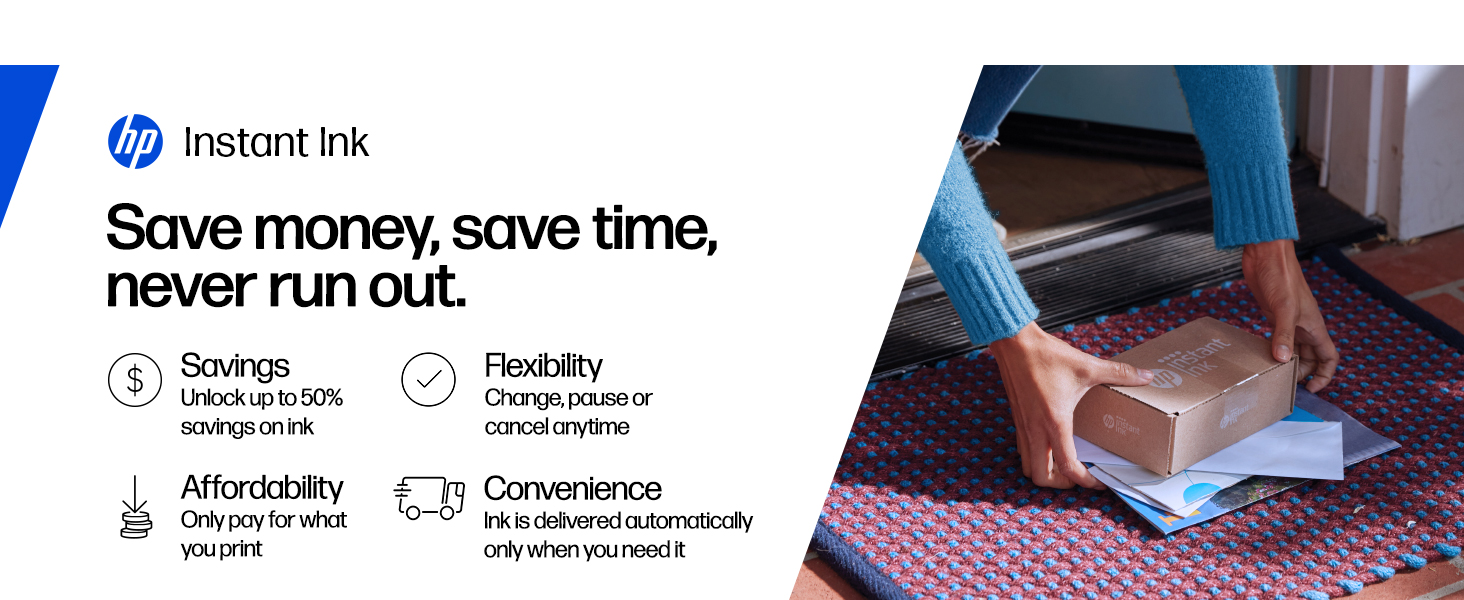
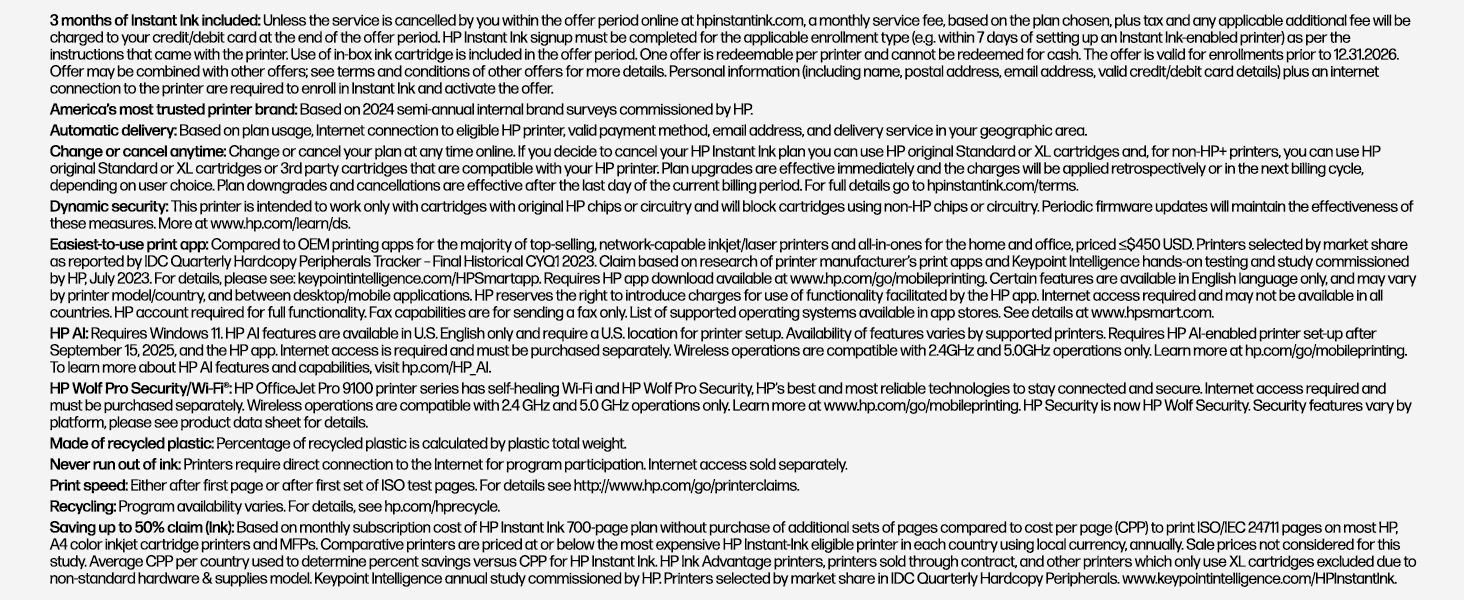
  • 3 MONTHS OF INSTANT INK WITH HP+ ACTIVATION – Subscribe to Instant Ink delivery service to get ink delivered directly to your door before you run out. After 3 months, monthly fee applies unless cancelled.
  • HP APP – Print, scan, copy, or fax right from your smartphone, PC, or tablet with the easiest-to-use print app
  • PROTECTS YOUR DATA – Built-in HP Wolf Pro Security uses a powerful suite of customizable tools that boosts security and helps keep networks protected against cyber threats and malware
  • 2.7-INCH TOUCHSCREEN – Quickly navigate your printer with a large color touchscreen and a phone-like user interface
  • SUSTAINABLE DESIGN – Made with more than 40% recycled plastic
  • This printer is intended to work only with cartridges with HP chips or circuitry and will block cartridges using non-HP chips or circuitry. Periodic firmware updates will maintain the effectiveness of these measures.

Key details

Brand
HP
Connectivity Technology
Ethernet, USB, Wireless
Printing Technology
Inkjet
Special Feature
2.7" Touch Screen, 250 Sheet Paper Tray, Auto Document Feeder, Double Sided Scanning
Color
Cement

Dimensions and fit

Item Weight
20.48 Pounds

Technical specifications

Model Name
New Version
Maximum Print Speed (Color)
18 ppm
Max Printspeed Monochrome
22 ppm

Item information

Printer Output
Color
Highlights

About this item

  • The OfficeJet Pro 9125e is perfect for offices printing professional-quality color documents like presentations, brochures and flyers. Print speeds up to 18 ppm color, 22 ppm black.
  • PERFECTLY FORMATTED PRINTS WITH HP AI – Print web pages and emails with precision—no wasted pages or awkward layouts; HP AI easily removes unwanted content, so your prints are just the way you want
  • UPGRADED FEATURES – Fast color printing, copy, fax, auto 2-sided printing and scanning, auto document feeder, and a 250-sheet input tray
  • WIRELESS PRINTING – Stay connected with our most reliable dual-band Wi-Fi, which automatically detects and resolves connection issues
  • 3 MONTHS OF INSTANT INK WITH HP+ ACTIVATION – Subscribe to Instant Ink delivery service to get ink delivered directly to your door before you run out. After 3 months, monthly fee applies unless cancelled.
  • HP APP – Print, scan, copy, or fax right from your smartphone, PC, or tablet with the easiest-to-use print app
  • PROTECTS YOUR DATA – Built-in HP Wolf Pro Security uses a powerful suite of customizable tools that boosts security and helps keep networks protected against cyber threats and malware
  • 2.7-INCH TOUCHSCREEN – Quickly navigate your printer with a large color touchscreen and a phone-like user interface
  • SUSTAINABLE DESIGN – Made with more than 40% recycled plastic
  • This printer is intended to work only with cartridges with HP chips or circuitry and will block cartridges using non-HP chips or circuitry. Periodic firmware updates will maintain the effectiveness of these measures.

From the brand

Product detailProduct detailProduct detailProduct detailProduct detailProduct detailProduct detailProduct detail

Product videos

Product video 1

Customer reviews

3,330 reviewsMixed

Rated 3.6/5 across 3,330 reviews — opinions are mixed.

Customers say

Customers find the printer's print speed fast and appreciate its sharp, clear print quality.

Generated from the text of customer reviews

Reviews with images

Customer review image for Great all-in-one machine at an economical price
See all photos
★★★★★

Great all-in-one machine at an economical price

I wasn't expecting a lot from the OfficeJet Pro 9125e. I've had several other home printers in the past, including a laser printer (great because it uses dry toner which doesn't have the issues an inkjet printer typically has, but is only able to print black and white). I've had several inkjet printers, but they all end up having clogged print heads or something that renders them useless after a short amount of time. I thought I'd give this a try, as it could replace my other printers. It's meant for a small office, as it has pretty high duty cycles. I don't print a lot; usually recipes, legal documents, and coupons. I may start printing some newsletters for an organization I'm in, so this may work out well. It can print borderless pages, which would make some nice newsletters! Setting up the printer was fairly straight-forward. The printer was packaged nicely, in a bag with a handle that allows you to pull it from the box easily. The included quick-start guide tells you to plug it in, turn it on, select a language and country, and then go to a URL to set the printer up on your computer or phone wirelessly. The first step is to open the paper tray and load the paper. Adjusting the paper tray for letter-sized paper was a bit confusing, as there are little tabs you have to press to adjust the size of the paper tray. It wouldn't shrink down to the size of the paper, so I just pushed the paper all the way to the back and pushed the tray in. The printer then said it was checking the paper, and said it was successfully loaded. Installing the ink went fine. Then it wants to print an alignment page. Once printed, you put it on the scanner bed, and it scans. That went fine as well. Finally, install HP Smart Printing on the computer and scan for new printers. It didn't find it on the first try, but did on the second. Connecting was quick and easy. It even got the wifi password from the computer. Once connected it automatically updated the firmware. I didn't realize it, so I tried printing something and couldn't. Then the printer chimed and said the firmware was updated. Print quality is fantastic, as is the speed of printing. I enrolled in the HP+ and Instant Ink trial. I got an email saying my new ink cartridges were being shipped, even though I don't need them yet. I'll probably cancel the Instant Ink after the trial, as I don't print a lot, but it may be worthwhile for people/offices that do. Time will tell if the print heads last. Hopefully! Read more

Customer review image for Great all-in-one machine at an economical price
J. BurthVerified purchase
☆☆☆☆

UPDATE: The set-up was horrendous, but operating is virtually impossible.

Remember the days of plug and play? Well they are over if you purchase this printer. It is a direct line into your wallet if you want to do anything. You must pay to have wireless printing. You must pay per page if you use too much ink. You can ONLY use HP ink; so even if you want to take the risk you cannot. Every feature is a problem to enable. I've yet to find a solution to having faxes go to a file and NOT print. (I think that is a feature only available for more MONEY). This printer is noisier than the old dot matrix printers. The scan quality is significantly lacking (only 300dpi). Paper handling works occasionally - and stuck pages are easily destroyed and challenging at best to retrieve. The touch screen is so small you might need a child to make selections (otherwise you will find yourself trying multiple times to get what you intended). And if you just want to USB it to your desktop you are in big trouble. HP Big Brother NEEDS to be connected to this printer for almost any function to work. Seamless is a word that HP has removed from its vocabulary (as is plug-and-play, simple, cost effective, user friendly, customer oriented, etc.) HP should be embarassed by the greed it is displaying. A company that was once built on pride and quality had deteriorated to selling big-brother controlled junk. What I would give for my old HP OfficeJet Pros. They were hard working, reliable, high quality, and feature rich. Simple to set up, seamless integration, and handled most tasks with ease. In both cases, they were replaced because the paper handling deteriorated over time. Not an easy fix. SIMPLY DO NOT WASTE YOUR TIME OR RESOURCES ON THIS. ***ORIGINAL POST*** I've owned over 10 HP printers over the years and this is the first time I have ever had any challenge trying to set it up. This wouldn't even print or do anything until I jumped through hoops setting up an HP account, forced to promise never to use ink other than genuine HP, and having to log in just to scan a page. HP should be embarrassed making a product so insanely challenging to use out of the box. It's not like they don't charge a fortune for ink which I have always bought thinking it will be the best in the long run. What a terrible way to lose the confidence of a very, very long time loyal customer. My last HP printer. Goodbye. Read more

Occasional Buyer WGHVerified purchase
Recently Viewed

We use optional analytics cookies to understand how visitors use Ventari and improve the experience. This banner controls analytics measurement only. See our Cookie Policy.