Free shipping over $35 · 60-day returns · Price-watch guarantee

Ventari

LINKUP

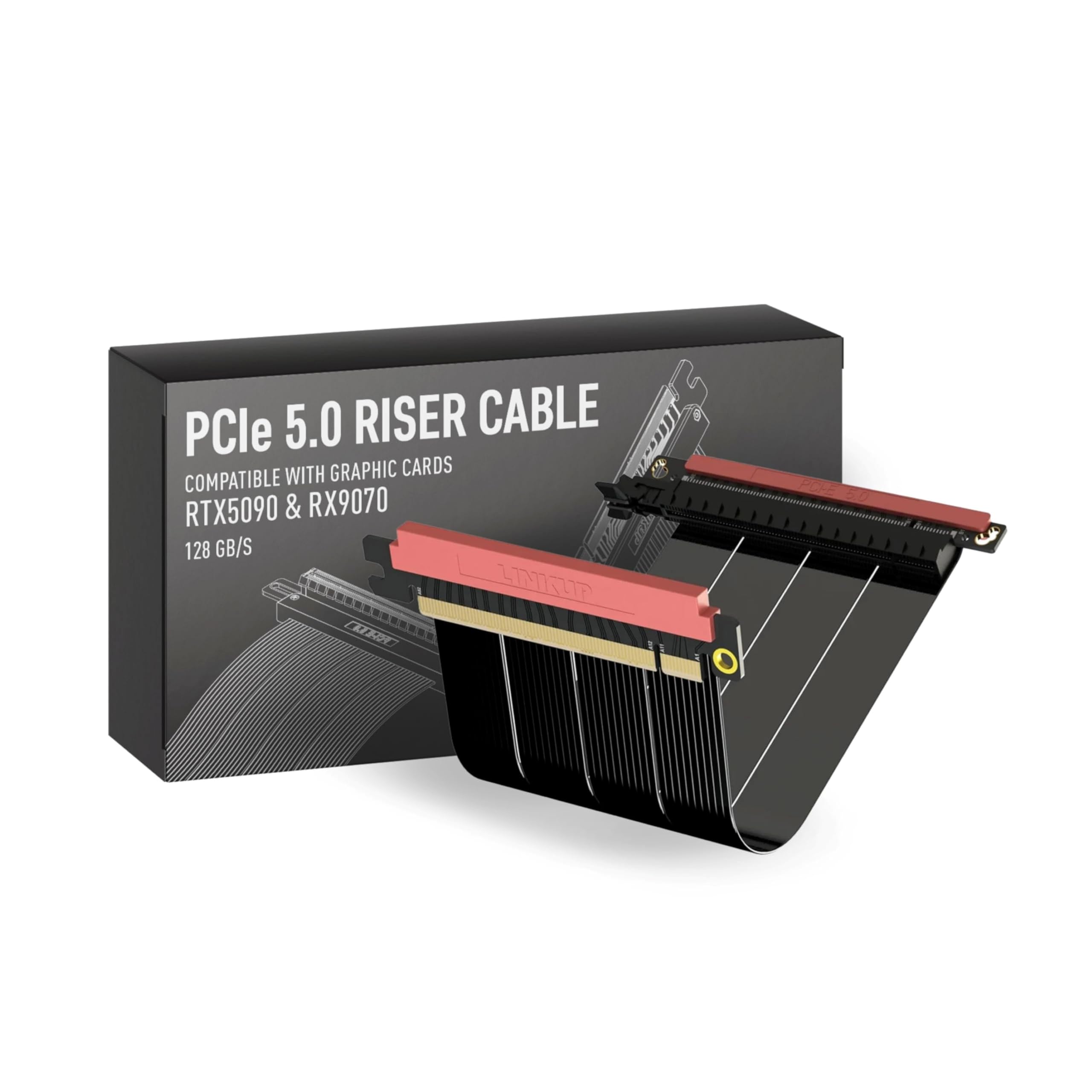
LINKUP PCIE 5 0 Riser Cable for Vertical GPU Mount ITX Double Reverse Graphics Card GPU Ready Usable

$99.96

394+ bought in the past month

About this item

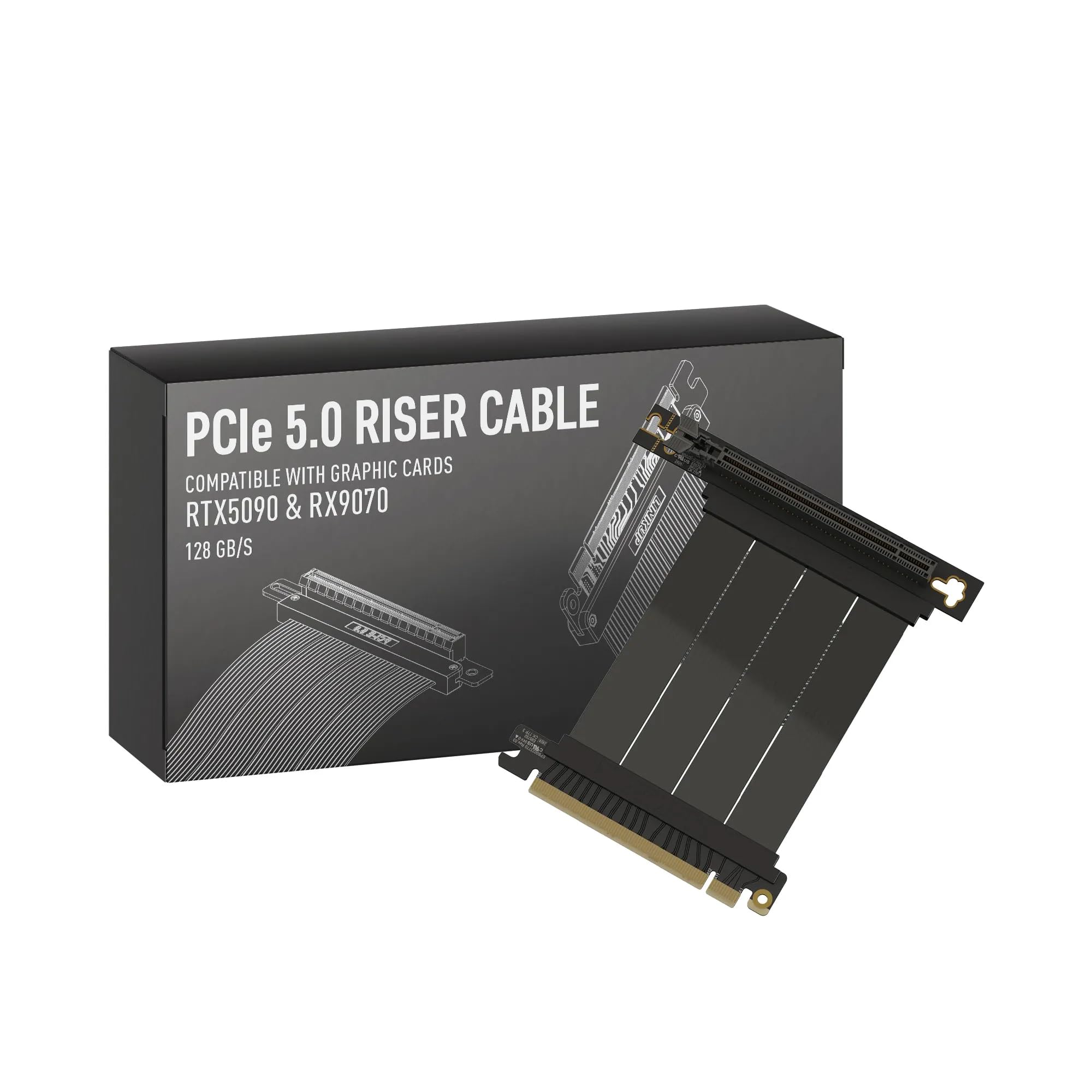
  • Verified Compatibility — Built for vertical GPU mount and standard layouts across towers, SFF/ITX sandwich cases, open benches, and water-cooled rigs. Fully backward-compatible with PCIe 4.0 and validated on ASUS WS WRX80SE WiFi II and WRX90E Gen5 boards. Ready for next-gen cards like RTX 5090 and RX 9070. Use this PCIe 5.0 riser cable to place the GPU exactly where airflow and aesthetics demand—without giving up stability.
  • Gen5 x16 Performance & Shielding — Delivers full 128GB/s on PCIe 5.0 x16 with tuned impedance, premium conductors, and multilayer shielding to suppress crosstalk and EMI. The AVA design targets clean eye margins under load and tight bends, making it a dependable PCIe Gen5 riser cable for high-FPS gaming, AI, and storage workflows. Replace Gen 3 and Gen 4 PCIe cables while preserving upgrade headroom for future GPUs.
  • Showcase Aesthetics, Improve Cooling — Move the card where it breathes. A vertical mount GPU clears intake for thick shrouds & radiators, reducing heat soak & noise while giving builds a clean, gallery-style look. Route like a tidy GPU extension cable & keep clocks steady thanks to robust shielding & low-loss geometry. Builders report good quality & that it simply works great when paired with the right bracket and case layout. View Product Description to ensure Compatibility with your PC case.
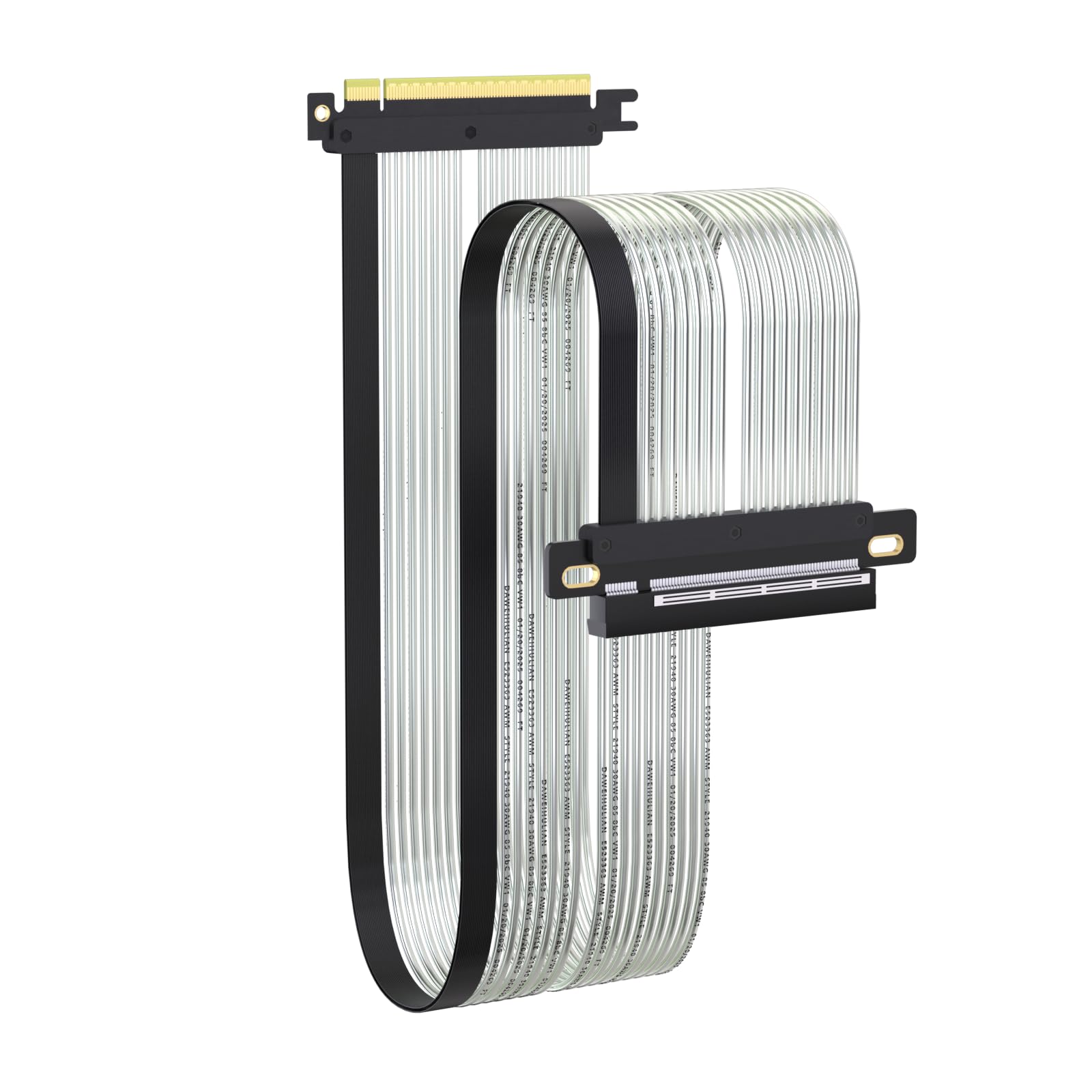
  • Installation Instructions — Measure with a string from the motherboard slot to the GPU PCB to pick the correct span. Seat connectors fully until latched; Fold & Flex in any way. Use standoffs and support brackets if the chassis requires it. If fit seems tight, contact us before forcing parts—we’ll advise the best path for your case model. Clear guidance turns this into a straightforward PCIe cable install, even in cramped ITX routes.
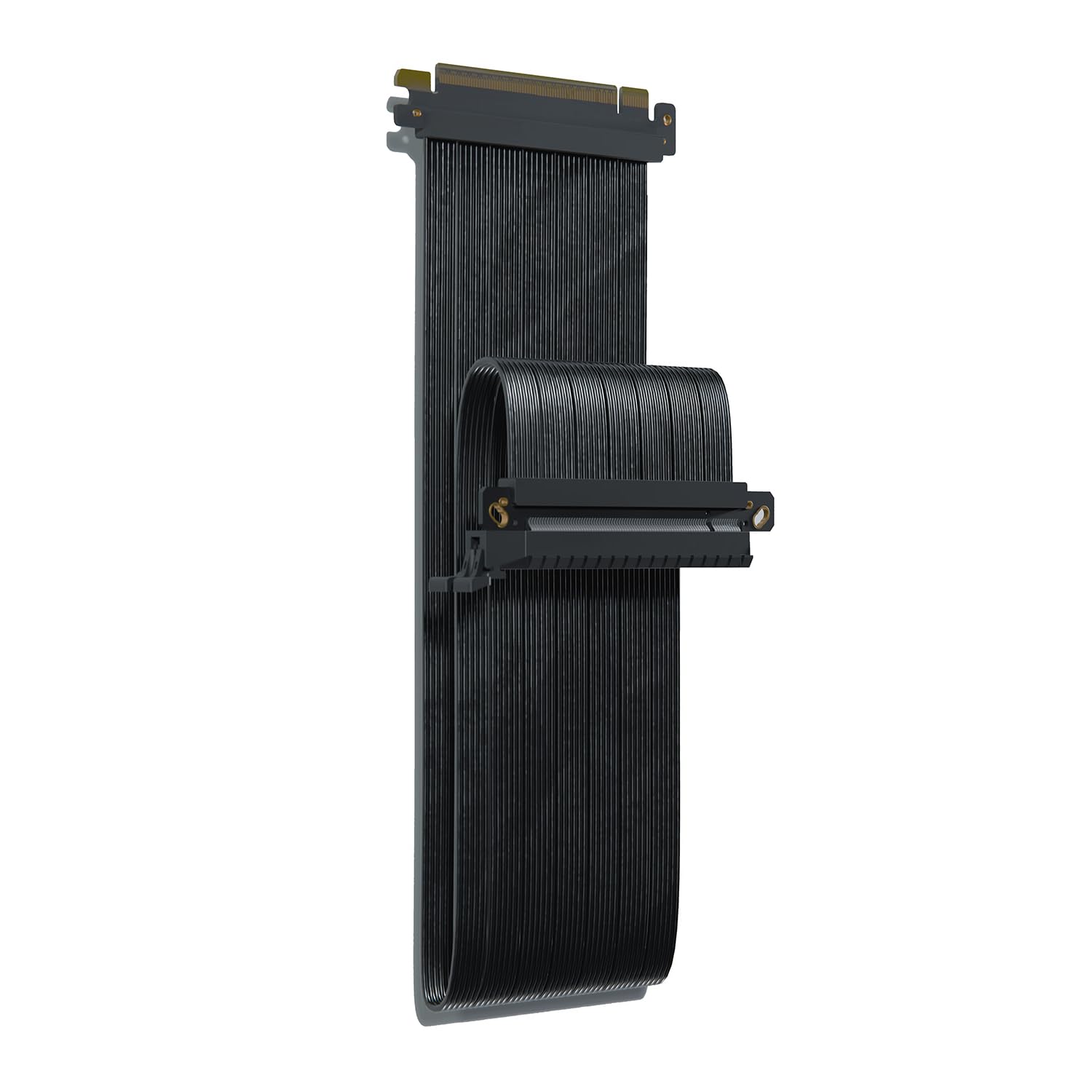
  • Choose the right Cable — Choose a length between 2–35.4 inches (see Installation Instruction) and the connector you need: right angle, straight, left angle, double reverse, single reverse right, single reverse left, or single reverse straight. One family covers ITX sandwiches, server trays, and vertical displays. Consistent Gen5 signal integrity across sizes makes it a flexible PCIe extender or GPU riser cable for clean cable management today with room to evolve tomorrow.

Key details

Brand
LINKUP
Connector Type
Pcie-cem
Cable Type
Riser Cable
Compatible Devices
Gen4 Vertical Mount), LOUQE GHOST S1 MkII, NCASE FormD T1 (3-slot GPU, Nouvolo Nouvolo, THOR ZONE MJOLNIR See more
Special Feature
Data Transfer, High Speed
Highlights

About this item

  • Verified Compatibility — Built for vertical GPU mount and standard layouts across towers, SFF/ITX sandwich cases, open benches, and water-cooled rigs. Fully backward-compatible with PCIe 4.0 and validated on ASUS WS WRX80SE WiFi II and WRX90E Gen5 boards. Ready for next-gen cards like RTX 5090 and RX 9070. Use this PCIe 5.0 riser cable to place the GPU exactly where airflow and aesthetics demand—without giving up stability.
  • Gen5 x16 Performance & Shielding — Delivers full 128GB/s on PCIe 5.0 x16 with tuned impedance, premium conductors, and multilayer shielding to suppress crosstalk and EMI. The AVA design targets clean eye margins under load and tight bends, making it a dependable PCIe Gen5 riser cable for high-FPS gaming, AI, and storage workflows. Replace Gen 3 and Gen 4 PCIe cables while preserving upgrade headroom for future GPUs.
  • Showcase Aesthetics, Improve Cooling — Move the card where it breathes. A vertical mount GPU clears intake for thick shrouds & radiators, reducing heat soak & noise while giving builds a clean, gallery-style look. Route like a tidy GPU extension cable & keep clocks steady thanks to robust shielding & low-loss geometry. Builders report good quality & that it simply works great when paired with the right bracket and case layout. View Product Description to ensure Compatibility with your PC case.
  • Installation Instructions — Measure with a string from the motherboard slot to the GPU PCB to pick the correct span. Seat connectors fully until latched; Fold & Flex in any way. Use standoffs and support brackets if the chassis requires it. If fit seems tight, contact us before forcing parts—we’ll advise the best path for your case model. Clear guidance turns this into a straightforward PCIe cable install, even in cramped ITX routes.
  • Choose the right Cable — Choose a length between 2–35.4 inches (see Installation Instruction) and the connector you need: right angle, straight, left angle, double reverse, single reverse right, single reverse left, or single reverse straight. One family covers ITX sandwiches, server trays, and vertical displays. Consistent Gen5 signal integrity across sizes makes it a flexible PCIe extender or GPU riser cable for clean cable management today with room to evolve tomorrow.

From the brand

Product detailProduct detailProduct detailProduct detailProduct detailProduct detailProduct detailProduct detailProduct detailProduct detailProduct detailProduct detail

Product videos

Product video 1

Customer reviews

162 reviewsPositive

Rated 4.5/5 across 162 reviews — highly regarded by customers.

  • 100% of sampled reviews are from verified purchases.
  • 75% of sampled reviews give 4–5 stars.

Customers say

Customers report that the riser cable works perfectly at Gen 5 16x speeds and is well-made, with one customer specifically mentioning its compatibility with AMD's RX 9000 series GPUs. Customers disagree on the value for money, with several finding it overpriced.

Generated from the text of customer reviews

Reviews with images

Customer review image for PCIe 5.0 riser cable mount on Ghosts1 mk3 caseCustomer review image for PCIe 5.0 riser cable mount on Ghosts1 mk3 caseCustomer review image for PCIe 5.0 riser cable mount on Ghosts1 mk3 caseCustomer review image for PCIe 5.0 riser cable mount on Ghosts1 mk3 caseCustomer review image for PCIe 5.0 riser cable mount on Ghosts1 mk3 case
See all photos
★★★★★

Perfect upgrade!

This riser cable is of exceptional quality. My Lian-Li Dan A4-H2O came with a cheap PCI-E 4.0 riser of dubious quality, and since I was building an all-PCI-E 5.0 system, it made sense to upgrade the riser as well. Thankfully it was easy to select the correct cable using the chart provided, and this one by LinkUp is an even better fit than the one it replaced. I was initially skeptical of the cable being shorter than the one that came with my case, however the recommended length was perfect. It installs without any slack, which should result in lower latency and less signal degradation. The shielding is much more stout, and I confirmed with HWiNFO that the riser is indeed running at full PCI-E 5.0 speed. Aside from function, it just looks like a much nicer part, which is important when you are building a new system with the highest quality components. A properly made riser cable should function seamlessly, and this one does just that. Highly recommended for any new build. Read more

Christopher M.Verified purchase
★★★★★

Amazing cable, perfect length, can handle 5.0 easily.

Great product, first one was a mistake, but they fixed the situation extremely fast. Sent the wrong one with a right angle connector, instead of reverse connector. But once the correct one arrived it’s awesome works without a problem at all. until my motherboard gave out, but that’s the motherboard, not the cable. I would definitely buy another cable in the future. Read more

Amir HernandezVerified purchase
★★★★★

19cm fits the Lian Li Dan A4-H2O, if you do it right

I thought the 19cm length was too short for my Lian Li Dan A4-H2O at first because I had trouble getting it to fit. The original riser that comes with the case is about 24-25cm length. The secret is to plug this one into the motherboard first and then wrap it around to the mounting holes on the back. The GPU end mounting holes are notched such that it will just exactly line up. Once I got it installed, everything worked with no issues. Was able to set PCIE speed in BIOS and tested in GPU-Z and confirmed my 5070 Ti is running at full 5.0 x16 speed. Good product and well made. Read more

Preston J RichardsVerified purchase
★★★★

Great little item, somewhat decent value

Great cable, very solid quality built. I have bended several times and no issues whatsoever, the only thing is that for the length this is some what pricy, so not a good value, however this give me no issue right out of the box. Read more

JMVerified purchase
★★★★★

Works flawlessly at gen 5 speeds and was a perfect fit in the A4-H2O case

This riser cable fit perfectly in my Lian Li Dan A4-H2O to replace stock cable which a lot of people seem to have issues with. The 20cm cable fit perfectly and allowed enough slack to make installation and removal easy, with flexibility to mount with or without the riser stand offs. I also have a PCI-E gen 5 GPU and the original cable was gen 4. Gen 4 vs gen 5 is probably not going to make much difference, but since I was going to replace the riser anyway, went with the gen 5. I originally ordered the 19cm cable based on other reviewers saying it was the perfect length for that case, but found it was too short for me to use in my build. The 20cm cable fit perfectly, with just enough slack to make maintenance easy and no excessive slack to have deal with. If you have this case, go with the ITX Double Reverse v3 20cm cable as it works perfectly at gen 5 16x speeds, had no clearance issues, and was the perfect length for the A4-H2O. Read more

Joaquin BerriosVerified purchase
★★★★★

PCIe 5.0 riser cable mount on Ghosts1 mk3 case

Above all, the good thing is the difference between cable quality and other company products. The cable length was also good because there were many options in detail, so you could choose the cable length with the most appropriate length. No matter how much I searched, I couldn't find an example of it on Ghosts1 mk3, so I spent a lot of time actually measuring it and asking the seller about it, so in conclusion, I chose the 20cm riser cable. Ghost s1 mk3 The length of the riser cable is too tight for 18cm, so I'm a little questionable whether it'll be mounted, and if it's 19cm, it'll be a little tight, and 20cm will be appropriate if you have a little margin. Regardless of whether you choose 19cm or 20cm, it looks very good. Is there a speed limit of crude rtx5060lp or connection speed on GPU-Z is pcie 850@x850 HWINFO up to 32.OGT/S, which changes depending on PC status, but when I googled it says normal PCIE 5.0 performance. Read more

Customer review image for PCIe 5.0 riser cable mount on Ghosts1 mk3 caseCustomer review image for PCIe 5.0 riser cable mount on Ghosts1 mk3 caseCustomer review image for PCIe 5.0 riser cable mount on Ghosts1 mk3 caseCustomer review image for PCIe 5.0 riser cable mount on Ghosts1 mk3 case
YEO DUK SANGVerified purchase
☆☆☆☆

Not working at advertised speeds

Not even able to run Gen 4.0 speeds without getting blue screens. Gen 3.0 runs fine, but is too slow for my needs. Read more

Chris HughesVerified purchase
★★★★★

Perfect for the KXRORS S300 case

Maybe a little pricey, but it worked great for my KXRORS S300 case mini itx build. The perfect distance to reach the GPU. Registers as PCIE-5.0. If going for this case, make sure to use this double reverse cable, and the V2 of this cable, since the V1 won't fit. Read more

KernVerified purchase
Recently Viewed

We use optional analytics cookies to understand how visitors use Ventari and improve the experience. This banner controls analytics measurement only. See our Cookie Policy.