Brelywi—November 29, 2013✓ Verified purchase
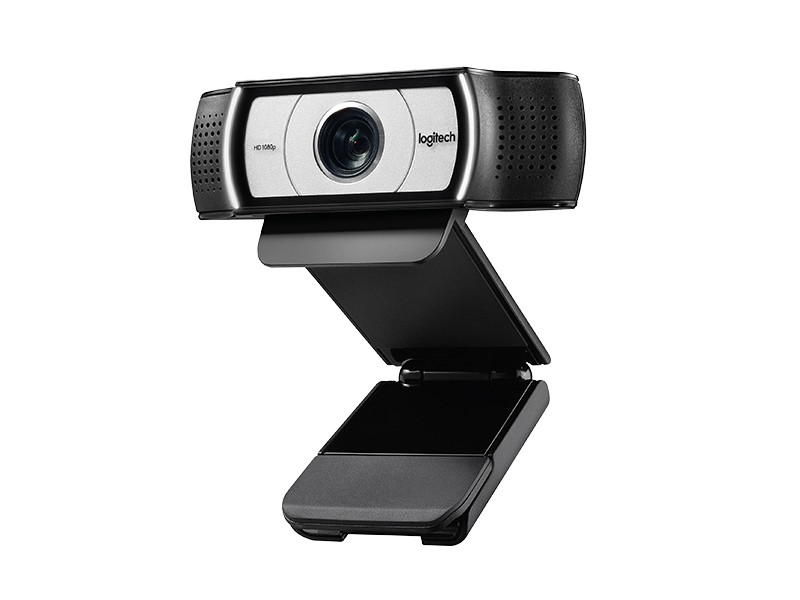
This is a really fantastic webcam. I have a mac laptop with both OSX 10.9 and Windows 7 installed, and this camera was literally plug-and-play with both operating systems; I didn't even have to install any other drivers. I was looking and looking for a HD webcam that offered Mac compatibility as well, so I was very pleased that I finally found one that works so seamlessly (even with FaceTime and Photo Booth). The picture and audio quality between this camera and my laptop's internals isn't even comparable. I switched between the two a couple times, and noticed that the internal camera was at least 50% blurrier, and the ceiling light behind me gave off quite a glare (my lens is clean, by the way). When switching back to the C930e, the picture was crystal clear and the glare, while not totally gone, was diminished to an acceptable level. I then did a couple of focus tests; it only took the C930e about 1.5 seconds to focus between my ring held about 1.5" away from the lens and the ring held 2' away from the lens. Very impressive, as my old internal wouldn't even come close to focusing on something that close. The audio is crystal clear on the other end of the connection; I even gave a go at recording a movie of myself playing guitar, and the audio came through amazingly clear for just a home webcam. I'm not sure if they mention that this comes with it in the description or not, but there is a little rubber "cap" that can fit over the lens when you're not using it, and then easily and quickly flip up when you want to use it. Great for both protecting the lens and if you're paranoid that someone can get access to your webcam without your knowing. There are lights on either side of the camera that light up when the camera is active. I had thought these would be rather distracting, but they are very unnoticeable; they give a clear indication when your camera is on, but they definitely wouldn't distract you from a conversation. The only other thing I'll mention is the software; there is a link to their site in the manual to download it. It's a regular download for Windows, and a link to the app store on Mac. It allows you to zoom, and then once you're zoomed in it will tilt, pan, scroll, etc. You can also adjust things like the white balance, brightness, contrast, and color intensity. You can download it without purchasing the camera if you'd like to take a look at it first, just google "Logitech Camera Settings download" and that should take you to the Logitech site. All in all, I am incredibly happy with this camera. True, it is quite expensive, but (at least right now) it is the top of the Logitech line; in this case, you really do get what you pay for. Read more
Kindle Customer—July 17, 2014✓ Verified purchase
My first order resulted in a medicine bottle being delivered by mistake. Amazon did an OK job of replacing the bogus delivery with a replacement webcam a few days later at no cost to me (except a trip to the UPS store) which was appreciated. I rarely have bad service from Amazon so its nice to know they do well enough to make things right. The actual webcam is as expected and has been fine. It was plug and play for me. I'm on Windows 8.1 and it worked fine in both a USB2 and 3 port and cable with no complaints. I downloaded the latest software from Logitech's website and after a quick reboot everything was fine. The only real thing the software adds is the ability to do digital zoom and focus (there is no manual analog zoom - the digital zoom basically wastes pixels and only shows a cropped portion of the total picture. PC World does a really good job of explaining this. It works just if high resolution is important to you and the ability to zoom in then this may be a concern). There is no disk in the package which was fine. Again it was plug and play for me on a relatively modern Windows 8.1 USB2. The user manual is very light on useful info and the warranty info in the box was all in Spanish which was odd but doesn't bother me. Those usually go into the trash after a few weeks once I know I won't return it. The fit and finish are great. I've owned four Logitech webcams over the years and this is one of the nicer ones. It feels heavy for its size (which is really much smaller than any of the photos do justice). I really like Logitech's solution for how to hang from a monitor. The lens cover is also nice and grips tightly. I suppose it could be more prone to be lost but only if you're a really forgetful person. One big thing to note is the wider lens is exactly as described by other reviewers and the marketing information. It takes some getting used to though having came from several other traditional lens webcams. Your audience seeing you on the webcam will have a very slight fish-eyed view of you which is a little odd. Most people place a webcam sitting say 2-3 feet away on or near a computer monitor for instance. If you place this cam in the same place as other traditional cams you will appear somewhat smaller. And obviously the background of your room around you will be much more visible. That may or may not be a concern just be aware it'll take some getting used to. I bought this cam because our family tends to have Skype webconfs with others in the family (holiday dinners with family overseas helps keep those distant feel closer) so there are always a few of us who want to be in the picture. And having a toddler running crazy is easier to keep in view with a wider lens. The microphone does a fine job of squelching out normal echo and reducing background noise. But I wouldn't set it next to a noisy computer fan or have a radio playing behind it and expect it to filter out all of the extra noise. All in all I'm very happy with the purchase and continue to appreciate Logitech's webcam solutions. Read more
Nithin Sastry Tellapuri—January 27, 2026✓ Verified purchase
superb clarity and field of view / degree of focus. LogiOptions+ offers very customization Read more
Radimir—October 31, 2014✓ Verified purchase
The Logitech c930 is noted as the professional line of webcames made by the tech giant. However, this webcam, and Widows 8.1, appear to be hugely unsupported by Logitech. The c930 is hardly a step up in terms of quality compared to the c920, as the differences are the glass used in front of the lens is a higher quality, and it comes with a plastic closure to block the camera's eye. The camera is recognized through plug and play and will work with Windows Camera as well as Skype and any other Instant Messenger Service. What is not available, is dedicated software. On Windows 8.1, Logitech's webcamera application is made to add additional features to Windows Camera. While this works on 8, it has not been compatible with 8.1, but that's going by the comments left on the app as I have not been able to find out why it isn't working. While Logitech does not have a recording application for this camera, the c920 recording software does recognize this camera and is able to work with it, however recording videos this way does not allow the use of any recording device such as a desktop or headset microphone. This is not a huge issue for me as I use 3rd party recording software to record my webcam and a condenser microphone together. The picture is clear, and with a strong internet connection it can stream video conferences at 1280x720 and keep running smooth so long as Light Compensation is turned off. I would recommend this webcam for anyone, but keep in mind that it does not have first party support from Logitech. Read more