Michele Campbell—April 2, 2014✓ Verified purchase
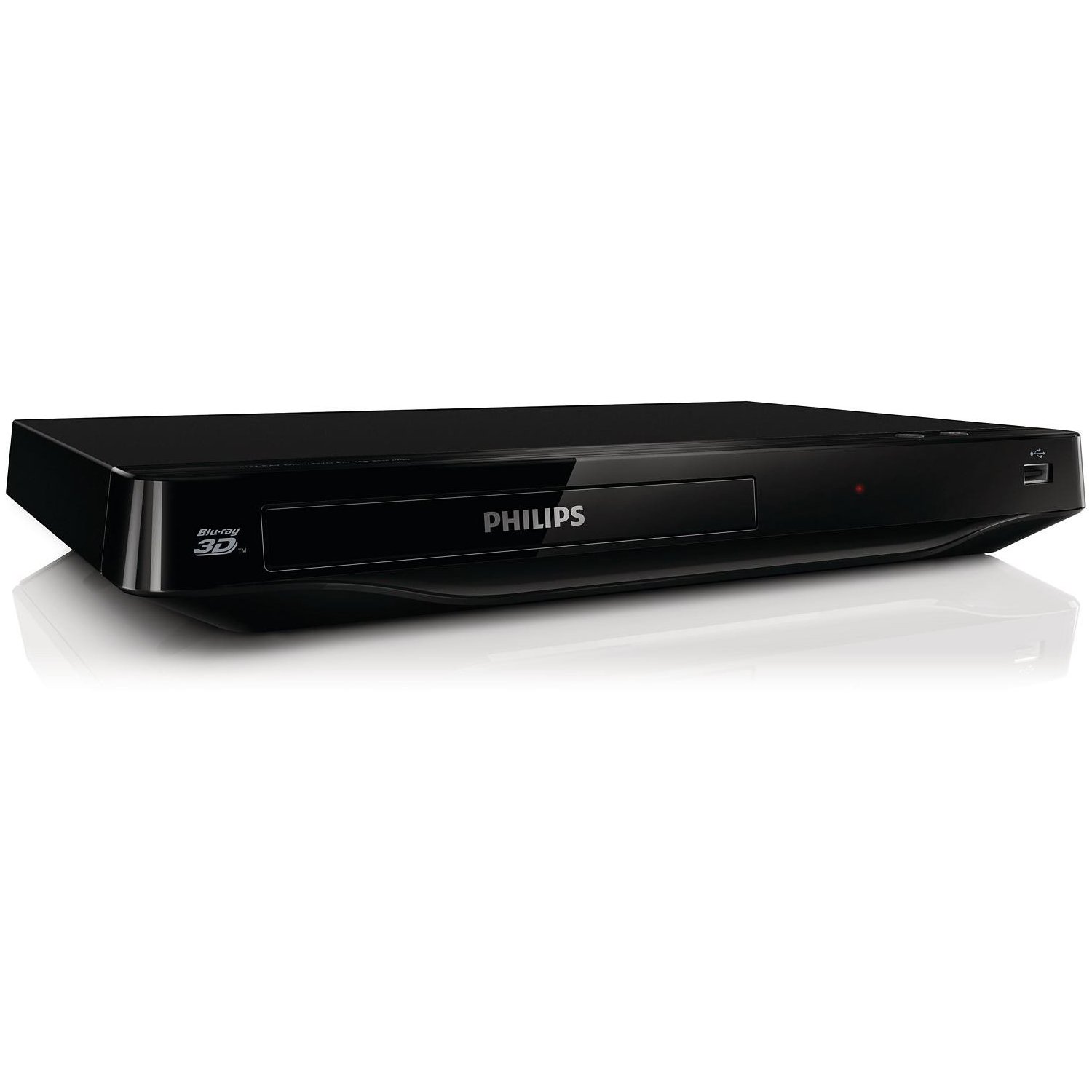
We bought this Blu-Ray player for my in-laws so they could play .avi and .mpg files and it works flawlessly with burned DVD-R and +R discs. We set up Pandora for them with no problem and it streams nicely. The remote is rather simplistic, which makes it perfect for technologically challenged 70 year olds, and also makes it very easy to find the correct button in a darkened room while watching a movie. Read more
john smith—September 28, 2013✓ Verified purchase
She won't even send me one that works, said she doesn't have another ( some outlet huh? ) the owner won't even send me a return label so i can return this player that shuts off because it has a short in the cord. if i had read her previous feedback i never would have done business with this person. it's a person not a company. i was sent nasty emails where she told me i broke it and its probably not the same blu-ray player and a bunch of other things that were very unprofessional and lie after lie. then she brought up things like, i am a single mom, and sent me what she says are pictures of her kids so i wouldn't ask for a replacement, ..........whats that gotta do with my broken player? she sent me conflicting emails of how old it was, when she bought it, how much she paid for it and how often it was used. Do NOT do any business with this lady! Now i have to go buy another bluray player or fix my old ps3 because i have a 3d tv and about 8 3d movies and no way to watch anything 3d. Read more
LovelyAlaskan—July 11, 2014✓ Verified purchase
Works well for DVD and Blu-Rays but freezes a lot with wireless internet features. Also if you loose you remote your in a world of hurt since the machine only has a power and eject button. Read more
Walter D. Fitzgerald—July 8, 2014✓ Verified purchase
Easy to set up the basic stuff. I got this to play BD discs, since my other and older Vizio stopped playing Blu-Rays. Both play regular DVD's also. My Vizio player is hooked up to my internet so I can get Netflix and Pandora on that. This is a great Blu-Ray/DVD player for a minimal price. I didn't get if for the bells and whistles. Just as an addition. I've had it for about a month now, and it hasn't disappointed me. The picture quality (which can be set from the menu) is excellent! I happen to enjoy anime most, so that's the picture setting I picked. Read more
mr_coffee—March 14, 2014✓ Verified purchase
I like a Philips player because they play most anything. What's cool about this one is added BluRay and .mkv. I'd recommend it for those features alone, and the price is right. Some added bang with Netflix, YouTube and Vudu. I cannot attest to the 3D aspects and have no interest in that format. For the record, the wireless modem must be the slowest available on the market: use a wired connection. Proximity to the router makes no difference... but if you're close enough to wire it, wire it or you'll hate that part of the player. It's like the worst YouTube buffer issue you've ever had... then triple that because the player can't keep up. There is some read out in the specs for connection speed, but it's lying, whatever it says. YouTube will connect to your other devices so that you can browse through some normal means in a web browser on your computer or phone... which I highly advise since trying to navigate the on screen keyboard with the remote control is awful. Netflix actually HAS this feature as well, but the player has left it out somehow. The best you'll get is to load up your list on the website in advance. What I hated about the remote on previous models was chapter navigation: it's fixed now. At long last, pressing "back" consecutively actually traverses back through several chapters instead of restarting the current chapter a dozen times in a row. But what I liked about previous remotes: scanning back and forward using the big circular button... gone. Resuming play by clicking "ok": also gone. You now must find the pause button. The eject button is gone. Instead, you can hold the stop button down for something like four seconds to eject... although that's purpose defeating: the whole reason I ever pressed the eject button was because the old trays were so VERY slow... so I'd press it before leaving my seat... hopefully the movie would be ejected by the time I got up to change it. This tray is - thankfully - much faster. The new OSD is either better or more annoying, maybe both. The prior versions haven't been that informative nor as obvious. This display could now light the room, but I don't find it that helpful since by the time my eyes have adjusted to read it, it's usually gone. The massive "play" and "pause" icons that appear on the screen are probably the most obvious - and ridiculous - additions to this newer model. Yes, I know what button I just clicked... performing that action is verification enough. Some people mentioned this thing where you had to unplug the device to fix the menu thing... I haven't run into that. I do - however - get the impression that if you run through wireless setup a few times that it's opening "windows" back there every time... and that there may be no method to close them. But seriously guys, don't use the wireless feature, it's worthless. But the last time I ran it, there did seem to be a tremendously large quantity of windows open. Oh yeah, every new feature has it's own version of a keyboard. If you set them all up at once, this is annoying as hell. The only one that's even remotely intuitive is the wireless password, everything else is a headache waiting to happen. I don't necessarily like that the player automatically plays whatever is in the tray the instant it powers on, particularly since there are other things that could have been played "last"... such as something on Netflix, Vudu, or YouTube which it could just as easily be resuming on power on instead. My electic bill may appreciate that the device powers itself off after a short while, but I don't like that this is not only not optional, but the length of time isn't optional either. Powering down will probably have the side-effect of loosing my place when it comes to discs filled with a series of files although I'm not into that portion of my collection yet... that's pretty likely since the older models certainly did. What's odd is that pressing "pause" and leaving it on a disc will result in a power down... but pressing pause on something like Netflix will put it into some kind of magical 'standby' mode indefinitely. I rather wish that was true for discs as well. As with all Philips players, it just plays everything, and that's why I got it. Get it for being a budget BluRay player, because that's what it is. If you want something with wireless, this is not really a feature of this device... based on the proximity to a top-of-the-line wireless router and it's inability to play through a YouTube music video without stuttering. Wired internet is just fine, it's even good at it. I would assign it a worse review, but based on prior models alone, i can pretty well guarantee this thing will "just play" reliably for well longer than it should be capable of, particularly for something under $90. The auto-shut-off may even extend its life a bit since i tend to keep these players on pretty much all day every day. Oh, ps: I've read a lot of talking down about Philips customer service... and really, I have no idea about all of that, I've never called them for anything... and would barely feel comfortable doing so since most of the devices I've purchased have run about half this price. But they do offer extended and extra service for these devices... which I discovered since - not too long after I purchased this item - I received a card in the mail with additional information on how to purchase that additional service. Unlike prior models, Philips is apparently keeping track of the sales of these... either a side-effect of the online registration of the online services or because Amazon lets them know when you get one. Either way, if you want the additional service, you can probably get it. Otherwise, I found the users manual and the act of pressing buttons to be quite informative. Edit: Verified player DOES NOT keep its place when browsing files. Navigation is both better and worse: better for finally making use of the right column which had been present on prior models, and is faster overall. When on a file, will display slightly more information on the file: file size, file date, and slightly more of the title... although still not all of it if it's very long. Worse: no longer offers file number (003/121) which it used to display above the file list. You can located the file number if you play the file and look at the info... but this makes it difficult if you want to quickly click down to the 31st file on the drive or something. Back and forward buttons no longer navigate between files... though the files can have chapters now, and I don't believe that used to be the case. Auto power-off IS optional, but it was labelled as "auto standby". The time when this happens isn't optional, it's 30 minutes if it's turned on. The screen saver also doesn't have an option for time to activate, which it used to. The 'magical standby' mode I mentioned for Netflix appears to be specific to the online services, wherein the screen dims slightly and the screen saver never turns on, and the device never powers down. Read more
Customer—November 22, 2016✓ Verified purchase
What a joke, and one with a very poor punchline. After about 45 minutes of playing a movie, even brand new ones, it stops and freezes up. The only way to fix it and take the disc out is to unplug the player and plug it back in. Phillips will not honor the warranty on it nor will the seller replace it. Read more
R. Moore—May 2, 2014✓ Verified purchase
I bought this to play mp4's from a usb thumb drive and it works perfectly. It also connected to my wifi very easily. This thing plays almost every type of file that there is, and has built-in wifi for youtube , netflix, etc. Read more
George B.—January 2, 2014✓ Verified purchase
It is a great player does so much for the price it plays blue ray plus DVD also netflix much more Read more