Philips

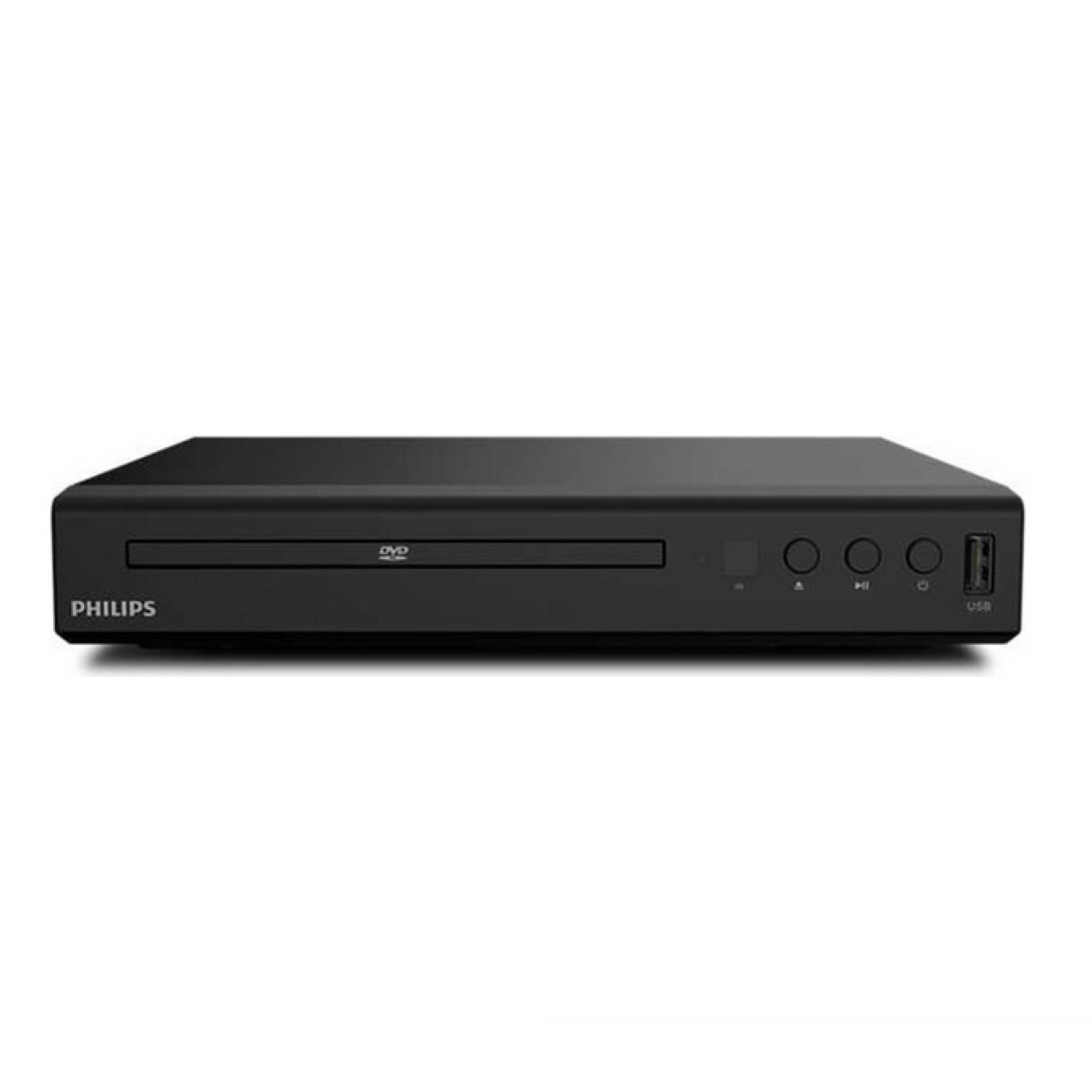
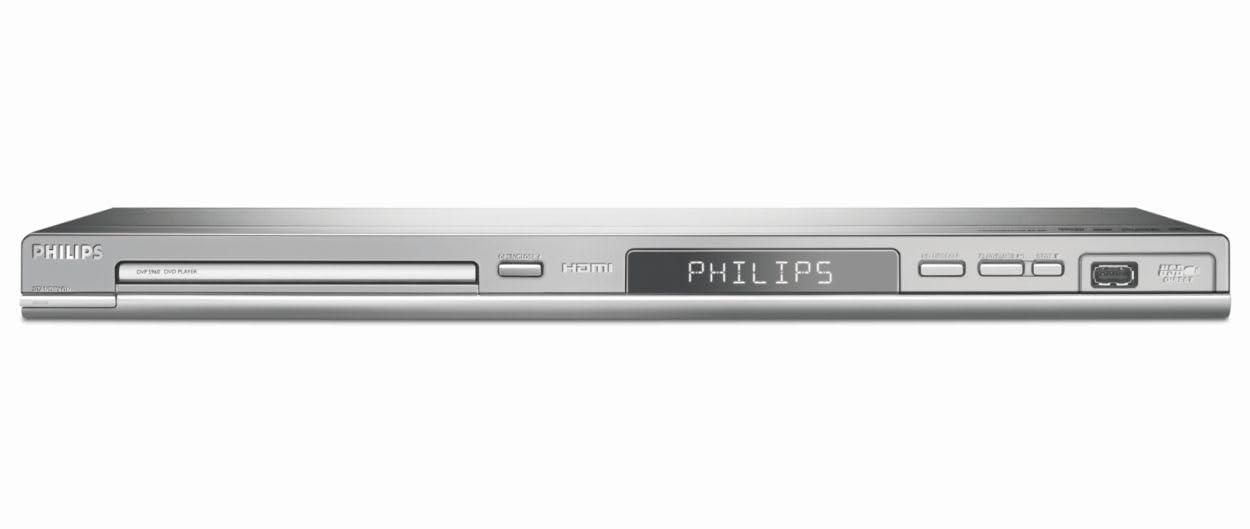
Philips DVP5960 DVD Player with HDMI 1080i Upscaling DivX Ultra USB direct

$44.95

60+ bought in the past month

About this item

  • DivX Ultra 6, Mpeg 4 video
  • HDMI, 1080i Upsampling
  • USB Connect, plays flash drive files
  • Ultra Slim Design. Compatible with both NTSC and PAL.
  • Composite and component inputs cables supplied are only for composite no optical out just digital coax
$44.95

In Stock

Easy Returns · Return eligibility shown before checkout


How you'll get this item

DeliveryShipping details confirmed at checkout

Fulfillment

Ships fromVentari
Sold by
Tracktown Treasures
Returns
Easy ReturnsReturn eligibility shown before checkout
PaymentsPayment details confirmed at checkout

Currently unavailable
Easy Returns · 30-day window
Product details
BrandPhilips
Media TypeCD, DVD
Special FeatureProgressive Scan
Connector TypeHDMI
Connectivity TechnologyHDMI, USB
Item Weight5.5 Pounds
Audio Output ModeStereo
Compatible DevicesTelevision
Input Video CompatabilityNTSC
UPC046677111250 609585110687

Customer reviews

3.4186 ratings
  1. 50%
  2. 433%
  3. 333%
  4. 20%
  5. 133%

Customers say

Customers find this DVD player delivers excellent picture quality, particularly through its HDMI port, and appreciate its ability to play DivX and Xvid files from DVD and CD.

★★★☆☆

Doesn't play every device through USB port

KaraDecember 5, 2006✓ Verified purchase

***Editted out rant...wasn't correct and didn't really accomplish much*** ***I will leave this part in, because it is still applies*** My biggest complaint is that NONE of this was in any of the documentation provided by Philips (not in book, website, or anywhere else)...I discovered most of this from the reviews and fourms! ********************************************************** OK...On to what I have discovered: I have had a heck of a time but I finally got my issues resolved and have discovered the three golden rules about getting your hard drive to talk to the thing: It MUST be formatted FAT32 (note that if you want a FAT32 partition bigger than 32GB, you are going to have to find some software to do it for you...Windows Won't.) It MUST be the Primary Partition (this here got me twice...Check you hard drive and verify it is a "Primary" partition, NOT a "Logical" partition...It will NOT read Logical partitions!!!!!) It MUST have an external power source (Note that the external power source is for hard drives only...Many flash drives work fine without the external power source) I have noted that some older hard drives have problems with keeping up and sometimes the videos will stutter...But if I pause the video and wait for the hard drive light to go out (and it to stop reading), then push play again...It works fine...At least for a while. It doesn't happen on every file I play, so I think there are several factors in play. Once again, this was on a older hard drive and may be the hard drive's fault. Finally...The USB/Hard drive interface is ULGY...It only shows the first 8 letters of the file, which makes it very hard to figure out if you have a lot of files (I have over 80 on my hard drive). I ended up renaming each file to start with a four digit number, and then printed off a piece of paper with the list of numbers and the associated file names so that when I browsed the list, I could see which were which. The interface is ulgy, but it works. All in all...There are two factors that convinced me to keep it, even though it caused me so MUCH grief getting it working initally, I ALMOST took it back (had it boxed up and everything)...First, it is cheap (relatively for the features it provides)...Second, I just plain couldn't find another DVD player that you COULD plug a hard drive into at all. The fact that it is the only one makes it a pretty good buy if that is what you are looking for, and for me it was. I initally gave it three stars in my frustration...I don't seem to be able to edit that now, but I might give it four now if I could. It actually is a pretty good unit...Just wish the documentation and Tech support had been a little better. Hope this helps. Primary drives I have tested with: MAXTOR 3100 100 GB and SMARTDISK FIRELITE 80GB harddrive Read more

★☆☆☆☆

Failed right out of the box

Charles MeyersonMay 8, 2008✓ Verified purchase

I was excited to find a refurbished model at a good price (from Amazon's Warehouse Deals). But it wasn't refurbished enough, apparently. Right out of the box, it failed to play even brand-new DVDs, displaying messages like "Root" and "Stop," or freezing after playing just a few seconds of the lead track or menu page. In the first of two phone calls to Philips, I reached a person who held out the possibility of a "rapid exchange" (they'd send me a replacement and I'd then send back the defective unit), but only if I first faxed over registration info. I did that, called back the next day and was told I'd have to return the unit at my expense and wait. (So I'm not a fan of Philips customer service at this point. Too bad, because I liked the USB input feature -- which DID seem to work, although the interface was clunky.) I chose instead to return the unit to Amazon, at no additional charge to me. But I still need a DVD player. Read more

★★★★☆

Does what it claims.

Aaron CloutierAugust 15, 2007✓ Verified purchase

I purchased this DVD player in order to replace an old, dead DVD player and to play DivX/Xvid on my TV. It has so far performed as expected. DivX and Xvid files play great from DVD and CD and are accessed through a menu system that performs adequately. The quality of the playback is perfectly adequate on my SDTV. A few minor complaints: 1. There does not appear to be any way to get back to the DivX/Xvid file menu once you start one playing. Somewhat annoying. 2. The DVD tray is incredibly thin... about as thin as a DVD. So you have to be a bit careful when putting the disc in. I just doesn't ever feel like it's on the tray properly. 3. If your DivX/Xvid file has any errors it will not play. There were files that played fine on my computer, but the DVD player just couldn't handle the error. There are free tools to fix problems in DivX/Xvid files which I had to use on a few files to get them to play. Otherwise it plays DVDs fine, plays DivX/Xvid fine and overall seems to be a perfectly reasonable player for a good price. Read more

Recently Viewed

We use optional analytics cookies to understand how visitors use Ventari and improve the experience. This banner controls analytics measurement only. See our Cookie Policy.