Sarah Sianis—January 9, 2025✓ Verified purchase
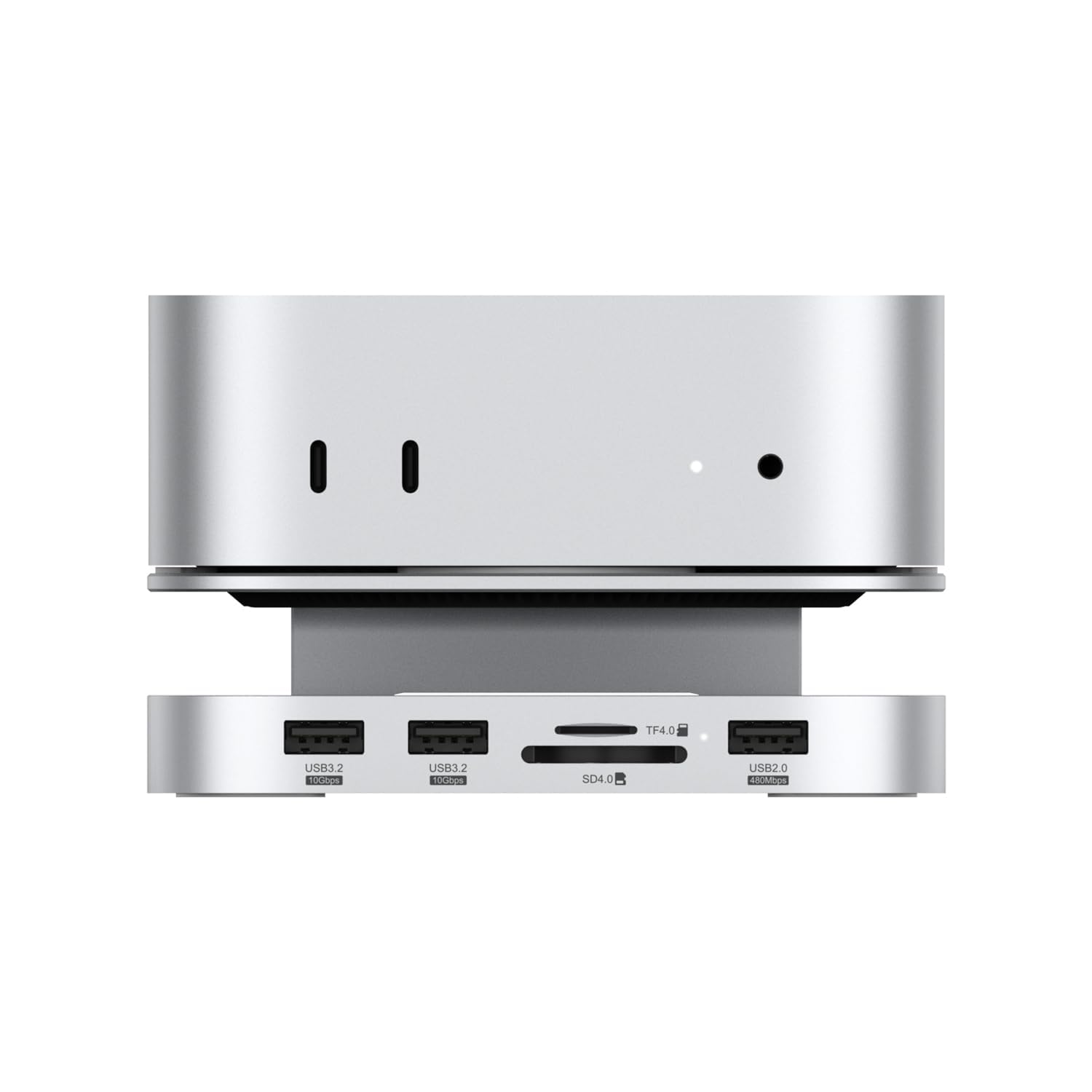
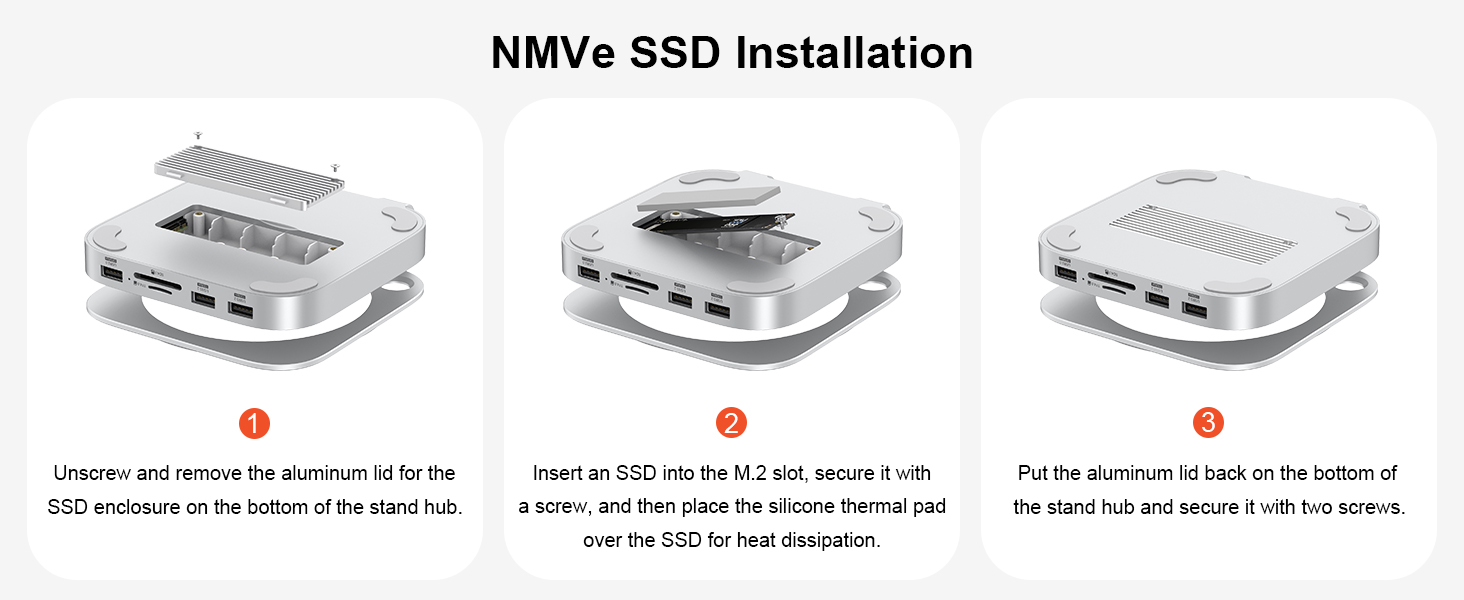
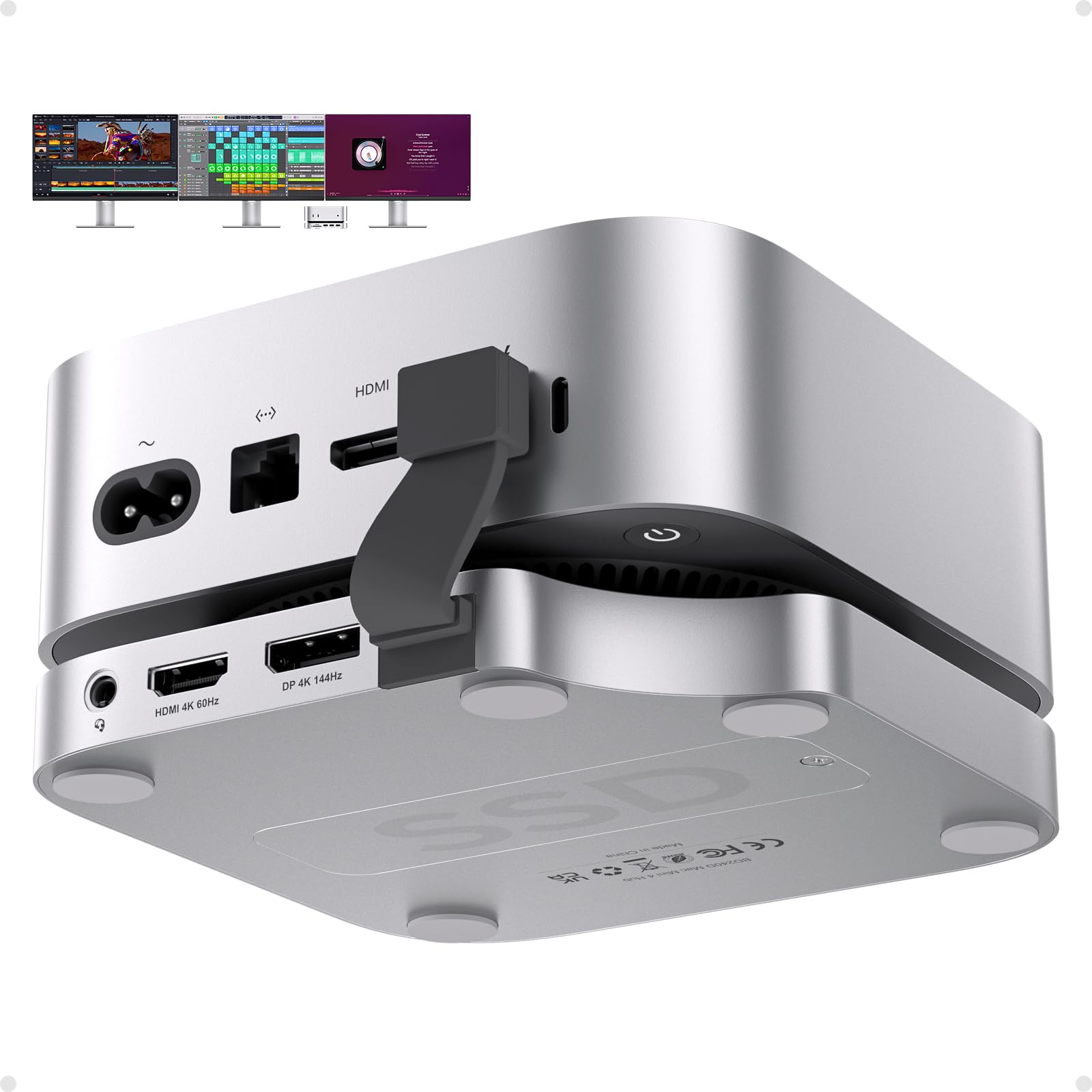
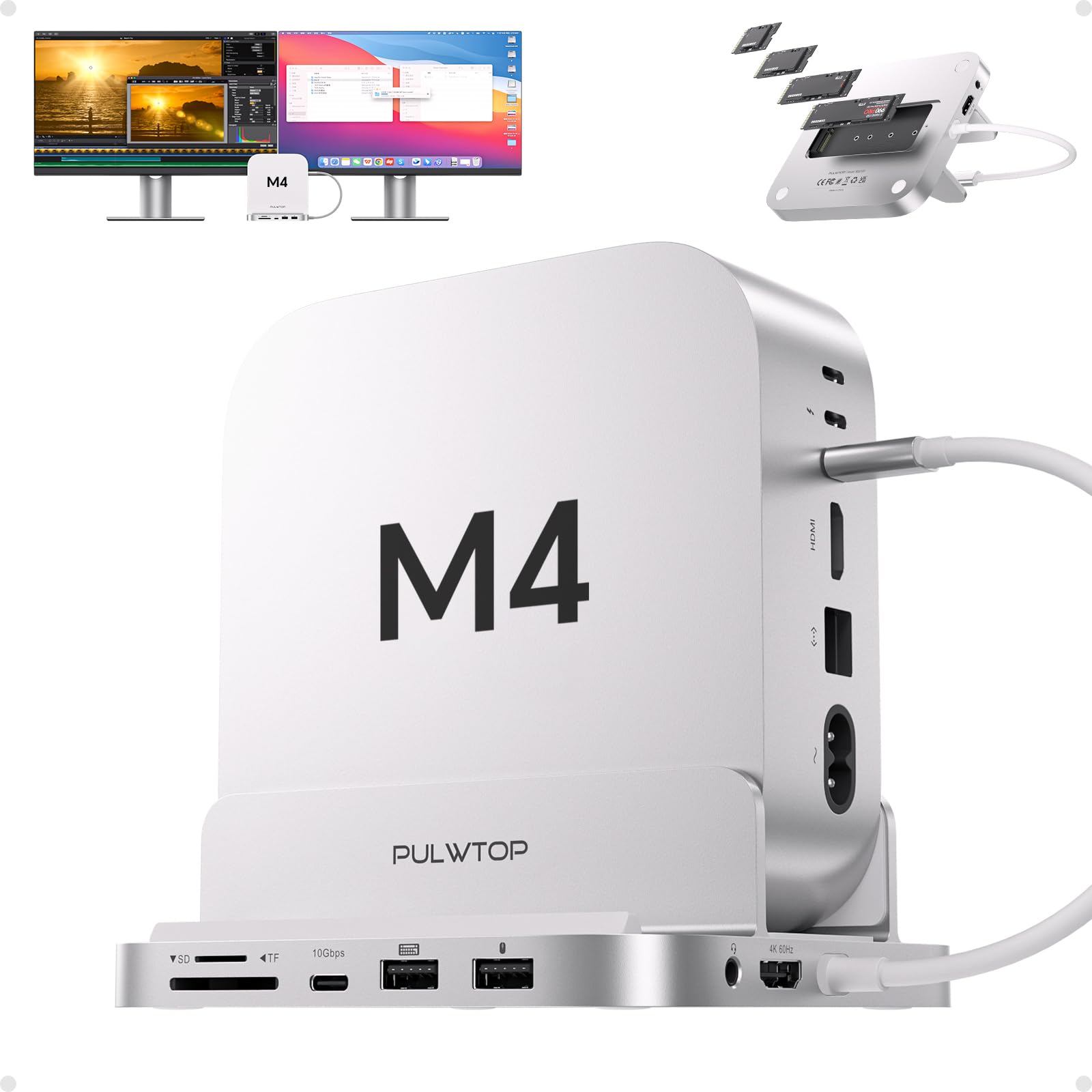
This is a great addition to my new Mac Mini 4. With the two USB-C on the front of the Mac Mini and the ports on this, I have everything I need right at my fingertips and don't have to crawl behind anything to plug something in for short term use. It was plug and play set up. I have seen complaints on YouTube and here about Wifi interference. I use ethernet so it won't be an issue anyway, but I did test it out to see if there was an issue and I saw no degradation of speed in download or upload speeds. Not sure if I received a version where this issue was corrected or not, but no issues here. Haven't had a chance to test out the SSD enclosure, but that is a huge addition that I expect to use to add even more memory to the Mac Mini 4. Very pleased with the purchase. Only complaint is it took a long time to ship so if you are getting for a present plan ahead. 6/16/2025 Update: After six months, still no issues. Haven't tried the NVE storage yet, but that is up on my list. Zero WiFi issues for me Read more
Ziqi Li—January 25, 2025✓ Verified purchase
This was my first great deal of the new year and now I have an M4 Mac mini with 3 USB-A ports and an SD/TF card reader with very fast read/write speeds (SD 4.0, 300MB/s). It also gave me an M.2 slot for installing an NVMe SSD, which my old Samsung 980 Pro ran just fine. By the way, this hub is USB 3.2 10Gbps, not Thunderbolt 4/5. That's why my SSD speed is only around 1000MB/s. I've seen reviews about this item regarding WiFi interference, but I've had no such issues. Not sure if I'm receiving the same version as others, but so far it's working fine. Another thing I like about it is that the small hole on the top of this dock gives me easy access to the power button on the bottom of my M4 Mac mini. This really helps a lot. Read more
Jeremy B—August 18, 2025✓ Verified purchase
Poor design when description says compatible with Mac Studio. It really needs support on both sides. Build quality seems ok if not for the spring loaded platform that you put the computer in. I will design a column to keep it level and sleek looking. I did put a 2TB M.2 drive in it and it formatted fine, however it lacked the proper screws to secure the drive to the case. I had to improvise to get it secured. The SD card reader and other Usb ports at least have power. I have not tried all the ports for communication to the pc yet but I have no reason to believe that they would not function as they have power. For the price it should have included a wire and block for power as it is necessary to use the dock I am super disappointed in Amazon and the seller of this who did NOT disclose that this item was used. (see photos) Not only was it used but the box that clearly has an Amazon repacking label on it BUT also had the label cut before I opened the shipping packaging. It showed up in an unsealed factory box. Parts were missing. Shipping took much longer than usual for a prime delivery. Read more


L. Schodts—July 23, 2025✓ Verified purchase
Works as described. I bought mine the day I got my Mac Mini. I also used the 1TB memory expansion and stored all my Steam games there. I highly recommend this base plug if your transitioning from USB to USB C. Read more
Neal Brown—January 8, 2025✓ Verified purchase
This enclosure uses an RTL9210 NVME to USB bridge but other products using the same chipset have user reviews reporting >500MB/s transfer rates. I tested it with and without a Crucial X6 external SSD connected and it made no difference. I'll try another thunderbolt cable to see if its the included cable that's the bottleneck. The Crucial P5 NVME drive I installed in the dock has been in use for a year and is fine. I will update the review if I am able to identify an issue with another connected device or with the included cable that solves the slow transfer rate. [UPDATE] There's no mention of the requirement to shut down the Mac in the quick start guide but I tried it, and it bumped up the sequential read/write to 1000MB/s but the random speeds are much lower. I still cannot recommend the dock since thunderbolt (TB5 on the M4 Pro Mini) is capable of much higher speeds. Read more
Jordan—December 4, 2024
Offering convenient front-facing access to essential connections. Additionally, it provides a practical way to add extra storage without occupying a USB port, as the M.2 drive can be installed directly into the hub. It also includes extra screws, an extra standoff and two thermal pads for the M.2. However, there are two aspects that could be improved. First, the process of mounting the M.2 drive is somewhat cumbersome due to the standoff screw and mounting screw being integrated into a single piece. This design requires you to hold both components in place while securing the M.2 drive, which can be challenging. Second, the included supports for the top portion, where the Mac sits, seem to be uneven. One side sits slightly lower than the other, which can cause instability, especially when adjusting the orientation, leading to one of the two supports becoming loose. Overall, this is a highly functional USB hub for the Mac mini and also works well with Windows devices, providing additional ports for laptops. Read more
Dave Coulter—March 25, 2025✓ Verified purchase
Great idea & love the design for providing ample connections to the computer. I don't have Wi-Fi issues as some users have reported. I think it has a lot to do with individual wi-fi set up rather than the hub itself. Overall, a great value and I would recommend. Read more
SemiMBA—December 31, 2024✓ Verified purchase
Interesting issue with this hub. With the USB-C attached the from the Hub to the Mac mini M4, the Internet speed is 80.65 Mbps. Removing the USB-C the speed increases to 778.12 Mbps. (WiFi - not hard wired). All software upgraded. Nothing wrong with the Mac mini. I had a 4TB SDD drive installed that randomly disconnected and reconnected. I thought it was the SDD but with the other problems with this hub, I am beginning to think the Hub is the issue. Unless I can fix this issue, this item will be returned. Apparently this is a known issue as the unit acts like a Faraday cage due to the Mac Mini M4's WiFi antenna is located on the bottom of the unit. Read more