Free shipping over $35 · 60-day returns · Price-watch guarantee

Ventari

RayCue

RayCue All-in-One Charger Dock for Mac mini M4 Aluminum Mac mini M4 Dock Hub Stand with 8TB NVMe

$169.99

319+ bought in the past month

About this item

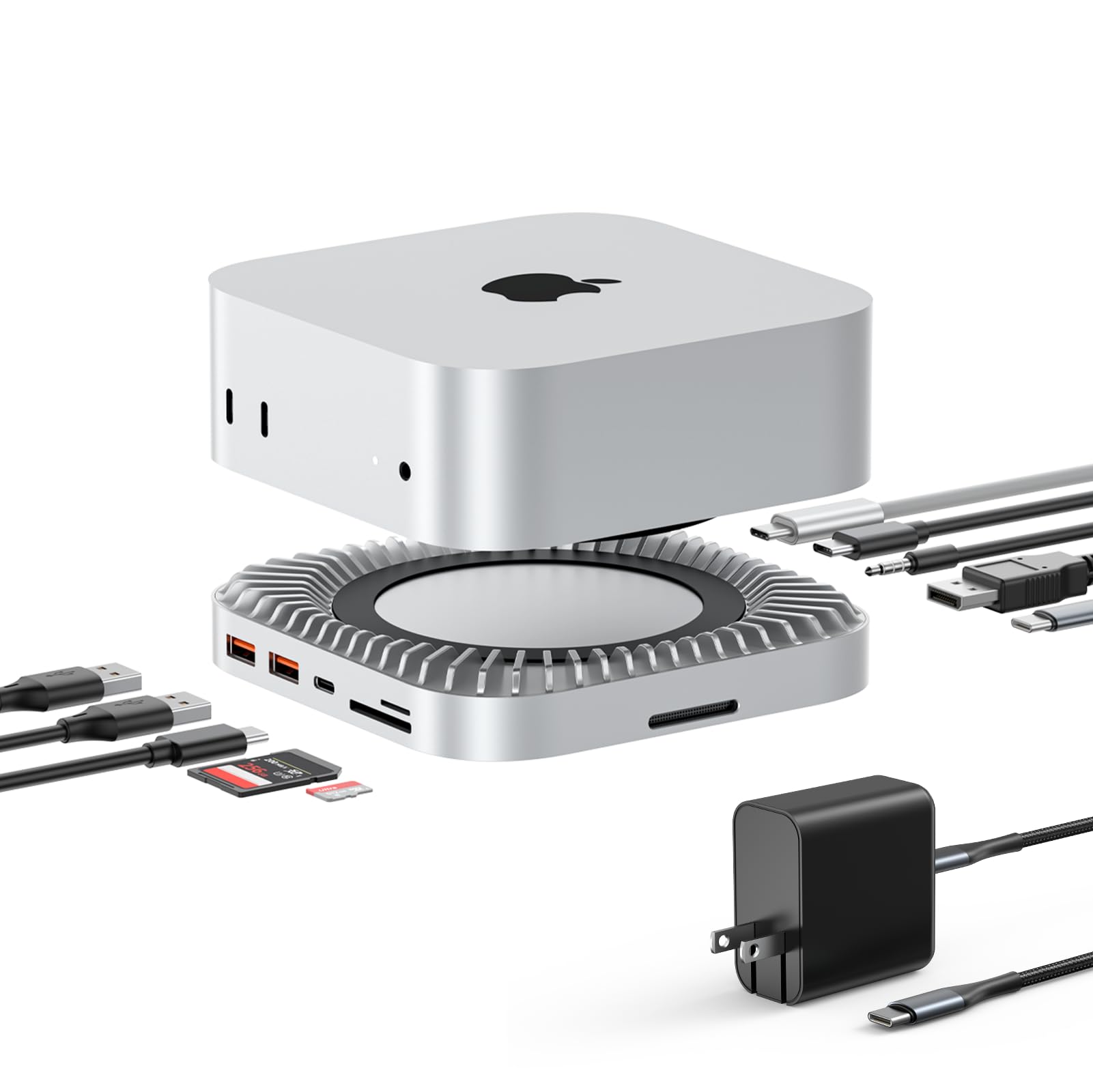
  • 【All-in-One Mac Mini M4 Dock & Charging Station】This Mac Mini M4 docking station seamlessly integrates a 165W GAN PD charge and 8TB SSD expansion hub. Transfer data, store files, and charge your devices simultaneously—all seamlessly integrated with your Mac Mini M4 desktop environment.
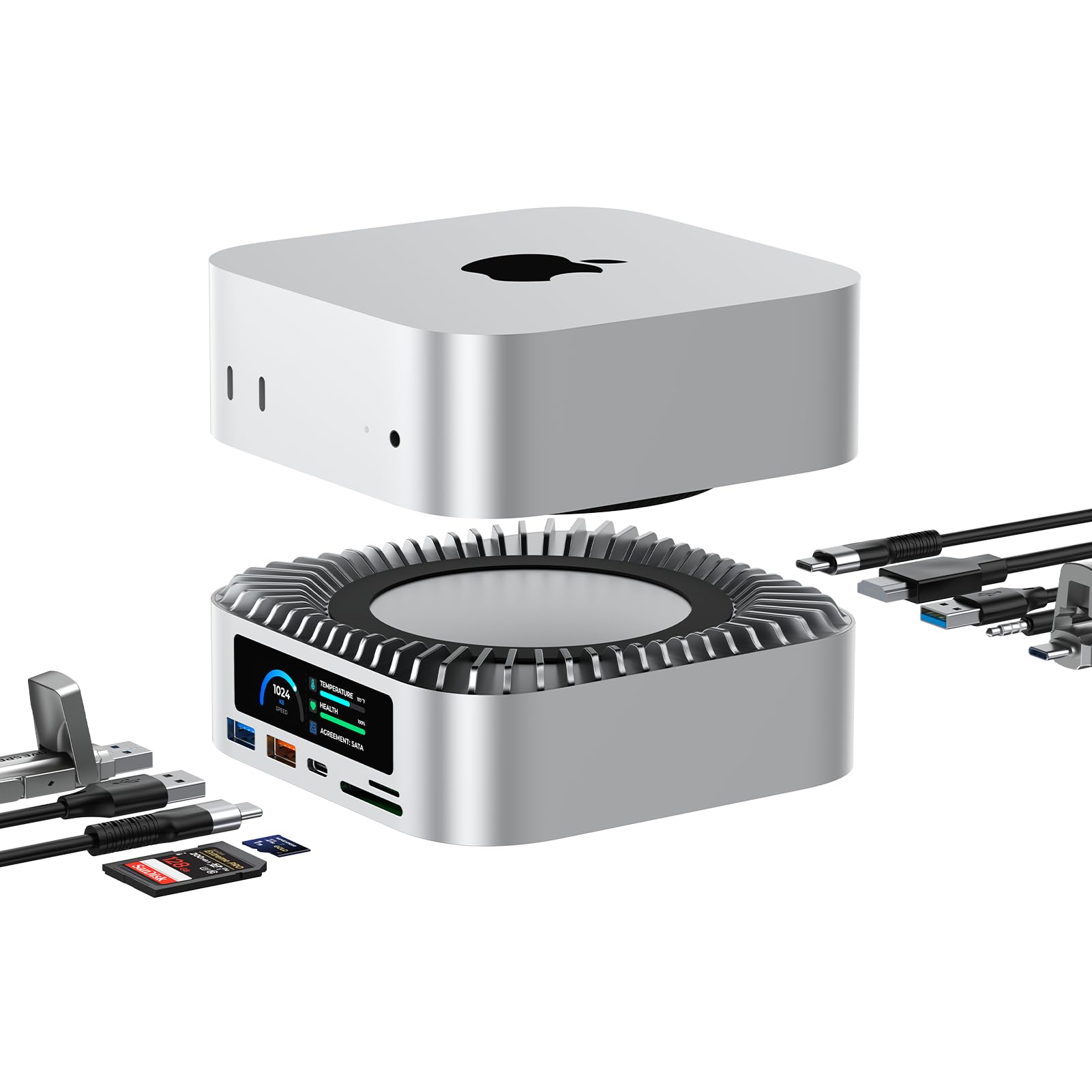
  • 【Support 8TB M.2 NVME/SATA Enclosure】This Mac Mini docking station is equipped with a built-in Hard Drive enclosure, capable of running M.2 NVME/SATA, supports up to 8TB, and most SSD sizes (M.2 2230/2242/2260/2280).
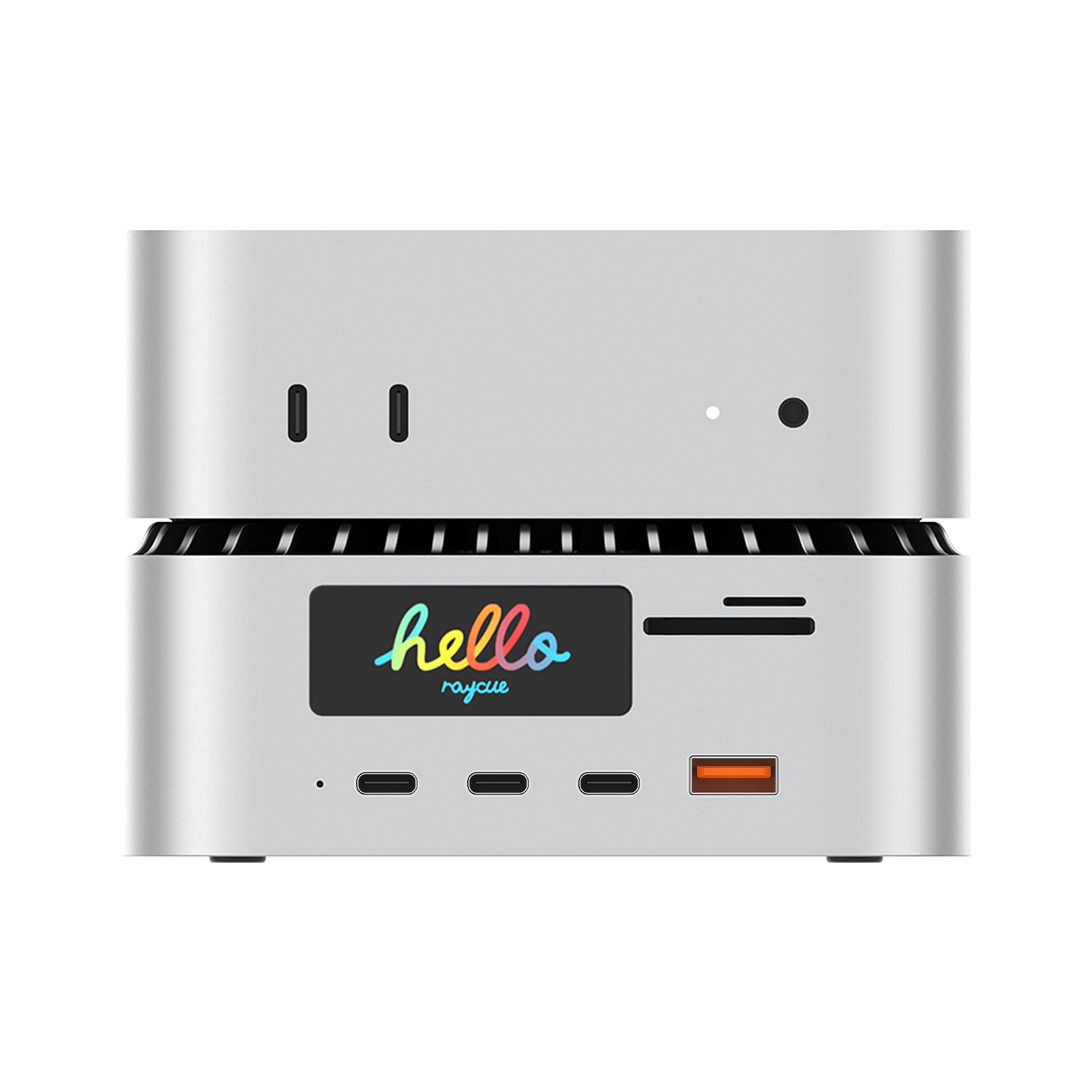
  • 【165W GAN Power Delivery】Power all your devices at once. With a 140W USB-C (PD 3.1) port, a 100W USB-C, a 45W USB-C, and a 30W USB-A port, this docking station delivers up to 165W total output—perfect for laptops, tablets, cameras, and more.
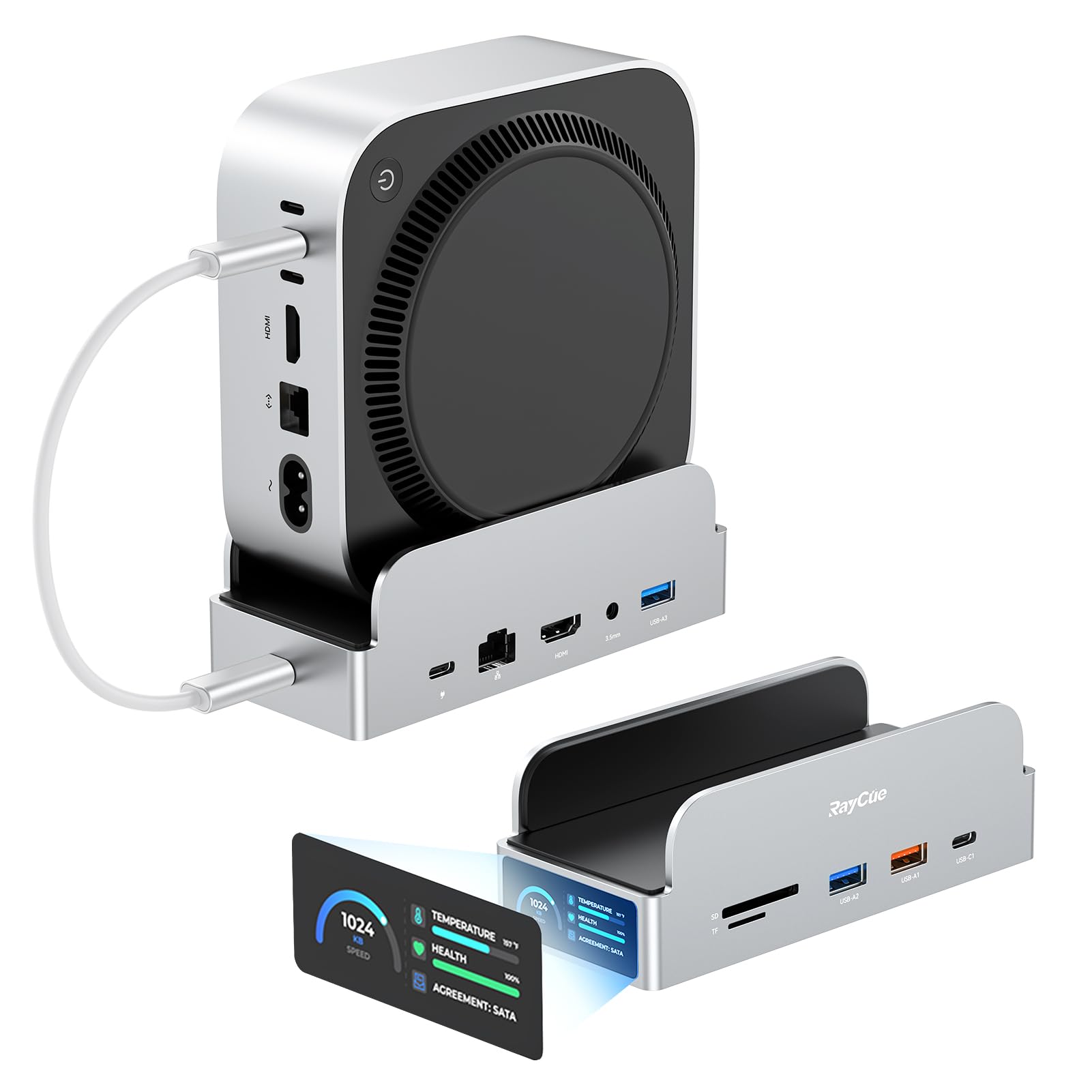
  • 【Built-In Smart Display & Real-Time Monitoring】Stay informed with the integrated 1.65-inch smart screen. It shows real-time data, including a welcome boot screen, hub power draw, port speeds, charging power overview, SSD status, and HDMI display info for complete system control.
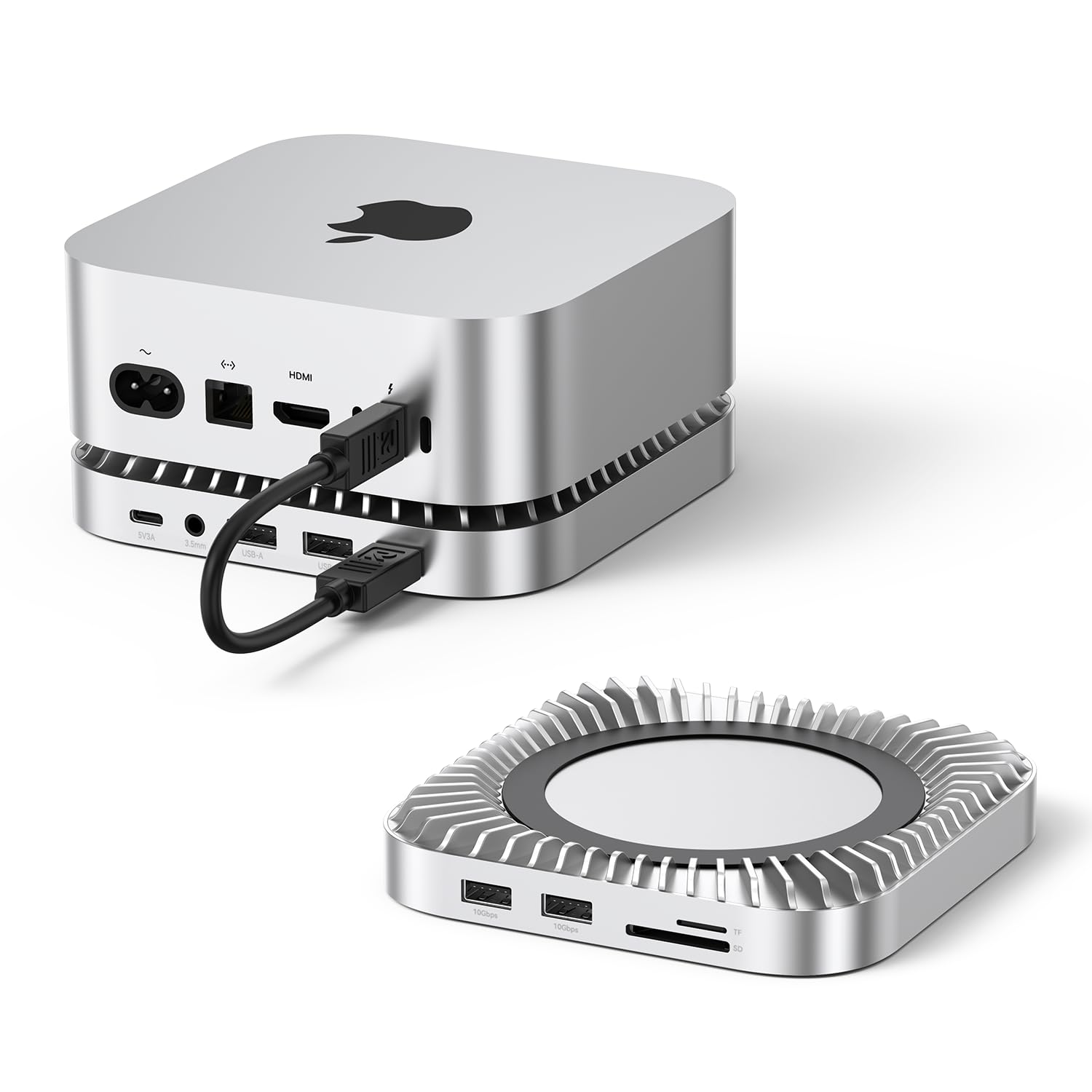
  • 【All-in-One Port Hub for Mac Mini M4】 Connect everything you need! Expand your workspace with a crisp dual-screen display 4K@60Hz HDMI. Transfer files in seconds with 2x USB-A 3.2 and a blazing-fast UHS-II SD/TF 4.0 card reader (up to 312MB/s). Plus, enjoy seamless audio with the 3.5mm jack.

Key details

Brand
RayCue
Color
Silver
Hardware Interface
3.5mm Audio, MicroSD, USB 3.2 Gen 1
Compatible Devices
Mac Mini M4 Pro, Mac Mini 2024, Mac Mini M4
Total USB Ports
3
Highlights

About this item

  • 【All-in-One Mac Mini M4 Dock & Charging Station】This Mac Mini M4 docking station seamlessly integrates a 165W GAN PD charge and 8TB SSD expansion hub. Transfer data, store files, and charge your devices simultaneously—all seamlessly integrated with your Mac Mini M4 desktop environment.
  • 【Support 8TB M.2 NVME/SATA Enclosure】This Mac Mini docking station is equipped with a built-in Hard Drive enclosure, capable of running M.2 NVME/SATA, supports up to 8TB, and most SSD sizes (M.2 2230/2242/2260/2280).
  • 【165W GAN Power Delivery】Power all your devices at once. With a 140W USB-C (PD 3.1) port, a 100W USB-C, a 45W USB-C, and a 30W USB-A port, this docking station delivers up to 165W total output—perfect for laptops, tablets, cameras, and more.
  • 【Built-In Smart Display & Real-Time Monitoring】Stay informed with the integrated 1.65-inch smart screen. It shows real-time data, including a welcome boot screen, hub power draw, port speeds, charging power overview, SSD status, and HDMI display info for complete system control.
  • 【All-in-One Port Hub for Mac Mini M4】 Connect everything you need! Expand your workspace with a crisp dual-screen display 4K@60Hz HDMI. Transfer files in seconds with 2x USB-A 3.2 and a blazing-fast UHS-II SD/TF 4.0 card reader (up to 312MB/s). Plus, enjoy seamless audio with the 3.5mm jack.

From the brand

Product detailProduct detailProduct detailProduct detailProduct detailProduct detailProduct detailProduct detail
Product detailProduct detailProduct detailProduct detail

Product videos

Product video 1

Customer reviews

281 reviewsMixed

Rated 3.9/5 across 281 reviews — opinions are mixed.

  • 100% of sampled reviews are from verified purchases.
  • 63% of sampled reviews give 4–5 stars.
  • 25% of sampled reviews rate 2 stars or below.

Customers say

Customers find the docking station functional, with one mentioning it works well with dual monitor setups, and appreciate its multiple ports and compact design.

Generated from the text of customer reviews

Reviews with images

Customer review image for Matches the Mac and provides a lot of powerCustomer review image for A must if you have a Mac miniCustomer review image for A must if you have a Mac miniCustomer review image for A must if you have a Mac mini
See all photos
★★★★★

Amazing Docking Station

This mac mini docking station has been perfect for my wife. I previously bought her one but this one has been way better. She loves the display on the dock which shows everything that is connected to it. It also has much better additional storage and extra ports. The value is great as well for the quality. This has also worked well with her dual monitor setup compared to the other one. The speed of the input seems to be faster and have less lag. Read more

Bert LinVerified purchase
★★★★★

Sturdy Charging Dock

Extremely powerful and charges devices quickly without getting hot. Multiple ports make it easy to power up a phone, tablet, and headphones at the same time. Feels solid and well-built, but is VERY heavy. Works great as an at home setup. Read more

HaxolotlVerified purchase
★★☆☆☆

Not a good usable value for the cost

If you're using this dock just for charging and a few extra ports its likely fine, if a bit over priced for just that. The charging capabilities seem fine, tho I haven't really put the charging thru its paces really (like charging a laptop or something higher powered). It seems to charge the normal stuff I've plugged into it fine. Including some ESP32 dev boards to run off it for just power. The screen is nice to show what ports are powered and what sort power draw they're currently pulling. The charge ports can be a bit stiff tho, when plugging in cables. It can feel like you're fully inserted the cable, but in fact you still have a slight amount to push in where it noticeably click fully in. But the screen does help show if its drawing power so once you're aware of this its pretty easy to avoid. If you are looking to leverage the SSD portion of this dock, I would not recommend finding another option. I have tried 2 different SSDs and this enclosure is just too unstable to be usable. It seemed to work fine on the first SSD i setup, but when the computer went to sleep the SSD never came back up. I'm forced to restart the machine to get the SSD to detected and mountable again. The disk just isn't even found by Disk Utility until restarting the Mac. Cycling the dock power and re-plugging it into the Mac doesn't help. Once the SSD connection started acting up, it quickly degraded to the point the SSD would only be mounted for at most 10mins on a fresh reboot before disappearing. Usually it only last a min or 2 now. I have tried 2 different Samsung SSDs, both encountered this issue, I'm not buying a 3rd SSD to try other brands. The unit gets really warm too w/ or w/o the SSDs so I'm wondering if over heating is part of the issue here. The screen as a section for SSD temp, it shows normal temps most of the time, but when the disc mounts, the temp readout bugs out and shows gibberish for the temp value. When the SSD isn't mounted the temp shows around 100F. I even tried setting up an unused Noctua CPU cooler on this to cool down the enclosure to see if it was the overheating. The cooler did help reduce the temp some, but had no noticeable impact on SSD stability. Not happy I have to go dock shopping again for one that actually functions as a SSD enclosure. Design wise this dock is great, matches the mac mini aesthetics pretty well and the screen on it is pretty clear and looks sharp. Read more

NSVerified purchase
★★★★

Precio

Ahora va bien junto al Mac mini Read more

gerardoVerified purchase
★★★★★

Nice unit

It is as advertised very well designed and the screen is a big help when charging devices Read more

E.Verified purchase
☆☆☆☆

Not ready for showtime.

Unmounts and over heats. Not worth the hassle and headache. Never shows the speeds of the drive. Unmounting randomly in the middle of a project when you walk away is a disaster. Read more

NobelGhostVerified purchase
★★★★★

Matches the Mac and provides a lot of power

I bought this dock specifically because it fulfilled two needs: high power charging and an internal hard drive slot. I used to keep my MacBook charged using a different charging dock on my desk, and this replaced it as it also provides over 100W+ of charging to keep my items ready to go. And, has a nifty screen on there to let me know how much power it's pulling. As for the SSD, it also gives the temp reading/read speeds of when it's being used. Stays silent, and I don't hear a fan in it. Read more

Customer review image for Matches the Mac and provides a lot of power
Rabia MahmoodVerified purchase
★★★★★

A must if you have a Mac mini

This is exactly what I was looking for. Just enough connections to make my desk clean and free of wires. Now I do not have to change plugs constantly. The added advantage is the fact that I can add an external SSD drive which I am about to do. This device is a must for any Mac mini. Read more

Customer review image for A must if you have a Mac miniCustomer review image for A must if you have a Mac miniCustomer review image for A must if you have a Mac mini
MaxDVerified purchase
Recently Viewed

We use optional analytics cookies to understand how visitors use Ventari and improve the experience. This banner controls analytics measurement only. See our Cookie Policy.