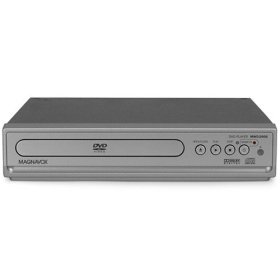
WONDERFUL DVD PLAYER!!!!!
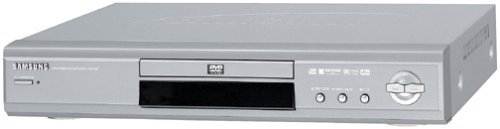
It is with dismay that I hear comments from those who complain about not being able to enjoy DVDs produced for other regions when all they need to do is buy a different DVD player. For under $55 (including delivery), I think this Samsung E360 DVD player is the best! It works with a standard US (NTSC) TV; one does not have to spend the extra hundreds of dollars for a multi-system TV unless they want to view a different standerd TV signal (PAL in Europe, MESCAM in the Middle East, SESCAM in Asia, etc.) Having lived in Europe for many years, I'm a great fan of British programs. Often, these programs are only available in Region 2 format. Some British programs are available in Region 1 format but at a significantly greater cost than the Region 2 originals. I bought one E360 a few weeks ago, simply connected it and it worked beautifully. Then I decided I wanted two more for my other TVs. Through Amazon, I ordered from the Voltage Converter Store again. This time, without any advanced notification, they substituted with E360Ks. Without opening the individual box, I sent an email advising the store of their error and requesting they send the models I ordered - immediately (because technicians were due in a few days to set up new TVs and cable boxes. I am elderly and disabled and cannot install all of these machines alone. I did not want to have to pay for a second visit.) The store merely replied that the E360Ks are all region, supposedly a newer model and have a karaoke capability. (Not all of us aspire to be artistes even in the privacy of our own homes.) Since the store assured me that these were all region, I opened one E360K and struggled to connect it in place of my existing E360 as a test. Failure: the picture was grainy, in black & white and the wrong size. I sent a second email to the store again requesting they immediately send the E360s I ordered. They very curtly - to the point of being rude - replied that the E360K needed 'to be switched to NTSC.' But, they neglected to explain how to do that. The User Manual; which covers the E350, E360 and E360K models; proved to be useless. It says the remote control (there is a different remote for each model) has various buttons (menu, tools, etc.) and that there are numerous different (major) options for setup, display, audio, etc. But, the manual does not list what the individual (sub-) options are or describe what they do. I'm not a technician and do not care to use my time pushing buttons or changing the default settings just to see what happens. Once again, I struggled to connect the E360K. Quite by chance, my very first attempt was successful: After inserting a Region 2 DVD and from the main screen, use the directional arrows on the remote control to go to the settings icon (the one on the far right that looks like a gear) and press 'enter.' The screen then shows a list of items on the left, select (again with the 'enter' button) the top item: 'display.' From the sub-list on the right side of the screen, use the directional arrows to move from 'auto' down to 'NTSC TV' and press 'enter.' (I presume this is because I was connecting the DVD player to a standard US NTSC TV.) The Region 2 DVD then clearly played the proper size picture in colour. The E360 is fitted with a standard US electrical plug (two flat prongs.) The E360K has a continental plug (two round prongs) but a US adapter is included. Combining the two makes the E360K plug longer - over 3'' instead of the 2'' on the E360. This presents a problem if one wants to use a power strip in a narrow shelf (as I do) or if one is concerned about how far out the wires protrude from the wall outlet. As other reviews have said, the remote control is quite compact and, subsequently, the indiviual buttons are small. I often fumble with it; but I wouldn't buy a different DVD player just because of the remote. To insert or remove DVD, a tray comes out of the front of the box. I would much prefer just inserting the DVD into a slot; visions of bending or breaking the tray come to mind. As I stated before, the User Manual leaves a lot to be desired; it needs to give much more information on the various options for customization. As with most manuals, it assumes a certain level of understanding. I do wish these came with a definition of terms, more pictures of the different screens, and always included on how to return to the main menu (select 'enter' again or just wait.) The manual is in English, French and something that appears to be Arabic. My dealings with the Voltage Converter Store were frustrating but I did receive the machines in perfect condition and the very beginning of their delivery window. I would really prefer to have all E360s. But, in view of the time constraints and to avoid further dealings with this store, I have decided to keep the two E360Ks. Samsung's reputation as the best is well-earned. I'm thrilled with the picture quality of this DVD player and, after all, that is what counts. Read more