Lawrence kuszmaul—December 27, 2005✓ Verified purchase
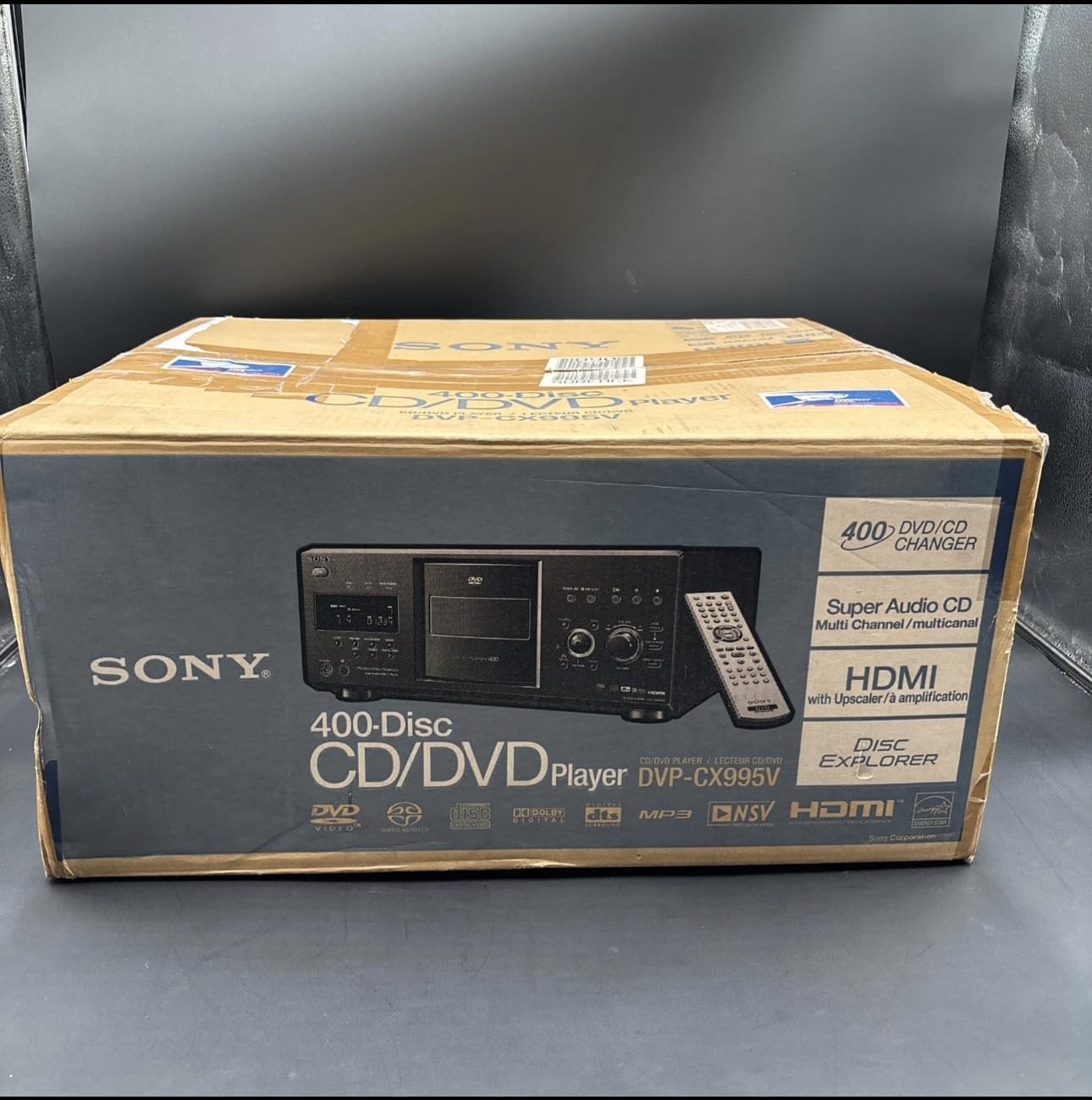
I purchased this unit to safely store my collection in a dust free, scratch free environment as we have small children who wreak havoc on DVD's. The sound and picture quality is incredible. I thought that it was a little extravigant to buy until I realized that I had already spent more than the cost of this unit on leatherette albums (25 DVD's to an album) as I have collected 300 plus DVD's over the years. When I fill this one up, I'll get another. My only concern is the Filing of the DVD information. I filled the unit with my 300+ collection and proceeded to hit the "LOAD" button. The unit spent a couple of hours loading and unloading each disc to "READ" the Disc info. (This can be done with the power in standby while you sleep). That amount of time is very reasonable considering I just piled over 300 DVD's into it all at one time. When all was done The unit only read the disc file information from about 1/4 to 1/3 of all the Discs. The process for manual labeling is very simple but time consuming. And I would HIGHLY !!!! recommend using a keyboard. Doing so saved alot of time. When I first loaded the discs I did not know exactly how many I had so I placed them into groups in about every 50 disc slots to "balance" the weight around the turntable. I had them in alpha order in their albums but messed that up when I loaded them around the turntable in my unecessary balancing act.Then when it was time to manualy enter the disc file info for the Discs that did not have the file info imbedded from the manufacturer, I had to manually view many of the discs to see what they were.(we're talking HOURS now) KEEP A LIST And write what number slot you put them in. It will save alot of time. Especially, if a long power outage erases the explorer info you just spent hours typing in. Once you have typed in the disc onfo into the explorer temporarily run the video output through the VCR and scroll through the folder menu as you record it. You cannot normally run the lines through the vcr as the anti copy softwre on the DVD will think you are trying to pirate it, but since you are only copying the folder menu screen it should work. When you power up the unit, The last disc viewed WILL auto start. This has shown to be very annoying to many but if you hit the "Folder" button the disc will stop and the Folder menu appears. The remote is a little hard to use. Having to slide the switch back and forth between the explorer and the DVD mode because some of the tiny buttons are multifunction is annoying. Having to start from Disc Explorer even if you know the number of the disc you want to view is just plain sad. Overall I am very satisfied with my purchase and as I wrote earlier,When this one fills up (which won't be long) I'll get another.I do like the option of showing the disc info in the explorer menu in alpha order by using the "sort" button but it took me a few tries to figure it out. P.S. Measure your space and make room!! It's bigger than it looks in the picture,and extra deep. the actual player part sticks out the back of the changer about 2 inches extra. I had to cut out the back of my shelf Read more
AS—September 26, 2006✓ Verified purchase
Its pretty much been well reviewed here. Just to reiterate some points and clarify a few others. First off, this player DOES play DVD-R disks, I know, I have done so! Plays just fine if you know how to properly burn a disk, DVD-R can play ;-) Fair WARNING you may think you have enough room in your entertainment center, think again. I thought I had enough room with my behemoth of an entertainment center. But you are not aware of an additional extention on the rear panel that sticks out alot (this houses the actual disk player). Do yourself a favor and double check the measurments. I nearly was forced to either remove the cabinet doors or chop out the back panel of the entertainment panel (so hate doing that) or even return the unit. I got very lucky and it just barely fits. OK, other than those points, the player function itself resides with being just a giant DVD/CD storage unit. Depending upon how you look at it, it is either a very simple player or a very complicated player. Noting is intuitive about this player! It is relatively quiet. It is slow. It is annoying to get hanged up with those FBI warning screens, the player does, as mentioned before, upon power on autoplay the first disk, nothing you can do to stop it, and your forced to watch the FBI warning unless you proactively remember to do as stated to try and avoid this happening (at the end of a movie hit stop once so next time you can power on and just go to any of the menu sytems). God help me if I have to move it. I am not going to even try to with out first removing the disks inside as recommended. Just looking at it I believe others comments about the likelyhood of things getting jammed. But that means having to fully remove all the disks and then you guessed it, having to reinput ALL the data if disks are not keep in there specific order. This is by no means a solution. I purchased from Amazon for $279 with free ground shipping (not to mention additional $30 off, net price of $249 how can I pass that up). It was here in record breaking time 2 days! If it was not for the price, I do not think I would have taken this challenge. Overall, I am OK with it. It does "clean" up my living space. Thats basicly all that it has going for it which is its main selling point. EDIT- I just scanned reviews for the previous model 985V, and an alarming situation has been brought to my attention, it seems that there is a possibility for disk damage! You can read all about it on the other product page. This in all suggests inorder to safeguard and ironicly better the disk info and autoplay bug/glitch, that you copy your disks first, in addition strip the FBI warning out, and preinput all the disk info. And then the system will operate much more smoothly. Caution in regards to the possible disk scratching issue, check your disks weekly, randomly, while still within the return period! EDIT- DISCOVERED A WORK AROUND TO KILL THE FBI WARNING SCREENS IT APPEARS THAT IF YOU USE THE FAST FOWARD, CHAPTER SKIP BUTTONS I.E. "NEXT", YOU GET TO JUMP PAST THE WAIT AND THEN CAN QUICKLY EXIT OUT. THIS WORKS ON MAJORITY OF WARNING SCREENS, THERE WAS A VERY FEW THAT IT DID NOT WORK FOR. Someone mentioned about CNET review saying use of the FOLDER button is also a work around but I have found that that does not work. After a week, getting a little more comfortable, but am still very weary about the disk scratching issues, still doing random checks before return period expires. Read more