Free shipping over $35 · 60-day returns · Price-watch guarantee

Ventari

TiMOVO

TiMOVO RGB Backlight Keyboard for PS5 Controller Wireless Bluetooth Keypad Chatpad for PlayStation 5 Controller Mini PS5 Multi-Color

$26.35$32.99

1503+ bought in the past month

About this item

  • PS5 Controller Keyboard: This wireless keyboard is designed for PS5 controllers. It is small and lightweight and won't add weight to your PS5 or interfere with operation. It is comfortable to hold and has a built-in rechargeable battery that supports 80 hours using on a full charge.
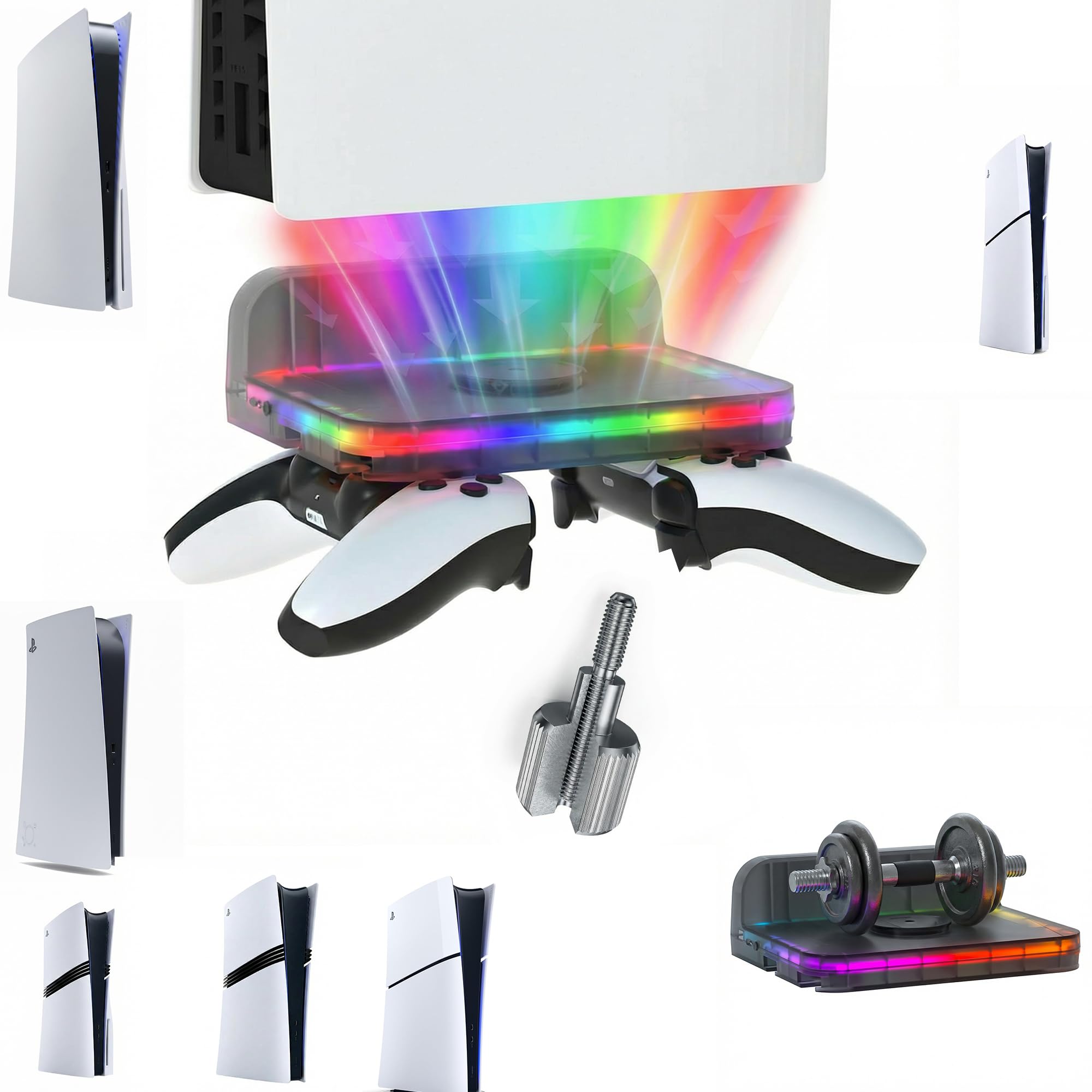
  • 7 Backlight Modes: Brilliant! Our keypad for PS5 has been upgraded to 7 light modes, 4 multicolor modes: Monochrome Sliding, Breathing Light, Rainbow Breathing, Monochrome Auto-rotation Mode (Red, dark blue, green, orange, pink-violet, lake blue light will flash based on corresponding light mode) , 3 static light modes: Blue, pink-violet, orange. Bright backlight in the dark brings easy typing and immersive gaming vibe. (Note: just press the pairing key once to switch the light mode)
  • Chat while Play: The built-in speaker lets you hear all chat audio from the PS5 controller keyboard, besides, 3.5 mm aux port allows you to connect an external headphones, earphones, headset, both of which make it easy to communicate with your teammates in-game via live voice chat or typing. If you want to switch audio playback device, please modify the setting in “Output Device”: Settings—Sound—Audio Output—Switch Output Device Automatically (Close)
  • Better Game Sound Output: We have improved the speaker playback device based on the original keyboard. When using the built-in speakers, there is no abnormality or noise even under the loudest playback. Play the game sound clearly for a better gaming experience!
  • Responsive and Easy Typing: The 47-key keypad for PS5 is made of silicone material that is comfortable to touch, and the white-framed key design makes letters and characters more visible and easier to type. The keys are sensitive and easy to reach, allowing you to type and chat smoothly in games.
  • Easy to Connect: Connect the PS5 controller first, then turn on the keyboard, press and hold the pairing button on the keyboard (about 3s) until the blue indicator flashes. Pairing steps: Settings—Accessories—General—Bluetooth Accessories—Choose the name of the keyboard “P5 Plus-CB”—Press the “X” on PS5 Controller to confirm—Secret key will be displayed on the screen—Input it directly with the keyboard—Press Enter Key to confirm—Completion.
  • Note: 1.After the keyboard is connected with the console, the backlight will be on for 1.5 minutes and then go to sleep mode, press any key and the light will stay on for another 1.5 minutes. 2. It has memory function. When the keyboard is turned on, it restores the light mode that the keyboard was in before it was turned off.

Key details

color_spec
‎Black & White
Brand
TiMOVO
Compatible Devices
Playstation 5
Connectivity Technology
Wireless
Keyboard Description
Wireless Bluetooth, lightweight design, silicone keys, white bezel, 7 backlight modes, built-in rechargeable battery and speakers & 3.5mm headphone jack See more

Dimensions and fit

dimensions
‎5.04 x 2.09 x 1.3 inches
weight
‎2.47 ounces
item_weight
2.47 ounces
product_dimensions
5.04 x 2.09 x 1.3 inches
item_dimensions_lxwxh
5.04 x 2.09 x 1.3 inches

Technical specifications

item_model_number
P840156997621
power_source
Battery Powered

Item information

Recommended Uses For Product
Gaming
Special Feature
Backlit, Rechargeable
Color
Black & White
Keyboard backlighting color support
RGB
Style
Modern
series
PS5 Keyboard
hardware_platform
playstation 5
manufacturer
TiMOVO
date_first_available
October 13, 2023
best_sellers_rank
#1,694 in Video Games ( See Top 100 in Video Games ) #158 in PlayStation 5 Accessories
Highlights

About this item

  • PS5 Controller Keyboard: This wireless keyboard is designed for PS5 controllers. It is small and lightweight and won't add weight to your PS5 or interfere with operation. It is comfortable to hold and has a built-in rechargeable battery that supports 80 hours using on a full charge.
  • 7 Backlight Modes: Brilliant! Our keypad for PS5 has been upgraded to 7 light modes, 4 multicolor modes: Monochrome Sliding, Breathing Light, Rainbow Breathing, Monochrome Auto-rotation Mode (Red, dark blue, green, orange, pink-violet, lake blue light will flash based on corresponding light mode) , 3 static light modes: Blue, pink-violet, orange. Bright backlight in the dark brings easy typing and immersive gaming vibe. (Note: just press the pairing key once to switch the light mode)
  • Chat while Play: The built-in speaker lets you hear all chat audio from the PS5 controller keyboard, besides, 3.5 mm aux port allows you to connect an external headphones, earphones, headset, both of which make it easy to communicate with your teammates in-game via live voice chat or typing. If you want to switch audio playback device, please modify the setting in “Output Device”: Settings—Sound—Audio Output—Switch Output Device Automatically (Close)
  • Better Game Sound Output: We have improved the speaker playback device based on the original keyboard. When using the built-in speakers, there is no abnormality or noise even under the loudest playback. Play the game sound clearly for a better gaming experience!
  • Responsive and Easy Typing: The 47-key keypad for PS5 is made of silicone material that is comfortable to touch, and the white-framed key design makes letters and characters more visible and easier to type. The keys are sensitive and easy to reach, allowing you to type and chat smoothly in games.
  • Easy to Connect: Connect the PS5 controller first, then turn on the keyboard, press and hold the pairing button on the keyboard (about 3s) until the blue indicator flashes. Pairing steps: Settings—Accessories—General—Bluetooth Accessories—Choose the name of the keyboard “P5 Plus-CB”—Press the “X” on PS5 Controller to confirm—Secret key will be displayed on the screen—Input it directly with the keyboard—Press Enter Key to confirm—Completion.
  • Note: 1.After the keyboard is connected with the console, the backlight will be on for 1.5 minutes and then go to sleep mode, press any key and the light will stay on for another 1.5 minutes. 2. It has memory function. When the keyboard is turned on, it restores the light mode that the keyboard was in before it was turned off.
Close-up view of the TiMOVO RGB Backlight Keyboard for PS5 Controller Wireless Bluetooth Keypad Chatpad for PlayStation 5 Controller Mini PS5 Multi-Color
Details

Materials and care

Material
Silicone

From the brand

Product detailProduct detailProduct detailProduct detailProduct detailProduct detailProduct detailProduct detailProduct detailProduct detail
Product detailProduct detail

Product videos

Product video 1

Customer reviews

1,173 reviewsPositive

Rated 4.1/5 across 1,173 reviews — well received overall.

  • 63% of sampled reviews give 4–5 stars.

Customers say

Customers find the keyboard convenient to use and appreciate its bright LED lights that work well in dimly lit rooms.

Generated from the text of customer reviews

Reviews with images

Customer review image for Great! Takes a Learning CurveCustomer review image for Great! Takes a Learning Curve
See all photos
★★★★★

Great! Takes a Learning Curve

The media could not be loaded. EDIT 2: I bought a second one after the aforementioned issue. The second one works just fine. I can only assume that the first one I recieved was defective somehow. I can recommend this keyboard. EDIT: suddenly stopped working after 2 days. Cannot connect via accesories on ps5. It shows its there, but "connect" is greyed out. Tried holding the bluetooth on the keyboard, did nothing. Deleted it from ps5 completely but there doesnt seem to be a way to reset it? Doesnt show up in bluetooth menu! Returning, purchased another. Hopefully it's faulty because I really did like it. Will update. Works exactly as intended. Make sure to follow the instructions. I havent had any problems disconnecting. The backlight works perfectly, though is a little bright. Wish the brightness could be lowered, but not a deal breaker. It takes a bit of a learning curve to get comfortable typing. It reminds me of Blackberry phones back in the day. The speaker is horrible, but if you plug in headphones, there is no provlem with the sound quality. Highly recommend! Read more

Customer review image for Great! Takes a Learning CurveCustomer review image for Great! Takes a Learning Curve
Jessica
★★★★★

Awesome keyboard

Fits onto the PS5 controller very firmly which is nice. Once you pair it, it'll pair itself automatically which is a very nice feature. The lights are vibrant and bright. I was not aware when I ordered that the keyboard has speakers, also a cool feature. They don't quite compare to a headset's sound quality but they sound good enough. And being able to plug a headset into the keyboard as well is a HUGE bonus. And the battery seems to have a very long life too! So far I'm very happy with this purchase Read more

Erik Guilefuss
★★★★

Good purchase!

Works well, and can be charged with any USB-C cable. The only thing I didn’t like was that it transfers the game sounds to the keyboard and there’s no way I can figure out how to change the volume. Otherwise, if you’re playing a game that you could potentially talk to others via a game chat, this works amazingly. It also lights up! Read more

Kayla Bradley
★★★★★

Very good product

Keyboard responsiveness: Keyboard works really well and connects easily to my ps5 Read more

Braden
★★★☆☆

No dual sense edge support

It was advertised as working for the dual sense edge. It does not in fact work for the dual sense edge.. I used the AI chat question engine to try and confirm and it confirmed that it does work for the dual sense but it was in fact wrong so anyone looking for a dual sense edge controller should look elsewhere. Read more

james ghost
★★★★★

Great product. Worth the money!

Exactly as it should be. Bought it for my daughter for gaming and she loves it. Very satisfied with my purchase. Easy to connect. Easy to use. She loves the backlight for playing in the dark. Read more

james marshall
☆☆☆☆

Messes with the systems bluetooth...

It worked well for five minutes (see below) but bulky if you have smaller hands. My main complaint was it causing my controllers to disconnect and shut off even when powered off. Whether connected physically to the controller or a different one the fully charged or charging controller would disconnect from Bluetooth. Once I forgot the keyboard from the PS5 and restarted did my controllers work normally again. Returned it Read more

Customer
★★★★★

Ps5

Works great. Easy to set up and map out on flight simulator Read more

Amy Schenek
Recently Viewed

We use optional analytics cookies to understand how visitors use Ventari and improve the experience. This banner controls analytics measurement only. See our Cookie Policy.