Ulysses—November 17, 2025✓ Verified purchase
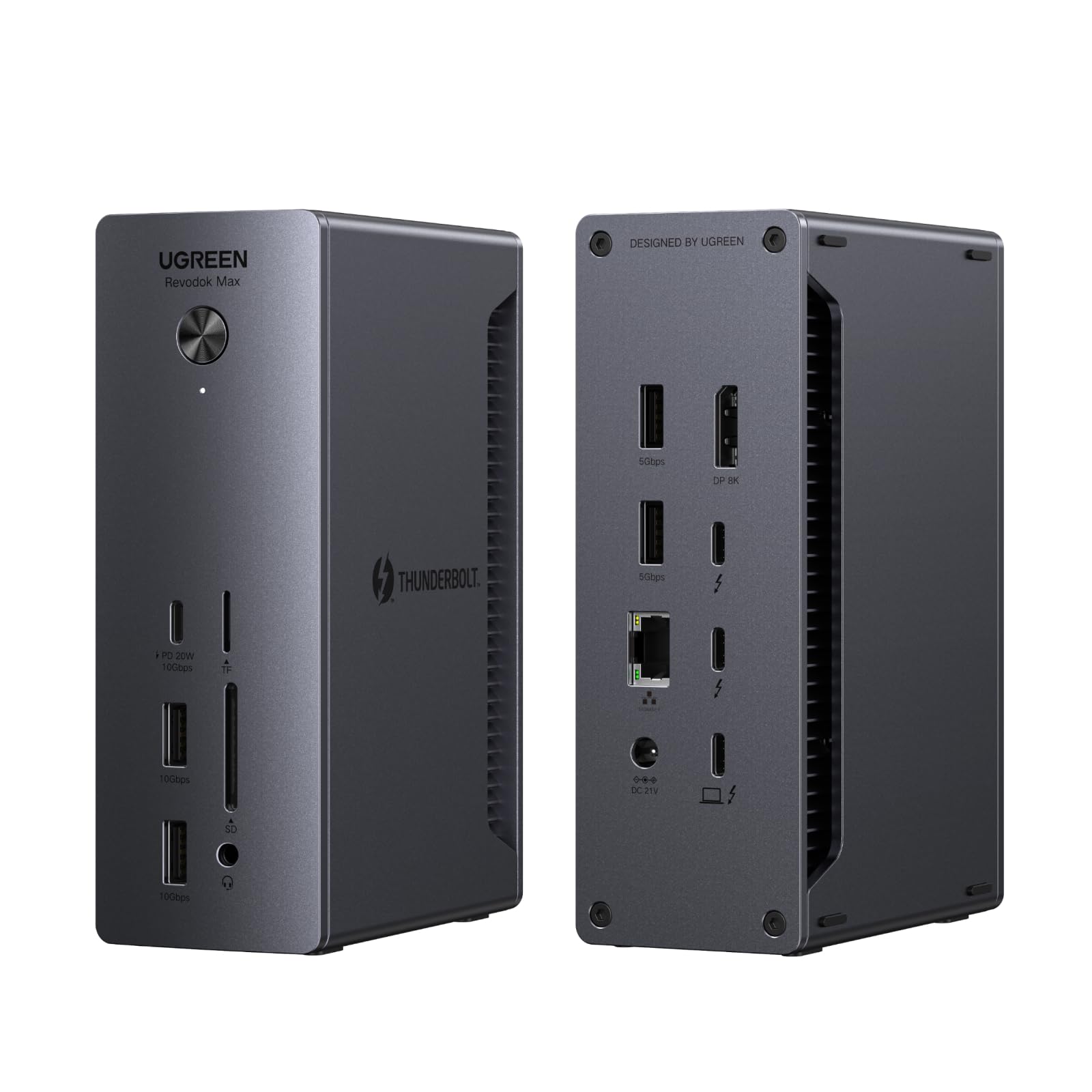
This dock has worked steadily without problems out-of-the-box, supporting a Dell XPS running Ubuntu 25.04+. I have a 4k display connected with a (UGreen) USB-C to DP 1.4 cable, and another ancient display connected to the built-in DP port with an old DP 1.1 cable. I expect everything would work fine with earlier kernels and other cables, as well. I saw a review mentioning troubles with HDMI. DisplayPort is actually a preference for me, because HDMI is proprietary and seemed like it might eventually invite 3rd party drivers on Linux, whereas DP is an open standard. So I haven't even tried HDMI. The USB-C to DP cable was not expensive, and gave me no trouble. (I did have to change settings on a monitor to select DP input.) I like that the fast USB-A ports are on the front. Slower USB-A ports in the back are perfect for keyboard and mouse, and if you want an attached SSD or something, you have more TB/USB-C in the back. But if you want to dynamically connect something, you want the faster USB-A ports to be in the front, right? Why don't others get that? The box is shockingly heavy. I imagine they would've wanted it lighter, if possible, but were forced to make it heavy. Perhaps it's unavoidable, if you want a robust power supply? I previously tried a (reconditioned) Dell WD22TB4 before this, and it just suddenly quit after a couple of days. So, maybe heavy is good. (Or they knew I'd think like that and added a slab of steel to impress me? I doubt it.) Plus, it stays put. Anyhow, I spent a lot of time weighing other options, and this box feels like the perfect balance of capability and cost, and has been rock-solid. My displays come up from sleep in about 2 seconds. I have successfully used the (much less expensive) OWC "Bus-Powered 5-Port Multi-Adapter" TB3 mini-dock with my setup (including HDMI without 3rd party drivers, so go figure). However, there were a few occasions with older kernels, when it had a big problem waking up after sleep, though it seems stable with newer kernels. It's passive and has limited ports, so I have to unplug power or juggle connections when I want to add some temporary extra connection. I did briefly create a problem for myself with the UGreen dock, when I disconnected the laptop in clamshell mode, plugged something into the dock, typed some keyboard keys, power-cycled the dock, etc, before realizing I hadn't reconnected the laptop. After reconnecting, I had to open the clamshell and unlock the laptop, in order to bring back the displays. No big deal. Be aware that other docking stations that connect via USB-C only (rather than Thunderbolt) are going to require "Display Link" drivers. Read more
Mac—December 22, 2025✓ Verified purchase
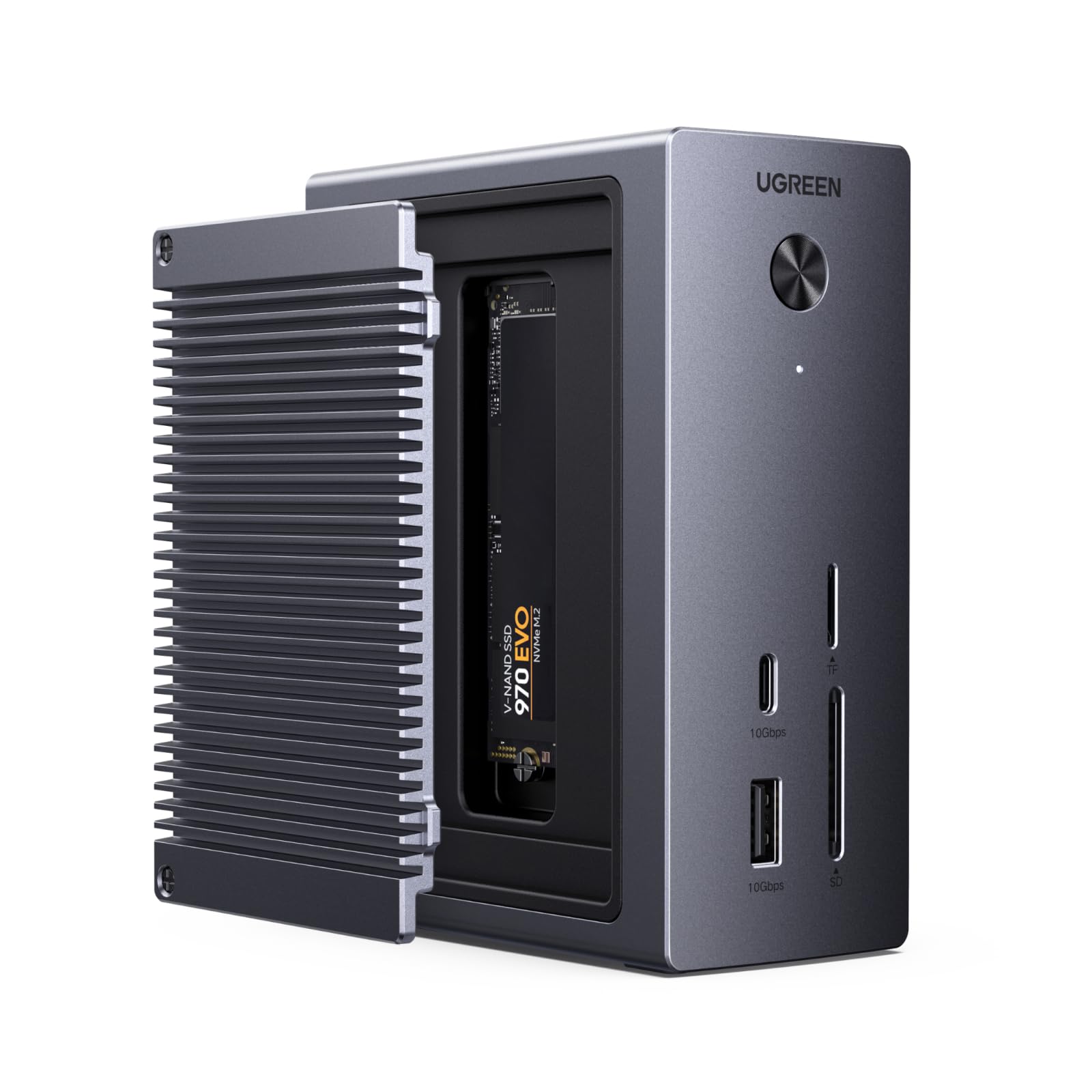
Works flawlessly. Quality build with solid materials, all ports work as advertised and the profile is small enough not to get in the way. I run an M4 MBP through this and have not had so much as a single issue. I am running ethernet, audio, a video output connected to a KVM used with my Mac and PC, and wireless usb devices. I also connect 2 separate M.2 enclosures to it without issue. I have but one complaint and I hope they address this in the future. The audio jack is in the front and I want another option for the back. I worked around this by using a usb-a to 3.5mm jack adapter and run it out back which works fine but shouldn't be necessary. I think audio should have options for both front and back since it's common to use both. Overall I'd buy again without hesitating. Read more
Mahkelon Morris—October 17, 2025✓ Verified purchase
The UGREEN Revodok Max 213 is a feature-packed Thunderbolt 4 dock that delivers excellent performance and flexibility for power users. With 13 ports, including dual Thunderbolt 4 downstream ports, DisplayPort 1.4, SD/microSD slots, 2.5Gb Ethernet, and multiple USB-C and USB-A ports, it’s clearly built for serious multitasking and connectivity. Setup was effortless—plug and play with no drivers needed. The build quality feels premium, with a solid metal chassis that stays cool even during heavy use. I especially appreciated the 90W power delivery, which comfortably charges my laptop while running dual 4K monitors and several peripherals without breaking a sweat. However, there are a few caveats. It lacks an HDMI port, so if your monitors don’t support DisplayPort or Thunderbolt natively, you’ll need adapters. The unit is also a bit bulky, taking up a fair amount of desk space. And while the overall USB-C support is solid, having only one USB-C port on the front limits quick-access flexibility. Overall, it’s a reliable and robust dock for professional workflows—ideal for creatives, engineers, or remote workers with high demands. It's not cheap, but the performance and build justify the investment for most users. Read more
Eric Fuentes—October 14, 2025✓ Verified purchase
I am so glad that I pulled the trigger and bought this Dock over a couple others I was looking at. The fact it has a Intel chip inside to give you that extra processing and horsepower, if needed. USB 2.0 wireless mouse dongle never stutters like my older hub. Top/full speeds of all drives plugged into Dock, solid LAN speeds via 2.5GB connection. Don't have or use external monitors to take advantage of the Thunderbolt ports, but since it's still a USB-C 3.0+ port, I have an external SATA Hard Drive dock plugged into that port and getting the full 10GB speeds the Dock stated it can transfer at. Wasn't cheap, but you truly only get what you pay for and this Dock is the real deal. All metal, quality cables came with it that transfer at max speeds, and it also powers laptop needing one less plug in the power bar. I would buy again for other systems and would highly suggest to family and friends who are looking for a Dock for their systems as well. Read more
Alek—June 18, 2025✓ Verified purchase
I have been using this for a month now and it has been phenomenal. No issues at all. I use a Macbook Pro for work and a Lenovo X1 Carbon with Fedora Workstation installed for myself and both devices connect immediately. I have this paired with UGreens KVM switch and so i can have both laptops and my gaming desktop hooked up to my single 240hz monitor. I get 240hz on all devices and it is a breeze to go from one device to another without any issues or glitches. The front IO is perfect, as it allows me to plug in external hardrives and micro SD cards (backing up switch saves or pictures). I do wish the front USB-C pot was also thunderbolt, so I could orient it in different positions, but that is not a big deal. The device is warm but far from hot and it does not make any noise. I own several UGreen products now and am glad they keep innovating and competing in the gadget and home office space! Read more