BigTerrick—January 18, 2026✓ Verified purchase
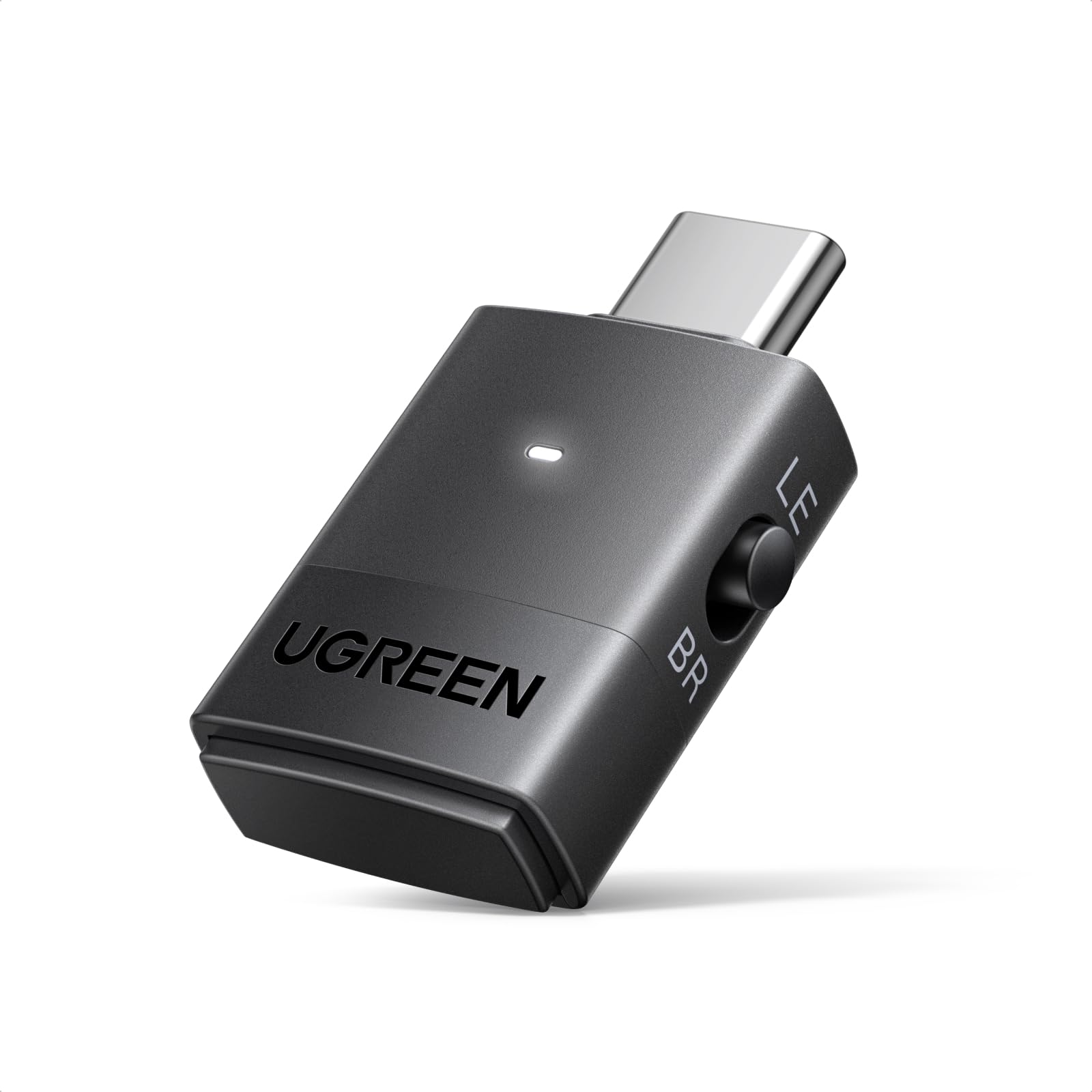
Absolutely fantastic BT audio adapter. Heads up, this is only for connecting bluetooth headphones, speakers, etc. It won't work with mice, keyboards, or the like. However, it's functionality as a bluetooth audio adapter is FANTASTIC, especially for the price. See, unlike a regular bluetooth adapter, it does not show up as bluetooth in Windows. Instead, Windows sees it as an audio output, like a soundcard. All the bluetooth functionality is handled between the adapter and the audio device (headphones, speakers, etc). Most bluetooth audio adapters work like this. What makes the UGREEN stand out is that you can SEE and CONTROL what codec is being used. By default, it's going to connect at the best quality that it can. Each time you press the button on the adapter, it goes one step down on that codec quality ladder. 1. aptX Adaptive-HQ (High Quality) 2. aptX Adaptive-LL (Low Latency, good for gaming & audio/video sync) 3. aptX HD (previous generation of aptX than Adaptive, so a little lower quality than Adaptive-HQ) 4. aptX 5. SBC (The old school bluetooth audio codec that almost everything is compatible with but has such a low bitrate that it sounds tinny and bad) Cool, right? You can also SEE what mode it's using. The light on the adapter glows depending on what mode you're in. 1. Green = aptX Adaptive-HQ 2. Cyan = aptX Adaptive-LL (like a pale greenish-blue) 3. Purple = aptX HD 4. Yellow = aptX 5. Blue = SBC (like a deep blue, it's easy to see and hear the difference in this and the aptX Adaptive-LL's cyan) This feature alone, being able to switch the coded and the color showing so you KNOW which codec you're using, letting you peer into the black box so you KNOW which codec is being used is what makes the UGREEN adapter the best bang for the buck. Sure, the Creative BT-W6 has an app that lets you set and control this, but it's more than 2x the cost. Read more
Link—February 23, 2026✓ Verified purchase
Works great. No noticeable lag. The sound is just as good as through my sound bar. Very easy to install and setup. Read more
Zariah Gunn—April 2, 2026✓ Verified purchase
Used it for the kraken kitty headphone for ps5 & ‘it works perfect. No audio delay. No audio skips. Perfect universal adapter. Read more
ViRUS_G3Nx—February 20, 2026✓ Verified purchase
Works as intended; I use it for the PS5 works okay with my AirPod Pros there's slight audio lag. The lag can vary upon the devices Bluetooth capability. Fairly easy to pair and setup. Air Pods mic does not work. Have use an external device for a mic. Comparable with a lot of different headsets. The lag holds it back. The lack of being able use your mic on your headset holds it back. Read more
Vitalii—March 19, 2026✓ Verified purchase
Really good thing for connecting your AirPods to the PS, the connection is stable and high quality. I recommend it. Read more
Yool Nevno—November 6, 2025✓ Verified purchase
After switching from windows 10 to windows 11 i had a lot of issues trying to get my head set to work properly where i could not only speak but hear from the same headset. Essentially using slack or zoom i could only speak but i couldnt hear through my head set as windows 11 was defaulting to a stereo/output device other than my mic/input device. It was driving me crazy but Teams was working, i presume due to some internal codec/driver change it does automatically that allowed my headset to work there. After spending hours messing with settings to no avail i gave up and bought this. Lo and behold this deivce fixed my problems in about 10 minutes of me tinkering with it. It probably would have taken my 1 minute had i just used it but before i realized how it worked i tried to connect my head set to both the computer and the device to try and rig it to where the sound and mic would work for both meetings and media, this caused issues however. I was able to get my headset to work properly after disconnecting my headset from windows, plugging in this device and setting it up with windows, then i paired my headset with the new device and its all working, You may need to set the new device as the default for the input/mic on your sound settings but it works like a charm in mic mode, double press the device button, i can now listen to media and do meetings properly, however, the audio does suffer in this mode. When using the default audio mode i can use my headset for media with much better quality but i do lose the ability to use it as a mic/headset for meetings so bear this in mind Im about 30 minutes - 1 hour in with it and its working great, i dont really notice too much if any lag between the sound and the video of the media i watch. Highly recommend if you have the same windows 11 driver issues or if you need a good quality bluetooth receiver for your device. Read more