Extra Electric—March 13, 2026✓ Verified purchase
Works as intended. Didn't test the max data speeds/power exactly but hasn't had any hang ups and didn't seem to go any slower using these units when transferring data. Have used for 4+ years now and feel solid still til this day Read more
Jack Rackham—February 11, 2026✓ Verified purchase
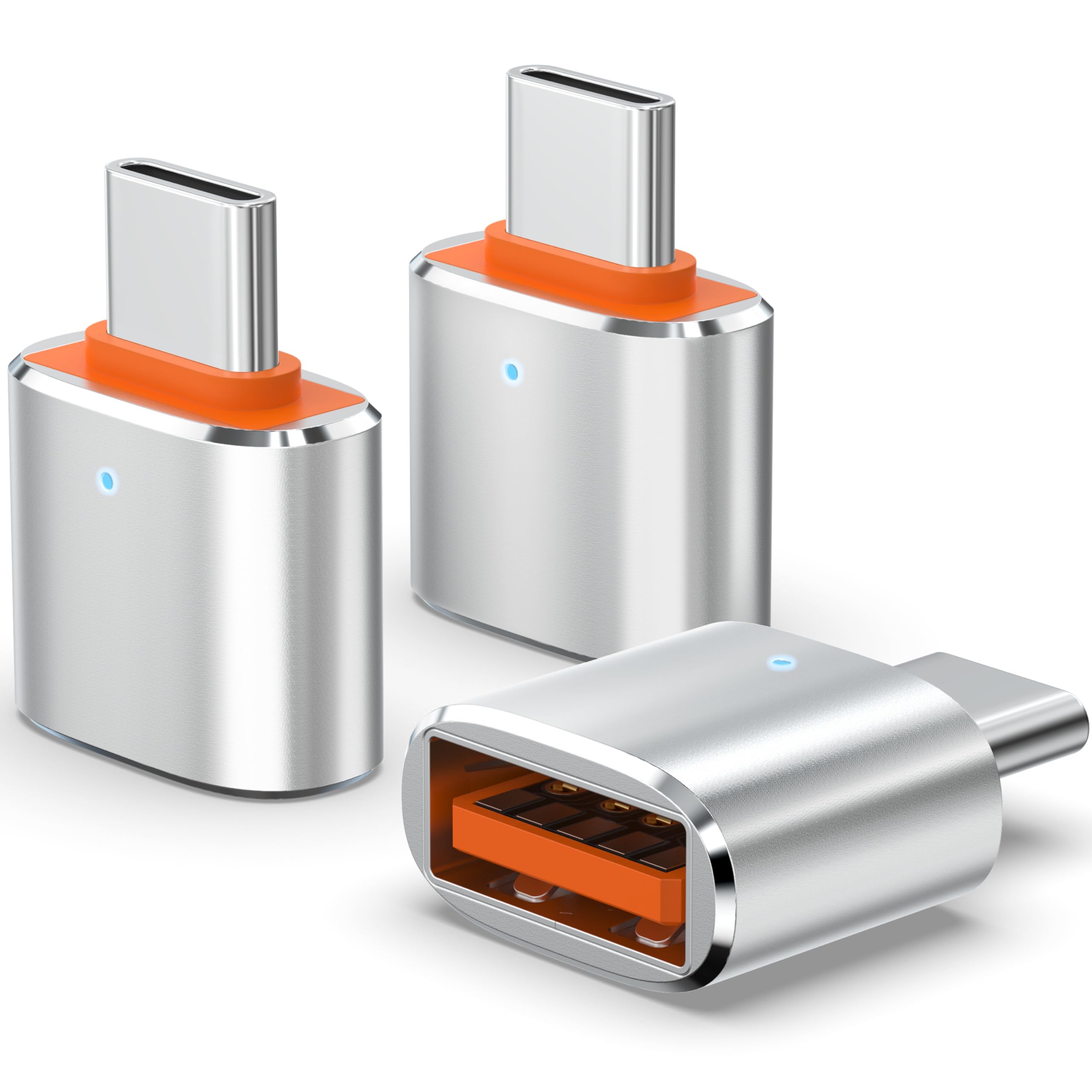
So far so good! I bought this to compliment a USB C UHSII card reader...so it's never going to be removed from this device. The fact that it's only one sided doesn't matter in this case. I would say that it's at least USB 3.0 speed. Very nice! Time will tell if it's a quality item. Thanks XaoSun! Read more
djcuartobate—February 10, 2026✓ Verified purchase
I was going nuts looking for a Cable on the Lacie website but unfortunately seagate took over . B&H was my next move but wasn't sure which cable to buy. Then I thought of attaching an adapter to tje cable my hard drive vame with and saw this had good reviews . As soon as I connected the cable I was able to make a copy of my 24 tb Hard drive with no problem. This adapter saved me money and time of going to where I bought the hard drives. Read more
aTypicalEngineer808—July 20, 2020✓ Verified purchase
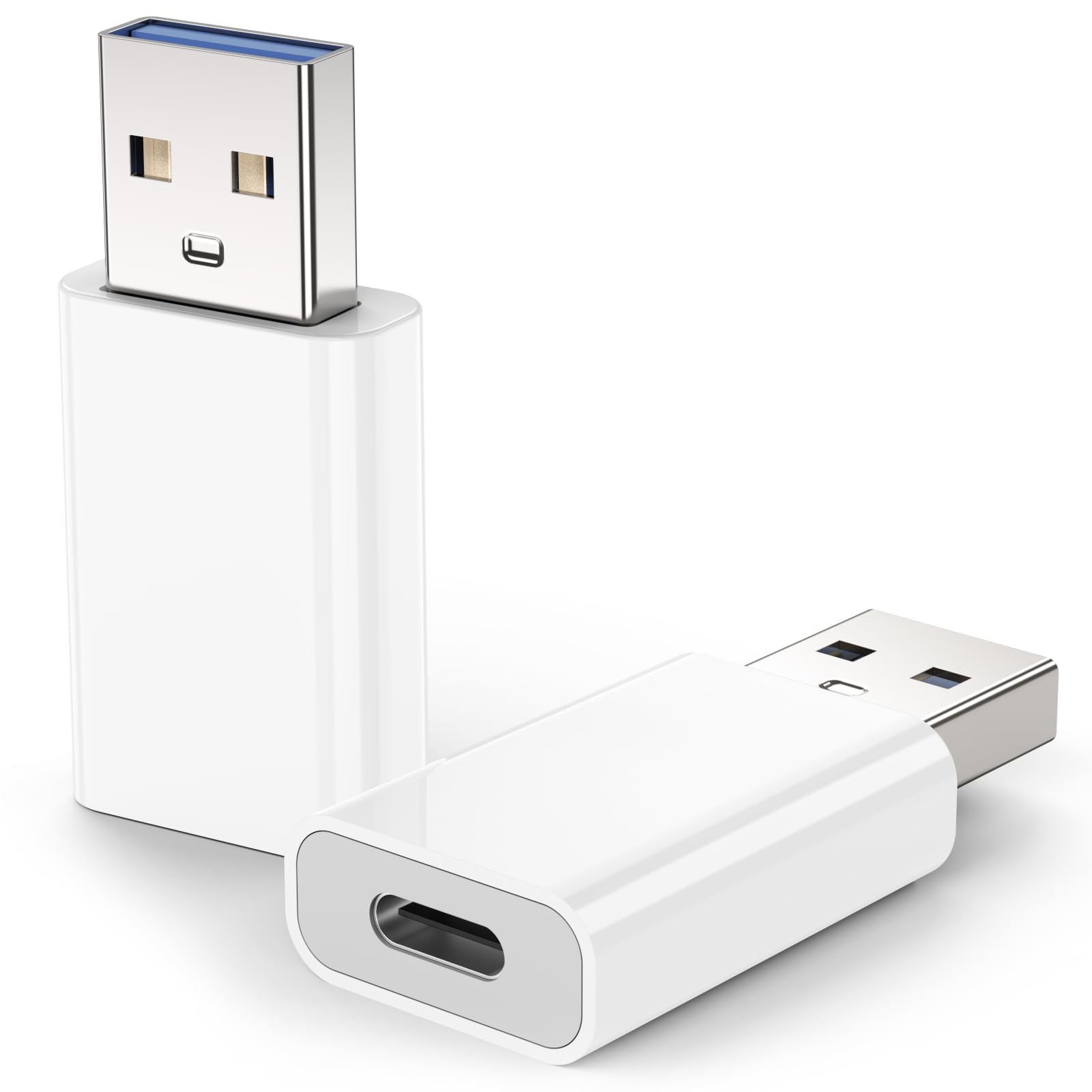
Title: Multiple product review for USB-C hard drive expansion Summary: I purchased two different hard disk drive (HDD) enclosures, for use with both a 2.5" solid state drives (SSDs), and 3.5" HDDs, so that I could swap between drives. Primary use was to transfer data between computers, and backup as a secondary purpose. Details: Main desktop computer is a Dell XPS 8920. System drive is a 250GB SSD. Two other HDDs for data, 1.0TB and 6.0TB. External USB connections are: USB-C 3.1 (rear), USB-A 3.1 (rear), USB-A 3.0 (front). The highest transfer speeds are via the USB-C 3.1 connection, and the USB-A 3.0 ports on the front are not far behind. The SSD via USB-C was faster than the HDD via the internal SATA bus (expected). Test Method: The test program I use is ATTO Disk Benchmark (freeware). I tried a few different ones, and settled on this one because the result picture was relatively easy to compare to other results. I created a 50GB partition on the SSD, and used the same for all tests and configurations. When evaluating results, I mainly looked at the transfer speeds for files size 1 MB or larger. Observations: 1) There was some variation in the transfer speed between the various adapters. Both the Orico and the Nekteck were the fastest with 505 MB/s Write, and 540 MB/s Read. 3rd place was the VCZHS Tech Sata to USB adapter with 420 MB/s Write, and 440 MB/s Read. 2) When changing from USB-C to USB-A 3.0, the orientation of USB-C connector somes times made a difference. The difference is staggering, you'll loose 90% of the speed. Once I established an orientation for the USB-A connector, I tested and then marked (with a permanent sharpie) the faster orientation. 3) Heat soak, with the plastic enclosures could be a problem, even in an air conditioned office. One of the reasons I bought the ICY DOCK adapter was to put the 2.5" SSD or HDD in it, and that effective functions as a heat sink. Both the Nekteck and Orico CLEAR PLASTIC carriers had very tiny (or none) vent holes, so air flow will be minimal. For the Nekteck, I left the top cover off so that some heat could escape. 4) Other than the XAOSUN USB-A adapters, the other adapters and cables all functioned correctly, and did not reduce transfer speed. Conclusion: Invest the time if you purchase these products to verify (using a freeware program) that the transfer speeds are functioning correctly. Reviewed Items (by Category): Hard Drive(s): 1) Samsung SSD 860 EVO 250GB 2.5 Inch SATA III Internal SSD (MZ-76E250B/AM) https://smile.amazon.com/gp/product/B07864WMK8 Pros: Fast and reliable / Cons: None Enclosure(s): 2A) Nekteck Transparent Plastic Case SATA to USB C Hard Disk Enclosure HDD/SSD Adapter Case with USB Type C to C Gen 2 Cable Tool Free Hard Drive Enclosure https://smile.amazon.com/gp/product/B07169C4BG/ Pros: Fast transfer speed; USB-C connection / Cons: Heat build-up, case has no vents (used without the top cover installed); drive a little difficult to remove (needs to be lifted up, and pulled away from SATA connector at the same time. 2B) ORICO Hard Drive Docking Station, USB3.1 Gen2 10Gbps to SATA 2.5/3.5 inch SSD HDD Docking Station Laptop External Hard Drive Enclosure, Support 12TB https://smile.amazon.com/gp/product/B07SY7ZMNX/ Pros: Fast transfer speed; USB-C connection; bright blue LED indicate activity / Cons: Tiny vent holes on bottom, no vents on top (heat rises), drive heat may be a issue. Adapter(s): 3A) VCZHS Tech SATA to USB 3.1 Cable Adapter USB 3.1 Type C SATA Cables Converter for 2.5" SATA Drives External Hard Drive Cable SATA to USB C Adapter https://smile.amazon.com/gp/product/B077P6ZT4P/ Pros: Decent speed (but not the fastest of the three tested) / Cons: USB-C connector needs to be oriented correctly when connecting to a USB-A adapter (like the XAOSUN). 3B) ICY DOCK 2.5" to 3.5" SSD/HDD Mounting Adapter Comparable to Adaptadrive Mac SAS/SATA Hard Drive Tray Kit (MB482SP-3B) https://smile.amazon.com/gp/product/B00OBYP2UY/ Pros: Good fit & finish (edges not sharp); pass through SATA connector did not slow down transfer speed / Cons: Priced a little on the high end for drive carriers/adapters. 3C) USB C to USB 3.0 Adapter [2 Pack] - XAOSUN 3.1 USB C Female to USB Male Adapter - Support One-Sided 10Gbps Data Sync & Fast Charging https://smile.amazon.com/gp/product/B083XW2XBH/ Pros: Good fit & finish / Cons: USB-C connector needs to be oriented correctly when connecting to a USB-A adapter (there are Q&A questions about this). 3D) 90 Degree USB C Type C Male to Female Adapter, AFUNTA Right & Left and Upward & Downward Angled 90 Degree USB-C USB 3.1 Type-C Male to Female Extension https://smile.amazon.com/gp/product/B078YRKTKM/ Pros: Good fit & finish; works in both orientations; does not slow down transfer speed / Cons: None. Cable(s): 4) DockCase - USB C to USB C Cable (0.72ft), 3.1 Gen 2 https://smile.amazon.com/gp/product/B07V9PXXKD/ Pros: Good fit & finish; full transfer speed / Cons: 0.72 foot is a little too short for SSD/HDD use, probably okay for phone charging. Read more
SZ—February 21, 2026✓ Verified purchase
item is exactly as advertised. Works well! Read more
Christian Thompson—March 2, 2026✓ Verified purchase
Got these to connect my laptop to my hub for utilizing multiple monitors. It works. Super small, I typically leave them plugged in unless I remove my laptop. Speed is fast enough where I don’t notice any lag. Read more
Dave—November 16, 2025✓ Verified purchase
They work great. The fit is good, no loss in quality. Passes data and power. Compatible with USB-C. Nice solid metallic housing. They work well; it's a good value for the money. Read more
GollumsRing—January 22, 2026✓ Verified purchase
Good adapters at a great price Read more