
acer

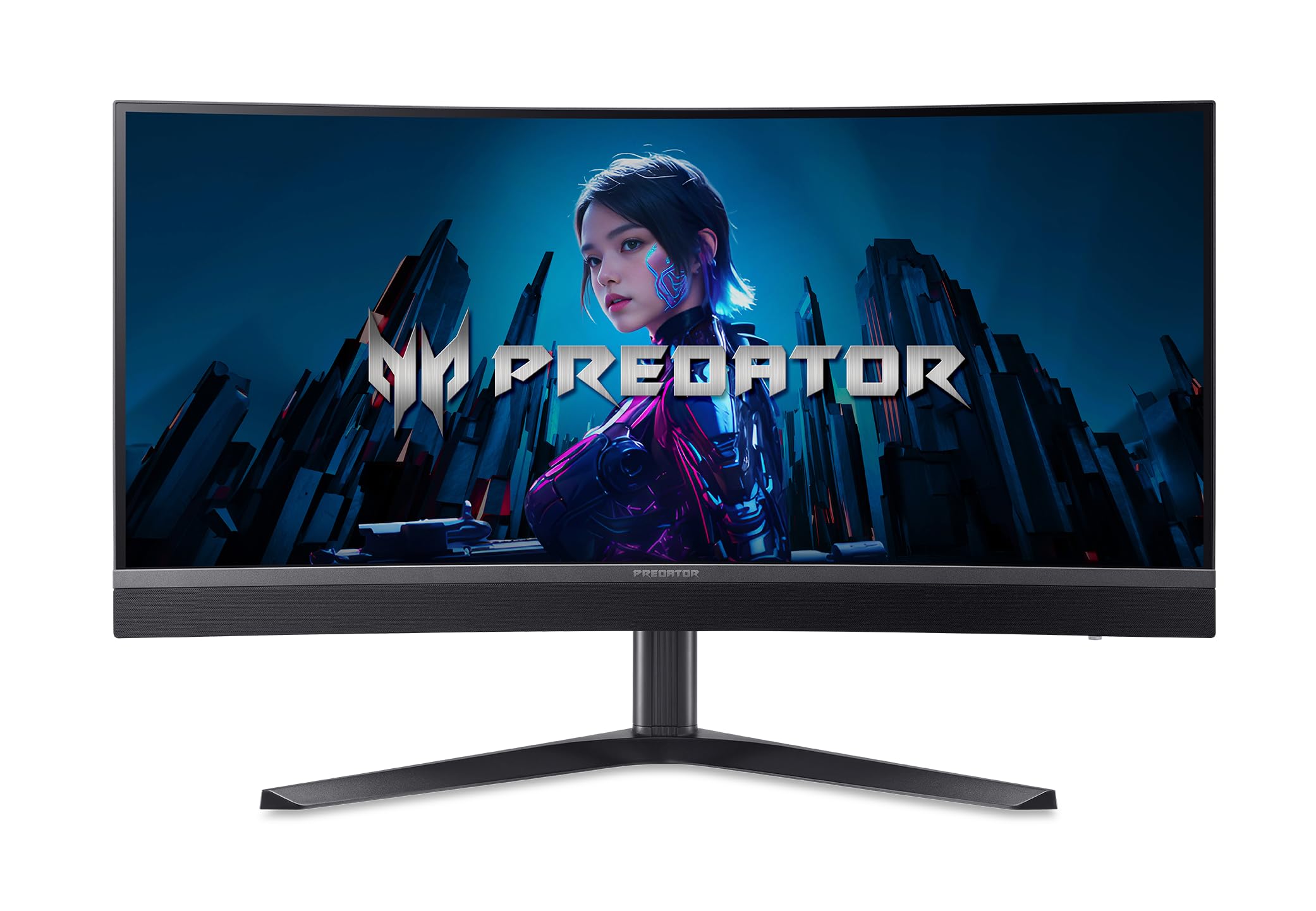
acer Predator Gaming 1500R Curved Monitor 34 UWQHD 3440 x 1440 MiniLED AMD FreeSync Premium Up to 200Hz

4.8(8)

572+ bought in the past month

$479.99$599.99

About this item

  • MiniLED Will Change You: Mini LED will ruin all other monitors for you. You’ll see dynamic levels of contrast that put reality to shame. Games and movies will take on a new hue as colors explode in up to 1000 Nits luminosity. The Predator X34's 1152 local dimming zones are calling you. Will you answer?
  • AMD FreeSync Premium Technology: Get in the game with the AMD FreeSync Premium display. Each display is validated by AMD to bring you a smooth, variable refresh rate (VRR) gaming experience that eliminates tearing, stuttering, artifacts, and flicker.
  • Fast and Furious: If you want seamless gameplay at ridiculous levels of speed, you’ve come to the right place. With up to a 200Hz refresh rate and up to 0.5ms (G to G) your sessions will be fluid, unbroken and unmatched – with little to no ghosting
  • Brilliant Colors: With the DCI-P3 99% color gamut, Delta E<2, and VESA DisplayHDR 1000, colors are practically bursting out of the screen. Enjoy the best imagery your games have to offer!
  • Curved Glory: The 1500R curvature, combined with a 21:9 aspect ratio, creates an all-encompassing gaming environment that draws users in. This meticulously designed display wraps around your field of vision, providing an unmatched sense of immersion and allowing you to lose yourself in the most captivating gaming experiences.
  • Be Flexible: The ergonomically designed ErgoStand design provides freedom to tilt, swivel, pivot and adjust height for maximum adaptability and comfort.
  • Plug Everything In: Do you stream? Do you have multiple consoles in addition to your PC and want them all plugged in at once? Well, now you can! No more fiddling with cables as the X34 includes two HDMI 2.1 ports, Type-C and DisplayPort.
  • 34" UltraWide QHD (3440 x 1440) Widescreen MiniLED Display| 1500R Curved with 21:9 Aspect Ratio | AMD FreeSync Premium | Refresh Rate: 200Hz Using Display Port or USB Type-C or 100Hz Using HDMI Port | Response Time: 1ms (G to G) - Up to 0.5ms (G to G)
  • VESA mounting compliant (100 x 100mm) | Brightness: Typical 450nits, HDR1000 Mode Peak 1000nits | VESA DisplayHDR 1000 | DCI-P3 99% Wide Color Gamut | Delta E<2 | 2 Speakers, 5 Watts Per Speaker
  • Ergostand with Tilt, Swivel and Height Adjustment | Ports: 1 x USB 3.2 (Type-C) port (Gen 1 up to 5 Gbps) supporting data, power (65W) and DisplayPort over USB-C, 1 x Display Port 1.4, 2 x HDMI 2.1 & 1 x Audio Out| Display Port, HDMI & USB Type-C Cables Included
$479.99
Was $599.99Save $120.00

In Stock

DeliveryEstimated 3–5 business days · Final delivery speed and cost are confirmed at checkout
Easy Returns · 30-day window
This order is a gift

In Stock

Secure Checkout
Free Returns
30-Day Guarantee
Secure checkoutAll transactions are SSL-encrypted. Your payment info is never stored.
Free returnsReturn or replace within 30 days
Fast deliveryOrders ship within 1 business day and arrive in 4–8 days.
Buyer protectionIf your order arrives damaged or doesn't show up, we'll make it right.
24/7 supportOur team is here to help. Reach us anytime by email or chat.
Ships fromOur Warehouse
Sold bySold by Amazon Resale and Fulfilled by Amazon .
Returns
Easy Returns30-day return window
PaymentsSecure transaction
Currently unavailable
Easy Returns · 30-day window

Product details

Brandacer
Screen Size34 Inches
ResolutionQHD Ultra Wide 1440p
Aspect Ratio21:9
Screen Surface DescriptionMatte

Technical specifications

standing_screen_display_size34 Inches
screen_resolution3440x1440
max_screen_resolution3440 x 1440
number_of_usb_30_ports1
best_sellers_rank#35,060 in Electronics ( See Top 100 in Electronics ) #843 in Computer Monitors

From the brand

Product detailProduct detailProduct detailProduct detailProduct detailProduct detailProduct detailProduct detailProduct detail

Product videos

Product video 1

Customer reviews

4.88 ratings

Customers say

Customers praise the monitor's picture quality, with one noting it's the best non-OLED HDR monitor, and they appreciate its superb colors and excellent value for money.

★★★★★

Not without its quirks, but it looks to be the best non-OLED HDR monitor in this form factor!

DanyloDecember 5, 2025

It's not often that I write detailed reviews, but considering that (at the time of writing) there are only 3 other reviews - looks like this is the time to write one. Let me also preface this review by saying that I am upgrading from the original Acer Predator X34, a monitor that I had for almost a decade, and all my impressions will be comparing it to that monitor. I have also been specifically looking for a non-OLED upgrade, since burn-in is definitely still not a solved problem for very long-term ownership. I have been daily driving this monitor for a few days now, and I think I've figured out most of its quirks by now and dialed it to where I want it. Not everything about it is as "no-compromise" as the original X34 was at the time, though I feel like that can be said about just about any modern monitor, since there are now so many options out there for every niche use case. With that said, I think this monitor comes about as close to a do-it-all workhorse as you can get in a 34" ultrawide form factor these days. Before we get to the good and bad, here's how I ended up setting my monitor through the OSD, because you will probably need to make a few adjustments too to get it looking its best. * For SDR - Standard mode with sRGB color space, brightness at 75, Adaptive Dimming off (don't worry, it will turn itself back on in HDR automatically, but in regular SDR desktop use it just looks bad with all the blooming), Super Sharpness off (don't know why it was on by default, it's just ugly). * For HDR - HDR mode (duh), and it pretty much takes care of the rest. However, DO NOT stay in this mode for SDR content, even with Windows HDR turned off - it forces HDR color space in this mode (which I think is BT.2020, but I may be wrong), which makes everything oversaturated in SDR. Now for pros and cons. Let me get the bad out of the way first, because most of these are relatively minor. * Coming from an amazing IPS panel to a VA has definitely been... an adjustment. I knew beforehand that the viewing angles wouldn't be on par with an IPS just by the nature of the technology, but it was still jarring at first. This won't be an issue to anyone already used to VAs, and the picture quality when viewing straight-on is actually very good (more on that later). * Another inherent flaw of VA panels is VRR flicker. At first I was so taken aback by it that I thought there was something wrong with my panel, but apparently it's just a VA thing. The good news is that in actual games (assuming your framerate is at least remotely stable) it's hardly noticeable - I thought I would end up turning VRR off altogether, and I haven't tested enough games yet to confidently say that I won't do that later, but so far during gameplay it wasn't nearly as pervasive and distracting as, say, during loading screens where framerate fluctuates wildly. On a related note - this monitor does get recognized as G-Sync compatible, but you do have to manually enable that in the NVIDIA App. * You can't get it to automatically switch from Standard mode with sRGB color space to HDR mode with HDR color space, you have to do that manually. And you will want to do that, since as I said earlier - HDR mode doesn't use the calibrated sRGB color space for an SDR signal, and trying to change it just throws you back to the Standard mode. Thankfully it's just a couple of clicks in the OSD to switch profiles, but it's still mildly annoying. * Some product pictures are flat out wrong - there are no USB ports in the back at all, just display inputs (and Type-C for DP Alt input). It doesn't actually advertise having them in the product description though, so I can't really call it false advertising. Just something to be aware of. Some things that are neither here nor there. * The built-in speakers are... fine? They're very prominent in the design and get the job done if you want to play something in the room, and are definitely better than the ones in the original X34, but let's be real - with this caliber of monitors you're probably already either using good headphones or proper standalone speakers. If we're talking cost-saving measures - I'd much rather this monitor had USB connectivity with KVM functionality and cheaped out on speakers that the other way around. * The stand looks to be quite robust, but I put mine directly on a VESA arm so I can't say too much about it. Also, this monitor is surprisingly light compared to the absolute unit that was the original X34, so handling it should be easy. * 1500R curve is right at the edge of what I'd consider comfortable for prolonged use. The original X34 was 1800R which I quite liked, but this one isn't bad either. I don't tend to sit too close to the screen, so anything beyond 1500R I find more distracting than helpful. Now let's finally get to the good parts, because there's a lot to love about this display! * Getting back to this being a VA panel - since it's not an OLED, you don't have to worry about burn-in at all. Throw all the static content you want on it at max brightness and it couldn't care less. It's also extremely accurate (in standard sRGB mode) and comes with a factory calibration report. Text clarity is also not an issue. Ghosting and smearing aren't nearly as big of an issue as I thought they'd be after reading people complain about VA panels in general. * And speaking of brightness, this thing gets *bright*! Even in SDR I had to set the brightness to 75, because otherwise even the white web pages get just uncomfortably bright to look at. But if you really want to, beyond setting the brightness to 100 you can also toggle Max Brightness on to get a truly eye-searing level of brightness. Can't say I'd recommend doing something this ridiculous, obviously, but the option is there. * This brings me nicely to the main selling feature of this display - its Mini LED DisplayHDR 1000 capability. My perception may be a bit skewed coming from an SDR monitor, but DEAR GOD this is an eye-opening experience! The blooming of individual dimming zones is basically nonexistent in actual HDR-enabled games and content, and the brightness of the highlights and OLED-level blacks is just something that can't be described and needs to be experienced. I know I certainly was skeptical of the hype before playing some HDR content on this monitor for the first time. * 200Hz refresh rate might not be all that impressive these days, but it certainly was for me coming from a 100Hz display. Conclusion time. This is certainly not a be-all-end-all monitor that the original X34 positioned itself as at the time, mostly because there are more options now that fulfill different roles - OLEDs have much better contrast and responsiveness due to the nature of self-emissive pixels but come with a trade-off of text clarity and inevitable eventual burn-in, IPSs are still kings of viewing angles and general easiness on the eyes but come with a trade-off of the notorious "IPS glow" that can be reduced on high-end panels but never eliminated, TNs... well, they've been delegated to the low-end bargain bin for a while, so those don't count. This monitor feels like a solid middle ground between all those options, and the things it does well - it does REALLY well. Plus as an aside - I don't think we'll be getting another truly no-compromise monitor until either MicroLED technology matures enough to become feasible to use in consumer displays (probably won't happen for at least another decade), or OLEDs become resilient enough to the point where the panel would outlast the rest of display components without the need to actively think about static content on screen (also probably many years away). Oh, and have I mentioned that it's currently $480 on what looks to be a somewhat permanent discount? At that price, the value this monitor brings is nigh unbeatable, since it undercuts even the cheapest comparable QD-OLED (the Alienware one) by a significant margin. So unless you do literally nothing but gaming and content consumption on your monitor, getting this one over the Alienware is basically a no-brainer. Read more

★★★★★

Highly Recommended! 34" ultrawide VA Miniled, 200hz, 1152 dimming zones

JMNovember 11, 2025

Amazing monitor, highly recommended for HDR media, gaming, and productivity! At the time of this review, this is the best 34" HDR gaming ultrawide available in the US in my opinion. Yes, better than all the other oled 34" ultrawides. You would need at least the newest generation tandem oled to come close to this HDR1000 VA miniled brightest in peaks and sustained brightness. Currently, there doesn't exist any 34" ultrawide tandem oled. Thus, HDR bright scenes will look muted on competitor 34" oled ultrawides. This is basically the only 34" 3440x1440 miniled monitor available in the US so I took a chance with no reviews. 21:9 aspect ratio at 34" size is my favorite, been waiting for a miniled in this size. Specs: 34" 3440x1440, 200hz, VA, 1152 dimming zones, 1500r curve, HDR1000, Freesync Premium VRR USB-C Displayport Alt Power Delivery 65w - 200hz verified Displayport 1.4 - 200hz verified HDMI 2.0 x 2 ports - Maximum 100hz For USC-C and Displayport 1.4 200hz and 10-bit color is a no-go (must use 144hz for 10-bit color) I could not tell much difference in HDR video so prefer the 200hz. External power supply Test system: amd ryzen 5700x3d cpu, radeon rx 9070, 48gb ram, nvme Cons: There is no KVM or USB ports on the backside, like shown in the picture. The housing is the same but there are no USB ports. So, this is a warning if you must have USB ports. I wanted to plug in mouse and keyboard, so small loss here. However, when reading the specs, it doesn't mention have KVM or usb ports; only USB-C which it does have. Pros: HDR1000, brightness pops. Playing youtube HDR videos and HDR gaming are amazing. No going back to normal LCD. The combo of darks and brights is jaw dropping on HDR Resident Evil 2. This gets way brighter than my 42" LG C4 woled 144hz. Vivid and accurate colors. DCI-P3 99%, includes color calibration factory report Result: Gamma 2.2; Color Temperature 6493K; sRGB Avg. Delta E = 0.40; sRGB Max Delta E = 1.36 This is very color accurate result, very nice. After Windows HDR calibration, I set colors leaning a bit vivid and wow, HDR colors look incredible in videos and gaming. HDR auto detect mode, so when turning on Windows 11 HDR, the monitor will auto turn on local dimming. This makes it easy to turn off local dimming when just using for productivity or just in SDR web browsing. Joystick OSD is easy to use. Has a game aim target option for FPS games. You have plenty of picture modes to customize the picture and hotkey for quick access (Gaming 1: Action, Gaming2: Racing, Gaming3: Sports, User, Standard, Graphics, ECO, HDR) You can edit settings in User and save settings to G1, G2, G3 mode. Local dimming algorithm looks good. Played Resident Evil 2 with VRR in HDR. It looks astounding with the darks and brights, and do not notice any blooming or flicker. VA combined with miniled works great here. I have seen some reviews of other miniled where the algorithm causes excessive blooming. This is not the case here. I can't believe the difference when turning HDR on and off. Excellent for gaming, tested so far only Counterstrike 2 and Resident Evil 2 with VRR enabled. While playing Counterstrike 2 at 200fps, I didn't see any ghosting, flicker, or black smearing. Smooth gameplay with excellent response time. There are 3 overdrive settings (Off, Normal, Extreme). Normal is the best setting. The housing is well ventilated which is good for reliability. I also do not feel much heat coming from it when local dimming HDR is on. There is height/tilt/swivel and the bottom stand is heavy metal. It also has a headphone holder on back or can use to cable manage. 1500r curve on a 34" 21:9 monitor hits about perfect for me. Not too curved, not too flat. For 49" 32:9, I would prefer 1000r curve. 3-year warranty card included, so this is confirmation of a 3-year warranty. Built-in speakers for those that want it. I use nice bookshelf speakers, so didn't really test the performance of it. Acer's Predator line is their top end gaming monitors. This is my first Acer monitor, but I'll be keeping my eye on them from now on. I never quite liked the brightness peaks on most oled panels. Miniled has the advantage there. I think VA miniled is my preference over IPS miniled due to the inherent advantage of VA contrast. If you don't have both darks and brights, it's not as good of an HDR experience for me. 21:9 Cyberpunk 2077 HDR will be quite some experience with this monitor. Highly recommended! Read more

★★★★☆

Superior HDR, noticeable blooming, go OLED

Rainah FenstermakerDecember 31, 2025

I bought this monitor because it fit everything I was looking for, HDR1000, 3440x1440, 34", not an OLED. I thought I had hit the holy grail of monitors but I was quickly disappointed. This monitor only has 1152 local dimming zones and it's far too few. On a full black screen with a white cursor you will notice blooming around the cursor, this effect is highly amplified when on a full grey screen. Other than that the colors are superb and when you've got HDR content onscreen it looks amazing. Would I recommend buying this as a primary display? No. Go buy the ~$600 Alienware OLED, I got mine for $499 on black Friday. Buy this if you want a good secondary display of the same size and resolution as your primary with the added benefit of HDR. Read more

Recently Viewed