



Best FPS gaming monitor ever. Not so great for work or multi-tasking.
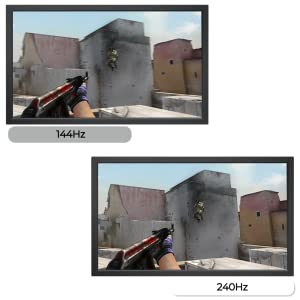
I sold my old monitor which was a BenQ 2730 2560 x 1440 144hz so I could buy this instead which is about the same price. It hurt at first sacrificing resolution for refresh rate, but since I am getting more competitive in Overwatch I figured I would get this 240hz monitor instead. The DyAc feature is pretty cool. I am not sure exactly how it works, but it does noticeably reduce blur. My old monitor had a hidden blur reduction feature that basically just flickered at the 144hz rate. The flicker was very noticeable when you weren't playing a game, so if I used it I only used it while playing a game. Overall though I couldn't tell too much of a difference with the old blur reduction. DyAc helps things appear clearer even when moving fast. Overwatch is a fast paced game. You are moving fast and your opponents are usually moving fast around you at the same time making it harder to aim and hit them. Refresh rate definitely helps a lot in these scenarios and the blur reduction makes it even easier to be accurate. Moving from 60hz to 144hz was night and day difference. I bought my BenQ 2730 144hz monitor about a year ago. I've played on It 3-4 times a week for 2-3 hours at a time. It really made a difference in my performance in game as well as my ability to enjoy the game more. I can never go back to a 60hz. Moving from 144hz to 240hz was hard to justify for a while. I've researched it a lot and wanted to know if people really could tell a difference. Most people said they visually cannot see a difference, but they do notice a difference in their performance in game. I've found that to be true. It is hard to see a difference visually from 144hz to 240hz, but I definitely have improved in game. I've increased my competitive rating a whole rank from platinum to diamond. And I have been stuck in platinum since the game released in 2016. If you really want to feel the difference between 240hz and 144hz the best thing to do is play at 240hz for a week. Then go back to 144hz to see if you can handle it. If you compare 240hz and 144hz switching back and forth for a few minutes apart you won't tell much of a difference. You don't know what you have until it is taken away from you. Which is why it is much easier to tell a difference if you played at 240hz for a good amount of time then tried to go back to a slower refresh rate. In OW getting point blank headshots on Genji and Tracer have never been easier. Those two characters thrive and moving fast around you so you can't easily see them. Which is near impossible to do on a 60hz monitor for sure. At 240hz I have no problem following their faces and poking them in the face with an arrow. I am a Hanzo main in Overwatch and that will explain why I was stuck in plat forever to most of you fellow OW players, but Hanzo is a character that relies on accuracy a lot and these high refresh rate monitors help a ton if you are trying to become more accurate. If you are a Winston, Brigitte, or Symmetra main you are fine going back to a tube monitor at 30hz. Your performance won't change. Lol jk, but seriously... This monitor is the best for any FPS out there. My one complaint is the tradeoffs of moving to a 240hz monitor. It's just the nature of current technology and it is nothing the brand can change. The main one being resolution. Yes I like games in higher res. They are prettier, but for gaming this monitor is totally worth it. The downside is if you do any type of work on your computer 1080p resolution makes it feel like you have no screen space on your computer to multi-task. I know 1080p was a normal standard for a long time, but I have been spoiled by 2K and 4K monitors at work where I can have many windows open and visible without overlapping eachother. My solution for now is to buy a second cheap 1080P or 2K monitor for multi-tasking. Whenever 2K monitors can reach 240hz or even 4K at 240hz I will definitely buy those. Of course when they do release they probably won't get back down to the $500 price range for years. $500 is probably the absolute max I would spend on a monitor. I play on a GTX 1080 TI. I can almost completely max out the graphics settings and still get 240 fps at 1080p. If I don't want fps dips I have to reduce shadow and lighting quality settings. Of course most pros or serious players play on the lowest settings possible to reduce input lag and to hide effects in game that would otherwise impede your view, so you don't need the highest end graphics card to get 240 FPS on low settings in Overwatch. You could also reduce render scale to 75% to help increase FPS if you don't have the best GPU. I think a GTX 1070 is probably the best fit for this monitor or the AMD equivalent GPU. On a 1060 you might have to reduce render scale to get at least 240 FPS. To put this into perspective compared to a high res monitor. A 4K monitor has 8,294,400 pixels and most of 4K monitors are at 60Hz, meaning they will show 8,294,400 pixels 60 times per second. That is 497,664,000 changing pixels per second. A 1080p or HD monitor has 2,073,600 pixels. An HD monitor displaying at 240Hz means it is displaying 2,073,600 changing pixels 240 times per second. That gives the same result as 497,664,000 changing pixels per second just like the 4K monitor. If you have a 4K monitor or 4K TV to plug your computer into. You can trying playing a game on your 4K display on the lowest settings. If you get at least 60 FPS at 4K on your computer then it can fully utilize this 1080p monitor at 240 FPS. If it doesn't you might want to upgrade your GPU first before buying this monitor. Read more


