
VIXLW

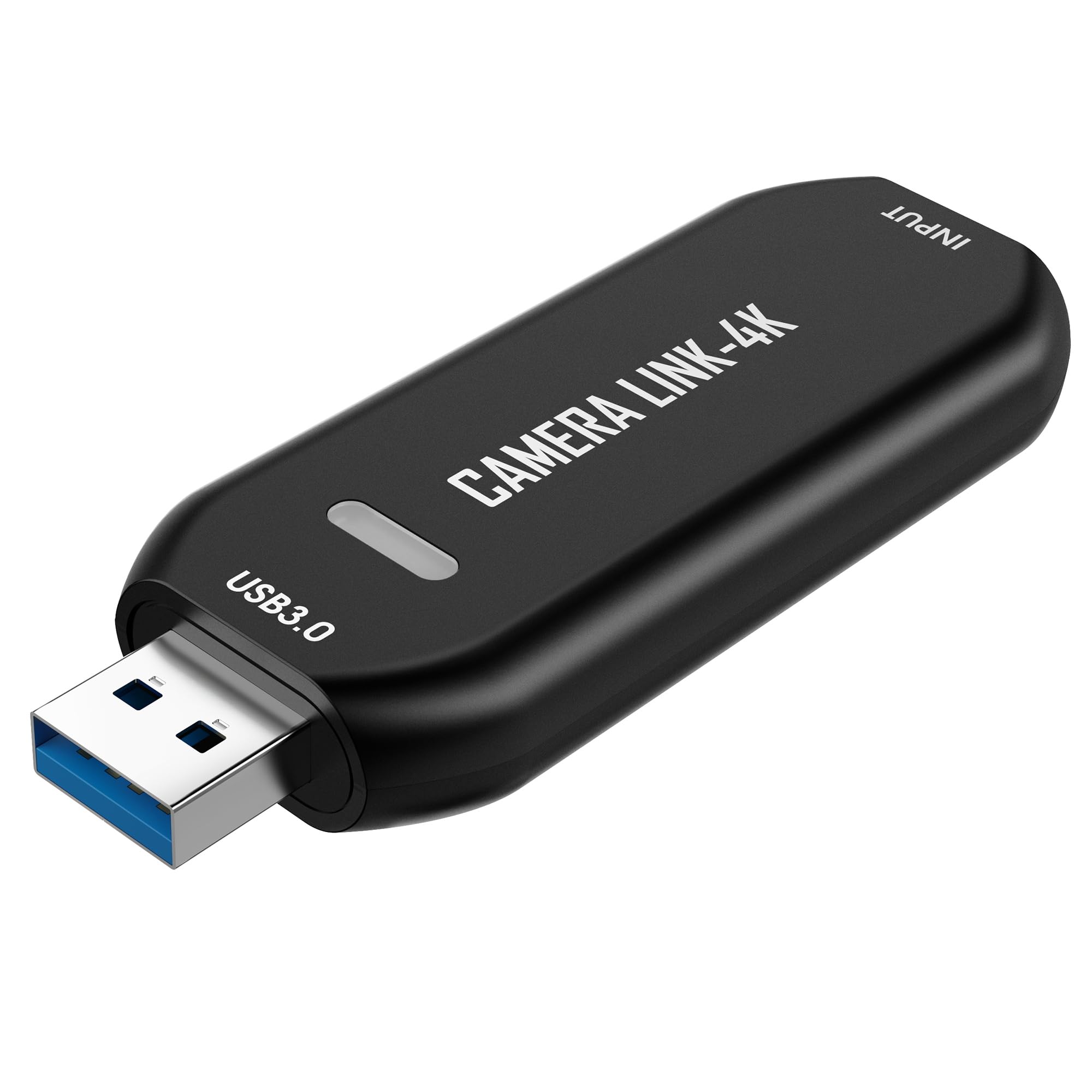
Cam Link 4K External Capture Card for DSLR Camcorder ActionCam as Webcam HDMI to USB 3 0 Meet

4.3

$104.95

SizeUSB2.0

About this item

  • 【Turn Your Camera into a Pro Webcam】 Connect your DSLR, camcorder, or action cam to your Mac or PC and transform it into a high-quality webcam. Go live on YouTube, Twitch, Facebook, and more with crystal-clear video.
  • 【Stunning Image Quality】 Stream and record in smooth 1080p120 or even up to 4K60 resolution. Capture every detail with vibrant clarity for a professional on-screen presence. (MJPEG: 3840×2160@60FPS, NV12: 3840×2160@30FPS, YUY2: 3840×2160@30FPS, XRGB: 2560×1440@30FPS)
  • 【Ultra-Low Latency Performance】Enjoy instant, real-time audio and video transmission with virtually no lag. Perfect for livestreams, gaming, video calls, and online teaching.
  • 【Broad Device Compatibility】 Works with Windows and macOS, supporting HDMI devices like DSLRs, game consoles (PS, Xbox, Switch), laptops, DVD players, and more. Ideal for content creators, gamers, and professionals.
  • 【Plug and Play】No drivers needed—just plug it in and start streaming. Automatically recognized by your system with no external power required.
  • Product description VIXLW Cam Link 4K Capture Card Previous page 4K60 & 1080p120 Quality Enjoy ultra-clear, smooth video in 4K60 or 1080p120 . Perfect for gaming, live streaming, video calls, and content creation. Next page Premium quality, pocket-friendly price OBS Studio Setup 1. Open OBS, create a new source under Sources by clicking "+", select "Video Capture Device", name it, then set: Device: USB3.0 Video. Audio Output Mode: Capture Mode Only; Use custom audio device: Digital Audio Interface (USB 3.0 Audio) 2. In OBS settings → Audio: Disable all Global Audio Settings except Mic/Auxiliary Audio; Set Mic/Auxiliary Audio to Digital Audio Interface (USB 3.0 Audio) 3. Under the Audio tab: Right-click Mic/Auxiliary Audio → Advanced Audio Properties → Set Audio Monitoring to "Monitor Only (Mute Output)" 4. In PC settings → System → Sound: Set Input to Laptop Microphone; All 【Turn Your Camera into a Pro Webcam】 Connect your DSLR, camcorder, or action cam to your Mac or PC and transform it into a high-quality webcam. Go live on YouTube, Twitch, Facebook, and more with crystal-clear video.; 【Stunning Image Quality】 Stream and record in smooth 1080p120 or even up to 4K60 resolution. Ca
Specification

Product facts

Key details

Brand
VIXLW
Operating System
Windows, macOS
Recommended Uses For Product
Video Recording
Special Feature
4K Capture, Ultra-Low Latency, Broad Device Compatibility
brand_name
VIXLW

Dimensions and fit

dimensions
‎3.19 x 0.47 x 1.22 inches
weight
‎5 ounces
Item dimensions L x W x H
3.19 x 0.47 x 1.22 inches
item_weight
5 ounces
product_dimensions
3.19 x 0.47 x 1.22 inches

Technical specifications

item_model_number
U180C

Item information

color_name
Black
special_features
4K Capture, Ultra-Low Latency, Broad Device Compatibility
best_sellers_rank
#218 in Webcams
date_first_available
October 29, 2025
Overview

About this item

  • 【Turn Your Camera into a Pro Webcam】 Connect your DSLR, camcorder, or action cam to your Mac or PC and transform it into a high-quality webcam. Go live on YouTube, Twitch, Facebook, and more with crystal-clear video.
  • 【Stunning Image Quality】 Stream and record in smooth 1080p120 or even up to 4K60 resolution. Capture every detail with vibrant clarity for a professional on-screen presence. (MJPEG: 3840×2160@60FPS, NV12: 3840×2160@30FPS, YUY2: 3840×2160@30FPS, XRGB: 2560×1440@30FPS)
  • 【Ultra-Low Latency Performance】Enjoy instant, real-time audio and video transmission with virtually no lag. Perfect for livestreams, gaming, video calls, and online teaching.
  • 【Broad Device Compatibility】 Works with Windows and macOS, supporting HDMI devices like DSLRs, game consoles (PS, Xbox, Switch), laptops, DVD players, and more. Ideal for content creators, gamers, and professionals.
  • 【Plug and Play】No drivers needed—just plug it in and start streaming. Automatically recognized by your system with no external power required.
  • Product description VIXLW Cam Link 4K Capture Card Previous page 4K60 & 1080p120 Quality Enjoy ultra-clear, smooth video in 4K60 or 1080p120 . Perfect for gaming, live streaming, video calls, and content creation. Next page Premium quality, pocket-friendly price OBS Studio Setup 1. Open OBS, create a new source under Sources by clicking "+", select "Video Capture Device", name it, then set: Device: USB3.0 Video. Audio Output Mode: Capture Mode Only; Use custom audio device: Digital Audio Interface (USB 3.0 Audio) 2. In OBS settings → Audio: Disable all Global Audio Settings except Mic/Auxiliary Audio; Set Mic/Auxiliary Audio to Digital Audio Interface (USB 3.0 Audio) 3. Under the Audio tab: Right-click Mic/Auxiliary Audio → Advanced Audio Properties → Set Audio Monitoring to "Monitor Only (Mute Output)" 4. In PC settings → System → Sound: Set Input to Laptop Microphone; All 【Turn Your Camera into a Pro Webcam】 Connect your DSLR, camcorder, or action cam to your Mac or PC and transform it into a high-quality webcam. Go live on YouTube, Twitch, Facebook, and more with crystal-clear video.; 【Stunning Image Quality】 Stream and record in smooth 1080p120 or even up to 4K60 resolution. Ca

Have a question about this product?

From the brand

Product detailProduct detailProduct detailProduct detailProduct detailProduct detailProduct detail

Product videos

Product video 1

Customer reviews

8 reviewsPositive

Rated 4.3/5 across 8 reviews — well received overall.

  • 75% of sampled reviews give 4–5 stars.

Customers say

Customers find the HDMI capture card works well, with one mentioning it runs on both Windows and Linux, and they consider it good value for money.

Generated from the text of customer reviews

★★★★★

Great for OBS Studio

I didn't know what to expect as I tried one from Wally's World and ended up returning it because it was just too many things involved and it wasn't as straightforward as I thought it would be. But this one that I bought from Amazon works pretty good. Just one minor flaw that I have with it and that is that when I want to capture the BIOS of a computer when you're booting it, it depends on the computer that you're booting on because the built-in software of this capture device doesn't support every single computer and laptop out there, but some it does. So when you get that, that's pretty good, especially if you want to create videos with the BIOS involved. But other than that, using this with software like OBS to capture somebody's computer, it works really good. So I do recommend this and this one is not so badly priced. Read more

PC Dr
★★★★★

Great product for the cost

Great product no problems it works as it should. Read more

Emma
★★★★★

Perfect price

This video capture device works perfect! Read more

Shawn Freidhof
★★★★

Works well

Item worked as advertised. I like how i can edit and turn my music into mp3 songs from my ps2 music game. Only drawback is the interface screen is kinda small, wish it was bigger, but it worked fine. Read more

Mars
★★★★★

VIXLW 4K HDMI Video Capture Card

woks great. Read more

William Mendenhall
★★★★★

Adaptador de Video

Execelnte adaptador de video, el propio para sacra la info con calidad de la camara que era o que buscaba Read more

German J.
☆☆☆☆

Not worth it

Don't work on laptop,projector or portable DVD player Read more

Me
★★★★★

Works

Worked as it should! Read more

Angie

We use optional analytics and advertising cookies to understand how visitors use Ventari, measure ads, and improve the experience. You can accept all optional cookies, allow analytics only, or decline them. See our Cookie Policy.