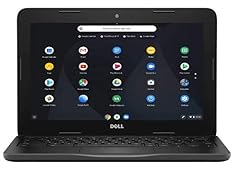
Chose for ports and amount of RAM
It's been a few months now and, having solved the Insert key issue detailed below and no further problems at all, I am increasing the stars to 5, but I still want to show the bad experience I had with so-called tech support. This has the HDMI and ethernet and USB ports I needed, which were harder to find than I expected. Also the 12GB of RAM beats most of the ones in this price range. Aside from certain keys being in less convenient positions, I have had no complaints until today when I realized the Insert key works in that it presses, but it does not toggle the insert mode. It's always in overwrite mode. This feature is probably so rarely used by most users that they thought nobody would notice. However, it would make what I'm working on much easier. I also must hold Fn key to enable home and end keys to work, which is annoying but at least they work. Calling Dell support had me in tears when "Puneet" took remote control of my computer and immediately closed the browser window, despite my shouting to not do so. I had numerous tabs open with important work, and he didn't even ask, then said he made a mistake and meant to minimize it. What an idiot. I was not using Chrome (and was panicking) so I had trouble finding the "recently closed" option, which thankfully restored my tabs but what a giant tool. Anyway his test failed, meaning the key is defective, and my only option is to mail in the only computer I have right now and be without it for 2-3 weeks. I am sure there must be an easier fix, like some setting is not set correctly, but they want their sweet warranty bucks and tried selling me the premium plan. When I had a Dell in the past, a tech guy came to my home, so it's pretty galling that I'd have to pay $119 to get a defective computer fixed or be without it for weeks. (I didn't ask but assume I'd have to pay to ship it for service, which won't be cheap either.) And $119 is for a lower 1-year warranty that won't cover physical damage; that would cost $169. BTW calling support went south from the start. A voice comes on and says there are numbers on the underside of your device, so enter it now. It gives you about 2 seconds to turn the computer over and scrutinize the label to find the number among the many others. To top it off, my label was all smudged as if it had been damaged by water but stuck on anyway. I had no idea what I was looking for and the automated voice switched me to Sales, then sales switched me to tech support, and I could have easily found this service tag number by going to the Dell support page, which automatically recognizes your device and displays it. So more unnecessary stress. No wonder Dell is struggling. Add: I learned that the Insert key is not automatically enabled by the apps I was using, which is weird, so it actually worked fine once I found the setting in the individual programs. Still, tech support stunk. Update: Still have this computer and recently upgraded to 16GB memory, which I should have done years ago. (For some reason I thought it wasn't upgradable. It is.) Getting the case back on was the only slight trouble I had. Speedwise, the difference was barely noticeable to be honest, but my freezing issues stopped. And it was cheap as heck to do. Read more