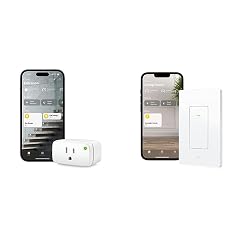





Reliable, but there are some things you need to know
Edit - 5-10-2024: Will be purchasing more of these. Very happy with the product and the Matter over Thread protocol ---- Edit - 2-22-2024: Home Assistant has upgraded their Matter Server to include energy readings now. My review has been updated from 4* to 5* without hesitation. In the last four months of owning this, it stopped connecting to Home Assistant once. Instead of going through the whole recommissioning process all I had to do was delete it from Home Assistant and add it back, which took all of 30 seconds. Will absolutely be buying more of these when on sale. I would like to have one that isn't permanent so I can basically get an idea of what the heaviest users of electricity are and find vampire loads. With demand electricity pricing coming to my area, I'd like to be able to find these and reduce loads even further. ------- ORIGINAL REVIEW: Bottom line first: Would I buy another of these? Yes, but it's hard to justify until Matter adds energy monitoring to its standard. I think it's the combination of Thread+Matter+UL+Features that make it an easy choice for me. The Good: -- Once you get it on a hub, it's extremely easy to connect it to another service. This was the first Matter device I'd used so I didn't know how this worked. (See notes at the bottom for how I connected it to other services.) I'm extremely happy with how this works. No more moving devices or complicated manual bridging. -- Instantaneous switching on HomeKit and Home Assistant. Alexa is a bit slow for my liking, which is why I gave it 3/5 star rating for Alexa integration. Not sure if this is because I commissioned on HomeKit first and then added to Alexa. -- Thread. This is the service I'm going with from this point forward. I've been happy with this as I've been adding more Thread devices, but this seals the deal. I've had issues with every one of my WiFi devices even across different routers. It's just not reliable enough nor is it really where you want to put devices like this. No setting static IPs, no worrying about router placement, no worrying if the internet/cloud is down. Thread is its own local mesh network. -- You can use these to automate rebooting routers if your network goes down. Since Thread is its own network, you can setup a ping automation that sends a signal (LOCALLY!) to turn off the router's plug and turn it back on again in a few seconds. It's not ideal, but if you're away from home it's nice to have a backup. -- After commissioning it in my office, I unplugged it and moved it upstairs. It almost immediately reconnected. Maybe 3-5 seconds? With WiFi devices, this would take 15-30 seconds. The Ok: --(READ IMPORTANT UPDATE ABOVE) I wasn't aware (my fault, not Eve's) that Matter doesn't support energy monitoring... yet. Supposedly it's maybe coming in 2024. I guess we'll see. So, if you want to connect this to Home Assistant to monitor energy, you're going to be very disappointed (as of Nov 2023) with this fairly expensive switch. You can still monitor energy use in the wonderful Eve app. -- At $40, it's expensive as a platform. I think part of this is the cost of getting UL-certified and the quality of the product. Is it worth it? Maybe. I won't put a power-controlling device that isn't UL or FM-certified in my house. The Ugly: -- The initial setup, as others have mentioned, did not go well. It took me several tries to get it to connect through HomeKit. I have no idea what I ended up doing, but it just worked after a few tries. It's hard to know if this is a HomeKit thing, an Eve thing, or a Matter thing. Either way, yikes. A few important notes: --If you want to connect this to Home Assistant, you MUST enable IPv6 in the networking section of Home Assistant. I tried and tried to add it but I forgot to RTFM first. Once I enabled IPv6, it picked up _immediately_. --I had to connect this through HomeKit first. And I think that's the right way to do it the more I think about it. It's setup to be a broker that allows you to connect it to other services. First HomeKit, then Home Assistant, then Alexa. -- To connect to HomeKit, you open up the device, click "Turn On Pairing Mode" and copy the code it provides. My understanding is that this code is good for a minute, maybe a few. You then pair it as you would with any other service and when it asks for the code, you need to paste in this newly generated code. You'll get a notification that it was added to another service from HomeKit and you're good to go! Once you have connected it to another service, you can click into the device and select "Connected Services" to see which services are allowed to use this device. I've been able to connect this plug to --(READ IMPORTANT UPDATE ABOVE) For those of you with HomeKit Eve Energy, I would NOT update its firmware to Matter if you use it with Home Assistant. Wait for the energy monitoring standard to come out for Matter. Read more