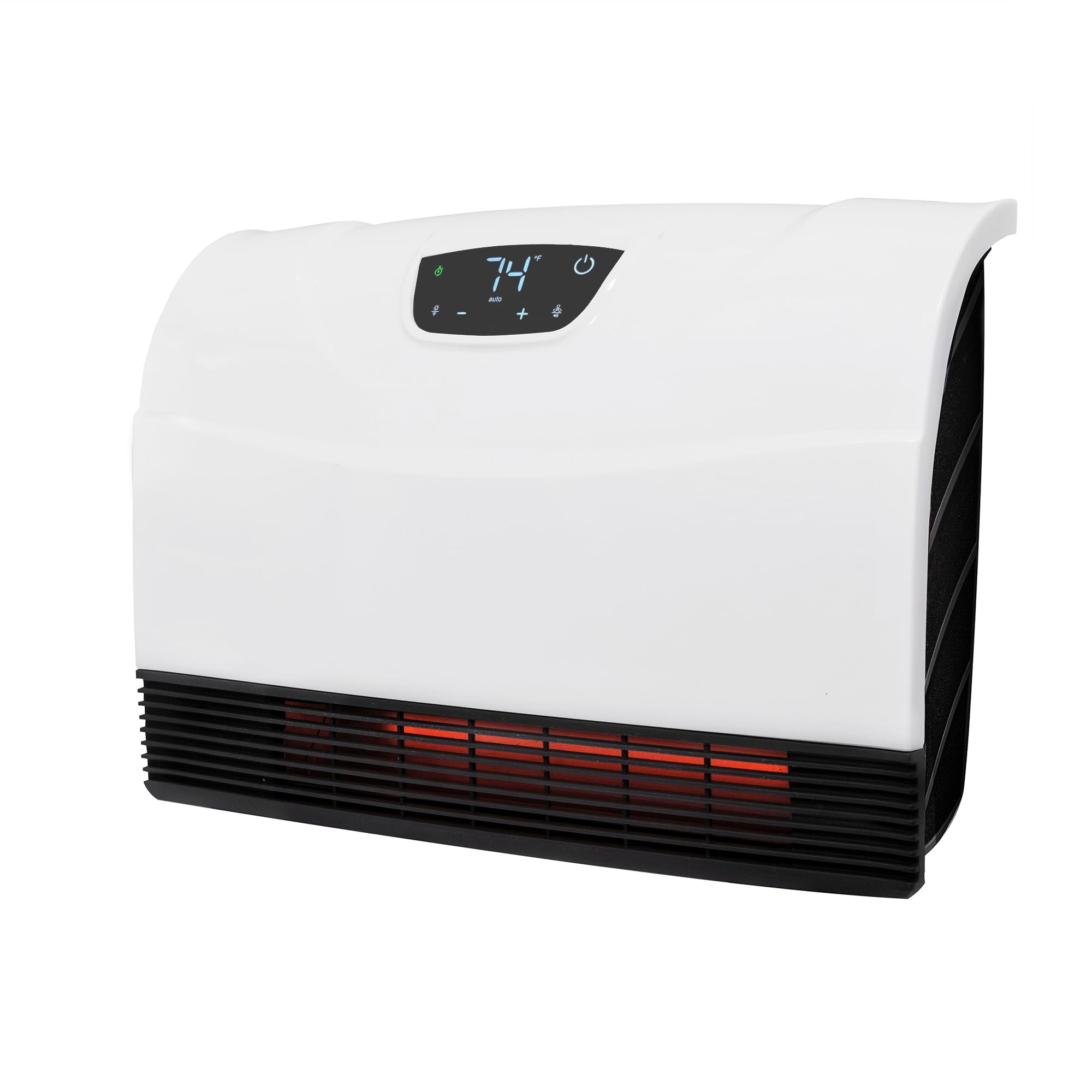
Update 2/12/2022: The heater died sometime during the night and when we woke up, the pump house was down to 36 F and it was 7 F outside. The heater was still online, but no longer producing heat. So, the only thing that was reliable on this unit ultimately failed. Fortunately, we are at the cottage and were able to replace the heater with another one that's not wifi controlled. After replacing the heater, I brought it inside intending to throw it away. I let it sit for a couple of hours to do other things when I decided that I might be able to salvage the controller and use it to operate another non wifi heater. I took the front cover off to troubleshoot it to see if it would be easy to reuse the controller and power circuit boards. I plugged the unit in laying it on its back side with the front cover off and laying upside down next to it. The unit connected to wifi but its tip sensor was activated, so I stood up the black plastic frame and rested the cover on a box that I set up behind it. I used my phone app to turn it on intending to troubleshoot the problem to see if it was worth salvaging the controller, and, after raising the setpoint to a few degrees above the indoor temperature, I heard a relay click and it started heating. One heating coil was glowing red and hot air was blowing. So it was working again. The heater has 2 separate heating coils (I think that's explained in the manual), each with its own relay connected to one end of its corresponding heat coil. The low setting turns on 1 heating coil and high setting turns on both heating coils. The other ends of the heating coils are connected together and go through a circuit board thats riveted to the heat duct. The circuit board contains a 117 deg C thermal cutoff switch and a bi-metallic overtemperature switch wired in series. Niether of these devices have feedback to the controller. Consequently, when either of them trips, the coils get disconnected and the heat shuts off. However, since there's no feedback to the controller regarding the status of these safety switches, the controller has no way of knowing that this happened, so it just keeps going as if nothing is wrong. From the datasheet for the thermal cutoff switch, when it opens, it cannot be reset and must be replaced. The bi-metallic overtemp switch will reset itself when it cools off to its reset point. Since letting the heater sit for a couple of hours allowed the heater to work again, I must conclude that the bi-metallic overtemp switch tripped and then cooled off enough to reset after I let it sit. The filter is perfectly clean as is the inside of the unit. There's not a single spot of dirt or dust anywhere, there are no airflow blockages, and there are no signs of animal activity in the pump house that may have blocked it. The unit is as clean as when it left the factory. It is unclear what caused the bi-metallic overtemp switch to trip I've had it running on the table for almost an hour now, and it's still producing heat, so the overtemp switch isn't tripping. It's hard for me to recommend this heater - especially if you need to rely on it to keep pumps and pipes from freezing. I can no longer say it's reliable. It can't tell you when the thermal cutoff switch or bi-metallic overtemp switch have tripped, it randomly loses wifi connectivity when the wifi signal is 3 bars or less, and it's wifi settings can't be remotely configured when connected via bluetooth. It started out as a promising heater, but turned into an unreliable unit. I intend to keep it since it's working again, but I'm not sure what I'm going to do with it. This will be my last update. Update 1/22/2022: Turns out that the heater was not connecting to the wifi range extender because the range extender altered the network name. The range extender split the wifi into 2 new and separate wifi networks, one for each frequency band. One had _5GEXT appended to the network name for tge 5Ghz band and one with _2.4GEXT appended for the 2.4Ghz band. The range extender's documentation didn't specify that you had to connect to one of those 2 new wifi networks to connect to the extended wifi. So, it wasn't the heater's fault that it wasn't connecting to the wifi range extender, it was my fault for not figuring that out sooner. At any rate, I still had to pull the heater out of the pump house because adding it using the auto detect via wifi or bluetooth would always fail and I didn't want to mess with it with pump house doors open to the 15 degree outside air. I brought the heater inside and did a manual add to get it to successfully add under the extender's 2.4Ghz connection. Then I put it back inside the pump house. What a pain! At any rate, the heater is no longer complaining about low wifi signal strength. We will see if the network connection remains stable. If so, I will restore a 3 star rating. However, I do want to emphasize that the heater did do its job and kept the pump house warm the whole time. Update 1/6/2022: Unit is offline - AGAIN! This time I'm at home and 2.5 hrs away from this POS heater. This is supposed to be one of the coldest nights of the year and this unit has gone offline yet again when I need it to be online. The wifi range extender should be giving it plenty of singal strength as its only 5 feet away on the other side of a wall with nothing but 3.5 inches of insulation and wood between the wifi extender and this POS heater. This unit is either ignoring the wifi extender, or its unstable wifi network software just eventually fails and needs to be power cycled to reset. At least my temperature monitor is telling me that the heater is still working. I'm going to try moving the internet modem/access point closer next time I get up there, but I can't move it very much as it's tethered to a phone line. I guess I'll need to get a longer phone line. However, I don't believe moving the access point will make any difference as I've connected reliably to my cottage wifi with my phone outside from 100 feet away through multiple walls. I suspect this heater's wifi software just sucks. I've got all kinds of wifi controlled things there from cameras to sensors to furnace thermostats, and NONE of those devices have ANY wifi issues like this POS heater does. Update12/10/2021: Reduced to 1 star. I tried moving the wifi range extender as close as possible to the pump house and the extender's signal strength was good. When the heater came back online, I thought everything was OK. However, when I moved a few feet away, the unit went offline again. When I moved closer, it came back online. I used my network scanner to determine that the heater had an IP address and I could ping it, so I knew it had a wifi connection, yet it would only connect when I was close enough. That's when I realized it was connecting via bluetooth to my phone and showing in the app as connected. When I shut off my bluetooth, the unit went offline again. The connection icon in the app should show how it's connected. It should either display a bluetooth icon or a wifi icon to let you know how it's connected. Next, there is no way to reset the wifi connection via bluetooth. Being connected via bluetooth is virtually useless, unless you like staying within a few feet of the heater at all times to remotely control it. I should have been able to fully reset and reconfigure the wifi connectiom using the bluetooth connection. That would've saved me a lot of work. I was forced to delete the heater from the app, unseal the pump house and attempt to re-add the heater. Fat lot of good that did! When I put it into pairing mode, the app couldn't find it! I was just connected to it via bluetooth, but now it can't find it??? I tried cycling power to no avail. I had to take it out of the pump house, bring it in, and try again. Success! I put it back in the pump house with my bluetooth off and it came back online. Then I had to re-seal up the pump house. Heat Storm, your network software is very unstable! Despite that unstable network software, I should have been able to reset the heater's wifi connection via the bluetooth connection. If I can connect to it via bluetooth, then I should be able to recover the device via bluetooth as well. I should not have needed to physically access the device to recover it. On a positive note, the heater itself never stopped working and kept my pump house warm. However the primary point of buying this heater was its remote control capability via wifi. I'm dropping the rating to 1 star because of the unstable network software. Update 12/4/2021: I downgraded to 3 stars after the unit went offline. I happened to be at the cottage when the unit started going offline repeatedly and was giving a low wifi signal strength warning. This happened just as we were leaving the cottage to return home. I immediately purchased a wifi extender and it seemed to solve the signal strength issue, but every time I opened the app, the unit would show up for 1/2 second as being offline, then would display normally. It did this every time I closed and then reopened the app. Note that I have the pump house sealed up, so getting inside requires some effort that I didn't have time for because we had to leave for home. Unfortunately, by the time we got home, the unit was offline and I no longer have access. Since the cottage is 2.5 hrs away, this is extremely inconvenient. At least my backup temperature sensor is still online and its readings indicate that the heater is still functioning, so I'm not concerned that the pipes will freeze, but losing remote access virtually eliminates the reason that I bought this heater in the first place. Now I will need to unseal the pump house the next time I go there and mess with this heater to get it back online. Very frustrating. Original review: Right out of the box, the heat output would stop with the displayed temperature about 8 degrees below the setpoint. I used a YoLink indoor temperature sensor to determine that the heater was shutting off the heat at the correct temperature, it was just the heater displaying the wrong temperature. I used the heater's thermostat calibration mode to adjust the displayed temperature to match the YoLink's reading and that got it pretty close. You could also use an instant read meat thermometer as a temperature sensor too. Note that when doing the calibration, you're not really chaging when the heater shuts off the heat, you're only adjusting what temperature the display reads. In my case, the YoLink temperature sensor read exactly the same before and after the calibration, it was just the heater's displayed temperature value that changed. To get the heater's displayed temperature to read very close to the actual heat on/off temperature signal that the heater is using to control the heat, refer to the last page in the manual. There you'll find descriptions of how each heat mode works and at what temperatures it will change the heating power. Put the heater in high mode and let it run until it feels like its blowing room temperature air. Enter calibration mode and set the temperature reading to be 2 degrees above the setpoint temperature. That will get the displayed reading to match closely with the temperature signal the unit is using to control the heat power. You don't have to mount this heater on the wall. It doesn't get hot to the touch except maybe directly on the outlet grill. When I was testing it, I had it standing on a 12" X 24" slate tile on top of an orange Home Depot bucket. I ran it on high for 24 hours that way as a test of the unit. The slate tile was only slightly warmer than room temperature directly in front of heat output register and it was basically room temperature everywhere else on the tile. The back of the unit never got hot, nor did the plastic front. In my case, I am using the Heat Storm heater to replace the dog house heater that I was using to heat my cottage's insulated well pump house. The dog house heater proved unable to keep up with the cold on a windy day. The pump house got down to 34.9 degrees F. That dog house heater didn't have wifi and only had a 300 watt output. This heater's low power mode is 700 watts and the wifi control allows me to control the pump house temperature remotely. I have the Heat Storm heater standing on the ground on top of that slate tile that I mentioned earlier in my review as the pump house is too small and tight to wall mount it. I have a YoLink indoor temperature sensor inside the well pump house that allows me to view the pump house temperature remotely as a backup temperture reading and I have it set to send a notification to my phone when the pump house temperature drops below 45 degrees F. That's how I found out that the dog house heater wasn't powerful enough to keep up. So far, the Heat Storm heater is easily able to keep up in low power mode and has been able to maintain the 55 degree F setpoint temperature in the well pump house without any problem. If it gets cold enough where it doesn't keep up, then I know that I can just increase the setpoint temperature without having to make an emergency trip to the cottage. And, if low power mode is not enough to keep up, I can switch the Heat Storm to high power mode. The only knock I have against the Heat Storm heater is that its cord is only about 2 or 3 feet long, so it needs to be close to an outlet. The mfg. doesn't approve of using an extension cord. This wasn't a problem for me, but it just barely reached the outlet in my pump house, so it might be a problem for you. I've only had this unit running for a few days, but so far it's been great and I'm thinking about getting another one for the cottage's bathroom. Read more