Free shipping over $35 · 60-day returns · Price-watch guarantee

Ventari

HP

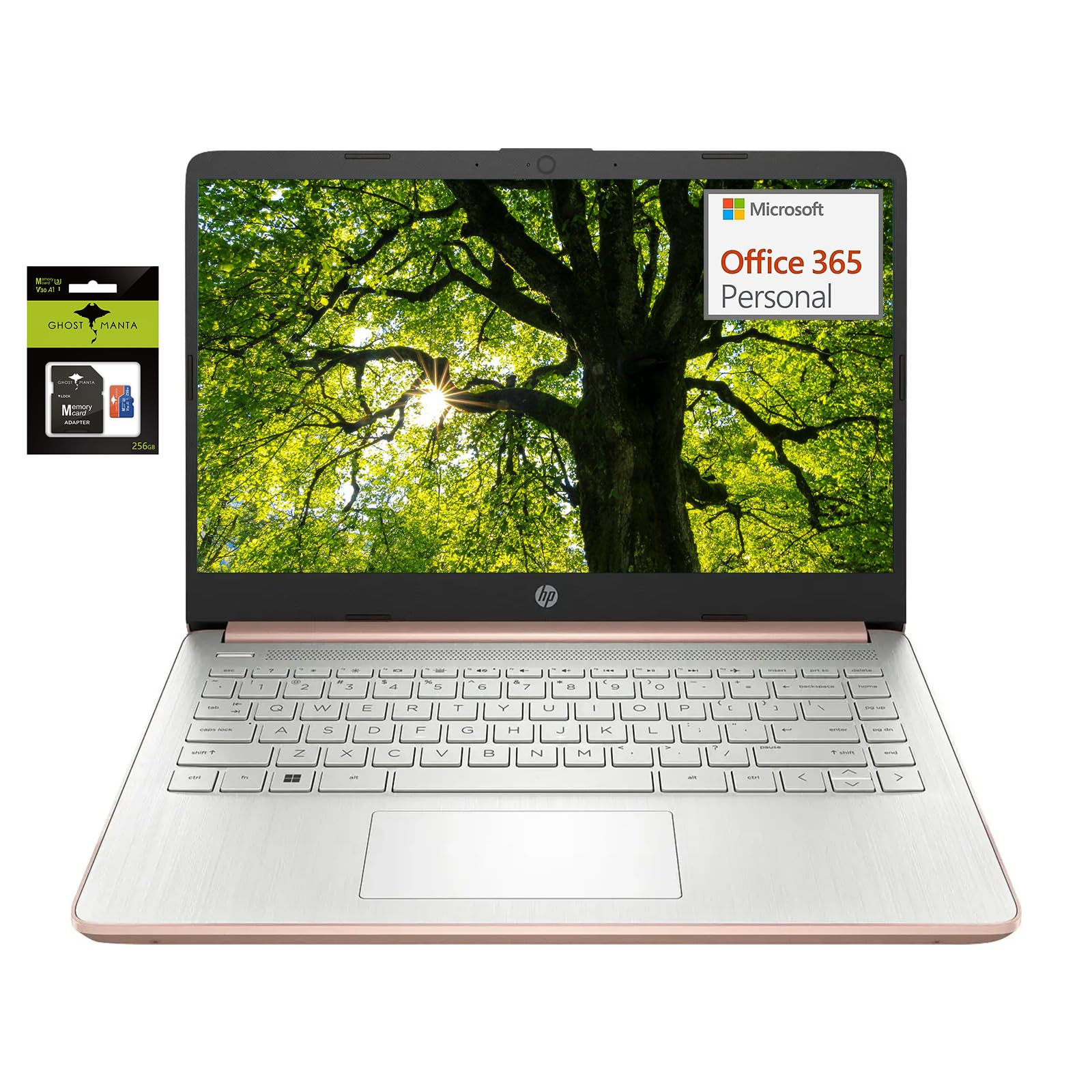
HP 14 Computer-Laptop Quad-Core Intel Celeron Processor Premium Portable 16GB RAM 256GB Storage Student-Laptop with 1 Year Office

$599.99

1371+ bought in the past month

About this item

  • 【14-inch HD Laptop Pre-Installed Microsoft Office 365】HP 14" Laptop with HD, micro-edge, BrightView display. Enjoy an immersive multimedia experience with a slim bezel design and maximized viewing area. Work efficiently with essential productivity tools like Word, Excel, and PowerPoint, ready to use upon setup.
  • 【Fast & Efficient Intel Celeron N4120 Processor】 The quad-core Intel Celeron N4120 CPU delivers reliable speed for everyday computing, web browsing, and light productivity tasks. $69 Value 7 in 1 accessories : Type-C to USB Cable | Type-C to Type-C Cable | Power Adapter | USB C to USB Adapter | 360° Rotation Phone Ring Holder.
  • 【Powerful 16GB RAM】 Enjoy seamless multitasking with upgraded 16GB memory, allowing smooth performance for work, study, and entertainment without lag.
  • 【Windows 11 Home in S mode】You may switch to regular windows 11: Press "Start button" bottom left of the screen; Select "Settings" icon above "power" icon;Select "Activation", then Go to Store; Select Get option under "Switch out of S mode"; Hit Install. (If you also see an "Upgrade your edition of Windows" section, be careful not to click the "Go to the Store" link that appears there.)
  • Activate pre-installed Office 365: 1.Launch any Office app > 2.Start your activation by signing in with your Microsoft account(Create a account if you don't have one yet) > 3.Click "Activative Office" > 4.Sign in your account and follow the next prompts. > 5.Complete Step 1,2 and 3 > 6.Click on Refresh once Office is ready > 7.Open a document and accept the license agreement.

Key details

Brand
HP
Color
Gold
Operating System
Windows 11
Special Feature
Memory Card Slot
Graphics Card Description
Integrated

Dimensions and fit

Screen Size
14 Inches
Hard Disk Size
64 GB
Ram Memory Installed Size
16 GB

Technical specifications

Model Name
HP
CPU Model
Celeron N4000
Highlights

About this item

  • 【14-inch HD Laptop Pre-Installed Microsoft Office 365】HP 14" Laptop with HD, micro-edge, BrightView display. Enjoy an immersive multimedia experience with a slim bezel design and maximized viewing area. Work efficiently with essential productivity tools like Word, Excel, and PowerPoint, ready to use upon setup.
  • 【Fast & Efficient Intel Celeron N4120 Processor】 The quad-core Intel Celeron N4120 CPU delivers reliable speed for everyday computing, web browsing, and light productivity tasks. $69 Value 7 in 1 accessories : Type-C to USB Cable | Type-C to Type-C Cable | Power Adapter | USB C to USB Adapter | 360° Rotation Phone Ring Holder.
  • 【Powerful 16GB RAM】 Enjoy seamless multitasking with upgraded 16GB memory, allowing smooth performance for work, study, and entertainment without lag.
  • 【Windows 11 Home in S mode】You may switch to regular windows 11: Press "Start button" bottom left of the screen; Select "Settings" icon above "power" icon;Select "Activation", then Go to Store; Select Get option under "Switch out of S mode"; Hit Install. (If you also see an "Upgrade your edition of Windows" section, be careful not to click the "Go to the Store" link that appears there.)
  • Activate pre-installed Office 365: 1.Launch any Office app > 2.Start your activation by signing in with your Microsoft account(Create a account if you don't have one yet) > 3.Click "Activative Office" > 4.Sign in your account and follow the next prompts. > 5.Complete Step 1,2 and 3 > 6.Click on Refresh once Office is ready > 7.Open a document and accept the license agreement.

Customer reviews

Customers say

Customer summary is not available yet.

No reviews yet for this product.

Recently Viewed

We use optional analytics cookies to understand how visitors use Ventari and improve the experience. This banner controls analytics measurement only. See our Cookie Policy.