

Good product!
Good quality! Feels good! Affordable! I was worried about the sensitivity in weight for the weight distribution of the lines when doing art, but it works smoothly! Read more

HUION
$50.99
Have a question about this product?


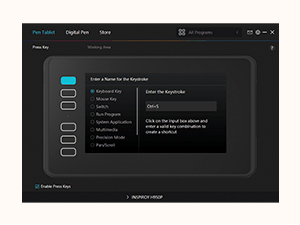
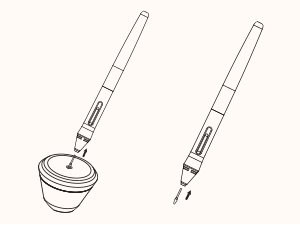


Product video 1
Rated 4.4/5 across 8 reviews — well received overall.
Customers find this drawing tablet to be a great entry-level option that's easy to use and set up, with software that installs easily on Windows.
Generated from the text of customer reviews
Good quality! Feels good! Affordable! I was worried about the sensitivity in weight for the weight distribution of the lines when doing art, but it works smoothly! Read more
I am very impressed by this little table, I purchased the small tablet since I am just using it for casual things. The packaging was really nice, even though it doesn't have a screen the lid of the box still had some form padding. Clean and sleek design, easy to understand instructions, they also have more information and instructions on their store page. Only criticisms are I had to go to the store page for the software downloads and I did not receive the 8 extra pen nibs. For the price (I got it on sale too) and that is works so well, it is definitely a recommend Starting Drawing Tablet or beginners or casuals! Read more


The product is exactly what is advertised. Received it in perfect condition as well. I wish the graphic tablet's active surface area was not glossy/smooth This makes the control a little tricky. Maybe a little rougher, paper like material on the active surface would be great. I don't think there's a 1st party or third party solution for this unfortunately. Other than that, I've been "playing" with this for sketches but also note taking and journaling on my PC. Love this. Got a few things about the software experience though. Once the tablet is launched, it can be used with more efficiency IF you launch the HUION software as well. Since I avoid autorun of software when my PC starts, this has led to a little issue of not getting the right screen to be used, but I quickly got the grasp. Even with multi screen, once the set up is done in the software and the software is running, everything runs smoothly. One thing I would love though about the software is that programs I downloaded via the Windows Store, would also be included in the softwares for which I can personalize the behavior of the graphic tablet. I think I have to run through a lot of hoops of diving into my windows files etc, and I don't want to do that. I believe it should be like any other software I'm running through a download .exe installer. Read more
ONCE I FINALLY FIGURED OUT WHAT I'D FORGOTTEN TO INSTALL, IT SEEMS TO FILL THE MISSING VOID WHEN ATTEMPTING TO USE THE STYLUS WITH A GRAPHIC PROGRAM. THE ONLY THING OF NOTE WAS THAT IT COVERS THE ENTIRE GRAPHICS SCREEN OF THE MONITOR (LIKE ANY MOUSE), BUT AT LEAST THE LEVEL OF DETAILED CONTROL YOU HAVE OVER THE STYLUS MAKES IT A WORTHWHILE TOOL. OH, AND UNPLUG THE MOUSE SO THEY DON'T ARGUE WITH EACH OTHER. Read more
I have wanted a pen tablet for years (decades?), but have never worked up the courage or money to try a brand like Wacom. This was the perfect gateway device and the price was a steal for what it’s provided. Most of my work is either in video editing (Davinci Resolve, After Effects, Final Cut Pro) or Photoshop and the Huion Inspiroy H950P has worked wonders for the latter. I had started to develop mouse arm, so this was a welcomed relief. Out of the box, the tablet was easy to setup, but immediately, I needed to adjust the dimensions/screen size for the tablet, since the pen worked all the way to the edges, not allowing for any space to test my hand. It takes some time to acclimate to the way a pen tablet represents your entire screen, especially having used mouses, trackpads, and track balls for decades (which require you to reset your physical hand placement when you’ve moved too far), but with the borders wrangled in a bit, this tablet is amazing and has increased workflow. I don’t use the shortcut buttons as often as I should, since I still like the heavier tactile feeling of my laptop’s keyboard, but the ability to customize each button to pretty much any command you need is useful. I would have preferred a USB-C plug instead of micro USB, since micro USB plugs loosen over time, but that’s a small complaint for what is a very useful, affordable tablet. I highly recommend it at this time…! Read more
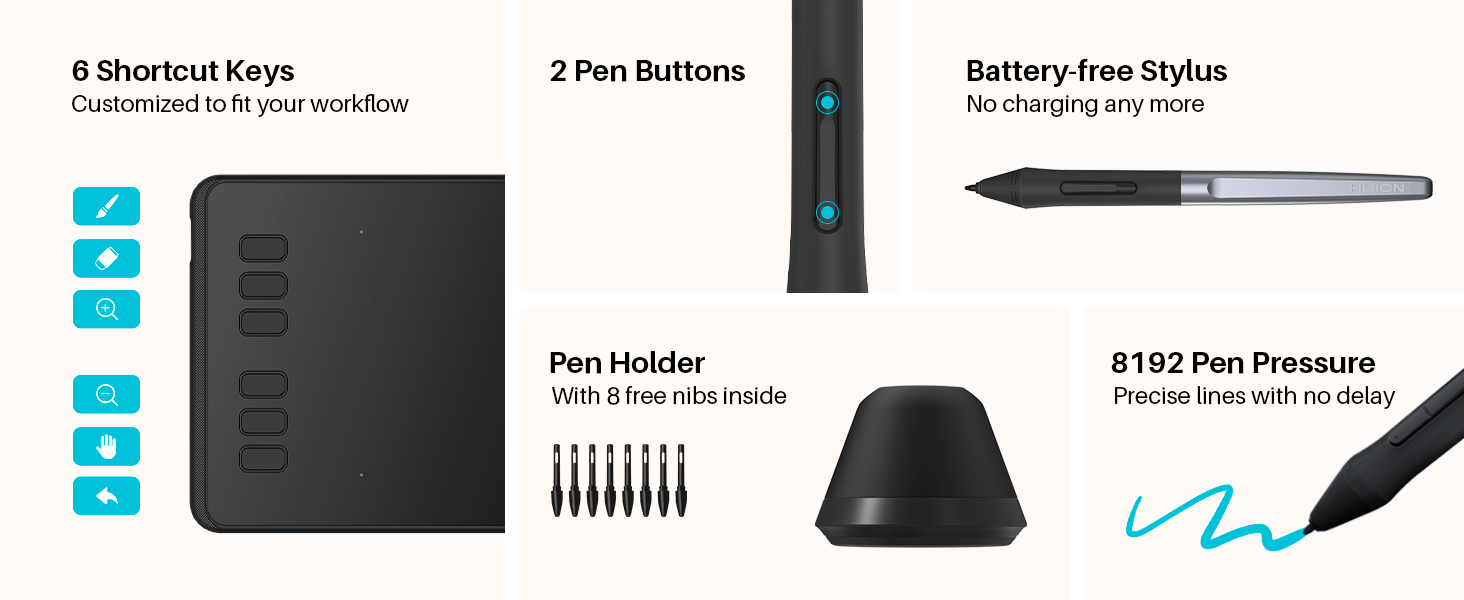
Nice size, comes with a nice stylus and a bunch of replacement nibs. Great for messing around and even doing serious work! Read more
It’s decent but the software sucks bad. On top of that, the buttons don’t really work well so I just use this to draw a little. I guess its decent for the price. It’s also really light/plasicy and cheap. Read more
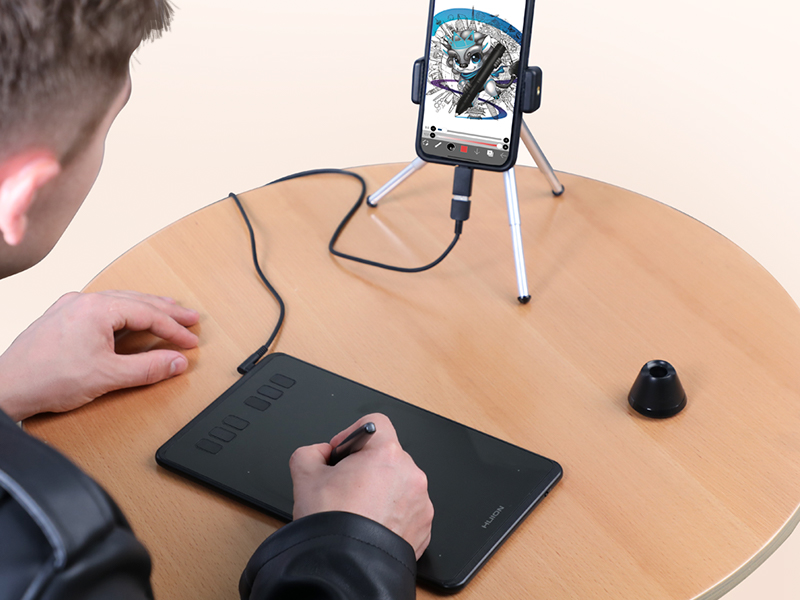
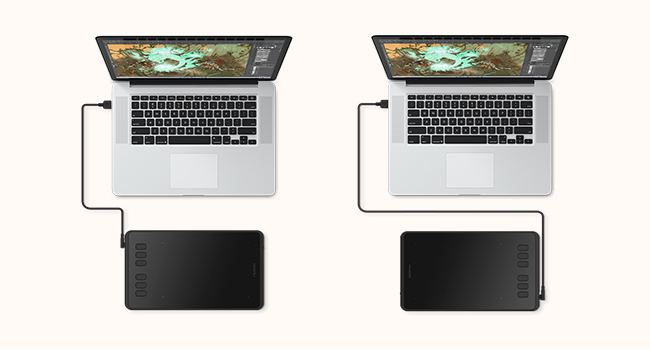
After a few days, this tablet works great with my MacBook Pro and MacBook Air with both Krita and GIMP. Plus I find myself using an on-screen keyboard with the Stylus for regular laptop chores, like taking notes, sending texts, surfing the web, etc. and using the pen as a mouse is truly surreal once you get the hang of it. Reading some of the negative reviews, I’ll have to see how durable the tablet will be, but so far this thing is a dream, and I’m seriously thinking about getting a second one. If I have any tip, it would be to avoid using any USB multi-device adapter; directly connect the tablet to your PC or Mac for best results. Full disclosure, I’m a retired s/w test engineer who worked mostly with Windows and Linux boxes in the lab and Virtual Machines (hosted on ESXi lab servers). So I’m used to addressing h/w and s/w issues. But happily not here - very satisfied with this product up to now and sorry to see where folks had issues. Read more

Drawing Tablet XPPen StarG640 Digital Graphic Tablet 6x4 Inch Art Tablet with Battery-Free Stylus Pen Tablet for Mac

Drawing Tablet UGEE M708 10 x 6 inch Large Drawing Tablet with 8 Hot Keys Passive Stylus of

HUION Keydial Mini Bluetooth Programmable Keypad with Dial 5 Keys Anti-ghosting 18 Customized Keys Wireless Shortcut Keyboard for
Each item is added individually — prices and availability are confirmed at checkout.

HUION Artist Glove for Drawing Tablet 1 Unit of Free Size Good for Right Hand or Left Hand

Wacom Intuos Small Graphics Drawing Tablet Includes Training Software 4 Customizable ExpressKeys Compatible with Chromebook Mac Android Windows

Zhehao 20 Pack LCD Writing Tablet for Kids 8 5 Inch Colorful Drawing Doodle Boards - Reusable Erasable
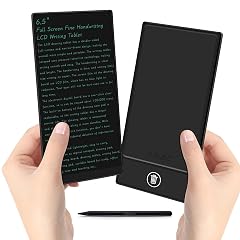
LCD Writing Tablet for Adult 6 5 Inch Mini Full Screen Drawing Board Reusable Digital Notepad Portable Use

LCD Writing Tablet for Adult Mini 6 5 Inch Full Screen Digital Notepad with Hall Switch and Tablet

Mafiti LCD Writing Tablet 8 5 Inch Electronic Writing Drawing Pads Portable Doodle Board Gifts for Kids Office

10 inch LCD Writing Tablet Electronic Writing Notebook with PU Protective Cover Erasable Drawing Pad Gift for Adults

TEKFUN LCD Writing Tablet for Kids 10-inch Coloring Drawing Pad Mess Free Doodle Board Christmas Gifts for Boys
We use optional analytics and advertising cookies to understand how visitors use Ventari, measure ads, and improve the experience. You can accept all optional cookies, allow analytics only, or decline them. See our Cookie Policy.
