
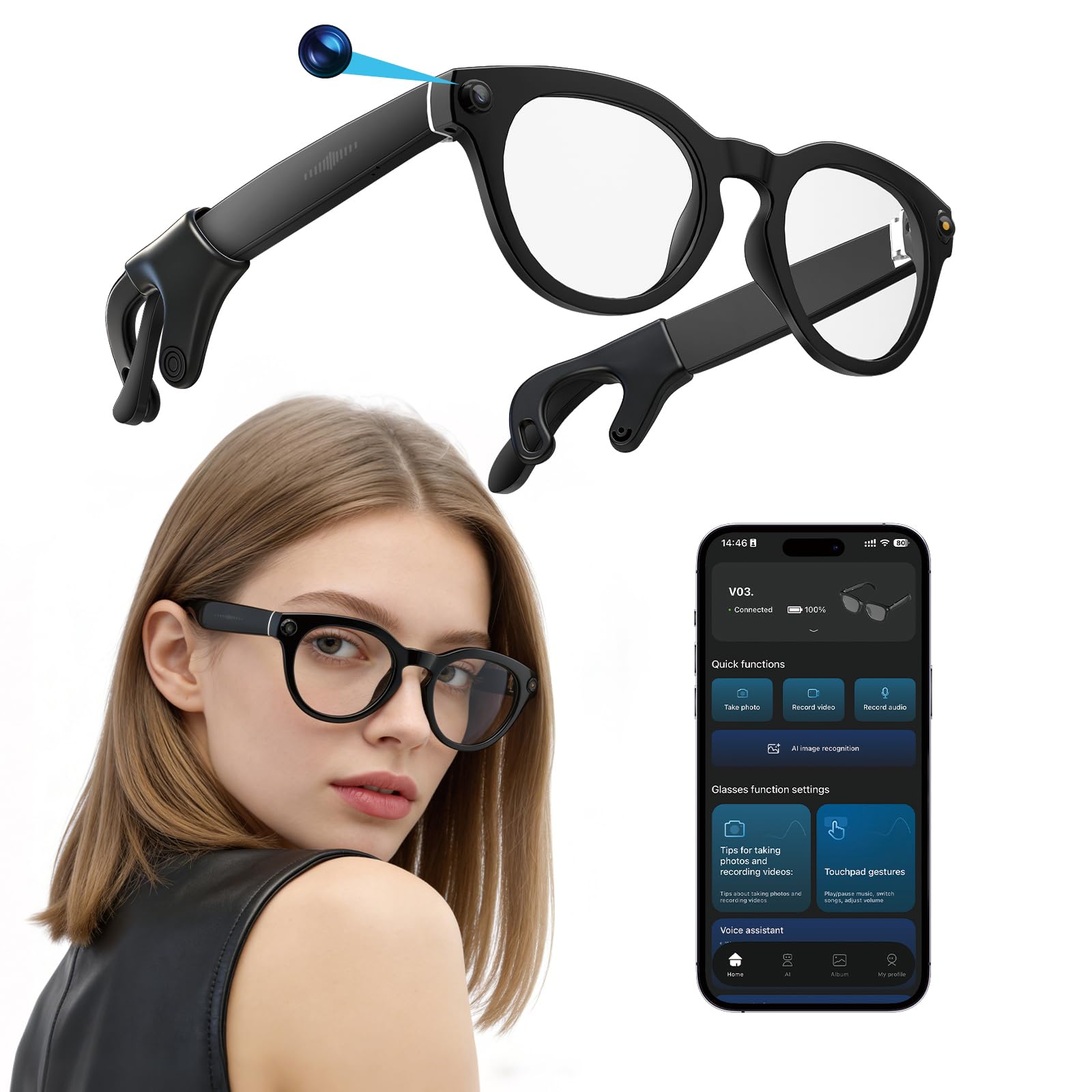


Interesting and practical AI glasses once you understand the limits
I’m going to give some of my initial thoughts on these glasses and then update this review after I’ve had more time to work with them. Here are my main thoughts so far after using them for a week: These are very durable and well-made in terms of the physical build of the glasses themselves. They look cool on my face and my partner’s face. You need to download the app via a QR code included in the packaging. The app is easy to use and pretty straightforward. Yes, it has built-in A.I. via ChatGPT 4.0. The name of this A.I. is “Cyan” (pronounced “Sci-anne”…“Sci” as in the first part of the word “Science”). You can use the A.I. to control some functions of these glasses, but not all. For example, you can say, “Hey Cyan, what am I looking at right in front of me,” and it will beep, pause, take a picture (with an obvious camera sound), and analyze the image. Note that the cameras are located on the top corners of the glasses. So you need to aim those at the center of what you want captured. The picture is not reflective of exactly what you see through the lenses. The center of the photo will be closer to the top of your field of vision. This makes sense, but it’s important to know. Some issues I’ve had so far: It doesn’t work very well if you’re trying to use AirPods at the same time. They can compete with each other for Bluetooth connectivity. If you use voice-to-text often with your phone or earbuds, you may accidentally trigger Cyan with similar-sounding words. This happens far less in general conversation if these glasses are the only tech you’re wearing. This is another reason I want more time with them. I don’t want my reliance on AirPods and existing habits to skew my opinion of these glasses. The live translation feature is helpful, but not perfectly accurate. So far I tested it by reading a passage of French out loud. I am not a native speaker, but I grew up listening to my French-speaking family, and it managed to understand me fairly well. I would like to find someone who speaks Spanish and test it that way. It dictates the translation aloud. It can be a little tricky to speak a foreign language out loud while simultaneously listening to the translated audio. The translation also appears as text inside the app. I need more time to test this in longer conversations. In back-and-forth discussions involving multiple languages, it doesn’t work as smoothly, since you have to manually select the speaker’s language and the target language each time rather than it switching automatically. 👋 It seems you need to initiate live translation through the app. I could not get Cyan to start this feature hands-free, which leads me to another point… 👋 You cannot ask Cyan to help you learn the features of these glasses. In many ways, you only have access to “Hey Cyan” for general questions about the world. I tried asking it questions like “How do I play music with these glasses,” and it gave me general information about how most A.I. glasses work, but not instructions specific to these. That said, it is programmed with certain commands, such as taking photos. I do not believe it will start video or audio recording through voice commands. You need to manually start those using specific taps on the physical buttons on the glasses. There are mini tutorials in the app that show how to start and stop video and audio recordings, as well as how to take photos and play music. When you take a photo or recording, it goes into a queue under “Albums” inside the glasses app, not your phone’s photo library. You must first download the files from the app’s album queue. After that, you can save them to your phone or share them elsewhere. The photo quality is decent, but it is nothing like photos taken with an iPhone camera. As far as sound goes, there are speakers built into the glasses stems right above your ears. They face upward, but you can hear surprisingly well. If you have long hair or are wearing a hat, other people will mostly not hear what you’re listening to. On my partner, who has a shaved hairstyle, I could hear the music he was listening to at a low but noticeable volume. There is also a touch pad on the right glasses stem. You can easily start and stop music from there and adjust the volume by sliding your finger. Skipping forward to the next track is much easier than going backward. I was not able to get it to go to a previous track, only back to the beginning of the current song. I really wish I had owned these glasses during an interaction with a property manager who was very mean to me and my son, simply to have evidence of her conduct. However, even though these glasses display a forward-facing red light while recording, you absolutely need to check your state’s consent laws. Some states allow one-party consent, while others require explicit permission, and violating those laws can be serious. These come in very nice boxed packaging. The box includes shaded lenses, a proprietary magnetic charging cable, some silicone attachments that even Cyan could not properly identify (they appear to fit onto the glasses stems for added retention), basic instructions in multiple languages, a soft case, and cleaning wipes. 👋 You will want a hard case for long-term protection. The box with its foam insert works temporarily until you get one. I enjoy these glasses. I still prefer my AirPods for listening to shows and music, but I will use the glasses when my earbuds are out of energy. The battery life on the glasses themselves is pretty good. It’s hard to give an exact estimate of battery life because the glasses can power on by accident. There is an app setting that detects when they are being worn and puts them to sleep when removed, but if you rely on that alone, they can wake unintentionally. To fully power them off, you need to press and hold the button for five seconds. 👋 Count carefully. Holding the button for ten seconds initiates a full factory reset. I think requiring a longer hold, like thirty seconds, would reduce accidental resets. For now, five stars. ⭐️⭐️⭐️⭐️⭐️ As long as you understand what these glasses can and cannot do, I think you’ll enjoy them. These are the first A.I. glasses I’ve personally tested, so I don’t have anything similar to compare them to. That said, I do understand these are $100 AI glasses that earn their keep, but naturally have fewer capabilities than pairs that cost $300 or more. These could make a great gift or entry-level option for someone curious about AI glasses. I’m happy I own them and find them useful and fun. Read more


