
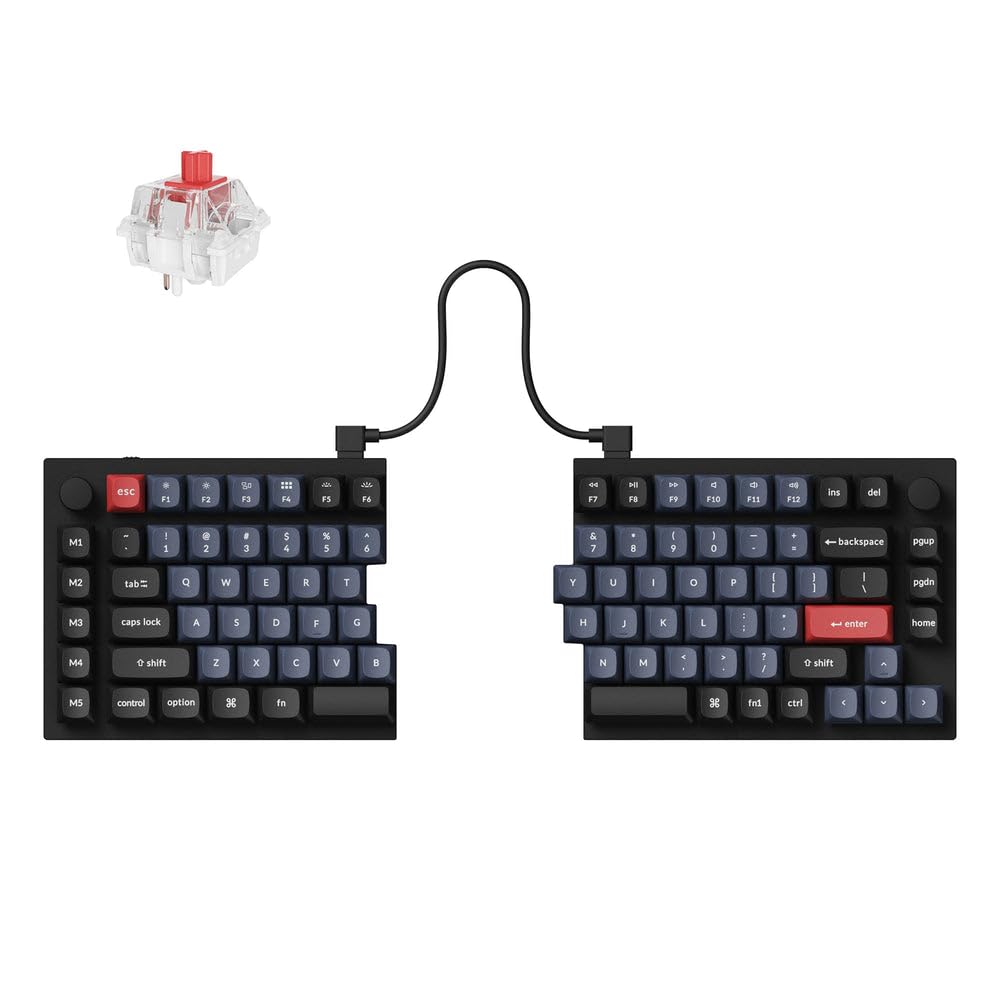


Awesome keyboard, quiet design, short cable
TL;DR: If you need a split keyboard, you're thinking about a mechanical keyboard, and you want extensive customizability, this is the board for you. Just be aware that you'll probably need another USB cable, it doesn't have a keypad, and it's a chonky beast. A recent session with my chiro (she's more like my physical therapist) revealed that my typing posture was probably contributing to issues in my left shoulder, so she suggested a split keyboard to widen my stance. Since I'm going to be at the keyboard for most of my 8 hour shifts at work, I decided to grab the best one I could find, and one where I could remap the keys if the layout didn't work for me. I've heard really good things about Keychron, so I went with this keyboard. First impressions: This thing is substantial. Don't get this if you are constantly carrying your keyboard from place to place, unless you're also weight training. This is more for those who keep their keyboards at their desks for most of the day. I'm fine with putting it back in the box and into the cabinet since the office desks are shared, it's not like the chassis is tungsten steel. But I wouldn't put myself in a position where I might drop it on my foot. Mechanical keyboards have a reputation for being loud, and a colleague does have a tactile switch gaming board that can be a little noisy. But the linear switches on the Q11 are barely noisier than a membrane keyboard, largely because of the mass and sound dampening design. I would have to be furiously smashing the keys to make noise with this, which would probably make more noise on other keyboards. The linear switches, however, close towards the beginning of key travel, which means I can't really rest my hands on the keys because my always-moving fingers will result in errant keystrokes. I'm looking into tactile switches that are hopefully quiet but also hopefully prevent me from typing when I don't mean to. Thankfully the switches are socketed rather than soldered. The bridge cable is shorter than I'd like. It might work for most people, but I really wanted to stretch my shoulders and open up my posture. Fortunately, the bridge cable is USB type C, and the main cable that connects to the computer is a type C cable with a type A adapter, so you can just remove the adapter and use the main cable as the bridge. You will, of course, need another cable to connect to the computer. This is a tenkeyless keyboard, so if you're doing a lot of data entry like me, you'll need a separate numeric keypad. The arrow keys took some getting used to, because they are placed really close to the Enter key. With the reach I normally need to do to hit the Enter key with typical 104 key boards, I would hit the backslash key instead. Unfortunately this is something I'll just have to live with. I also wish that there was a tactile difference between Esc and F1, or the tilde key and the number keys, because I touch type, I'm not going to look at the keyboard as I type. So I'm going to look into some way to add a texture to the key caps, or just find some caps that have a different texture. Other than these minor complaints, this is probably the best typing feel I've ever had. There's no rattle on wider keys, every key feels nice and solid. The firmware is amazing. You can think of this as a Steam game pad but with over 80 buttons to customize. All you need is a Chromium based browser. And you don't need to save after you make your change, the layout is saved in real time. Just be aware that layer 1 is Mac mode, so for those who aren't using Macs, you need to start at layer 3 so the switch in the back makes sense. I've rearranged the lower left keys so the Alt key is next to the space bar like every other keyboard on the planet, and I've eliminated the Insert key which I never use and added the End key, rearranging the tiny cluster of navigation keys on the right hand side. There is no End key cap, though (I substituted the Command key while I wait for key caps to arrive), and putting the Home key on the F row made me realize that the caps there are substantially taller than others because of the ergonomic design. Fortunately I'm not reaching over there often. The backlight is cool, but I've already gotten some comments about my lit up G203 mouse (which I'm thinking of cutting the tracks to the LEDs), so I keep the backlighting off except when I'm typing so I have a way to know if the keyboard is connected. It is pricey, but you absolutely get what you pay for and then some. In fact I think 200 bucks is a bargain. Read more


