
LIZVIE

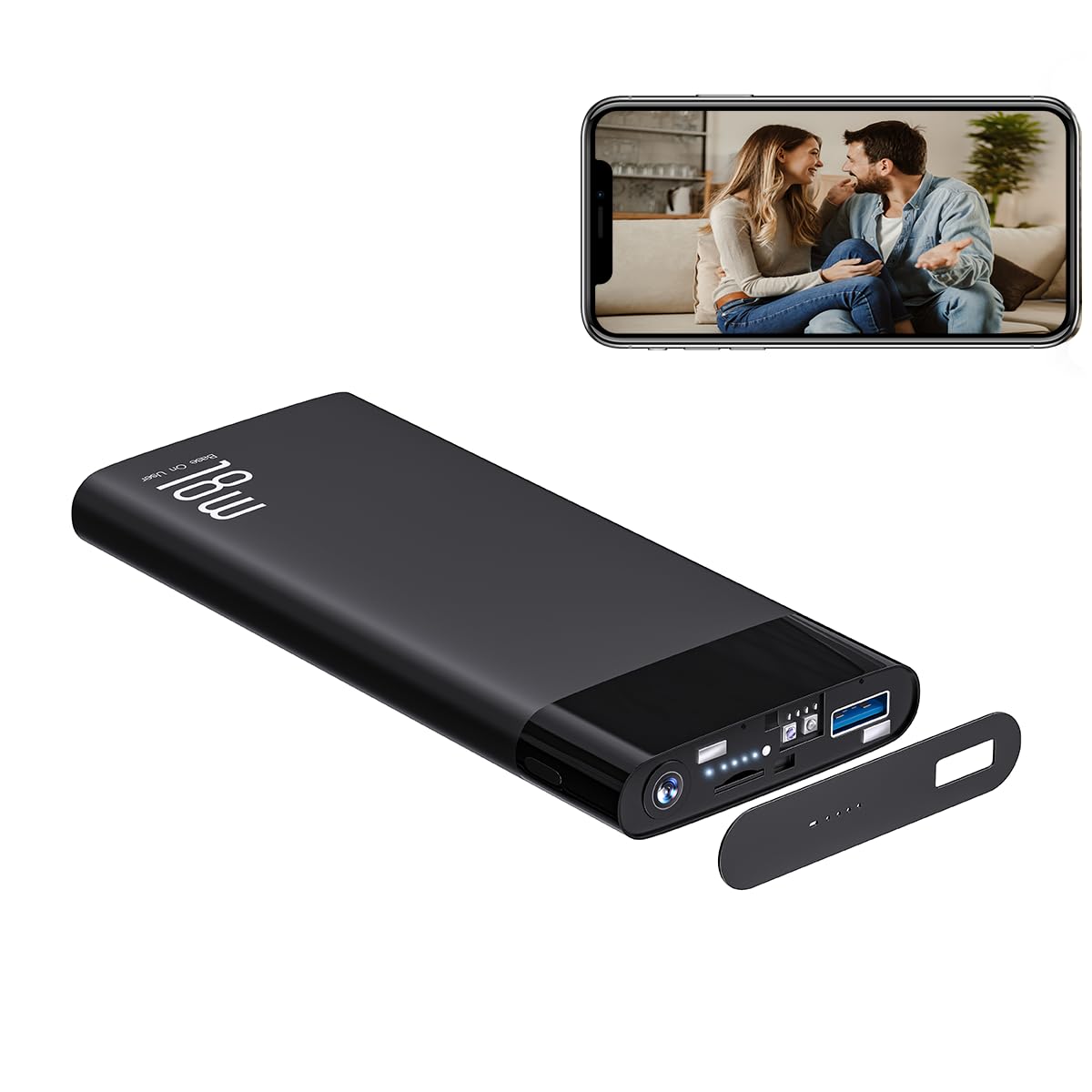
LIZVIE Power Bank Camera Hidden Camera 10000mAh Portable Charger Spy Cameras Nanny Cam Hidden Cameras with Night Vision

5.0

$174.98

About this item

  • 1080P HD & 110° Wide-Angle: Equipped with a discreet 1080P HD lens and a 110° wide field of view, this power bank captures crisp, detailed footage throughout the day. Connect to 2.4GHz WiFi via the LIZVIE PRO app to view and manage live video remotely from anywhere.
  • Automatic Infrared Night Vision: Advanced invisible infrared LEDs provide clear black-and-white vision in complete darkness. Designed with no lights, sounds, or visible branding, it remains undetectable and ideal for discreet monitoring at home, in the office, or while traveling.
  • Smart Motion Alerts & Custom Detection Zones: Receive instant app notifications on your phone when motion is detected. Use the LIZVIE PRO app to define specific alert zones, focusing only on important areas and effectively reducing false alarms.
  • Loop Recording & Expandable Storage (up to 256GB): Supports microSD cards up to 256GB (card not included). When the storage is full, the camera automatically overwrites the oldest files with new recordings, ensuring continuous operation without manual deletion.
  • 10,000mAh Dual-Function Power Bank: Functions as a reliable portable charger while simultaneously recording video. The lens is completely hidden behind a magnetic glass cover, with no visible indicators. Perfect for keeping devices powered and spaces secure during travel, in hotels, or at the office.
  • Product description How to turn on/off the camera Turn on the power bank: Power button press x 1 Turn on the camera: Press the power button x 1.5s-3s (USB port, the fifth indicator light can be on), wait 40 seconds and the indicator light flashes to connect. Turn off Camera: Power button Press x 3s Reset:quick press power button over 6 times Step 1: Charge the Power Bank Fully charge the power bank before first use. Step 2: Turn On the Power Bank Press and hold the power button for 3-5 seconds to turn on the power bank. Wait 30-60 seconds for the device to start. The device will create a WiFi signal named "BLink-XXXX".Important: The camera only activates when the 5th indicator light turns on. Step 3: Connect via Phone's WiFi Settings On your phone, go to WiFi settings, 1080P HD & 110° Wide-Angle: Equipped with a discreet 1080P HD lens and a 110° wide field of view, this power bank captures crisp, detailed footage throughout the day. Connect to 2.4GHz WiFi via the LIZVIE PRO app to view and manage live video remotely from anywhere.; Automatic Infrared Night Vision: Advanced invisible infrared LEDs provide clear black-and-white vision in complete darkness. Designed with no lights, so
Specification

Product facts

Key details

Recommended Uses For Product
Indoor Security
Brand
LIZVIE
Special Feature
Adjustable
Indoor/Outdoor Usage
Indoor
Overview

About this item

  • 1080P HD & 110° Wide-Angle: Equipped with a discreet 1080P HD lens and a 110° wide field of view, this power bank captures crisp, detailed footage throughout the day. Connect to 2.4GHz WiFi via the LIZVIE PRO app to view and manage live video remotely from anywhere.
  • Automatic Infrared Night Vision: Advanced invisible infrared LEDs provide clear black-and-white vision in complete darkness. Designed with no lights, sounds, or visible branding, it remains undetectable and ideal for discreet monitoring at home, in the office, or while traveling.
  • Smart Motion Alerts & Custom Detection Zones: Receive instant app notifications on your phone when motion is detected. Use the LIZVIE PRO app to define specific alert zones, focusing only on important areas and effectively reducing false alarms.
  • Loop Recording & Expandable Storage (up to 256GB): Supports microSD cards up to 256GB (card not included). When the storage is full, the camera automatically overwrites the oldest files with new recordings, ensuring continuous operation without manual deletion.
  • 10,000mAh Dual-Function Power Bank: Functions as a reliable portable charger while simultaneously recording video. The lens is completely hidden behind a magnetic glass cover, with no visible indicators. Perfect for keeping devices powered and spaces secure during travel, in hotels, or at the office.
  • Product description How to turn on/off the camera Turn on the power bank: Power button press x 1 Turn on the camera: Press the power button x 1.5s-3s (USB port, the fifth indicator light can be on), wait 40 seconds and the indicator light flashes to connect. Turn off Camera: Power button Press x 3s Reset:quick press power button over 6 times Step 1: Charge the Power Bank Fully charge the power bank before first use. Step 2: Turn On the Power Bank Press and hold the power button for 3-5 seconds to turn on the power bank. Wait 30-60 seconds for the device to start. The device will create a WiFi signal named "BLink-XXXX".Important: The camera only activates when the 5th indicator light turns on. Step 3: Connect via Phone's WiFi Settings On your phone, go to WiFi settings, 1080P HD & 110° Wide-Angle: Equipped with a discreet 1080P HD lens and a 110° wide field of view, this power bank captures crisp, detailed footage throughout the day. Connect to 2.4GHz WiFi via the LIZVIE PRO app to view and manage live video remotely from anywhere.; Automatic Infrared Night Vision: Advanced invisible infrared LEDs provide clear black-and-white vision in complete darkness. Designed with no lights, so
Close-up view of the LIZVIE Power Bank Camera Hidden Camera 10000mAh Portable Charger Spy Cameras Nanny Cam Hidden Cameras with Night Vision
Details

Construction and technical details

Connectivity Technology
Ethernet

Have a question about this product?

From the brand

Product detailProduct detailProduct detail

Product videos

Product video 1

Customer reviews

Customers say

Customer summary is not available yet.

★★★★★

great power bank camera.

This is a great power bank camera. The best part is the lens of the camera, which is magnetically attached and perfectly integrated. It's a little warm, but the power bank is like this. Read more
kimberly beer

We use optional analytics and advertising cookies to understand how visitors use Ventari, measure ads, and improve the experience. You can accept all optional cookies, allow analytics only, or decline them. See our Cookie Policy.