
Logitech G

Logitech G X52 Flight Control System - Standard Packaging

81+ bought in the past month

$149.99$179.99

About this item

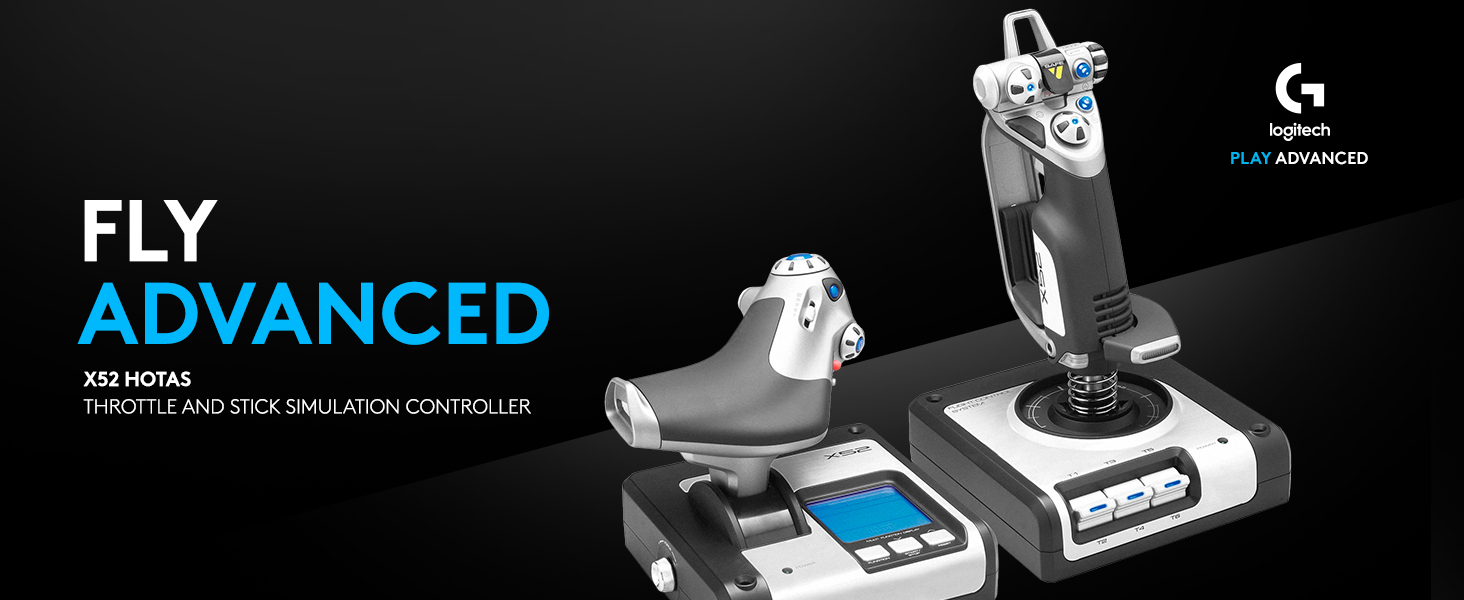
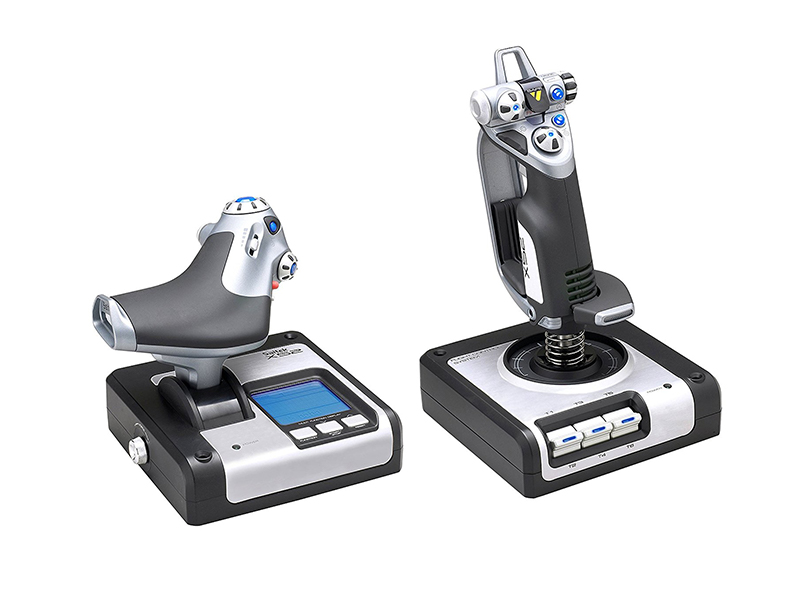
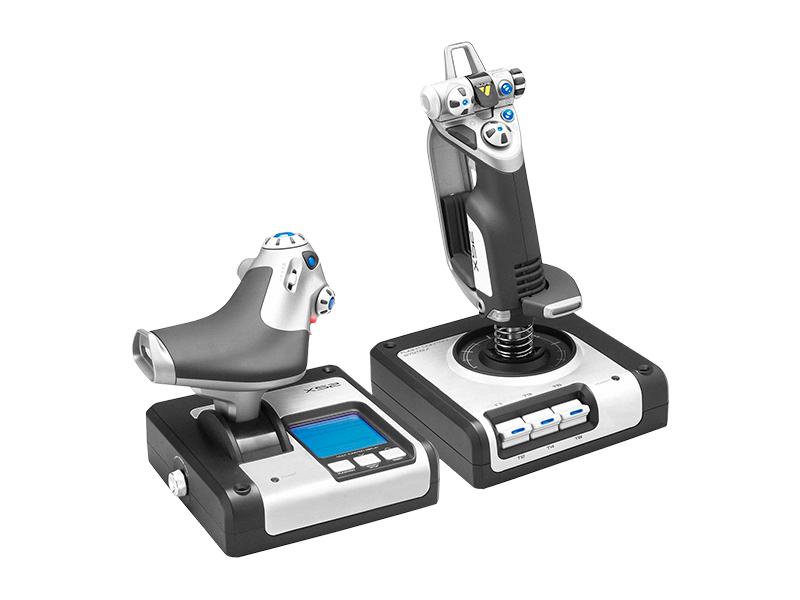
  • Advanced multi-function display (mfd) for real flying interaction. 2 dedicated mfd buttons and 2 rotary dials with in-built buttons to control additional game functionality
  • Joystick with precision centering mechanism, non-contact technology on x and Y axes and constant spring force
  • Progressive throttle with tension adjustment, detents for Afterburner and Idle; 2 Fire buttons
  • Works with: Windows XP, XP64 and Vista (all versions) and Windows 7, Windows 8.1, Windows 10 or newer
  • Stick dimensions is 6.7 long x 6.7 wide x: 10.9 high in inches, weight is 2.3 pounds and cable length is 4.6 feet. Throttle dimensions is 6.7 long x 6.7 wide x 7.5 high in inches, weight is 1.6 pounds and cable length is 4.6 feet
$149.99
Was $179.99Save $30.00

In Stock

Delivery β€” Monday 13 Apr – 17 Apr Β· Order within 2h 37m
Easy Returns Β· 30-day window
This order is a gift

In Stock

Secure Checkout
Free Returns
30-Day Guarantee
Secure checkoutAll transactions are SSL-encrypted. Your payment info is never stored.
Free returnsReturn or replace within 30 days
Fast deliveryOrders ship within 1 business day and arrive in 4–8 days.
Buyer protectionIf your order arrives damaged or doesn't show up, we'll make it right.
24/7 supportOur team is here to help. Reach us anytime by email or chat.
Ships fromOur Warehouse
Sold bySold by Amazon Resale and Fulfilled by Amazon .
Returns
Easy Returns30-day return window
PaymentsSecure transaction

Technical specifications

release_dateDecember 31, 2018
best_sellers_rank#3,825 in Video Games ( See Top 100 in Video Games ) #17 in PC Game Flight Controls
product_dimensions14.33 x 10.04 x 8.98 inches; 4.85 Pounds
type_of_itemPersonal Computers
languageEnglish
ratedRating Pending
item_model_number945-000025
is_discontinued_by_manufacturerNo
item_weight4.85 pounds
manufacturerLogitech, Inc
date_first_availableJanuary 11, 2011

From the brand

Product detailProduct detailProduct detailProduct detailProduct detailProduct detailProduct detailProduct detailProduct detail
Product detailProduct detailProduct detail

Product videos

Product video 1

Customer reviews

4.21,963 ratings

Customers say

Customers find the flight control system to be a fantastic HOTAS that works well with games like Elite Dangerous and DCS World. Customers appreciate the abundance of buttons and find it easy to set up, though opinions on value for money are divided, with some saying it's very good for the price while others disagree.

β˜…β˜…β˜…β˜…β˜…

Yea I got it for Elite Dangerous

Douglasβ€”April 22, 2021

This is a first impression review with little use time. Things may change with more stick time. First off, Gees these things are expensive. It's been years since I bought a flight controller for a game but I don't remember them being this expensive. So this thing had some pretty big expectation. So first off I was a little disappointed when the box arrived and saw all that the shipper did was put a label on the flight controller box. Given that the box was then left on my front door step for half a day letting anyone walking by that it was a ~$300 flight controller sitting there. Fortunately the porch pirates where busy in another sector so my package was sitting there when I got home. Setup was a little painful but not for the reason you may expect. The USB cable on this does not come off the flight stick but off the throttle control. Unfortunately for my setup my computer is on the right side of my desk and this puts the USB cable on the left side. Generally this isn't a problem because modern devices usually have fairly long cables. This thing does not. If my computer was on the left side of the desk it wouldn't have been a problem but since it's not it meant it's cable was about two feet too short. I lucked up in that my monitor has two utility USB ports on it's back so instead of running to the computer I just had to run to the monitor, got lucky there. The take away here. This thing has a short USB and is on the left side so keep that in mind when purchasing for you build. Following another reviewers recommendation I did not install the drivers for this device and I wasn't prompted either so that was a win. When I did fire up Elite Dangerous I did expect that the game would work immediately with no issues, that didn't happen. The condoler was dead in the water. Head over to the controls panel to start the tedious process of mapping every command onto the controller when I notice something. In the pull down for the different configurations (was going to see if I could make a custom one) I noticed one called Saitek X52. The game actually came with a preloaded setup for this controller. Welp, that was easy. Overall impression of this thing is a bit overwhelming for someone that doesn't use flight controllers much. Some of the buttons seem a little unintuitive and I'm still looking at just about every button I'm pushing to know what I am doing but I've only had it a day so yea. Build wise, this thing is beefy. The stick didn't seem to move any being on my mouse pad but the throttle did seem to move over time and need to be repositioned. I did try the suction cups on the throttle but all the did was prevent sudden moves not a gradual over time which is not unexpected. It's not annoying enough to down rate for but something that does need mentioned. The LCD display on the throttle is not lit by default (might not actually be lit) so it's next to impossible to see what is going on with it beyond the fact that it's also at a weird angle when sitting on a desktop. Beyond that there isn't much to say at this point. This controller didn't make be a better in-game pilot (lost a couple ships prove that point wrong) but honestly wasn't expecting it too. We'll see how it goes and if need an update as required. Read more

β˜…β˜…β˜…β˜…β˜…

Fun for flying

Joeβ€”November 15, 2025

Works great, no complaints. Can't really fly a simulator without them. Read more

β˜…β˜…β˜…β˜…β˜†

Great if you have the coordination and space to use it. this is a big chonky boy

Sam Sternβ€”December 24, 2022

Pros - Sturdy - Attractive - Functional - easy to initially setup and install - well supported in Windows 11 cons - It is BIGGER then it looks - You really need a large desk or a set of fairly pricey mounting brackets to make this work - So help me, I am not that coordinated!!!! - some strange software glitches that only impact testing Verdict I had to return this. It not you, dear HOTAS, its me. I am not worthy, but a good clip of space sim population is . If you have a big smooth desk or the brackets its a Great. Make no mistake this is clearly a solid choice if not a great choice. However HOTAS is just not for me. Read more

β˜…β˜…β˜…β˜…β˜…

Updated review. Love it for elite dangerous

Alkad Mzuβ€”November 6, 2016

I left the original review because the subsequent comments helped a lot and without the original review they would not make much sense... I love this unit. I am not a flight sim player I only play Elite dangerous. I went ahead and removed the throttle detente because I really dislike the strange resistance in throttle at the 90 and 10%. It was super easy to remove but I wouldn't attempt to do it before fully understanding that he warranty would be void.. What's funny is that the warranty is useless (I say that with joy) because there's no way I'll ever return this unit as it is just awesome. The GOOD!: Very light. Like I said before I'm not a flight sim so I wouldn't know what to look for in a realistic flight stick experience. I am however not fond of too much resistance and this unit is nice and centered, it has a light bounce back and the entire movement feels smooth with no serious resistance. I feel it contributes to accuracy. fully compatible with elite dangerous, all of the buttons are programmable. Can be mounted to a custom rig. Mainly because the unit is so light weight; you can either purchase one or engineer your own and I promise that this unit's weight isn't going to be a factor or cause an unforeseen element when mounted. the SO SO: The unit come with suction cups for fastening it to your desk surface. I have a wooden desk and I consider it moderately porous. despite that I feel the suction cups hold for a long while. you eventually have to push down to fasten it again and If you continue to use the suction method then you'll need to get use to it. The software drivers. I installed the drivers that came with the unit (CD rom) and then later went to the saitek website and downloaded the update. Once you install the drivers and profile manager your pinky trigger will stop working. DONT WORRY all you have to do is go into the profile manager. Some recommend that you delete all of the profiles, add a new one then find the pinky trigger field and set it to not-programmed. Whether deleting all profiles is necessary or not will have to be up to you. I did it and never suffered from it. Overall; NO regrets. I love this for elite dangerous and I'm inspired to try other flight games just to use this unit more often. I really love it. ***** Original review: I don,t know where else to leave this complaint but when i purchased this unit it was listed as the X52 Pro. Even the picture they're using still shows the X52 Pro. I received an X52 and now they seemed to have corrected the issue so -even though the picture still shows the X52 Pro- they've conveniently removed the "Pro" from the item listing.. with this new development a return would only result in an exchange for the X52 again. I honestly thought I was purchasing the x52 Pro at a reduced price but infact I was just purchasing the x52 that by the way I thought to be not worth the price. I'm now stuck with the X52. bummer. I never wanted the x52. Read more

Recently Viewed