


Logitech

Logitech MX Mechanical Mini for Mac Wireless Illuminated Keyboard Low-Profile Performance Switches Tactile Quiet Keys Backlit Bluetooth USB-C

607+ bought in the past month

$159.99

About this item

  • Check out Logitech's MX Mechanical Keyboards (Universal PC version) for a full range of key feels (including Linear / Tactile Quiet / Clicky), in both full and compact sizes
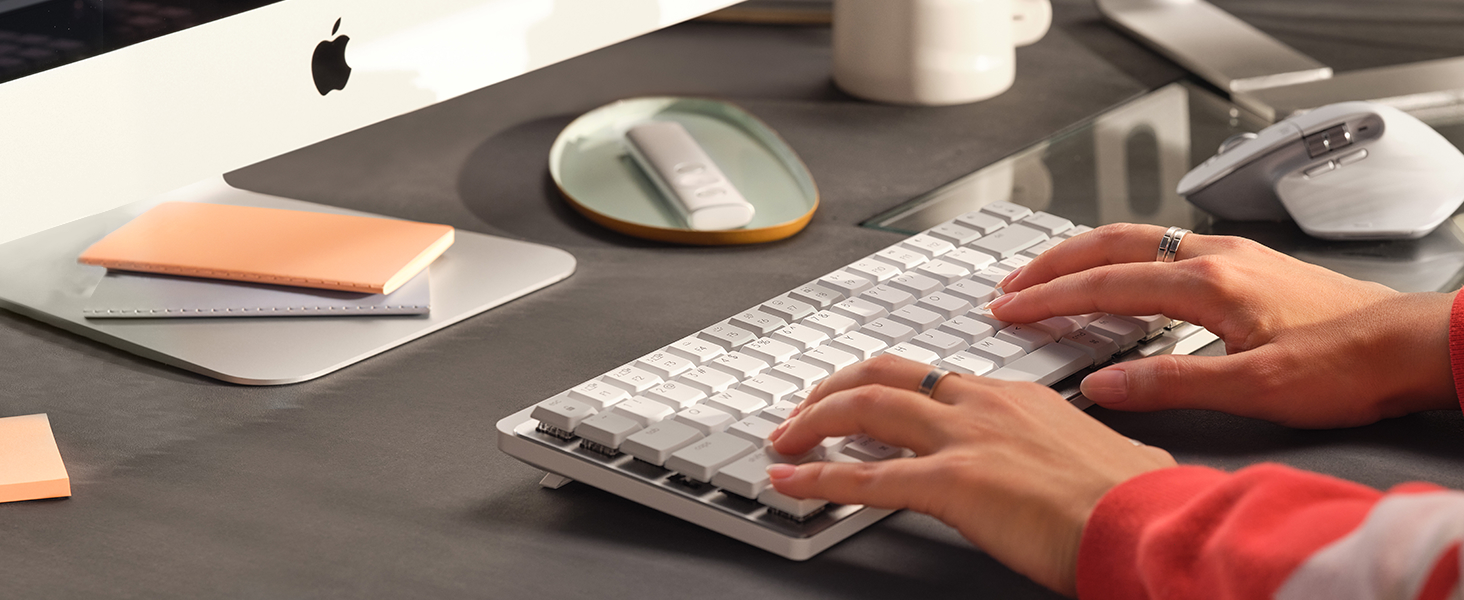
  • Mastered for Mac: MX Mechanical Mini for Mac Bluetooth keyboard features a key layout for Mac designed for feel and productivity, optimized for macOS and compatible with iPadOS and iOS(1)
  • Precise and quiet typing: Mechanical Tactile Quiet switches have a satisfying tactile bump you feel but barely hear, for precise feedback, reactive key reset, and a fluid typing experience
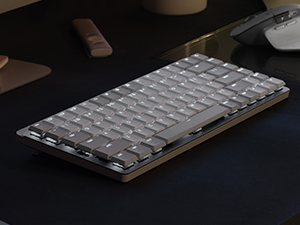
  • Mini size with low-profile keys: Experience more comfort with the minimalist, compact form factor featuring low-profile mechanical keys, for effortless precision and better ergonomics
  • Smart illumination: Backlit keys light up the moment your hands approach the cordless keyboard and automatically adjust to suit changing lighting conditions
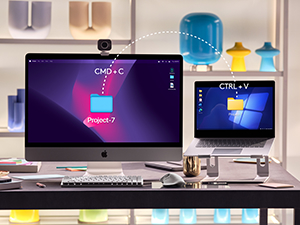
  • Multi Mac connectivity: Pair MX Mechanical Mini for Mac multi-device keyboard via Bluetooth Low Energy with up to 3 Mac computers or iPads and switch between them seamlessly
  • Faster workflow, more customization: Customize Fn keys, assign backlighting effects, enable Flow cross-computer control with MX Master 3S for Mac, and more in the improved Logi Options+ (2)
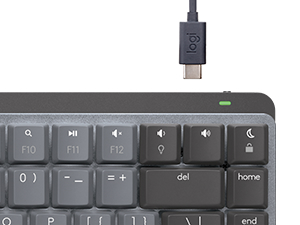
  • USB-C to USB-C rechargeable: MX Mechanical Mini for Mac stays powered up to 15 days on a full charge or up to 10 months with the backlighting turned off (3)
  • Plastic parts in MX Mechanical Mini for Mac include certified post consumer recycled plastic ( Pale Gray (36%) and Space Gray (47%) (5))
$159.99

In Stock

DeliveryEstimated 3–5 business days · Final delivery speed and cost are confirmed at checkout
Easy Returns · 30-day window
This order is a gift

In Stock

Secure Checkout
Free Returns
30-Day Guarantee
Secure checkoutAll transactions are SSL-encrypted. Your payment info is never stored.
Free returnsReturn or replace within 30 days
Fast deliveryOrders ship within 1 business day and arrive in 4–8 days.
Buyer protectionIf your order arrives damaged or doesn't show up, we'll make it right.
24/7 supportOur team is here to help. Reach us anytime by email or chat.
Ships fromOur Warehouse
Sold bySold by Amazon Resale and Fulfilled by Amazon .
Returns
Easy Returns30-day return window
PaymentsSecure transaction
Currently unavailable
Easy Returns · 30-day window

Product details

BrandLogitech
Compatible DevicesLaptop, PC, Smartphone, Tablet
Connectivity TechnologyInfrared
Keyboard DescriptionMechanical
Recommended Uses For ProductEveryday Use
Special FeatureIlluminated
ColorSpace Grey
Keyboard backlighting color supportSingle Color
StyleKeyboard
Product Dimensions12.3"L x 5.2"W x 1"H

Technical specifications

average_battery_life_in_hours1.0, 10.0 months
best_sellers_rank#363 in Computer Keyboards

From the brand

Product detailProduct detailProduct detailProduct detailProduct detailProduct detailProduct detailProduct detail
Product detailProduct detailProduct detailProduct detail

Product videos

Product video 1

Customer reviews

4.4548 ratings

Customers say

Customers praise the keyboard's quality, feel, and customization options, with one noting the customizable function keys via LogiOptions+.

★★★★★

Great keyboard for any Apple user; comparison between Logitech, Nuphy, and Keychron

Matthew GawNovember 18, 2024

First of all, the seller that fulfilled my order was great- it's on Prime and the keyboard came new in its packaging. I was able to snag this keyboard at a 45% discount from the MSRP. For the keyboard itself: it's great! I'm happy with the purchase and it has a lot of benefits which I'll cover below. I actually have had the Nuphy Air75 v1, and if you're a heavy Apple/Mac user, you're likely looking between Nuphy, Logitech, LoFree, and Keychron for Mac-forward/specific keyboards. All offer wireless but have some differences between them. Are you a person who's looking to customize their keyboard to the extent of changing switches? Then you're going to go for Nuphy, LoFree, and Keychron. Nuphy is cheaper than Logitech at full price, and also cheaper than LoFree. But! LoFree is a nicer build out-of-the-box where the feeling and sound is better than Nuphy. In comparison, Keychron has more Mac-forward options and many options are cheaper than the other mentioned brands but lacks that portability the others have. All are solid keyboards with their pros and cons and again offer some great customization options. Keychron is cheapest (while still being heavily lauded), and then Nuphy is next (while also heavily lauded), then Lofree is the most expensive (while being most lauded) but it does offer a great typing experience and feel in comparison to the rest. Now back to this Logitech MX Mechanical Mini- does it offer the same customization down to the switch-level? Absolutely not. You cannot hot-swap on the Logitech. However, what it does the best is the incredible battery life (10 months w/o the backlighting) and the software/connectivity. An oft-complaint with Nuphy, Lofree, and Keychron is that on wireless, it will take time to have the keyboard turn on + connect (in the matter of seconds, some say 3-5 seconds and more/less). For Logitech, it has a nifty feature that turns on the keyboard as your hands come close and it quickly turns on/connects. The software is easy to use and you can customize buttons. It's also very easy to switch between devices on the Logitech keyboard. All say they can connect with different devices (at least 3) but Logitech has them beat on the connectivity of the keyboard. Now, you CAN customize the keycaps but certain keys have odd configurations and therefore cannot be replaced. Specifically, the space bar and maybe the right shift key. The Logitech space bar has a proprietary configuration and cannot be replaced (at least not easily). But I'd still recommend finding low-profile PBT keycaps. For a keyboard that retails at $150, it's a bit of a surprise that the keys that come with it are not PBT or higher quality plastic. These keys will display wear (and stuff like oil, etc.) much more quickly than PBT keycaps, and so I would recommend replacing them at some point. Besides that, PBT keycaps just feel better. So: are you a person looking for a good typing feeling with a keyboard that has great connectivity (and especially for switching devices/waking up the computer) and battery life that is also portable enough to take with you? And you don't care so much for customization of the switches and keys? Then Logitech is for you! However, if this was at full MSRP, I would hesitate and consider the other options. But at a discount, I think the Logitech is a sound choice and what I went with AFTER having the Nuphy Air 75 v1 (of which I never customized anyways). I liken this keyboard to being something that's office/professional-coded while giving you some of the benefits of mechanical keyboards. I think it looks fantastic and I'm happy with my choice! Read more

★★★★★

Hard to fault this keyboard!

Glenn B.August 26, 2023

I love the new Logitech MX Mechanical keyboards, including this one. This keyboard integrates with the iMac 24" very well, with no connectivity issues on Bluetooth at all, very solid connection. Which brings up the fact that this keyboard does not come equipped with the Logitech Bolt USB dongle, as does its brother, the MX Mechanical. However, I have had zero issues, or delayed start up, while using the BT connection on this keyboard. The quality is very high, well made, and I really like the keycap material and feel. Typing is excellent, although this keyboard is equipped with "tactile" key switches, while very nice, do not have a "clicky" experience, but is more like Cherry MX brown type switches, with a tactile bump, but not really much of a click. Others have mentioned that they are somewhat stiff in operation, while I find them about average. I waited for this "Pale Gray" color way, and I love it. Not a huge fan of the darker/bi color keycaps of the original. I have had no issues with the key backlighting, as some have mentioned, mine works very well, and the key caps are very well, and uniformly lit, Logi did a great job here. It also has all the Apple/Mac keys you would want, including for display brightness, and key cap brightness, and the usual, volume up/down/play/pause. Nicely laid out, and easy to find everything. I find myself very much enjoying typing on this keyboard. It's like the keyboard that Apple should have made! Not a fan of the very short travel Magic keyboard keys. This is a great keyboard for your Mac, I know I love it for mine! Read more

★★★★★

An otherwise great keyboard, but it goes above & beyond in function.

Daniel KuskovDecember 10, 2024

The keyboard is dense, solid, and feels great to hold & use. The sound of the keys is not as obnoxious as other keyboards, and is actually pretty pleasant. The function keys are all useful, albeit forward & backwards play not being there is a little disappointing, but understandable considering the crowd the keyboard is for. What's really cool is how you feel like some kind of wizard whenever you can hover your hand over the keyboard, and the backlighting turns on smoothly-- very satisfying. Overall, if you consider the keyboard's price point without the functionality, it would be pricey; however, the extra features and long battery more than justify the price, and actually provides good value. Very recommended. Read more

★★★★★

One-and-Done "Clicky" Yet Satisfying Keyboard

Marcus RobinsonJanuary 3, 2024

Taking a look at the Logitech MX Mechanical Mini for Mac Wireless Illuminated Keyboard from a video editor's perspective, there's a lot to appreciate, but a few considerations too. Starting with the positives, the compact design is a real space-saver on your desk. The mechanical keys deliver that satisfying click, making typing a breeze and potentially boosting your editing speed. The Mac-specific keys are a handy touch, and the illuminated feature is a game-changer, especially if you're burning the midnight oil on edits or working in dimly lit spaces. However, here are a couple of things to keep in mind. The smaller form factor might feel a bit cramped initially, especially if you're accustomed to larger keyboards. Plus, those function keys might be a touch too small for some intricate editing shortcuts. Lastly, while it's a great keyboard, the price might give you pause. It's tailored for Mac users, but the premium might feel a bit steep considering there are other mechanical keyboards available for less. All in all, the Logitech MX Mechanical Mini for Mac Wireless Illuminated Keyboard brings a lot to the table for video editors. It's got the tactile keys, Mac-specific features, and that illuminating perk—just be ready to adjust to its smaller size and consider if the price matches up with what you need for your editing setup. Read more

Review image 1Review image 2Review image 3Review image 4
Recently Viewed