






Surprisingly easy to install and no fuss to configure and use
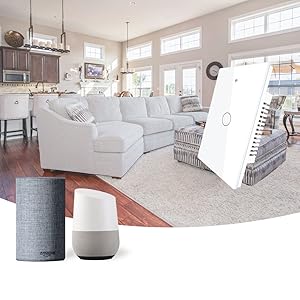
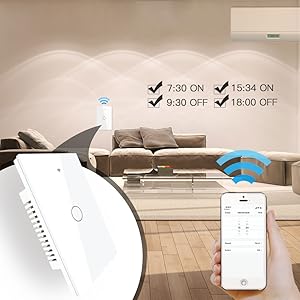
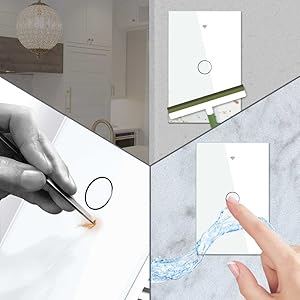
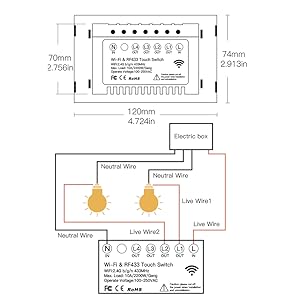
My goal was to replace a set of existing light-and-fan switches. I needed 2-gang (dual switch) in order to control the light and fan separately. The first 2-gang switch was at the front door, the second at the opposite end of the room - a very typical household configuration. The problem I was trying to solve was the need to move one of the 2-gang switches closer to a utility washbasin. I was concerned an occasional splash of water might reach the relocated switch, so I figure using a touch switch would be a smart solution - inherently able to shrug off water and easy to seal up the edges since there are no moving parts. Okay, still with me? This touch switch is NOT a drop in replacement for a traditional 2-gang, 3-way switch. A sketch will help (see diagram). Please note I am only showing control for a single device (1-gang) but if you want separate control of the fan and light you will need 2-gang switches. A typical configuration is shown under the 'traditional' label. As shown the light is 'on'. move either switch and the light is 'off'. Move either switch again and the light turns back 'on'. Simple stuff, right? Well the MoesGo solution is even simpler. Referring to the diagram, only ONE of the MoesGo switches, the Primary, actually controls the light. The other switches are configured to communicate across your home wi-fi network to control the Primary (which in the diagram is MoesGo Switch 2). Note that BOTH switches must have a LIVE and a NEUTRAL connection to power the electronics. Note also, you must be comfortable loading the MOES app onto your phone because otherwise you cannot configure the second switch (MoesGo Switch 1) to control the Primary. I can imagine the change in configuration confuses some people although the actual instructions included with the switches are easy to follow (at least in my opinion). Surprisingly well written! One nice feature of this solution is that you can get the primary working immediately and without the phone App. However if you want to use voice control and/or configure multiple switches to control the same light, then you must download the App and you must configure the switches from this App. Now onto other items: - you cannot operate a 3 way setup using a mix of MoesGo and conventional switches. This would not end well! - you must have a home wi-fi setup that supports 2.4GHz operation. This switch is strictly 2.4G. During configuration from the phone, you are typically using Bluetooth to talk to the new switch, and during the setup process you will give the switch the name and password for the 2.4G link. I strongly recommend you temporarily switch your phone to the 2.4G link too. Once the switch is configured you can revert to 5G. - the switch uses a conventional, mechanical relay. Be careful not to exceed the rated current for this device or, again, things will not go well for you! I also taught Alexa to recognize and use these switches. So I can say something like 'Alexa, turn on the Utility Room Light' and sure enough the light comes on! Same goes for the fan. I've installed many IoT devices so I am now very comfortable doing so. However, I must say these switches are exceptionally easy to install and configure, and the instructions are well written, unambiguous and clear. So for me this was a great experience and intend to buy more of these lights. In particular, I am keen to try out the timer function (although Alexa actually has the same capability). Read more


