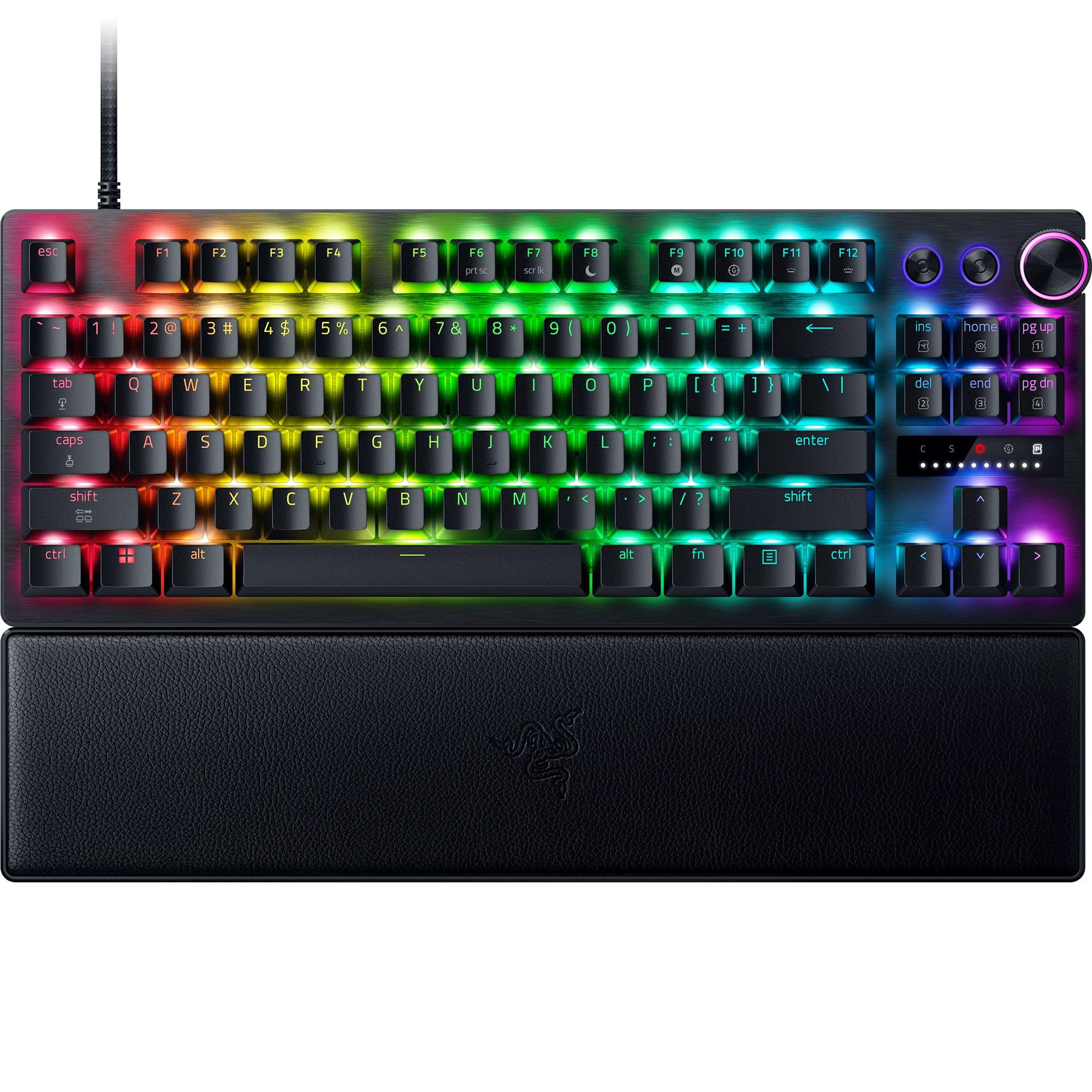
beast of a keyboard. only thing id say is this is obviously not the best keyboard for typing. but for general use and mostly gaming. its nearly perfect. also the windows key is bugged and stuck on 1mm sensitivity but can be fixed with game mode. Im hoping they can fix this in the future as its the only criticism i have of the keyboard. Read more
I've been using this keyboard with my Mac for the past couple weeks and its honestly one of the best gaming keyboards I've tried. Right out of the box the typing experience is fantastic and the sound is super satisfying without being too loud or clicky . The optical switches have this smooth tactile feel that makes every keystroke feel precise and clean. Whether I'm gaming or just doing regular work, the keys respond really well and don't feel mushy at all. The customization options are where this keyboard really shines. You can adjust the actuation point from 0.1mm all the way to 4.0mm which is wild, and the rapid trigger mode makes a noticeable difference in fast paced games . The dial on the keyboard makes it easy to switch between different settings on the fly and the LED array gives you visual feedback when you're tweaking stuff. I set up different profiles for gaming versus regular typing and switching between them is seamless. The Razer Synapse software lets you customize pretty much everything including lighting effects and key bindings. As a Mac user I was a bit worried about software compatibility because a lot of gaming peripherals don't play nice with macOS. But I have to give Razer a huge shoutout here because the software installation was completely painless . Downloaded it from their site, installed it in like 2 minutes, and everything just worked. No weird driver issues or features that didn't work on Mac. The fact that they actually maintain and update their macOS software is a big deal and something other companies should take note of. The build quality feels really premium with the aluminum top plate and the keyboard has a nice weight to it so it doesn't slide around on my desk . The magnetic wrist rest is a cool addition and its actually comfortable to use for longer sessions. The PBT keycaps have a nice texture and seem like they'll hold up well over time without getting shiny or worn out. The 8000 Hz polling rate might be overkill for most people (unless you're a competitive gamer) but you can definitely feel the responsiveness especially in competitive shooters like Battlefield 6. Overall this is an excellent keyboard if you want something that works great with Mac and Windows (couldn't test on Linux) and has a ton of features for gaming. The sound and feel of the keys are top notch and the customization options are extensive without being overwhelming. If you game on Mac and want something that actually has proper software support, this is definitely worth considering. Pros: - Amazing key sound and smooth typing feel - Extensive customization with adjustable actuation - Excellent macOS software support (yay!) - Solid build quality with aluminum top plate - Magnetic wrist rest included - 8000 Hz polling rate for maximum responsiveness Cons: - TKL layout means no numpad if you're used to having one. - Wired only (no wireless option) - The included wrist rest could be better and have more cushioning, it's not the best. Read more
This is a very nice keyboard overall, especially if you like customization and performance. The analog optical Gen-2 switches are extremely responsive, and features like Rapid Trigger and adjustable actuation make a noticeable difference for both gaming and fast typing. The 8000 Hz polling rate feels incredibly snappy, particularly in FPS games. The companion app is very easy to use and makes customization straightforward, but I also appreciate that many adjustments (actuation height, Rapid Trigger sensitivity) can be done directly on the keyboard without software. The digital dial and dedicated media buttons are a great touch and feel well integrated. The textured doubleshot PBT keycaps feel excellent under the fingers and don’t show shine easily. Typing feels smooth thanks to the lubricated switches and internal foam, but be aware: this keyboard is very loud. If you prefer quiet typing, this may not be the best choice. One downside is cleaning — the height of the keys makes dust and debris more noticeable and harder to remove. The magnetic wrist rest is comfortable and good quality, but the magnet itself isn’t very strong, so it can shift slightly. Pros: Extremely responsive and customizable Excellent for gaming and typing Easy-to-use app and onboard controls High-quality keycaps and solid build Cons: Loud key clicks Keys are harder to clean Wrist rest magnet could be stronger Overall, this is a high-performance keyboard that’s ideal for gamers and users who enjoy fine-tuning their setup, as long as noise and cleaning aren’t deal breakers. I feel it is a bit too pricey. Read more

I had real fun using this keyboard, for gaming, my movements and reactions felt way better, quicker, and responsive compared to other gaming keyboards I've used. It also provides an indicator to present how hard I'm pressing keys. However, using the keys out of the box felt super sensitive as I felt that with the lightest touch or even tapping a key a bit, it would press, which I would need to change through the software or using the manual. Its layout is sleek, providing beautiful RGB lighting with shine-through keycaps. Keys are really soft to press and are clicky. It also connects as a gaming controller, which can enable aim assist options in available games. Although it could be dangerous for some. It's reduced, leaving no number pad available, but it makes it very convenient for travel and outside use as it's pretty lightweight, which I wish it came with a traveling case. I’ve also had trouble realizing a bit that the keyboard is recognized as a gamepad as well, which made it difficult to use official controllers I have to play games on. I dont know what I am missing if I misread the manual or looking at the software itself, but it was also difficult on how to turn this option off. I had to go through different sources to find that I had to disable options in my computer devices management settings to get it figured out The software provides good customization options, although I do wish it had a slightly better layout, such as a palette of keys and shortcut options other than a drop-down menu, and putting inputs, and I do love that it has tutorials to help beginners get invested in maximizing their keyboard to the fullest. Although the software can be simplified a bit with it provide too many other options and programs that it wants you to to install amd prompts signups/signins that isnt necessary. Read more