
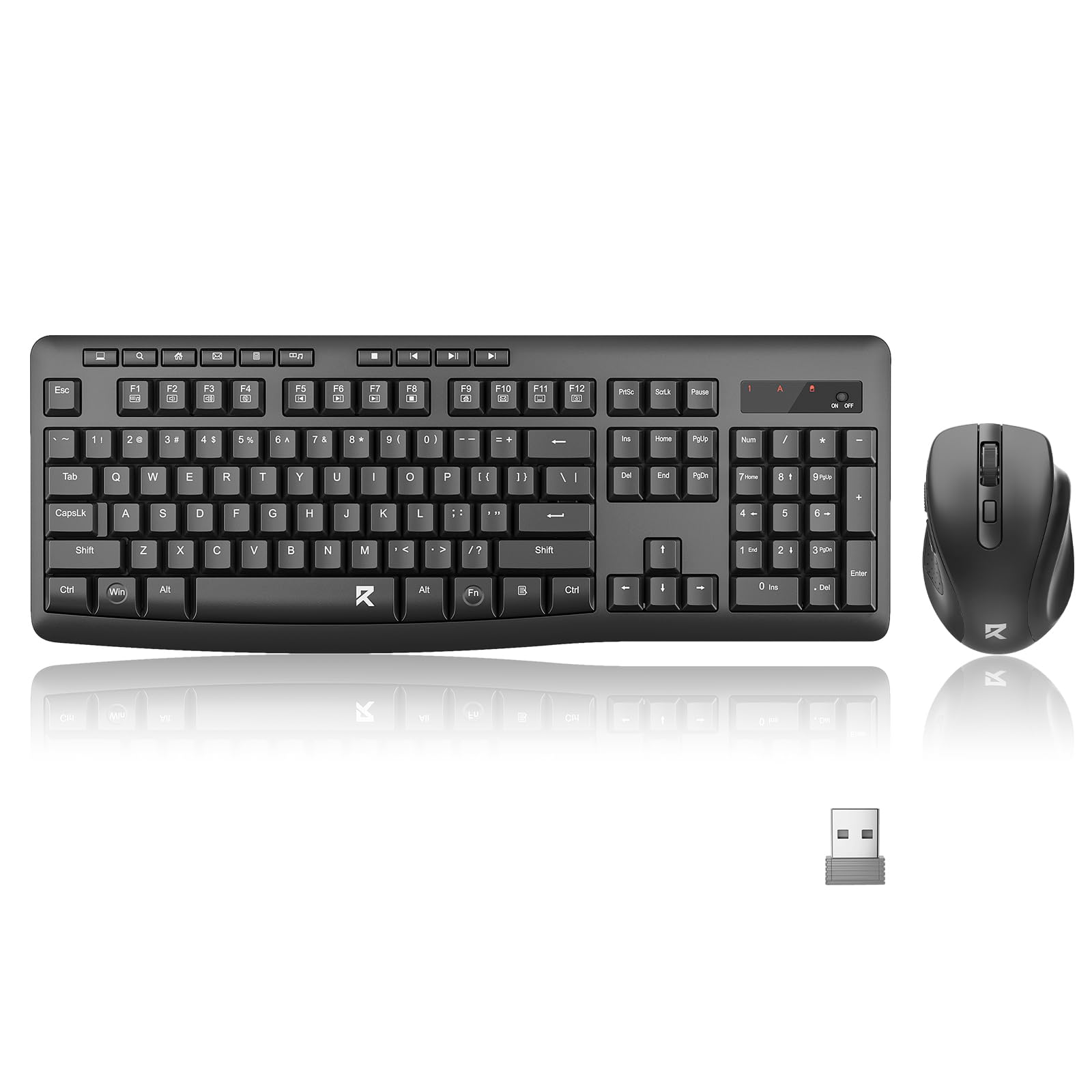


Great feel at a great price point
I’ve had many keyboards and mice over the years for both the home office and the real office - wireless, wired, separate dongles, mechanical keys. If you do type a lot, you know why the keyboard is so important. And, a good mouse is essential. This Red Dragon keyboard mouse set is well worth the money. I’m rounding 4.5 stars up to five. I’ll highlight the points I think you may want to know: It’s not backlit. Describing the ‘feel’ of a keyboard is impossible and much too subjective - but I can try. The keyboard has a more traditional feel, with firm keys that ‘travel’ more than a very modern, thin keyboard like a MacBook. This is not a positive or negative, just depends on what you like. I prefer the slightly firm feedback - I find that I make more mistakes on a light thin board. This keyboard is comparable to my more expensive Logitech set - and I love that this keyboard has illuminated num and caps lock keys, which only illuminate momentarily to save battery life. Also, the on/off button on the top is a nice feature (Logitech - no illuminated indicators and the on/off was on the bottom). I also love the full-size layout - I make use of the arrow keys, hot keys like ctrl +v, and page up and down. I think, once you get used to using the these keys, it’s more efficient than the mouse. And, a traditional keyboard (as compared to a more compact version) allows you to ‘find’ the arrow keys by feel without taking your eyes off the document/screen. The mouse is great! The button on the top changes the dots-per-inch sensitivity. In other words, a click of a button changes your pointer speed, from slow to extreme fast. This can useful depending on what you are working on. The scroll wheel, which I think is indispensable these days, has a great feel and is wider and than most. Nice design. One negative on the mouse - which is designed with a spot for your ring finger - it is not ambidextrous. A lefty could use it just fine, but it’s designed for a righty. Another mouse feature that is kind of cool - there are two side buttons for your (right) thumb (which would not be accessible at all for a lefty). These buttons act as back and forward buttons on your browser. They can probably be programmed/customized with Red Dragon software, but that would only an option if you have admin rights to install software. The media keys work well (play, pause). I almost removed a star but settled on 4.5 because the volume up, down, and mute keys are secondary on F2-F4. I don’t want to deduct a full star for an otherwise quality product with a fair price, but, personally, I use the volume keys often during online meetings because there is always someone who is hard to hear and another who sounds like they are yelling. In this particular keyboard, you need to press Fn and F2 or F3 to adjust the volume. I think the 2.0 version of this board should have dedicated volume keys, which are certainly more useful than the old calculator and email keys (which was a novel thing on keyboards 15 years ago). One final note - each requires one AAA battery which is not included. I don’t see this as a big deal, but I know sometimes ‘batteries not included’ makes something feel a little cheap. We should all probably be using rechargeable batteries anyway. I included a few photos; hope it helps with your decision! Read more


