


Simply perfect!!!
Most crisp and naturally picture-perfect screen i have ever seen. Even better than my Sony A95L TV. Read more
Samsung
$2,399.99

Have a question about this product?


Product video 1
Customer summary is not available yet.
Most crisp and naturally picture-perfect screen i have ever seen. Even better than my Sony A95L TV. Read more
This is a very GOOD monitor quality and makes gaming and watching shows and all that GREAT on it. The picture quality to me is very amazing and although sometimes I get the occasional lag, I feel that has more to do with my internet than the monitor itself. The color accuracy is pretty great and although there is AI features to adjust the screen to help with that, they really are underwhelming to say the least. The ease of setup for it physically only takes a few steps that are pretty basic but its a bit of a pain regardless. To set things up on the monitor itself is a pretty straightforward setup but its advised to make it a lot easier to have a mouse/keyboard setup ready to go to make the process go faster. Adjustment of the monitor is pretty limited unfortunately and it makes it quite HARD to actually plug things in but once they're in they STAY in quite well. In regards to the BEEF of the monitor, this acts pretty similar to a smart TV so you'll have your standard streaming apps, as well as custom ones that are Samsung specific, but honestly things like the "GameBreaks" app has very little choices of what to play through at the very moment. You can easily screencast gaming through places like Luna and Nvidia Geforce Now as well as play Xbox games pretty seamless as well so if you're big on GAMING this is great for that. You can play music while you game as well, or jump and multi-task with other things but its nothing all that exciting as there really isn't many choices on that end. I feel to get the BEST use out of this monitor hooking up a computer or getting a cloud streaming service of a virtual desktop would make this perfect. This would ideally be good for rentals too due to the ability to pretty much screencast just about anything, which ultimately may be what I end up using it for. There is "GUEST" features that can lock out a lot of things too to go even further with it in that regard! You can also use the "SmartThings" feature which in essence is similar to others like Alexa that allows you to control various devices around the house, set routines, and things of that nature. The remote control itself is nothing special and has some quick commands you can use but honestly, the monitor itself shines more on the voice control aspect overall.as the remote itself is quite limited for what it is. The UNFORTUNATE mentions of this monitor is if you try to go too far into the back-end of it, you will see some memory issues such as using a normal browser on it you'll notice some pretty obvious lag and clunkiness, even to the point where you can get errors pretty easily. I did also experience some connectivity issues with Samsung and my internet even when knowing my internet was functioning just fine on other devices. Being as these are both on the back-end and pretty much not a main part of the monitor itself in regards to performance they aren't a big deal. I would say OVERALL this is a wonderful monitor for what it is however the AI features are kind of lacking, but I feel having access to a virtual desktop or a computer you can plug into it would definitely give you the full range of use, for sure! Read more


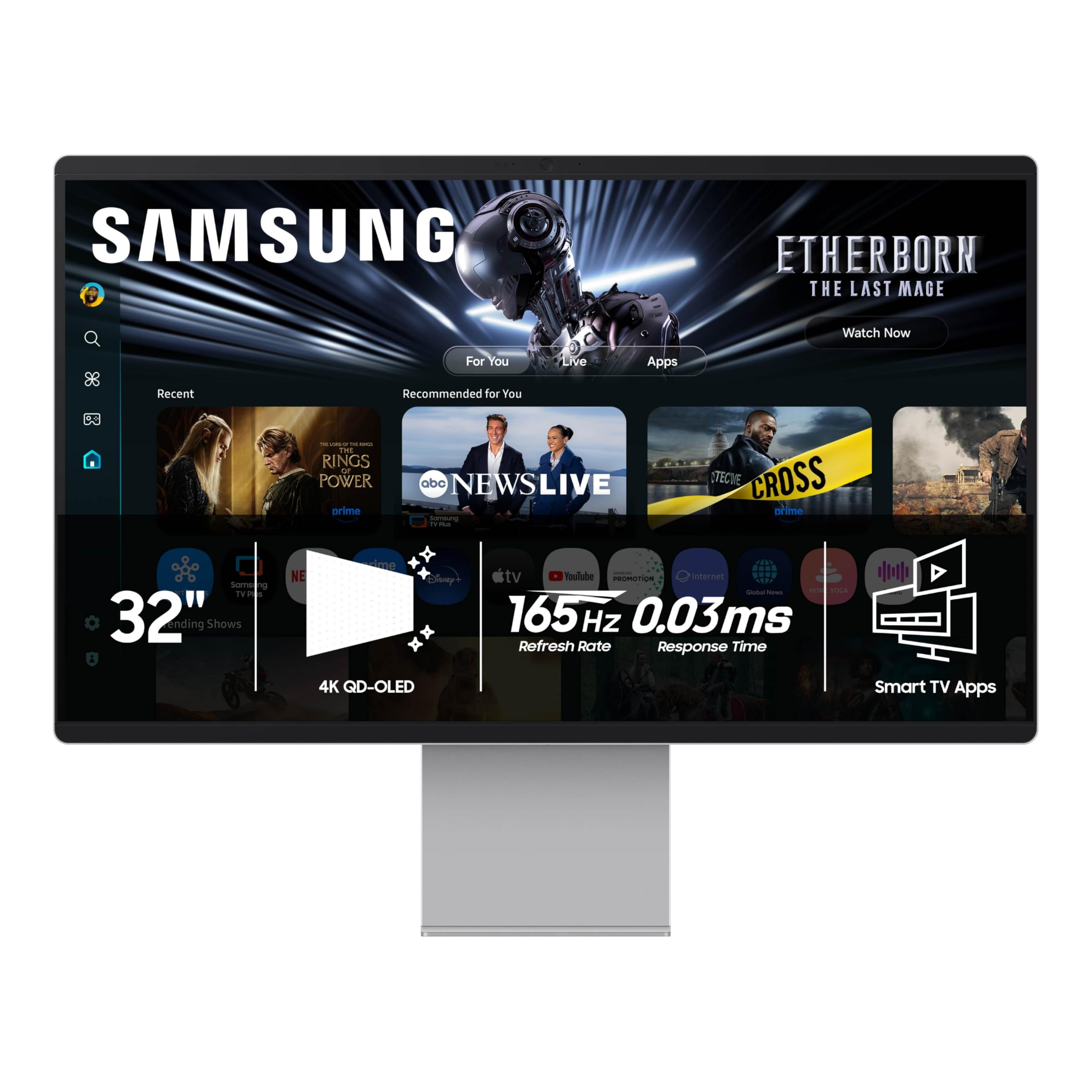
I've heard others saying that because this is a smart monitor, you MUST navigate a hub or dashboard to select the PC mode. That's inaccurate information. While you can configure the M9 to autostart to Samsung TV or Dashboard, it will default to PC mode if it was in PC mode when shutoff, unless you make that configuration change different from factory settings. Glad I got that out of the way -- its just not reality or it would bug me. But since it just works for its main function -- I'm thrilled. The OLED screen is breathtaking. I've been using 34" and 38" panels from several notable top brands and can easily say that this monitor puts them all to shame. By far, this is the most vivid bright and capable monitor I've ever used. I've connected it to my PC which is outfitted with an Nvidia RTX 5090 FE GPU, which superbly drives 4K gaming on this display without any tearing or artifacts. Fortnite is gorgeous -- the refresh rate and sync make the combination GPU and Monitor a perfect setup. The 32" form factor for a desktop PC/entertainment/smart display is the sweet spot. 34" monitors just aren't tall enough for work or game workloads. Even when creating in AI or other graphic tools, the height of the 32" M9 easily replaced my older Samsung 34" CF791. 38" or 57" displays certainly have the same height, but you are often driving more screen than you need to in gaming, leaving to lower quality settings in your graphics card due to the resolution. Don't get me wrong, the Neo G9 57" is an awesome monitor, but this M9 is much more practical and lets you run a higher quality gaming experience. Connectivity supports multiple sources (HDMI/DP/USB-C) which is ideal for someone with just a laptop or a laptop/desktop option with a single keyboard and mouse. The ability to share peripherals is useful and works well with Logitech MX Keys and Master 3S bolt-enabled mouse. With the USB-C connected to your computer, the 4K integrated camera and microphone are also enabled, provinding a fully featured video conferencing setup. What about the Smart features??? very good evolution. Just like a samsung TV you get all of the applications like netflix, youtube, etc that you would with a current generation Samsung TV. Similarly with Smartthings HUB. You can designate the monitor to function as a primary or secondary hub and well as use camera/light sounds signals from the monitor to trigger automation. From the smart AI aspects, the AI vision and sound options optimize the display for the type of content being displayed. if you are watching a movie, vs playing a game, vs actually doing work on spreadsheets, the screen will adjust effectively. I like the results and haven't looked to any tweaking options. There's also integrations with external AI like copilot and perplexity (10 months free) that I haven't even stretched their capabilities. literally a single button touch to get to vision AI options of your current displayed content and related topics. This is such a comprehensive device -- I'm still learning it. There is a 235 page pdf manual at the product page as well as driver installs. There are features like Art mode and Ambiance that I've not yet enabled when my display would go to sleep. This is much like my 55" Samsung frame TV in display of art or your selected custom content. Fully amazing -- not inexpensive -- certainly not on par with lesser featured 32" monitors. but you are getting what you paid for in this crazy good OLED display with all of the smart TV features and home management functions that Samsung can cram into a flagship display. 6/5 stars. Read more


SAMSUNG 27-inch Odyssey 3D G90XF 4K 165Hz Gaming Monitor 1ms Response Time AMD FreeSync Premium Glasses-Free Ergonomic Stand

Samsung 55 inch OLED 4K S90F Smart TV 2025 Vision AI OLED HDR AI Motion Enhancer Pro Bundle

Samsung 65-Inch Class Neo QLED 4K QN90F Series Vision AI Mini LED Smart TV 2025 Model 65QN90F Neo

Samsung 65-Inch Class OLED S90F 4K Smart TV 2025 Model NQ4 AI Gen3 Processor 4K AI Upscaling Pro

Samsung 65 Neo QLED 4K QN90F Smart TV 2025 Vision AI Neo Quantum HDR Glare-Free Bundle with CPS

Samsung 65 The Frame LS03FA QLED 4K TV 2025 Art Mode Vision AI CPS Exclusive 26 Month Protection

SAMSUNG 77-Inch Class OLED S84F Series Samsung Vision AI Smart TV 2025 Model 77S84F NQ4 AI Gen2 Processor

SAMSUNG 85-Inch Class Neo QLED 4K QN90D Series Mini LED Neo Quantum HDR Smart TV w Dolby Atmos
We use optional analytics and advertising cookies to understand how visitors use Ventari, measure ads, and improve the experience. You can accept all optional cookies, allow analytics only, or decline them. See our Cookie Policy.