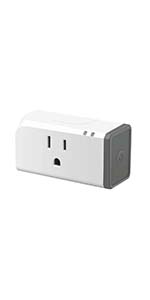
These work great for flashing Tasmota, but you need to be familiar with the flashing process. Here are some tips: - Highly recommend those rubberized "Mini probe test leads" to clip between the board and FTDI flasher to avoid the annoyance of doing a hard solder just to flash the device. - Any basic FTDI-type USB flasher will work, just make sure it can provide 3.3v (make sure to set it to 3.3v before connecting!). There's a cheap FT232RL $5 one on here--make sure you have any requisite USB connector for it (mine needed the uncommon USB mini adapter). - Opening the Sonoff isn't terrible difficult, use a spudger or mini flathead screwdriver to pop off the grey cap on the side facing the plug. Remove the white sliding things, and be gentle doing the 3 screws since they strip easily. - Grab the latest tasmota.bin from Github. There are multiple tools that can flash it, I used ESPHome Flasher. - Flashing: 1. Connect GND, RX, and TX probes between the Sonoff and your FT device, but don't connect VCC just yet. GND goes to GND, but RX goes to TX and vice versa! 2. Plug in FT device to computer. 3. HOLD DOWN button on the Sonoff device and connect VCC--if your FT device has LEDs they should flash but Sonoff should not. 4. Refresh ESPHome Flasher and it should detect your device on the USB port. Load the firmware .bin and flash it. 5. If successful, put the Sonoff back in its housing and plug it into an outlet to test. Use your phone to connect to the temporary AP so you can give it your wifi details. That's it! Future updates can be done OTA. Read more
Enclosure design is excellent for getting access to innards to flash custom firmware (Tasmota in my case). Not glued together but held together with snaps and screws. Build quality is good. Did not use stock software to control with Alexa but flashed firmware for local control (device does not “phone home” to China. WiFi reception is strong with the ESP chip (stronger than many comparable devices). So far, very pleased with design and results. All together, I’ve purchased 8 of the S31 (both Lite and EM versions) and they all work (some other brands were somewhat hit or miss). Good QC. Read more
Great cheap Wi-Fi outlet. Easy to open and flash the esp8266 with something else. I do wish it was not as tall, as I can’t plug this into my outlet with USB Cs in the center. Read more
I purchased this device because it was capable of running custom firmware like Tasmota and ESPHome (which do not require a cloud connection). The installation process was fairly easy. The gray side piece can pop off, and then two edge pieces slide out. After that just remove a few screws and it opens. I was a little disappointed that the serial connection points were not holes like some of the other Sonoff products I have used. However, I managed to apply the firmware without soldering by taping together a row of jumper wires and pressing them firmly against the contact points while the initial flash process ran. After that, I simply put it back together and it's working perfectly with the custom firmware. Read more
I tend to purchase several of these units a year. Ill buy some for christmas lights and then after christmas they end up getting utilized somewhere else in the house, then christmas comes back around and i have to buy more to replace them. Works well with my home assistant setup. I have around 6 some going back several years and they all still work great! Read more
While this product works to control objects just as well as the Original S31. BEWARE, it is the "S31 LITE" which means it will NOT do any power monitoring for you. It is just a small switch. Looks wise on the exterior, it is indistinguishable from the power monitoring version. In the eWeLink app, it will look like any non-power monitoring switch you may have like an S20 or S26. Read more
Fairly easy to tear apart, solder wires between your FTDI, and flash. No app required, MQTT and away you go. I bought a slew of these to replace the Etekcity branded VSync switches I had. We had an internet outage that lasted about a week and NONE of my automations worked, so I bit the bullet and moved as many of my switches over to something that didn't require internet access to function. Home Assistant and MQTT with Tasmota for the win. Read more
Sonoff has a reputation for being very friendly to developers and home-automation enthusiasts. It is a very common practice to flash alternate hardware on these. Of course, doing so voids any sort of warranty and eliminates the possibility of sending them back, so it's always done at the purchaser's own risk. That being said, I've had no problem with other Sonoff products. However, these are a disaster. I destroyed one just trying to get the screws out. They are in far tighter than could ever be necessary. Another one I destroyed by trying to solder little wires onto the pads for programming. One of the pads came off. All of these might still work with the original firmware, but they are completely useless to me that way. They require Internet connectivity to work, so what happens when my crappy satellite internet fails? I have to crawl around under tables and behind furniture to find the little buttons that I have to press just to turn things on or off. This has been a major disappointment for me. I thought Sonoff treated their customers better than this. Read more