
Western Digital

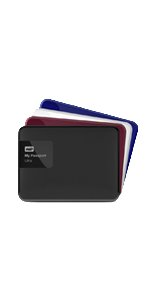
WD 1TB Black My Passport Ultra Portable External Hard Drive - USB 3 0 - WDBGPU0010BBK-NESN

1741+ bought in the past month

$74.99$109.99

About this item

  • 4-inch Form Factor, 1TB Storage Capacity
  • Formatted NTFS for Windows 8.1 or Windows 7 operating systems. Requires reformatting for Mac OS X operating systems. Compatibility may vary depending on user’s hardware configuration and operating system.
  • USB 3.0, Password Protection with Hardware Encryption
  • WD Backup, Option to backup to Dropbox using cloud services, Includes Quick Install guide and USB Cable
  • 3-year limited warranty
  • Formatted for Windows. For Mac compatibility this Hard Drive requires reformatting. Refer to Application Guide for guidance on this
$74.99
Was $109.99Save $35.00

Currently unavailable


Currently unavailable

Secure Checkout
Free Returns
30-Day Guarantee
Secure checkoutAll transactions are SSL-encrypted. Your payment info is never stored.
Free returnsReturn or replace within 30 days
Fast deliveryOrders ship within 1 business day and arrive in 4–8 days.
Buyer protectionIf your order arrives damaged or doesn't show up, we'll make it right.
24/7 supportOur team is here to help. Reach us anytime by email or chat.
Ships fromOur Warehouse
Returns
Easy Returns30-day return window
PaymentsSecure transaction
Currently unavailable
Easy Returns · 30-day window

Product details

Digital Storage Capacity1024 GB
Hard Disk InterfaceUSB 3.0
Connectivity TechnologyUSB
BrandWestern Digital
Special FeaturePortable
Hard Disk Form Factor2.5 Inches
Hard Disk Descriptionusb 3
Compatible DevicesDesktop, Laptop, Television
Installation TypeExternal Hard Drive
ColorBlack

Technical specifications

hard_drive1 TB usb 3
number_of_usb_30_ports1
best_sellers_rank#403 in External Hard Drives

From the brand

Product detailProduct detailProduct detailProduct detailProduct detailProduct detailProduct detailProduct detailProduct detailProduct detail

Product videos

Product video 1

Customer reviews

4.63,207 ratings

Customers say

Customers find the external hard drive works well, particularly with Xbox One, and appreciate its storage capacity for holding backups from multiple computers and storing large amounts of pictures. They praise its small, portable design, simple setup, and fast USB 3.0 performance. While some customers report it holds up well over time, others mention it crashed after a few months of use.

★★★★★

Works great! A little slow on slower computers.

Steven BJuly 3, 2016

This backup drive does exactly what it says. No complaints, Perfectly satisfied, though it may not be as fast as advertised on some systems, including mine. On my computer, which is a 2014 era 1.86Ghz ASUS with 4Gb Ram, the process is a bit slow, even on a USB 3.0 slot. I used the included software to backup about 45 Gigs of documents, photos, and music for an initial trial. It took about 90 minutes for 45 Gigs. That's about 1 Gig per two minutes, far from what some users report at 5 Gigs per second. This was on a USB 3.0 slot. So, just to warn you ahead of time, it may be pretty slow on low performance computers. Especially for large back ups. You can schedule backups hourly, daily, weekly, or monthly automatically, and the backup software that is included in this drive will update any information you've saved on your computer's hard drive in that span of time. This is really convenient for me as a writer. I don't have to manually back up my files anymore. If I've been working on a long file like a book for over a month, I can back up my whole document on the first backup, and then it will back up just the part I've written since the last backup, in subsequent backups. For instance, I did my second backup today, and it was just 13 Megs of information that I've added since my initial 45 Gig first backup. This second backup took about 40 minutes total. Backing up information can be done in the background if you want to work on other things while it is taking place, which makes the included software convenient. Just click one button for each subsequent backup, or if you have the Western Digital drive attached, it will backup at the specified hour, day, week, or month that you want to backup, automatically, with no click of a button.. You can initially choose which file paths and folders you want to backup. You don't have to back up your computer's whole hard drive in automatic backups. In my case, I chose just Documents, Photos, and Music. As other users have hinted, the files are backed up on the Western Digital drive in a special file format with different file extensions than the source file on your hard drive. They appear in a "bin" folder on the Western Digital hard drive. Though not that obvious, they are still easy to find. Restoring backed up data is basically one click of a button as well, using the software included. I have not tried restoring data as yet. However, if you would rather back up your files manually and exactly as they are on your computer's hard drive (same file names and extensions, etc.), you can do so just as easily as with any other USB drive. Simply copy the files directly to the Western Digital hard drive using your Windows File Explorer, like you would with any USB drive. Just out of curiosity, I copied my 45 Gigs of files manually a second time, not using the Western Digital backup software, but Windows file explorer instead. The process was painless and easy since Western Digital drive is formatted in NTFS, just like most computer hard drives. It only took 2 minutes for my computer to copy 45 Gigs of files directly to the Western Digital drive using Windows copy feature rather than Western Digital's software. This was on a USB 3.0 slot. So, it easy to use this drive with the included software, or just as a supplemental hard drive saving to it like you would any USB drive. Read more

★★★★★

Good drive

QOctober 24, 2015

I use this drive to backup my laptop computer. I like the fact that it doesn't require a separate power cord, like some other external hard drives. I like the small form factor of this drive too. It is a similar size as a laptop computer hard drive. Also it supports USB 3.0 data transfer speeds, which is also nice, as USB 3.0 is more than ten times faster than USB 2.0. Of course USB 3.0 is backwards compatible, so it will work with any computer's USB port, although its performance will be limited to the speed of the USB port that it is plugged into. Although it comes with software to encrypt the drive, I haven't used it, so I can't vouch for the quality of that software. I encrypt my own files anyway, using other software. Some people use utilities like truecrypt, some people use password protected RAR files. Do whatever works best for you, if you want to encrypt something. As for the "cloud storage" software it comes with, that basically requires you to set up a drop box account, because that is what it really uses to store your date in the cloud. That's kind of useless, you could just use drop box anyway, without needing to use this Western Digital software as a front end for it. Maybe it is useful for some people, but I don't find any use in doing things that way. So aside from my neutral comments about the software that this drive comes with, which I find to completely be unnecessary, I am just rating the hardware its self as 5 stars. Read more

★★★★★

Super fast and super portable.

Ryan BMay 21, 2016

It's been a few years since I purchase my last external hard drive. I was due for a new one, and this one looked like it was up my alley. Here are some of my thoughts on it: Pros: - I love the portability. My last external hard drive was about 2 or 3 times the size of this, it required 2 cords to be plugged in (one to an outlet and one to the computer), and it came with all these little pieces to help it stand up. This one is much smaller, and it only has one cord (connecting to the computer - which also powers the hard drive). - I love the speed on this! I had to backup a failing hard drive and this did the trick much quicker than I expected. - It's a lot more quite than other external hard drives that I've used. While I was doing my backups, there were several occasions where I had to feel it to make sure it was still working. It's nice that it just blends into the background and doesn't become an annoyance. - I've used this on several computers (Windows), and I love how quickly it connected and was ready to go. Cons: - There wasn't really anything that I don't like about this. I did try to connect this to a computer that was running Windows XP (which this hard drive is not supposed to be compatible with). It took a little while, but I was able to look online and find a fix for that, and I was soon able to get it work on my Windows XP machine. So... yeah, no complaints so far. I'm really happy with this hard drive. I've had it for about a month, and it's been very reliable. I'd definitely recommend to anyone who's looking into getting a nice, affordable external hard drive. Read more

Recently Viewed