
Supper simple to install
Simple little device. Only downside is that you can't charge and streem with a phone Read more
SUIDEK
$92.73

Have a question about this product?


Product video 1
Customer summary is not available yet.
Simple little device. Only downside is that you can't charge and streem with a phone Read more
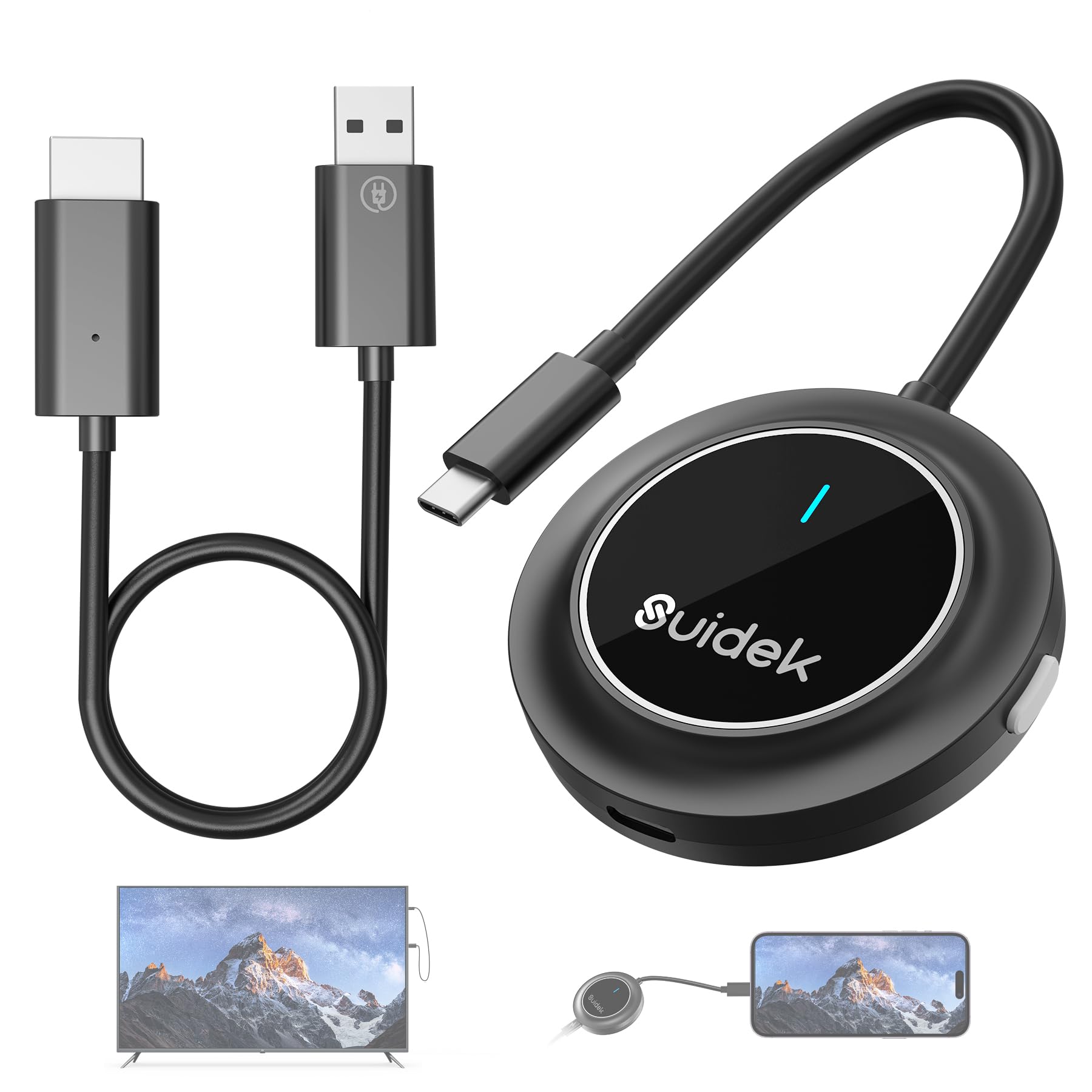
I tried this a few different ways. First, I plugged the receiver HDMI and USB power directly into the back of my TV and tried to stream from my laptop and then iPhone from just a few feet away. Performance was pretty poor with lots of skips and stutters in the video and the audio got out of sync within a few minutes. Then I tried an HDMI extension cord to get the cable more out in front of the TV and in direct line of sight and that worked better but still not perfect. I have a wifi router right there as well as a number of electronic devices in the area, so I suspect some interference in 5 Ghz could have been happening. The next attempt was plugging into my projector in a different room to project a hockey stream on a large screen from my laptop a few feet away. Hockey is a fast sport with small details like the puck and this worked pretty well. There were maybe some stutters in spots, but those very well could have been blamed on the source stream rather than this device. I’ve used this with a Windows laptop and an iPhone. Both connected within a few seconds of the transmitter being plugged in. Super simple setup. For Windows, the device appears as just another monitor and you have the various options for dual monitors that are available for any other monitor. It works very well in this case. For the iPhone, there were some annoyances with getting the stream started in certain apps or getting it to switch to landscape versus portrait, but I suspect these annoyances were more on the iPhone side than specific to this device. The device is described as 1080P@60Hz so don’t expect 4K level quality. I would say the video was a bit choppier for the streams I’ve watched so far compared to 60Hz, but not the end of the world. Overall, it seems a bit smoother and reliable when I bumped laptop resolution down to 720P, without compromising too much picture quality. I did not try gaming with this, but the mouse in Windows feels a bit laggy, so I suspect gaming might be a challenge. Overall, if you are looking to display relatively static content like a presentation or photos, it should work pretty well. If you are looking to stream HD quality video and not 4K, you might be happy with this though you might have to put some effort into positioning the receiver and transmitter for optimal line of sight, moving or adjusting wifi channel for any nearby 5 Ghz devices, tweaking screen resolution, etc.. For things like gaming, long distance transmission with obstacles, etc., I’d probably consider a different approach. Read more

Carver and the Bridge Between Screens In workshops dim with dusk and home offices lit by moonlight, Carver often needs more than one screen—maps here, reference guides there. To cross that divide between laptop and TV, he reached for this USB-C to HDMI adapter. A simple bridge, yes—but one that topples distance and displays with surprising grace. The Quick Awakening Plugged into his Windows 11 laptop’s USB-C input, the adapter sprang to life in mere seconds. No firmware hunts, no lengthy driver downloads—just instant recognition, voice-sharp visuals on the external display. The TV side was equally eager: HDMI port accepted, power drawn from the USB input on the TV—clean, efficient, no extra cords or complex setups. This is what “plug-and-play” was meant to be. Strengths Woven Into the Design Straight out of the box, Carver’s laptop and smart TV both meshed with the adapter effortlessly. For a small to medium-sized room, the image clarity, lag, and color reproduction are all satisfactory. Not a throne-room spectacle, but more than enough for streaming, live meetings, and study. At its price point, this tech feels like a gift—a practical, well-built tool that does exactly what's needed without demanding a king’s ransom. What Holds It Back From Absolute Supremacy The adapter isn’t perfect for large spaces or theater-style setups. Big rooms with ambient light or massive TVs expose its limitations: fine when viewed close, but the image softens slightly over greater distances. There are no frills—no extra ports, no daisy-chain options. If you dream of 4K high refresh rates or multiple displays, this tool bows out gracefully. Final Verdict: Five Stars for the Right Quest Rating: ⭐⭐⭐⭐⭐ (5 out of 5 stars) | Trait | Verdict | | ------------------------- | ----------------------------------------------------------------------------- | | Compatibility | Works seamlessly with smart TVs and Windows 11 machines—true plug-and-play. | Clarity & Performance | Solid visuals, minimal lag, dependable for small to medium environments. | Ease of Use | No fuss, no complex setup—connect and go. | Value | Great performance at an honest price—a tool to rely on, not merely to admire. Carver’s Reflection in the Flicker of Screens He sits back in front of the TV reflecting maps and messages, and knows this adapter has earned its place. It doesn’t impress with flash or fancy, but with reliability. It is not for grand halls but for corners of work and study—exactly where many of Carver’s battles are won. In this tale, it earns five stars: for what it does, how it does it, and for being a bridge where once there was only distance. Read more


Wireless HDMI Transmitter and Receiver 5G USB-C to HDMI Extender 98FT 30M Plug Play Wireless Display Adapter Stream

SUIDEK External CD DVD Drive for Laptop USB C Portable CD DVD -RW Burner DVD Player with SD

SUIDEK CD DVD Drive External Portable CD DVD Driver -RW Burner with 2 5 SATA SD Card Reader

SUIDEK External CD DVD Drive for Laptop 7 in 1 Portable CD DVD -RW Burner Reader with M

140W USB C Charger with 240W USB C Fast Charging Cable 6FT Braided 4-Port GaN Portable Laptop Charger

M9300 Wireless Keyboard and Mouse 2 4G USB Receiver and Dual Bluetooth Multi Device Keyboard Mouse Combo for

100W Peak Bluetooth Speaker Loud Wireless Portable Speaker IPX6 Waterproof Outdoor Speaker with LED Lights Powerful Stereo Sound

Portable Power Bank 20000mAh 35W Portable Charger Battery Pack Fast Charging PD3 0 QC4 0 Phone Battery Pack
We use optional analytics and advertising cookies to understand how visitors use Ventari, measure ads, and improve the experience. You can accept all optional cookies, allow analytics only, or decline them. See our Cookie Policy.