Free shipping over $35 · 60-day returns · Price-watch guarantee

Ventari

Keslom

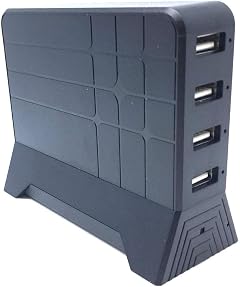
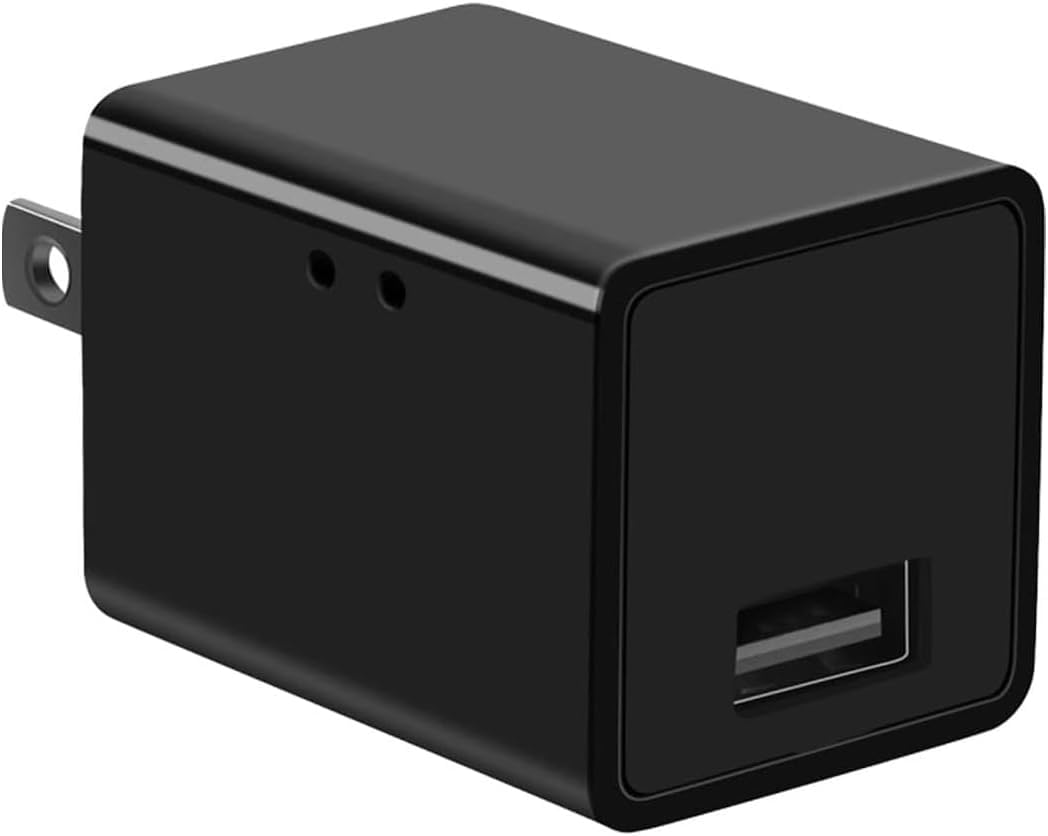
Wireless Smart USB Charger Spy 1080P Home Baby Monitor Surveillance Camera Detector Hidden Home WiFi Security Video Nanny

2.0(4)
$49.99

556+ bought in the past month

About this item

  • 【1080P FHD Image & Wide Angle】 This camera is equipped with 1920*1080 megapixels and wide 90° degree angle lens, which presents more details and produces clear image quality.
  • 【Motion Detection & Continuous Recording】 This home wifi cameras have built-in motion sensor, when motion is detected, the camera will automatically start recording, alert notifications will be sent to your phone;This wireless camera also supports 24/7 loop recording all the time.
  • 【Smart Camera 】 This is an upgraded 2-in-1 smart charger, which can meet your charging or shooting needs. Not only can it charge your portable devices ( Android/ iOS ), but also can record continuous video at the same time for safety.
  • 【EASY TO USE AND SET UP】- No complicated wiring and network connection settings, our wireless cameras only need a power outlet to start recording. When there is no wifi, just insert the sd card (not included) the camera can still work.
  • 【LONG DISTANCE WIFI CAMERA】- being able to view and control your wifi camera from your smartphone or mobile device means that you don't have to be sitting in front of a computer to see what is happening in your home or at your business. You can view the action while having lunch, from your car or anywhere you are!

Key details

Recommended Uses For Product
Indoor Security
Brand
Keslom
Special Feature
Easy to Install
compatible_devices
Phone
controller_type
Android

Technical specifications

Model Name
031903SK

Item information

number_of_items
1
batteries_required
No
unit_count
1.0 Count
upc
700973876342
best_sellers_rank
#534 in Hidden Cameras
date_first_available
February 11, 2026
manufacturer
Keslom
Highlights

About this item

  • 【1080P FHD Image & Wide Angle】 This camera is equipped with 1920*1080 megapixels and wide 90° degree angle lens, which presents more details and produces clear image quality.
  • 【Motion Detection & Continuous Recording】 This home wifi cameras have built-in motion sensor, when motion is detected, the camera will automatically start recording, alert notifications will be sent to your phone;This wireless camera also supports 24/7 loop recording all the time.
  • 【Smart Camera 】 This is an upgraded 2-in-1 smart charger, which can meet your charging or shooting needs. Not only can it charge your portable devices ( Android/ iOS ), but also can record continuous video at the same time for safety.
  • 【EASY TO USE AND SET UP】- No complicated wiring and network connection settings, our wireless cameras only need a power outlet to start recording. When there is no wifi, just insert the sd card (not included) the camera can still work.
  • 【LONG DISTANCE WIFI CAMERA】- being able to view and control your wifi camera from your smartphone or mobile device means that you don't have to be sitting in front of a computer to see what is happening in your home or at your business. You can view the action while having lunch, from your car or anywhere you are!
Details

Construction and technical details

Connectivity Technology
Wireless
power_source
Corded Electric
connectivity_protocol
Wi-Fi

Customer reviews

Customers say

Customer summary is not available yet.

Reviews with images

Customer review image for Won't connect to wifi
See all photos
☆☆☆☆

Won't connect to wifi

Man I do not recommend this device. It will not connect to my Wi-Fi. It doesn't even bring up the Wi-Fi name of the device. I cannot connect it. And it says, it's offline, I've rebooted the camera with this little device that comes in the box and it does nothing. The light on the side of the device just keeps flashing. We're at an absolute stalemate. I don't know what to do. In the instructions, it simply says, if you don't see the network in the wifi settings, please reset the camera to try again. well there's no instructions on how to reset the camera.Do you just unplug it? Who knows. Step 1: turn on the camera and wait 45 seconds. Then go to wifi settings on this phone and select the network with the format.You would like to see... Sooooo, how do you turn it on? Do you just plug it into the wall? I've been back and forth on this for 6 days now. If anyone can help.... Read more

Customer review image for Won't connect to wifi
jacVerified purchase
★★★★★

Super easy setup

Absolutely thrilled with my Stealth Outlet Security Camera! It has a sleek design that blends seamlessly into any room, acting as a covert protector. It keeps me updated with its motion detection alerts and offers easy remote access around the clock. And as for setup? Couldn't be simpler! Just a straightforward plug and play. It's akin to having a clandestine agent safeguarding my home. This miniature safeguard brings me complete tranquility at a budget-friendly price. Read more

Walt
★★★★★

Just too easy to install.

Installation was incredibly easy using the app, and the camera performs well even when installed far from the house. Read more

Brandi Adamson
★★★★★

Great service!

The camera has high resolution, is easy to mount, and customer service is excellent. Read more

Monika Wisberger
Recently Viewed

We use optional analytics cookies to understand how visitors use Ventari and improve the experience. This banner controls analytics measurement only. See our Cookie Policy.