
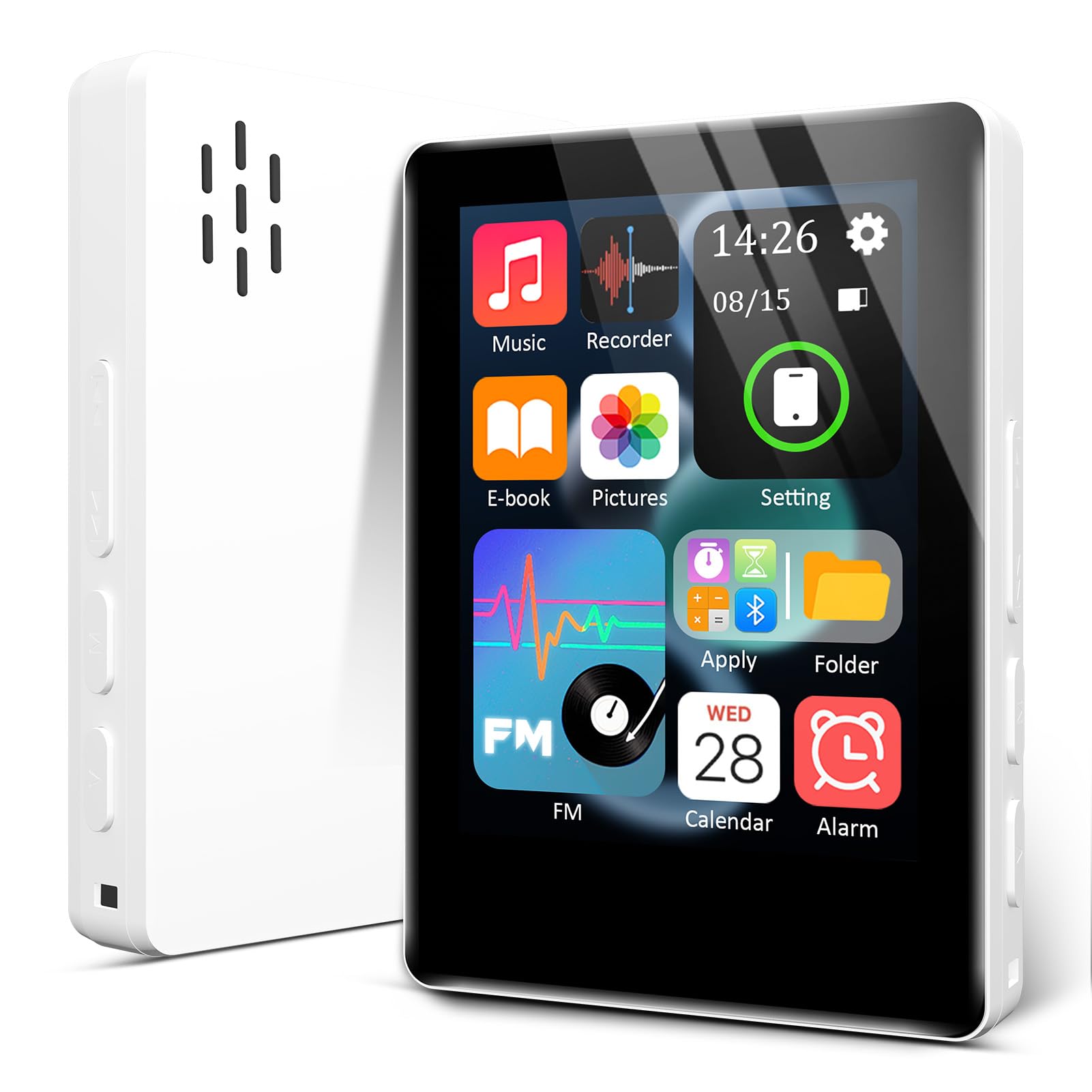
MP3 travel player
Replaced my old MP3 player with this one. It works fantastically withmy Wireless headphones and was very easy to download my music from my computer. Use it mostly for international travel. Read more
VANSING
$35.99

Have a question about this product?


Product video 1
Rated 4.0/5 across 7 reviews — well received overall.
Customer summary is not available yet.
Replaced my old MP3 player with this one. It works fantastically withmy Wireless headphones and was very easy to download my music from my computer. Use it mostly for international travel. Read more
Bought for my 9 year old daughter. She loves it Read more
I’m giving this a three only because it wasn’t a fit for me for what I was looking for. I wanted something much simpler I like the basic features knowing that my kids could use it safely however you have to use a very specific voltage charger and I’m talking the mini Apple, blocks like I don’t even think you can find anymore and unless you know how to rename files and move around music I’m not saying I don’t. I just don’t have the time or want to put in the effort to do this when I’m just wanting to add music easily to an MP3 player for my children I wanted something that was iTunes compatible and this is not just seemed like more work and hassle than was worth for what I’m trying to do but overall not a bad price not a bad MP3 player if you’re looking for cheap good functionality and don’t mind having to go the extra mile just to add music to it lol sound was good clear it’s really lightweight very compact just not a fit for me Read more
Was I skeptical of a $24.99, no internet MP3 player? Absolutely, but I was willing to give it a try for my 10 year old who needs something to focus on during school bus rides. He has behavioral problems and was getting in trouble while trying to socialize so this felt like sure a good idea. This MP3 player is actually awesome. The instructions aren’t super clear but I first formatted the SD memory card, plugged it into a laptop, and dragged the music files (outside of any folders) straight to the USB drive. I then removed the USB cable, opened the music app and updated the playlist. That’s all it took. The music is there and plays perfectly with wired headphones. I have not tried to connect by Bluetooth as we don’t have the need for that but I am elated at how easy this was, how simple use is and know that it’s going to be so helpful for my kid. The size is nice, and it also includes a built in speaker and comes with amazing accessories: a clear case, screen protector, and a strap plus a charging cable. This is actually a great quality, that’s easy to use, and well worth the cost!!! Read more

Not for kids! My daughter put a pin on it not knowing what it was. Then we couldn’t get it unlocked. And resetting it didn’t work. Had to send it back. Read more
It works perfectly okay it has a lot of capacity if you want it to but the battery life is so terrible it only lasts like an hour before the battery dies and has to be recharged it's a joke. Read more
This review is for "Mini HiFi Bluetooth MP3 Player for Kids, 32GB Portable Audio Player with FM Radio, Digital MP3 Music Player with Bluetooth, Built in Speaker, SD Card Expandable 512GB(Pink)". While it eventually was able to do most of what I asked of it, I found this player frustrating to use. The instructions are pretty much limited to "here's what each button is for" and "don't do anything stupid with it," with zero information about how to maneuver through its menu options to do things like create a playlist, add multiple songs to it, shuffle the playback, etc. Some actions are kind of intuitive, like setting up the FM radio, but others most definitely are not, and a little guidance would have gone a long way. I didn't even think this thing worked for a while; the USB-C plug only fits in one direction, and I had to really cram it into the player to get it to click into place, so hard that I felt like I might break it. Once it was in it was easy to drag-and-copy music files from my Windows 11 laptop onto the player. I copied over music files in several folders - one for workouts, one for holiday music, etc - and when I look at the player's files the folder structure is still there, but in the music area all the songs are mixed together regardless of folder. I loaded over 500 songs, but I don't see any way to add them to a playlist except for one at a time, and I don't see a way to have more than one playlist, so that's disappointing. Even the lanyard was stubborn - in fact attaching it was the hardest part of the whole ordeal! The holes for it are tiny and must not be quite aligned, because I kept sticking it in one hole and it never would come out the other. After an inordinate amount of time spent messing with it, I was finally able to poke the lanyard into the smaller hole, then grab it from outside the larger hole with a sewing needle to pull it through. The player comes with an awful vinyl screen protector; it's nearly impossible to apply it without an ocean's worth of bubbles under the surface, and even then there's a sticker mean to serve as a handle for applying the protector that tears no matter how carefully it's pulled away, leaving residue that I am way too over it to mess with trying to remove, so I'm just removing the screen protector instead. The protective case fits very well around the player's buttons, speaker, etc, but it covers the micro SD slot completely. The case is easy to slip on and off ... unless the lanyard is attached. The lanyard goes through both the case and the cover, making it extremely hard to remove the cover without releasing the lanyard, and nobody wants that. A few tips for the next person: * The USB-A connector is TIGHT, but eventually it should be seated right up against the player. * The pink variety is true to the color in the ad - bubblegum pink. * To shuffle playback: Touch the Music button, then All Music (or any other option that will take you to any specific song), then touch a song. It'll immediately start playing, and while it does, touch the hamburger menu in the top right corner of the screen and choose Repeat Playback, then choose Shuffle. (ETA: there's also a button to do this on the bottom right corner of the screen during playback). * If you want to use the built-in speaker for playback, the options for positioning the player are limited. If it's laying flat on its back the speaker volume is cut down by about 2/3. If the lanyard is attached it won't sit upright on its bottom, and it won't sit on its sides because of the buttons. So the choices are down to sitting in on edge upside down, or laying it facedown. They did squeeze a lot of functionality into this tiny player, and while the idea of it serving as an e-reader for books on a roughly 1.5"x2" screen is kind of ridiculous, it'll make a decent fallback for an emergency radio, voice recorder, alarm clock, and place to easily store extra pictures, all without taking up battery use or space on my phone, but its limitations are such that I wouldn't order it if I had it to do over again. Read more


1 8 inch MP3 Player with Bluetooth 32GB Digital Music Player for Kids Portable Mini Bluetooth MP3 Player

Zyyini MP3 MP4 Player with Bluetooth 5 0 1 8 Inch Screen Portable Music Player with Speaker Built

Sony 1 GB Walkman MP3 Player Blue

Sony NWZE463BLUE Walkman MP3 Player

Estink MP3 MP4 Music Player 8GB 64GB Expandable 30H Playback 1 8in Screen Portable Lossless Sound with FM

Estink Portable MP3 Player MP4 Music Player with 1 8in Screen 8GB Memory 64GB Expandable 30H Playback FM

1 8 Inch Touch Screen Portable Audible Media Player MP3 MP4 Player BT Music Player with 3 5mm

1 8in Color Sc HiFi MP3 MP4 Player with 5 0 Builtin 6GB Memory Card Ports Up to
We use optional analytics and advertising cookies to understand how visitors use Ventari, measure ads, and improve the experience. You can accept all optional cookies, allow analytics only, or decline them. See our Cookie Policy.