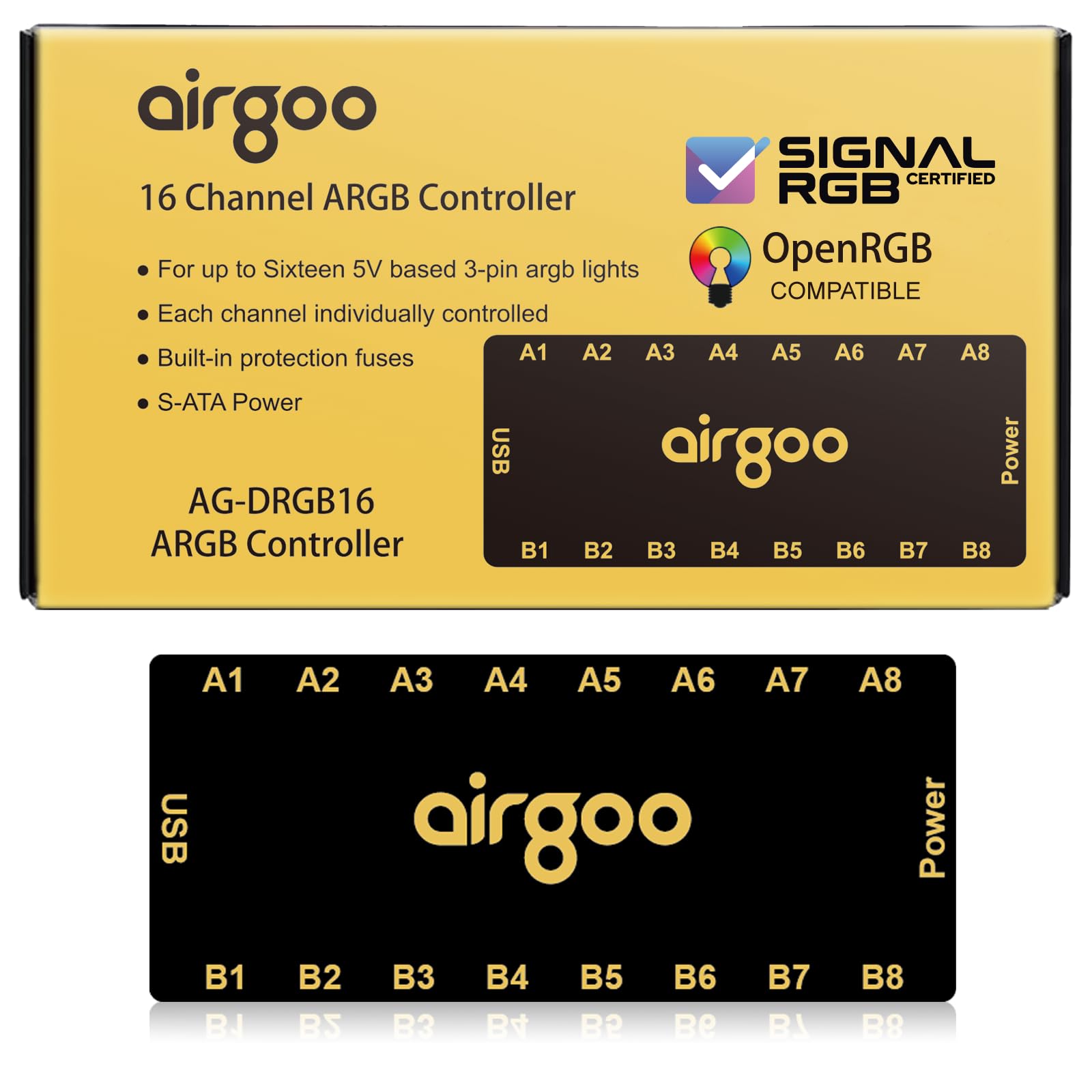
This thing works really well for my needs. Just know that the magnetic mounting ability barely exists if the surface is painted. I ultimately used velcro strips so that I can take it out when I need to move things around, but it stays perfectly in place in my case. It's not cheap, but it does offer individual ARGB device control via USB. Most "ARGB hubs" don't do that. If you want to control your ARGB devices separately, this or the 4-port version are what you want. It does not require specialized software and will easily work with SignalRGB, OpenRGB, or your motherboard's ARGB controlling software. It uses standard ARGB connections, but for some reason they went with female ports, so a lot of ARGB devices will need a female to female adapter. I have 5 ARGB fans, so what I did is buy 4 ARGB female to female extensions which came with 8 of those adapters. The adapters went into five ports on the Airgoo, making them male ports, leaving me with 3 connectors. Then I just plugged the cables right in. On the fans that needed extension cables to easily reach, I connected the extension cable to the fan ARGB cable using one adapter, then plugged the other side of the extension cable right into the Airgoo. Interestingly, the adapters stayed put in the Airgoo, which is something I can't say for just about anything else ARGB. This definitely simplified things. It's not much bigger than the ports it includes, though it is a bit heavy for its size. It feels extremely high quality, like an old NES controller except a lot more metal. The only place for improvement I can see is that it probably should ship with 16 of those adapters since, without extensions, you'll often be trying to plug female into female, which won't work. That's not enough to knock a star down, though, not by a long shot. Just get some velcro (hook and loop) strips so that you can mount it wherever, especially if you're using a small ATX mid-tower or anything smaller. Read more
Bought this to have ARGB control for a motherboard that didn't have that capability. The Airgoo ARGB hub worked great for my needs and was priced great. It seemlessly integrates into SignalRGB so I can control everything at once (better than my Corsair memory). I can even use it change specific lights. Set up was quick and easy and the magnets on the back hold it to the back of my motherboard tray. If you're looking at adding ARGB to a computer or need more than your motherboard provides I recommend the Airgoo hub. They even have over 250 effects to download for SignalRGB. Read more
The media could not be loaded. Good quality fixed my glitchy LED lighting even though I bought two LED hubs/fan hubs it would not fix it had to get this to fix the lighting apparently it boosts the signal of the LED so it's not glitchy great design good value easy to hook up I wish you didn't have to use the little white jumpers to plug to it I wish they just put three pin out on it from the factory but it's not the end of the world Read more
Good product, great support. Had an issue with what I thought was the software, but after airgoo support went through their steps, turned out I was just being silly. Product works well with openrgb on cachyos. Does exactly what it says. The magnet is a great touch. 10/10 Read more
Quick verdict The Airgoo AG‑DRGB16 is solid hardware with full zone addressing, but Linux users should expect several hours of troubleshooting to get the full OpenRGB experience unless they use a nightly build or install the missing plugin. Short summary The Airgoo AG‑DRGB16 is well built: clean signal, stable power, and plenty of ports. On Windows or when controlled by a motherboard it works out of the box. On Linux it’s usable, but you should expect to spend time on udev rules, permissions, and possibly installing a plugin or using a community driver to get full effects in OpenRGB. TL;DR Hardware is great. If you want plug‑and‑play OpenRGB effects on Linux today, plan for a troubleshooting session or install the OpenRGB Effects plugin; otherwise use the community Python driver for immediate full control. What I tested and what failed initially - Out of the box the hub functions as a powered ARGB splitter and behaves perfectly under Windows and motherboard control. - On Ubuntu with OpenRGB the hub was initially not detected by OpenRGB. The device definition existed upstream but had not been included in the stable OpenRGB builds (including Flatpak) at the time of my testing, so OpenRGB treated the hub like a dumb splitter until I applied fixes. Troubleshooting steps I performed (roughly three hours) - Captured logs and system calls with strace and OpenRGB’s user log to see what device nodes the app tried to open and where it failed. - Inspected lsusb and udev properties to confirm vendor and product IDs for the hub and related devices. - Added udev rules for the hub’s USB vendor IDs and for hidraw so matching devices are created with group plugdev and mode 0664. - Fixed existing node permissions for /dev/hidraw* and /dev/bus/usb/*/ so my user could access the devices immediately. - Created a small wrapper script to run the AppImage with system libraries and force the XCB Qt platform plugin (QT_QPA_PLATFORM=xcb) because the AppImage’s bundled environment caused runtime issues when launched from the desktop. - Iterated on the wrapper after discovering the first wrapper expanded runtime variables at creation time; corrected it so $(id -u) and "$@" evaluate at execution time. - Verified success by running OpenRGB under strace again and confirming it opened the hidraw nodes and listed the hub and other devices in the GUI. - Cleaned up temporary logs and extracted AppImage trees once everything worked. Other technical findings - HID report descriptor unavailable — lsusb reported the device’s HID report descriptor as UNAVAILABLE, and the kernel debug report descriptor file was empty. Without a usable HID report descriptor OpenRGB cannot query the device for built‑in modes. - AppImage lacked the device plugin — extracting the AppImage showed udev rules for Airgoo but no plugin binary or strings implementing AG‑DRGB16 were present in the build I used. That explains why OpenRGB only offered Direct (raw pixel writes) rather than the hub’s named effects. - Community driver proves the hardware works — the community Python driver (airgoo.py) successfully listed all 16 zones (A1–A8, B1–B8), proving the controller and protocol are functional and accessible from Linux. - Installing the Effects plugin fixed the UI — after adding OpenRGBEffectsPlugin_1.0rc2_Linux_amd64_415dc20.so to the OpenRGB plugin path the Effects tab populated with breathing, rainbow, and many other presets for each Airgoo channel. Running OpenRGB as root alone did not expose modes; the plugin was the missing piece. Key outcomes - After the troubleshooting steps, OpenRGB detected the Airgoo hub and devices were controllable at the raw level. - The fix required udev rules and a correctly written AppImage wrapper to run the GUI reliably in the desktop environment. - The remaining limitation before the plugin was installed was build support: the stable AppImage I used did not include the Airgoo device plugin, so OpenRGB’s UI initially only showed Direct mode. - The community Python driver is a reliable workaround and provides full zone control immediately. Installing the Effects plugin or using a nightly build restores the full OpenRGB effects UI. Recommendation for buyers If you use Windows or motherboard control: buy it — the hardware is good and the price is fair. If you use Linux and expect OpenRGB control: be prepared to spend time (a few hours) applying udev rules, fixing permissions, and possibly using a wrapper to run the AppImage. If you’re comfortable with basic Linux troubleshooting, you can get it working; otherwise wait for an OpenRGB build that includes the Airgoo plugin or install the plugin yourself or use a nightly/CI AppImage. If you want immediate full control on Linux: use the community airgoo.py driver (works now) or install the OpenRGB Effects plugin to unlock the full effects UI. Final verdict Strong hardware and fair price, but the product listing should clearly state the current Linux/OpenRGB caveat. If you need plug‑and‑play OpenRGB support on Linux today, plan for a troubleshooting session; if you can wait for an upstream OpenRGB release that includes the Airgoo plugin (or are willing to drop in the plugin yourself), the hub will be a straightforward buy. Read more