THREE COLOUR DOGFISH

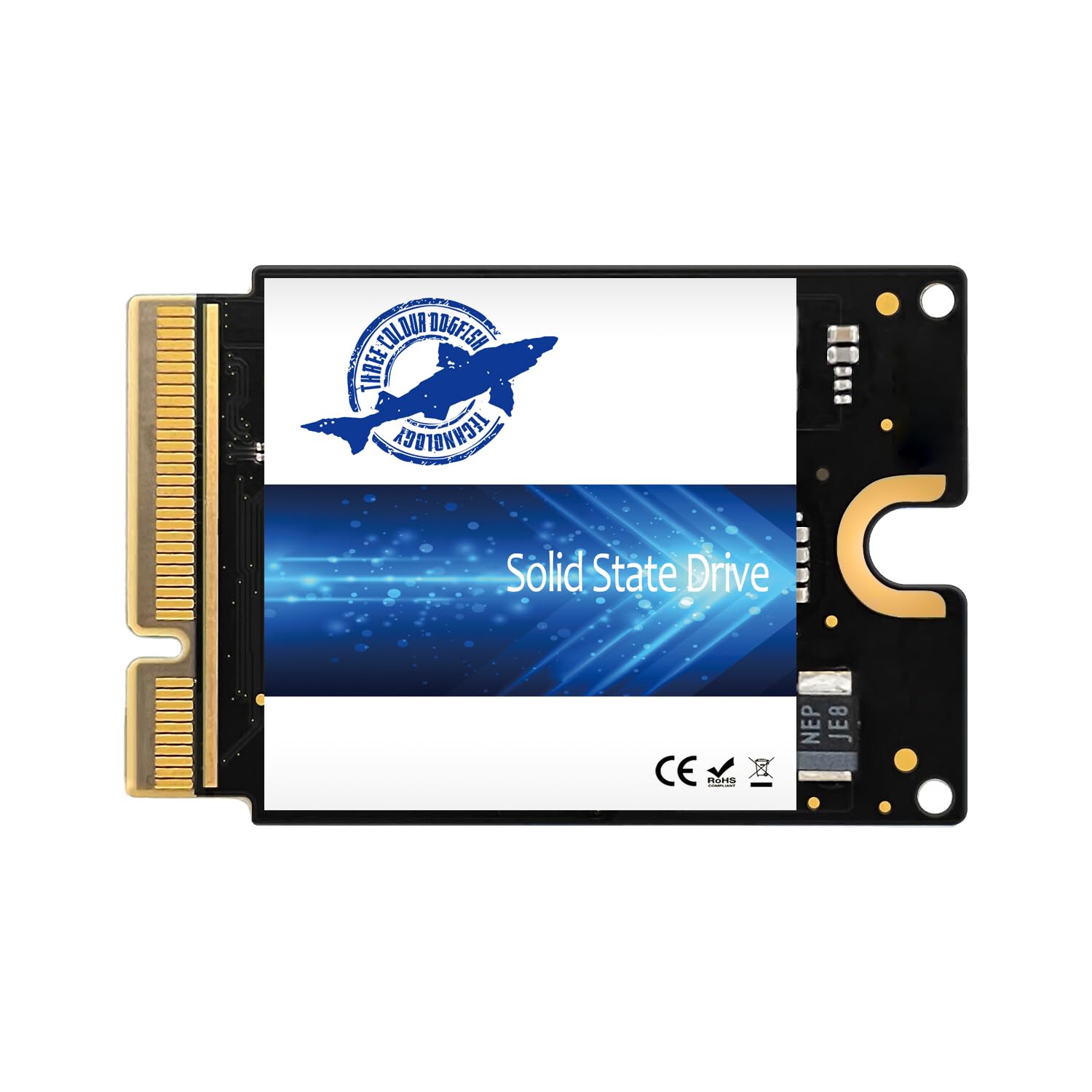
Dogfish 1TB SSD for Mac mini M4 Internal Solid State Drive Speeds Up to 3300MB s Expansion Hard

4.6

$523.50

About this item

  • Perfect Compatibility‌ – This third-party 1TB ssd is specifically designed for the Mac mini M4 for seamless integration,not applicable to other model sizes
  • Fast Speeds – Delivers read/write speeds up to 3300 MB/s, significantly reducing boot times, app launches, and file transfers
  • Expand Storage Capacity‌ – This high-performance internal hard drive offers 512GB 1TB 2TB capacity options, providing ample space for photos, videos, and professional applications
  • Simple Installation – This solid state drive comes with detailed installation instructions,no technical expertise required,even beginners can get started with ease
  • Proven Stability‌ – All products undergo rigorous testing, ensuring stable performance and long-term reliability, and come with one year of after-sales support
  • Product description Mac mini m4 ssd firmware restore steps Download the latest Apple Configurator software on the mac device, then connect the Mac mini M4's Thunderbolt port to the Mac device intended for firmware updates using a data cable. Completely power off the Mac mini M4. First, press and hold the Mac mini M4's power button for 5 seconds without releasing it. Then connect the power cord and continue holding the power button until the Apple device prompts DFU mode. Right-click and choose “Restore”on the DFU box,the firmware update is commencing. This process will take approximately 20 minutes.The the lock icon indicates that the installation is successful. Perfect Compatibility‌ – This third-party 1TB ssd is specifically designed for the Mac mini M4 for seamless integration,not applicable to other model sizes; Fast Speeds – Delivers read/write speeds up to 3300 MB/s, significantly reducing boot times, app launches, and file transfers; Expand Storage Capacity‌ – This high-performance internal hard drive offers 512GB 1TB 2TB capacity options, providing ample space for photos, videos, and professional applications; Simple Installation – This solid state drive comes with detailed
Specification

Product facts

Key details

Digital Storage Capacity
1 TB
Hard Disk Interface
PCIE x 4
Connectivity Technology
nvme
Brand
THREE COLOUR DOGFISH
Special Feature
Dust resistance

Dimensions and fit

Hard Disk Size
1 TB

Item information

Hard Disk Description
Solid State Drive
Compatible Devices
Mac mini M4
Installation Type
Internal Hard Drive
Specific Uses For Product
Personal
Overview

About this item

  • Perfect Compatibility‌ – This third-party 1TB ssd is specifically designed for the Mac mini M4 for seamless integration,not applicable to other model sizes
  • Fast Speeds – Delivers read/write speeds up to 3300 MB/s, significantly reducing boot times, app launches, and file transfers
  • Expand Storage Capacity‌ – This high-performance internal hard drive offers 512GB 1TB 2TB capacity options, providing ample space for photos, videos, and professional applications
  • Simple Installation – This solid state drive comes with detailed installation instructions,no technical expertise required,even beginners can get started with ease
  • Proven Stability‌ – All products undergo rigorous testing, ensuring stable performance and long-term reliability, and come with one year of after-sales support
  • Product description Mac mini m4 ssd firmware restore steps Download the latest Apple Configurator software on the mac device, then connect the Mac mini M4's Thunderbolt port to the Mac device intended for firmware updates using a data cable. Completely power off the Mac mini M4. First, press and hold the Mac mini M4's power button for 5 seconds without releasing it. Then connect the power cord and continue holding the power button until the Apple device prompts DFU mode. Right-click and choose “Restore”on the DFU box,the firmware update is commencing. This process will take approximately 20 minutes.The the lock icon indicates that the installation is successful. Perfect Compatibility‌ – This third-party 1TB ssd is specifically designed for the Mac mini M4 for seamless integration,not applicable to other model sizes; Fast Speeds – Delivers read/write speeds up to 3300 MB/s, significantly reducing boot times, app launches, and file transfers; Expand Storage Capacity‌ – This high-performance internal hard drive offers 512GB 1TB 2TB capacity options, providing ample space for photos, videos, and professional applications; Simple Installation – This solid state drive comes with detailed

Have a question about this product?

From the brand

Product detailProduct detailProduct detailProduct detailProduct detailProduct detailProduct detailProduct detail

Product videos

Product video 1

Customer reviews

Customers say

Customer summary is not available yet.

Review summary is available, but individual reviews are temporarily unavailable.

We use optional analytics and advertising cookies to understand how visitors use Ventari, measure ads, and improve the experience. You can accept all optional cookies, allow analytics only, or decline them. See our Cookie Policy.