SHXZDZWM

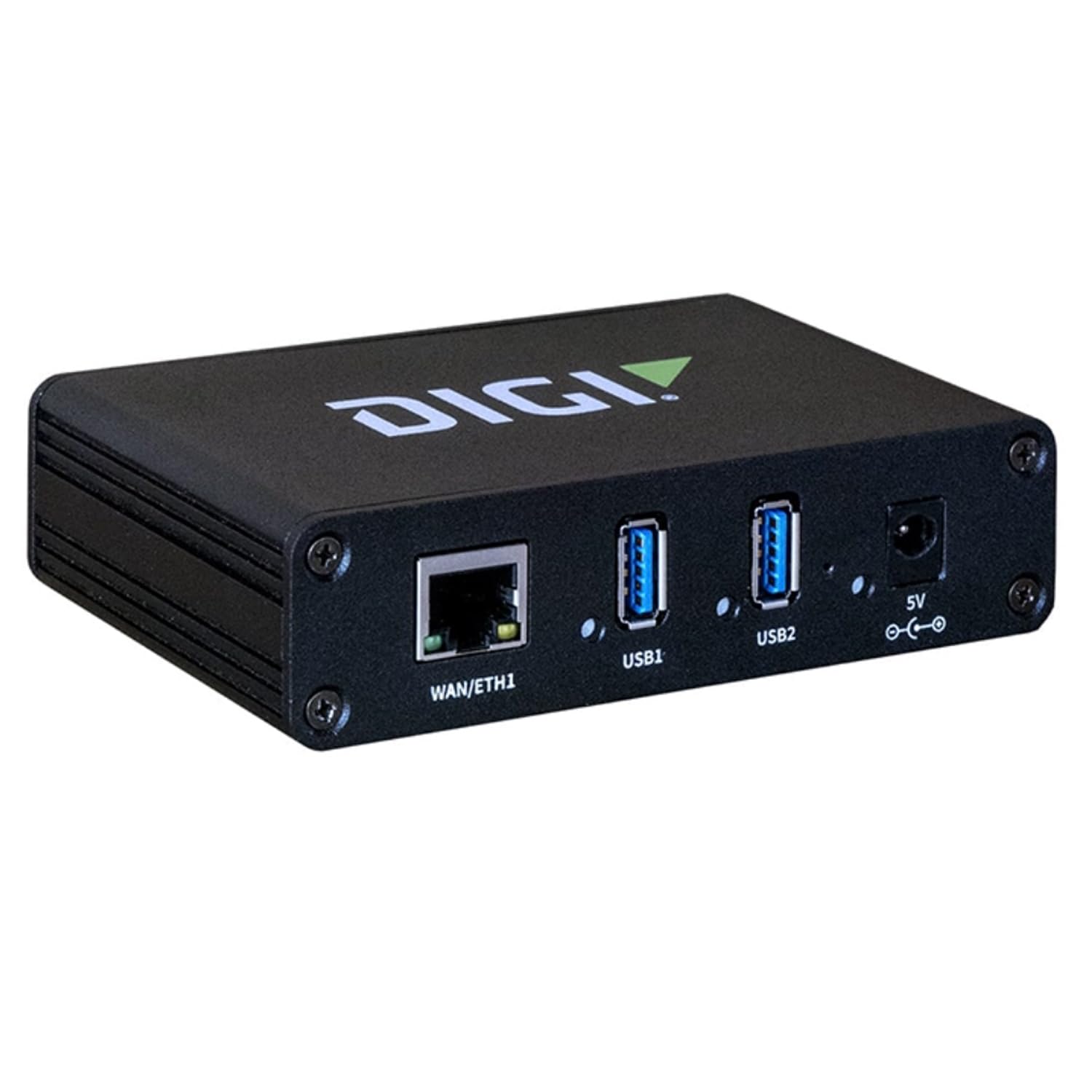
AW02-G300 Digi AnywhereUSB 2 Plus 2 Port USB Over IP Remote USB 3 1 Hub with 2 Type

4.1

$743.99

About this item

  • Network-attached USB hubs easily connect USB peripheral devices to a PC from remote or virtual hosts
  • Ideal for connecting USB devices over the network in virtualized environments such as VMware
  • Access and monitor USB and serial devices over TCP/IP connection
  • Supports multi-host connectivity for each USB port or group independently
  • Built-in Digi TrustFence for device security, secure encrypted connections, ongoing monitoring and support
  • Supports Digi Remote Manager cloud-based management platform to deploy, monitor and manage devices
  • AW02-G300 helps keep your computer more stable and secure. Instead of placing your computer in a harsh environment like a commercial kitchen, AW02-G300 connectivity lets you place the environmentally sensitive computer in a safe location such as the manager’s office or an IT equipment rack. AW02-G300 software drivers are loaded on a remote computer, making the USB ports appear to be locally attached and allowing the USB device to be located far beyond the three or five meter USB hub distance limits. The USB-based printer, keyboard and monitor are positioned in the commercial kitchen as needed, but the main computer for the restaurant is safely housed in an office or secure closet away from the harsh conditions. AW02-G300 provides a consistent, secure and cost-effective way to verify that your IoT infrastructure is configured correctly and fully operational as it continues Network-attached USB hubs easily connect USB peripheral devices to a PC from remote or virtual hosts; Ideal for connecting USB devices over the network in virtualized environments such as VMware; Access and monitor USB and serial devices over TCP/IP connection; Supports multi-host connectivity for each USB port or
Specification

Product facts

Key details

Brand
SHXZDZWM
Color
Black
Hardware Interface
USB
Special Feature
Fast Data Transfer
Compatible Devices
Laptops
Overview

About this item

  • Network-attached USB hubs easily connect USB peripheral devices to a PC from remote or virtual hosts
  • Ideal for connecting USB devices over the network in virtualized environments such as VMware
  • Access and monitor USB and serial devices over TCP/IP connection
  • Supports multi-host connectivity for each USB port or group independently
  • Built-in Digi TrustFence for device security, secure encrypted connections, ongoing monitoring and support
  • Supports Digi Remote Manager cloud-based management platform to deploy, monitor and manage devices
  • AW02-G300 helps keep your computer more stable and secure. Instead of placing your computer in a harsh environment like a commercial kitchen, AW02-G300 connectivity lets you place the environmentally sensitive computer in a safe location such as the manager’s office or an IT equipment rack. AW02-G300 software drivers are loaded on a remote computer, making the USB ports appear to be locally attached and allowing the USB device to be located far beyond the three or five meter USB hub distance limits. The USB-based printer, keyboard and monitor are positioned in the commercial kitchen as needed, but the main computer for the restaurant is safely housed in an office or secure closet away from the harsh conditions. AW02-G300 provides a consistent, secure and cost-effective way to verify that your IoT infrastructure is configured correctly and fully operational as it continues Network-attached USB hubs easily connect USB peripheral devices to a PC from remote or virtual hosts; Ideal for connecting USB devices over the network in virtualized environments such as VMware; Access and monitor USB and serial devices over TCP/IP connection; Supports multi-host connectivity for each USB port or

Have a question about this product?

Product videos

Product video 1

Customer reviews

Customers say

Customer summary is not available yet.

Review summary is available, but individual reviews are temporarily unavailable.

We use optional analytics and advertising cookies to understand how visitors use Ventari, measure ads, and improve the experience. You can accept all optional cookies, allow analytics only, or decline them. See our Cookie Policy.