
Cheap, reliable.
Added a voltage gauge on my daughters Razor scooter. Works good! Cheap and decent quality. Just the way I like it! Read more

Frienda
$19.53
Have a question about this product?


Product video 1
Rated 4.1/5 across 8 reviews — well received overall.
Customers find the battery meter easy to install and appreciate its accurate voltage display.
Generated from the text of customer reviews
Added a voltage gauge on my daughters Razor scooter. Works good! Cheap and decent quality. Just the way I like it! Read more
Works well to track voltage Read more
Works but can’t get into the advanced setttings instructions are no good not translated to English very well and half of the instructions don’t work,very bright but can’t see it unless looking directly at it Read more
Was very impressed with user functionality, automatically recognized LiPo battery hookup everything works as advertised 👍 Read more
Helpful enough for its intended purpose. Could use improvement. Has one mode when its always on and another where it turns off. I prefer the latter however, upon waking, its goes back off way too soon, especially given that after it wakes up, it takes a few seconds to update (when its sleeping, its not monitoring the voltage). Also, to change the settings (poorly written or translated btw), you have to be able to disconnect from the power source to both enter the settings and have the settings change. The accuracy seems fair enough. Read more
Have this on my battery box for 4 years and still works like new. Read more
Echoing another review that made my instal crap-simple! Hopefully this saves you the aggravation I experienced trying to figure it out. DO NOT MAKE YOUR FINAL INSTALLATION/MOUNT UNTIL YOU KNOW IT IS WORKING. 1) Attach the provided (very short) wire harness to DC power supply (battery) using your own wires and connectors to bridge the space from your battery to the harness. 2) Press and hold the Setting button while plugging the harness into the back of the meter. This gets you into programming mode. 3) By pressing the Setting button, select your battery type. Mine is lead acid so I selected "P". 4) Select the number of batteries. In the case of Lead Acid they assume you have 12 volt batteries wired in series. In my golf cart I have six 8-volt batteries for a total of 48 volts. When I first programmed it I entered "6" batteries and as a result it read the voltage correctly but the capacity indicated 0%. I later realized they are assuming 12 volt batteries. So 48 volts divided by 12 volts resulted in 4. I entered 4 batteries and it worked. Enter your equivalent number of 12 volt batteries and then long-press the function key. (Note the lithium battery settings assume your batteries are 3.7 V or 3.2V. Your math will be a little different.) 5) Now set how you want the display to act using the s-1 through s-5 settings. The Settings button toggles through the display options and Function sets each one. The five bars on the display from left to right are each associated with the options S1 to S5. Whether a bar is on or off in the display, indicates that setting is on or off. 6) Unplug the meter from the harness to have it save the settings you input. 7) Plug the meter back in. It should be working. If not, repeat the steps starting at number 2. 8) Only after you have it working, mount it in its permanent location. Good luck! Read more


Will read volts. Battery gauge usless. Battery volts dropped to 12 volts on lithium 50ah battery, depth finders shut off but the bar gauge showed full in the green right before they shut down. Read more

24V AC DC Adapter Compatible with Houzzi 7 Color Led Face Mask Light Therapy 24 Volts 24 V

24V Charger for Ride On Car 24 Volt Kids Battery Charger with Charging Indicator Light for Baby Carriage
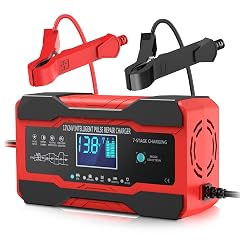
YONHAN Battery Charger 10-Amp 12V and 24V Fully-Automatic Smart Car Battery Charger Battery Maintainer Trickle Charger and Battery

SONOFF POWCT Smart Power Meter WiFi Connected Switch with Overload Protection Real-Time Energy Monitoring LCD Display Work with

Greadio Portable Shortwave Radio with Best Reception AM FM Transistor LCD Display Time Setting Battery Operated by 4

ANCEL BA101 Car Battery Tester 12V Digital Automotive Alternator Meter Diagnostic Tool 100-2000 CCA Load Capacity Charging Cranking

250A Smart Remote Battery Disconnect Switch 12V 24V - Quick Kill Switch for Car Anti-Theft Battery Cut Off

NEXPEAK NC201 10-Amp Battery Charger Smart Trickle Charger 12V 24V Car Battery Charger Fully Automatic Maintainer Desulfator w
We use optional analytics and advertising cookies to understand how visitors use Ventari, measure ads, and improve the experience. You can accept all optional cookies, allow analytics only, or decline them. See our Cookie Policy.