Free shipping over $35 · 60-day returns · Price-watch guarantee

Ventari

GuliKit

GuliKit Hyperlink 2 Wireless Controller Adapter for PC Switch Android -Supports Xbox Series X S Elite 2 Xbox

$16.99

268+ bought in the past month

Sobre este artículo

  • ULTRA FAST ADAPTER WITH LOWER DELAY:Featuring HyperLink 2 technology, this adapter achieves 2.95ms ultra-low latency, reduces input delay by up to 50%, delivering faster response and smoother gameplay for supported controllers in fast-paced game.
  • CONTROLLER COMPATIBILITY: Compatible with Xbox Series controllers, Xbox Elite Series 2 controllers, Xbox One Bluetooth controllers, PS5 Dual Sense & Dual Sense Edge controllers, PS4 Dual Shock controllers, Switch Pro Controller, and GuliKit Elves 2 / ES / ES Pro. Compatibility Note: 1.Not compatible with Xbox One controllers released between 2013–2015 or non-Bluetooth Xbox Elite controllers & Xbox 360. 2.Only one controller can be connected at a time. 3.Xbox headphones are not supported. 4.When using GuliKit controllers, switch to PC Xinput mode or Switch mode before connecting.
  • MULTI-PLATFORM SUPPORT: Works with Windows 7+, Switch / Switch 2, Android 9.0+, and SteamOS 3.4+ devices such as Steam Deck, AYANEO handhelds, ROG Ally and Ally X. Compatibility Note: 1.Enable “Wired Pro Controller Connection” in Switch 1/2 settings. 2.An OTG cable or adapter is required when connecting to Switch Lite/Switch 1/2,Steam Deck/AYANEO handhelds/ROG Ally&Ally X. 3.Not compatible with PS/Xbox consoles.
  • INSTANT PLUG & PLAY – Works instantly with supported controllers and platforms. Just plug in and start gaming—no drivers, software, or complicated setup required. Enjoy faster response and smoother gameplay.
  • MOTION CONTROL & VIBRATION ON SWITCH – Use PS4 or PS5 controllers on Switch 1 and Switch 2 with motion control and vibration support, delivering a more immersive and responsive gameplay experience. Note: Not supported on PC or Switch Lite.
  • HOW TO USE:1. Turn on the controller and hold the pairing button to enter pairing mode. (For PS4 & PS5 controllers, it is to hold the SHARE and PS logo button until the light flashes quickly to enter the pairing mode. ) 2. Plug the adapter into the USB port, and its indicator will flash rapidly to automatically enter pairing mode. (No button press required) 3. The adapter indicator turns constantly on, and the pairing is successful. Note: Please connect in the correct order: first press the power and pairing buttons on the controller, and then insert the adapter into the USB port of PC or consoles.

Key details

Compatible Devices
Gaming Console
Connector Type
USB Type A
Color
White
Brand
GuliKit
Number of Ports
1
Highlights

About this item

  • ULTRA FAST ADAPTER WITH LOWER DELAY:Featuring HyperLink 2 technology, this adapter achieves 2.95ms ultra-low latency, reduces input delay by up to 50%, delivering faster response and smoother gameplay for supported controllers in fast-paced game.
  • CONTROLLER COMPATIBILITY: Compatible with Xbox Series controllers, Xbox Elite Series 2 controllers, Xbox One Bluetooth controllers, PS5 Dual Sense & Dual Sense Edge controllers, PS4 Dual Shock controllers, Switch Pro Controller, and GuliKit Elves 2 / ES / ES Pro. Compatibility Note: 1.Not compatible with Xbox One controllers released between 2013–2015 or non-Bluetooth Xbox Elite controllers & Xbox 360. 2.Only one controller can be connected at a time. 3.Xbox headphones are not supported. 4.When using GuliKit controllers, switch to PC Xinput mode or Switch mode before connecting.
  • MULTI-PLATFORM SUPPORT: Works with Windows 7+, Switch / Switch 2, Android 9.0+, and SteamOS 3.4+ devices such as Steam Deck, AYANEO handhelds, ROG Ally and Ally X. Compatibility Note: 1.Enable “Wired Pro Controller Connection” in Switch 1/2 settings. 2.An OTG cable or adapter is required when connecting to Switch Lite/Switch 1/2,Steam Deck/AYANEO handhelds/ROG Ally&Ally X. 3.Not compatible with PS/Xbox consoles.
  • INSTANT PLUG & PLAY – Works instantly with supported controllers and platforms. Just plug in and start gaming—no drivers, software, or complicated setup required. Enjoy faster response and smoother gameplay.
  • MOTION CONTROL & VIBRATION ON SWITCH – Use PS4 or PS5 controllers on Switch 1 and Switch 2 with motion control and vibration support, delivering a more immersive and responsive gameplay experience. Note: Not supported on PC or Switch Lite.
  • HOW TO USE:1. Turn on the controller and hold the pairing button to enter pairing mode. (For PS4 & PS5 controllers, it is to hold the SHARE and PS logo button until the light flashes quickly to enter the pairing mode. ) 2. Plug the adapter into the USB port, and its indicator will flash rapidly to automatically enter pairing mode. (No button press required) 3. The adapter indicator turns constantly on, and the pairing is successful. Note: Please connect in the correct order: first press the power and pairing buttons on the controller, and then insert the adapter into the USB port of PC or consoles.

De la marca

Product detailProduct detailProduct detailProduct detailProduct detail

Product videos

Product video 1

Customer reviews

115 reviewsPositive

Rated 4.0/5 across 115 reviews — well received overall.

  • 100% of sampled reviews are from verified purchases.
  • 75% of sampled reviews give 4–5 stars.

Customers say

Customers find the wireless adapter easy to set up and appreciate its low latency.

Generated from the text of customer reviews

★★★★★

Convient and Reliable

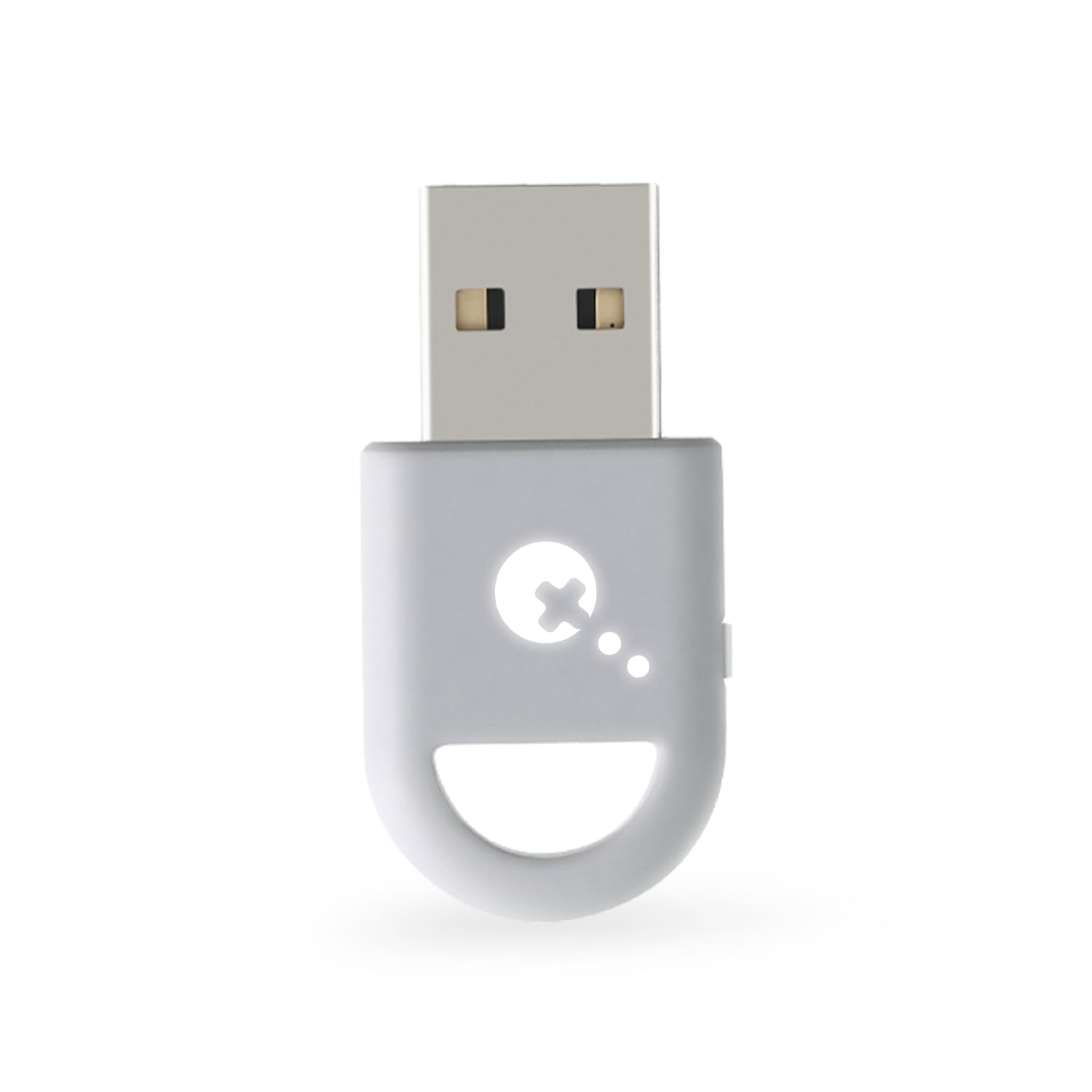
Works even better than the Xbox wireless adapter. Pairing is quick and not annoying like the Xbox one. Its also half if not 1/3 the size. The logo glows so if you dont see it its bc it appears once the adapter is plugged in. Read more

DVerified purchase
★★★★★

Excellent adapter

This adapter works perfectly right out of the box. No hassle set up instant and steady connection. Read more

Brian Hybsch JrVerified purchase
☆☆☆☆

Didn't work at all

Could not be paired with Xbox, PS5 or Switch. Spent way too much time trying every troubleshooting method on a $17 product. Don't buy stuff while depressed - I was only able to test this well after the return window. Let my stupidity be a lesson for you. I might have got a faulty piece, but I'll never know. Ruling out all other potential problems has led me to believe this model, not just mine, is defective. Roll the dice and find out for yourself - but only if you can find the strength to get out of bed during the return window. God bless. Read more

Scott PavekVerified purchase
★★★★★

Great, low latency experience with Switch 2!

Wow! Great device! I bought this adapter to use with the Switch 2. Nintendo’s Pro Controller 2 is too cheaply made to be worth $90, with poor repairability and drift prone sticks. Latency however was always a huge concern of mine and from experience, bluetooth has been pretty questionable in that regard. However, I have to say that at least for Breath of the Wild, I haven’t noticed any issues. Latency seems as good as the wired Magic-NS adapter I’ve been using. In case anyone is wondering, this adapter *does* rely on Bluetooth, however, Gulikit has apparently optimized this device to reduce as much latency as possible from the connection overhead. Probably possible in part, due to targeting a specific device, like a game controller. I tested it with an Xbox Elite 2 Controller, an Xbox X/S (4th Gen) Series Controller and a Playstation Dualshock 4 controller. All worked great and despite the description being a bit unclear on this, all supported vibration! I do have it connected to a short extension cable, just for line of sight, though probably not necessary at my distance. I would still love to have some more RF / Wifi / 2.4Ghz options for console controllers. The first party offerings aren’t great unfortunately and severely overpriced compared to what many third party companies are putting out. But the barrier for those types of devices on consoles, without first party licensing, is pretty high. So until then, options like these that target minimal latency on Bluetooth, are the next best thing I could ask for. Read more

RonenVerified purchase
★★★★★

Awesome for wireless Dualsense on PC if you don't care about losing gyro functionality

I play Street Fighter 6 competitively online so I bought this primarily to use my Dualsense wirelessly from the couch with a PC hooked up to a TV. I wanted something that wouldn't affect my ability to react fast. I don't have any tools to measure the latency, but I cannot tell the difference between wired Dualsense and using this dongle and I don't miss being wired at all. I did try the dongle with an Xbox series controller and I feel like it's a little bit slower. Character movement has a slightly heavier feel to it which probably means the latency is not as responsive However, person who doesn't play competitive games that require a lot of fast reactions probably wouldn't notice. I also tried it to see if my Dualsense would work on the Switch and sure enough it does and latency seems pretty fast on that as well. The dongle has a few quirks you will probably run into: - you can pair (and it will remember) multiple controllers, but only 1 can be actively used with the dongle at a time. - the behavior of it "remembering" paired controllers is inconsistent. when switching between different controllers, it will remember my Xbox controller, but I always have to perform the pairing process for the Dualsense again - you don't get gyro functionality with Dualsense in either Windows or SteamOS/Bazzite - in SteamOS or Bazzite, a Dualsense gets recognized as an Xbox controller - one time while i was testing the dongle with my Dualsense in Linux (Bazzite distro desktop mode) it got recognized as a Switch controller so all my face buttons were reversed. unplugging and plugging back it changed it back to being recognized as an Xbox controller - when I used it with my Steam Deck docked, if i kept the USB ports in the back, it seemed to drop inputs. but if i turned it around so there was line of sight to the dongle, it was fine. the Steam Deck seemed to interfere with the dongle's signal - i had to update the firmware in order to get it to work with Android Read more

Allan S.Verified purchase
★★★★

Works with a catch

It does NOT work with a Dualsense on my stock Nintendo Switch 1 dock. It DOES work with my gulikit dock. Also if i have the controller on my lap and I cross my leg so it's between the controller and the switch it really messes with the signal. Read more

MKMVerified purchase
★★★★★

Great and easy product to use. Recommend!

Its working great with my XBox controller. I have not tried it with anything else but I can vouch as a great working device with the Xbox series X controller on my win11 Acer Nitro laptop. I recommend. Read more

Alfredo EcheverriaVerified purchase
★★★★★

Me gustó , útil , versátil

Muy bueno , permite intercambiar mandos Xbox con ps5 además con estos mandos se pueden conectar al switch 1 y 2 pero no controles de switch a pc , Xbox o ps …. La latencia es baja y no necesita configurar nada , recomiendo actualizarlo que es demasiado fácil , solo leer instrucciones … un único detalle un adaptador por mando Read more

Menash000Verified purchase
Recently Viewed

We use optional analytics cookies to understand how visitors use Ventari and improve the experience. This banner controls analytics measurement only. See our Cookie Policy.