

Logitech

Logitech MX Mechanical Wireless Illuminated Performance Keyboard Tactile Quiet Switches Backlit Keys Bluetooth USB-C macOS Windows Linux iOS

595+ bought in the past month

$158.00$179.99

About this item

  • Tactile Quiet mechanical key switches with a satisfying tactile bump you feel - for precise feedback, reactive key reset, and less noise so your typing doesn't disturb those around you
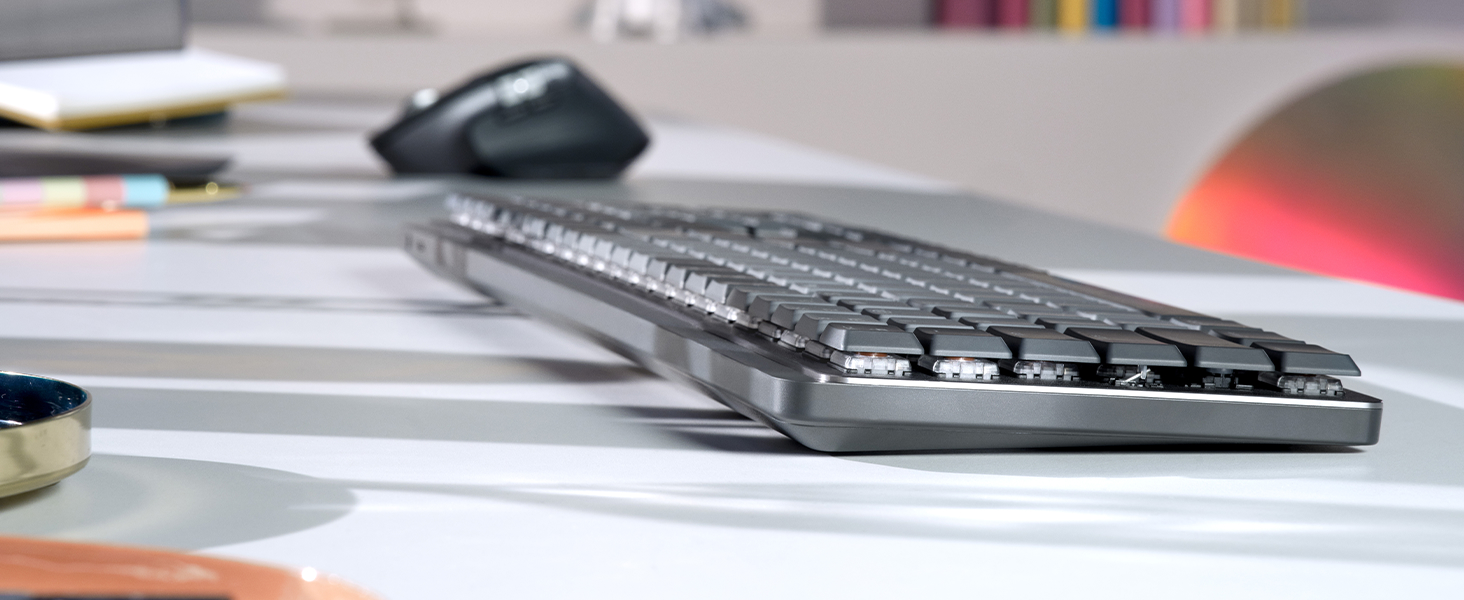
  • Low-profile keys, more comfort: A keyboard layout designed for effortless precision, with a full-size form factor and low-profile mechanical switches for better ergonomics
  • Smart illumination: Backlit keys light up the moment your hands approach the cordless keyboard and automatically adjust to suit changing lighting conditions
  • Faster workflow, more customization: Customize Fn keys, assign backlighting effects, enable Flow cross-computer, multi-device control, and more in the improved Logi Options+ (1)
  • Multi-device, multi-OS: Pair MX Mechanical Bluetooth wireless keyboard with up to 3 devices on nearly any operating system via Bluetooth Low Energy or included Logi Bolt receiver(2)
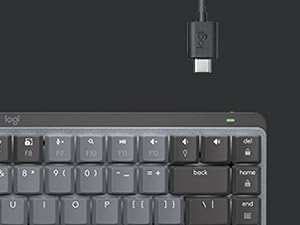
  • USB-C quick charging: MX Mechanical keyboard stays powered up to 15 days on a full charge or up to 10 months with the backlighting turned off (3)
  • Plastic parts in MX Mechanical include certified post consumer recycled plastic (Graphite: 45%(5))
  • In case of wireless keyboard or combo (keyboard and mouse), the USB receiver is usually provided either inside the mouse (under the battery cover) or attached within the product packaging
$158.00
Was $179.99Save $21.99

In Stock

DeliveryEstimated 3–5 business days · Final delivery speed and cost are confirmed at checkout
Easy Returns · 30-day window
This order is a gift

In Stock

Secure Checkout
Free Returns
30-Day Guarantee
Secure checkoutAll transactions are SSL-encrypted. Your payment info is never stored.
Free returnsReturn or replace within 30 days
Fast deliveryOrders ship within 1 business day and arrive in 4–8 days.
Buyer protectionIf your order arrives damaged or doesn't show up, we'll make it right.
24/7 supportOur team is here to help. Reach us anytime by email or chat.
Ships fromOur Warehouse
Sold byRisingstars(Genuine Pro Gaming/Eletronics/Beauty)
Returns
Easy Returns30-day return window
PaymentsSecure transaction
Currently unavailable
Easy Returns · 30-day window

Product details

BrandLogitech
Compatible DevicesPC
Connectivity TechnologyUSB
Keyboard DescriptionMechanical
Recommended Uses For ProductOffice
Special FeatureRechargeable
ColorGraphite
Keyboard backlighting color supportSingle Color
StyleTactile (quiet typing)
Product Dimensions18.1"L x 5.9"W x 2"H

Technical specifications

standing_screen_display_size7 Inches
best_sellers_rank#24 in Computer Keyboards

From the brand

Product detailProduct detailProduct detailProduct detail
Product detailProduct detailProduct detailProduct detailProduct detailProduct detailProduct detailProduct detail

Product videos

Product video 1

Customer reviews

4.33,404 ratings

Customers say

Customers find this keyboard to be a great mechanical keyboard with a smooth feel and excellent build quality.

★★★★★

Compact powerhouse - love this little keyboard

LonnieAugust 2, 2025

Been rocking this MX Mechanical Mini for a few months now and it’s honestly perfect for my setup. I was skeptical about going compact at first, but the space savings on my desk is huge and I adapted to the layout way faster than expected. The tactile switches feel amazing - quiet enough for video calls but still give you that satisfying mechanical feel. Way better than the mushy membrane keyboards I used to deal with. The key travel and feedback is spot on. Battery life is incredible - I’m getting weeks of heavy use before needing to charge, and it charges fast via USB-C. The backlight is a nice touch for late night work sessions and looks clean without being distracting. Build quality is solid Logitech - feels premium and sturdy, not like some of the cheap mechanical boards out there. The wireless connection is rock solid, never had any lag or connectivity issues. Only took me a day or two to get used to not having dedicated arrow keys and function row, but honestly I don’t miss them. The function layer works great and keeps everything compact. If you’re looking for a high-quality compact mechanical keyboard that doesn’t compromise on feel or reliability, this is it. Worth the investment.​​​​​​​​​​​​​​​​ Read more

★★★★★

Nice keyboard with a few flaws

ResJanuary 16, 2024

I selected the MX Mechanical full size based on already having the MX Master 3S Mouse which I love. I like the bolt receiver and the fact that it works so well. I liked having my mouse connected via bluetooth however when I switched to having a work laptop I needed a docking station and KVM so I went back to the bolt receiver. The MX Mechanical keyboard is very nice with some pros and cons. I have the tactile version. I like the smooth keypress feel however the keypress registers very high at the top of the keypress so at first I was getting a lot of double keystrokes until I learned to be a bit more gentle with the keys. Another pro is that the keycap is not recessed into the keyboard and the way the switch is setup there is a space between the board and the keycap; this means that crumbs that sneak into the keyboard can be cleaned out easily and won't get trapped inside. The backlight is very nice and even and doesn't spill out excessively from the sides of the keys. There are a few cons. There is no space between the top number row and the function keys, or between each of the four groups of function keys, which means I can't press the function keys by feel. By default, the function key is locked on, which means when you press a function key, you are actually pressing it's alternate function like volume up or down, which is backwards to me (why do all new laptops do that too?). Fortunately, with regards to the function key, there is a way to reverse the function lock by pressing FN+ESC so that pressing a function key does not activate its alternate function by default. The other con is that there is no print screen button! I find this very annoying. Instead, you must press FN+F7 (or just F7 if you don't reverse the function lock...). Perhaps there is a way to fix this in Logi Options, but I shouldn't have to figure that out on a $160 keyboard, sorry Logitech. Also, for some reason, I had an issue with the Num Lock key and I think it had to do with the FN key there too. Very annoying. For what is to be considered a "Full-size" keyboard, this should have no need for a function key, or at least it should not for Num lock and Print screen. Otherwise, the keyboard is great and I am very happy with, quirks aside. It works great with my KVM and it works fine on my work laptop which does not have (or the ability to have) Logi Options installed. Read more

★★★★★

Premium Feel, Compact Form – Logitech MX Mechanical Mini

DanAugust 11, 2025

This keyboard delivers the perfect blend of mechanical key feel, wireless convenience, and premium build quality. The clicky switches are satisfying without being overly loud, and the compact size frees up desk space without sacrificing functionality. Pros: Excellent mechanical switches — tactile, responsive, and consistent. Compact layout saves space while keeping essential keys. Backlit keys with adjustable brightness for low-light use. Multi-device pairing works seamlessly across macOS, Windows, and more. Solid metal top plate adds a premium, sturdy feel. Great value and portability versus other top mechanical keyboards. Cons: None so far — performs exactly as promised. Notes from Use: Paired it with both a MacBook Pro and a Windows desktop — switching between devices was instant. Typing is a joy, with satisfying feedback and no missed keystrokes. The backlighting adapts well to different lighting conditions, and battery life has been excellent even with illumination on. The smaller footprint leaves more room for a mouse, which is great for tight workspaces. Verdict: A top-tier choice for anyone who wants a compact, wireless mechanical keyboard without compromises. Perfect for both productivity and casual use. 5/5 stars. Photos/Videos: Side profile highlighting low-profile switches. Backlit keys in a dim room. Desk setup showing the compact footprint. Read more

Recently Viewed