
Charges portal and controllers
Works great to charge all my playstation gear in one place even my portal Read more
BRIBAT
$75.98
Have a question about this product?


Product video 1
Rated 4.2/5 across 8 reviews — well received overall.
Customer summary is not available yet.
Works great to charge all my playstation gear in one place even my portal Read more
Absolutely LOVE it. Read more
Product did not fit in PS5 Pro as it stated it would. My advise to company is “If the product isn’t compatible or the company doesn’t know? If it is? Or not?! Please don’t market it as if it’s compatible with the selected console” thank you. It’s more an Amazon issue than the manufacturer. As they should have been aware it wasn’t PS5 Pro compatible. Please don’t make that mistake again. Thank you. Read more
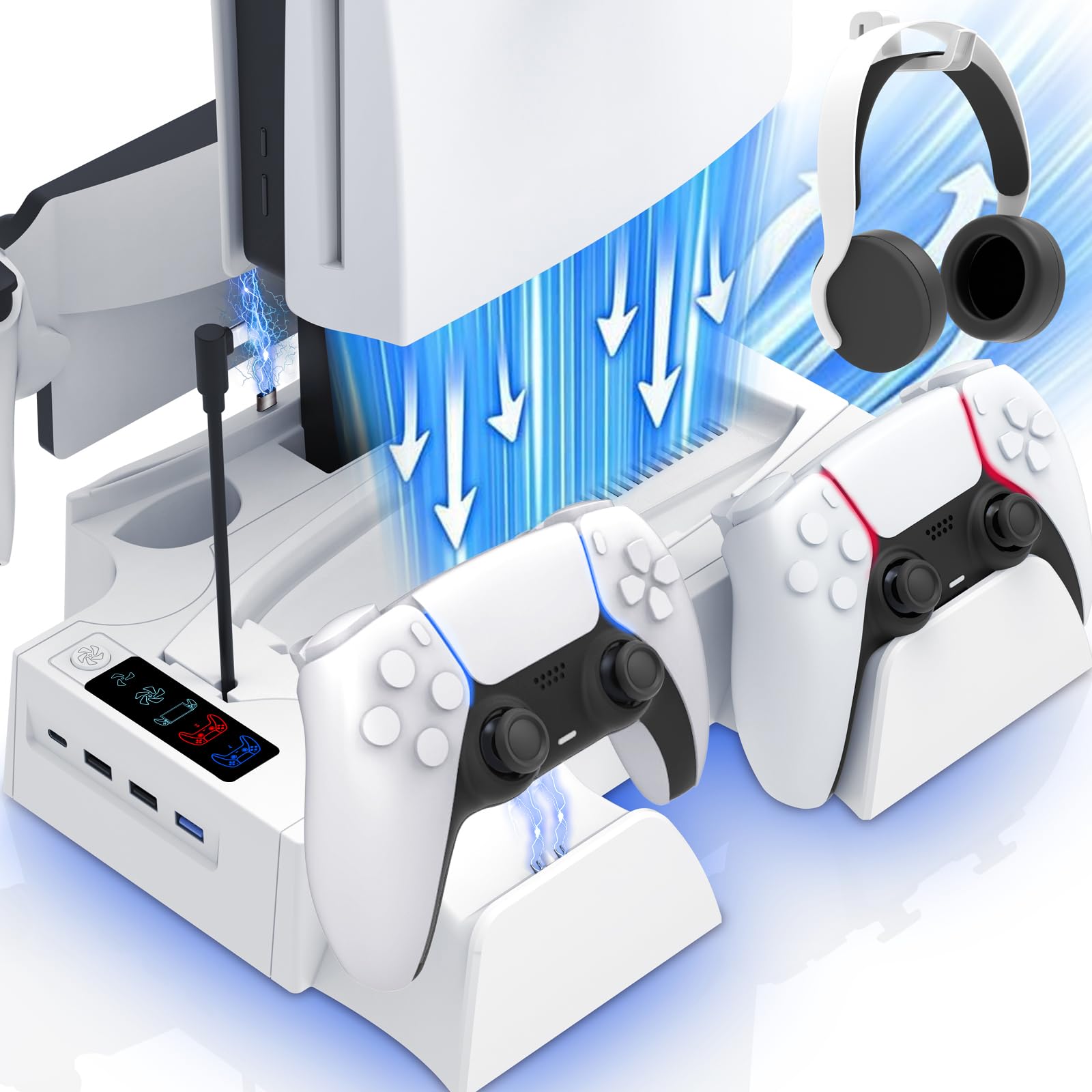
Man did I need this for my PS5 especially during the summer heat wave when it was pretty warm in my bedroom despite having the A/C on. My PS5 just seemed to run really hot and the fans were really spinning. So, I came across this cooling station and I am really glad that I did! It immediately helped to cool down my system and my PS5 no longer sounded like an airplane preparing to leave the runway. It was also very convenient to be able to charge 2 of my 4 controllers directly on the built-in charger dock located on the right side of the Cooling Station. The other 2 controllers are charged via a separate charging dock that I was able to plug into the Cooling Station via its USB-C charging port on the front side. Sharing space with the USB-C port on the front of the station are 3 USB-A ports. Above them are the Fan Toggle Button and Fan Speed/Charging indicator lights. Pressing the Fan Button toggles between the 2 available Fan Speeds. The selected speed will then be illuminated in a blue LED light. The charging indicators work a bit differently. If no device is charging/full then each of the 3 indicator lights for the controllers and PS5 Portal will remain illuminated in the same blue LED light. However, they will then illuminate red when a connected device is charging. Please note that the PS5 has to either be powered on or in standby mode for any of the functions to work. On the left side of the station there is a PS5 Portal Charging Dock, a space to store your PS5 remote and a slot in which I store my SSD storage drive. Assembly was quite easy. I removed my PS5 stand and replaced it with the included Cooling Station panel via the fixed screw. Then I simply seated the PS5 into the cooling station dock and connected the USB-C cable into my PS5 USB-C port. Really the only thing I would have liked to see is a modular controller dock adapter that you could attach to the right side of the docking station to charge additional controllers since I do not have a need for the PS5 Portal dock. Other than that, this has been the perfect accessory to my PS5. Read more

Excelente igual que la descripción Read more


This PS5/PS5 Slim Cooling Station is a must-have for any PlayStation setup. It keeps the console cool during long gaming sessions, charges multiple controllers at once, and even has a dedicated spot for the PlayStation Portal. The design is compact and stylish, helping declutter your space while boosting performance. Great value for functionality and convenience! Read more
This is exactly what I was hoping it would be. It has a spot for everything. The fan works wonders keeping my system cool. The charge ports for the controllers work well so my controllers are charged when I'm ready to play. The headset hook is a great bonus. Read more
This thing is junk the fans barely feel as if they are working. It is fairly quiet. It plugs directly into the front of the console so you got a stupid looking wire just there. Also this base only charges the regular controllers the edge controller doesn't fit on slots. Do not recommend Read more

Applicable to PS5 Pro Slim Cooling Stand with RGB Lights and PS Portal Charger PS5 Edge Controller Charging

Playstation DualSense Charging Station

PS5 Cooling Station and PS5 Stand with RGB Controller Charging Station for PlayStation 5 Console Controller Charger Cooling

PS5 PS5 Slim Cooling Station with Controller Charging Station Cooling Stand for PlayStation 5 Console PS 5 Dock

PS5 PS5 Slim Cooling Station with Controller Charging Station for Playstation 5 Console Disc Digital Cooling Stand for

PS5 PS5 Slim PS5 Pro Stand and Cooling Station with Dual Controller Charging Station for PlayStation 5 Console

PS5 Slim Cooling Station for PS5 Disc Digital PS5 Cooling Stand with Dual Controller Charging for PlayStation 5

PS5 Slim Pro Cooling Station for PS5 Disc Digital Console PS5 Stand Cooling Fan Charging Station with 3
We use optional analytics and advertising cookies to understand how visitors use Ventari, measure ads, and improve the experience. You can accept all optional cookies, allow analytics only, or decline them. See our Cookie Policy.