
REOLINK

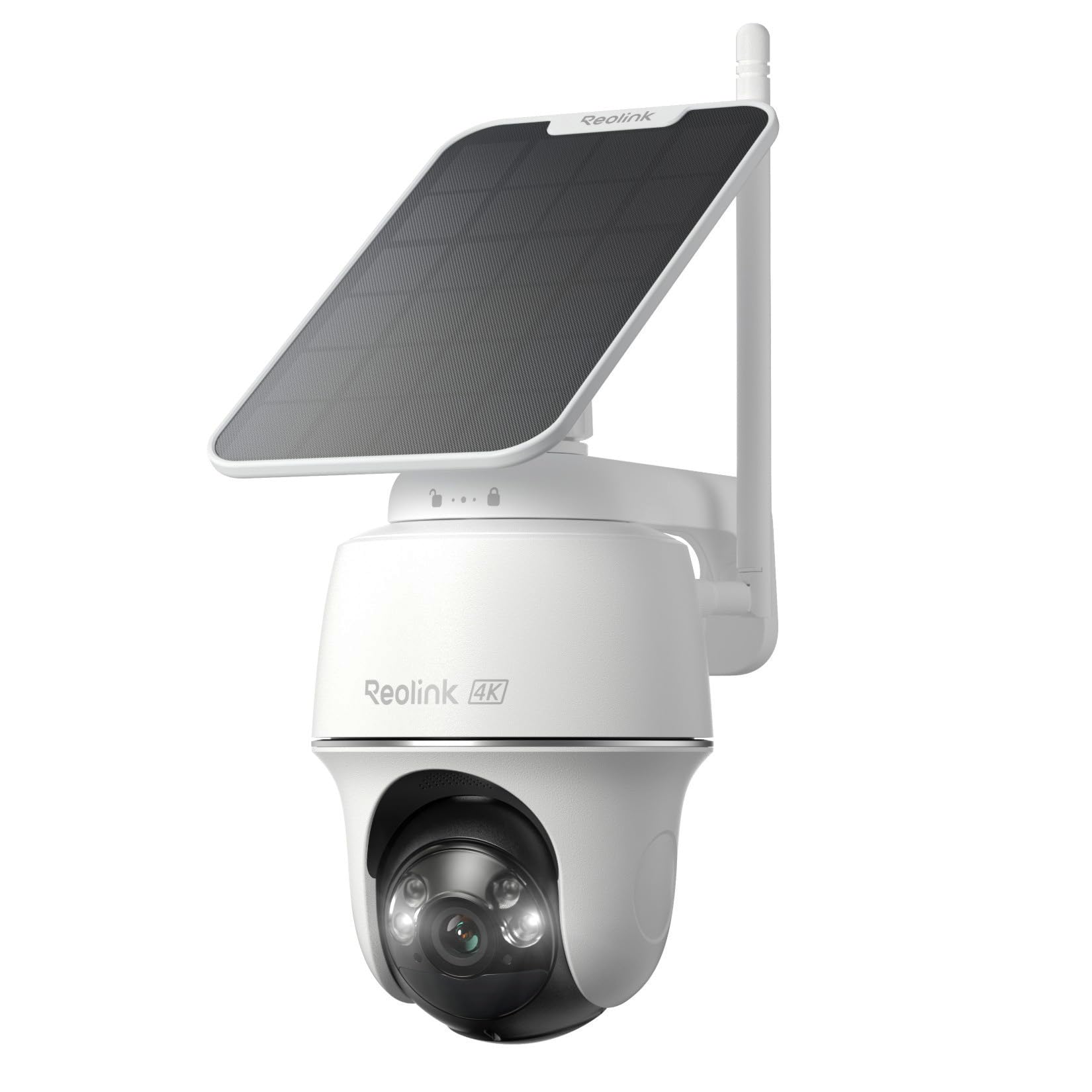
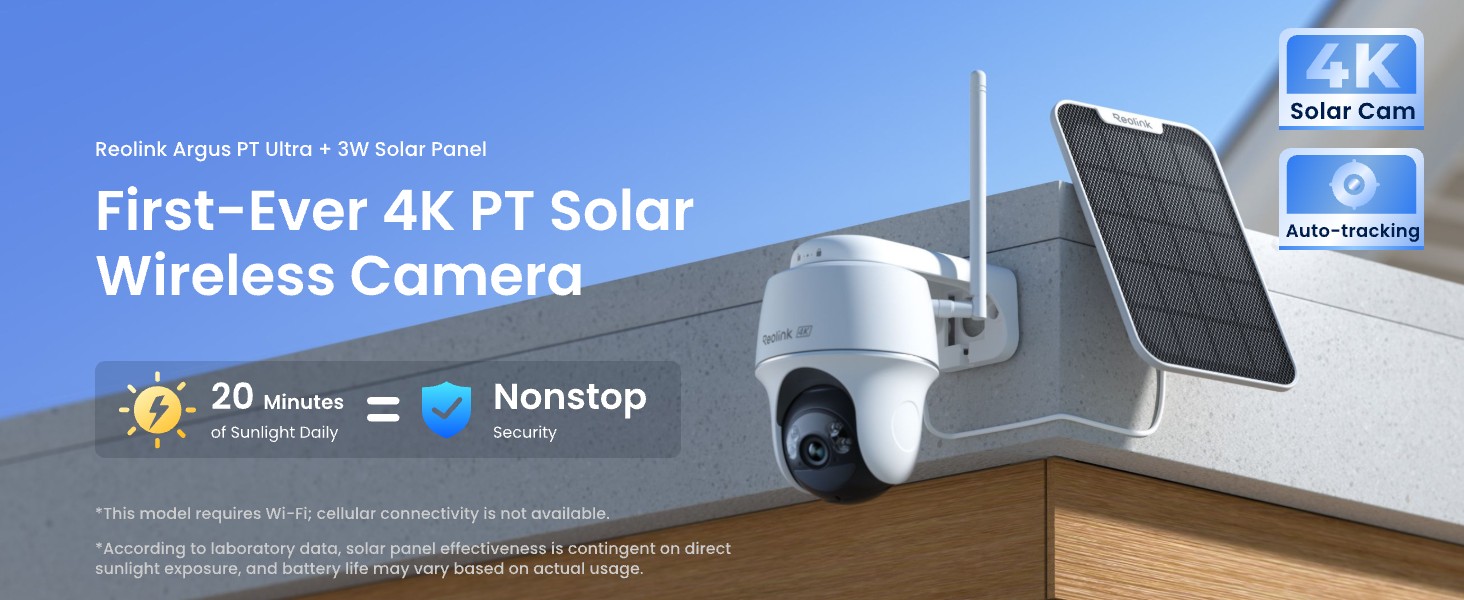
REOLINK First 4K Solar Security Cameras Wireless Outdoor Argus PT Ultra Solar Panel 360 Pan Tilt Auto-Tracking 8MP

50+ bought in the past month

$149.99

About this item

  • 4K 8MP Color Vision Day & Night: The battery security camera is upgraded to 4K 8MP ultra-high definition, providing unparalled visual experience for you. The built-in motion spotlight helps you see every important color detail even at night.
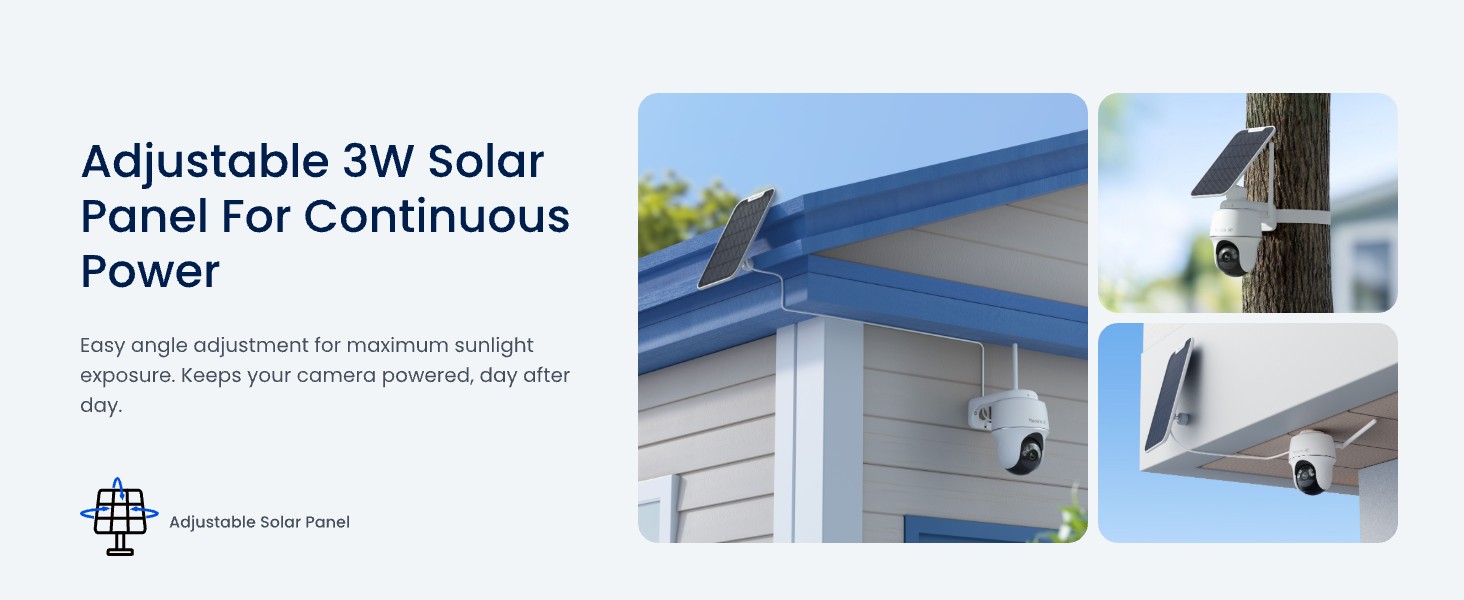
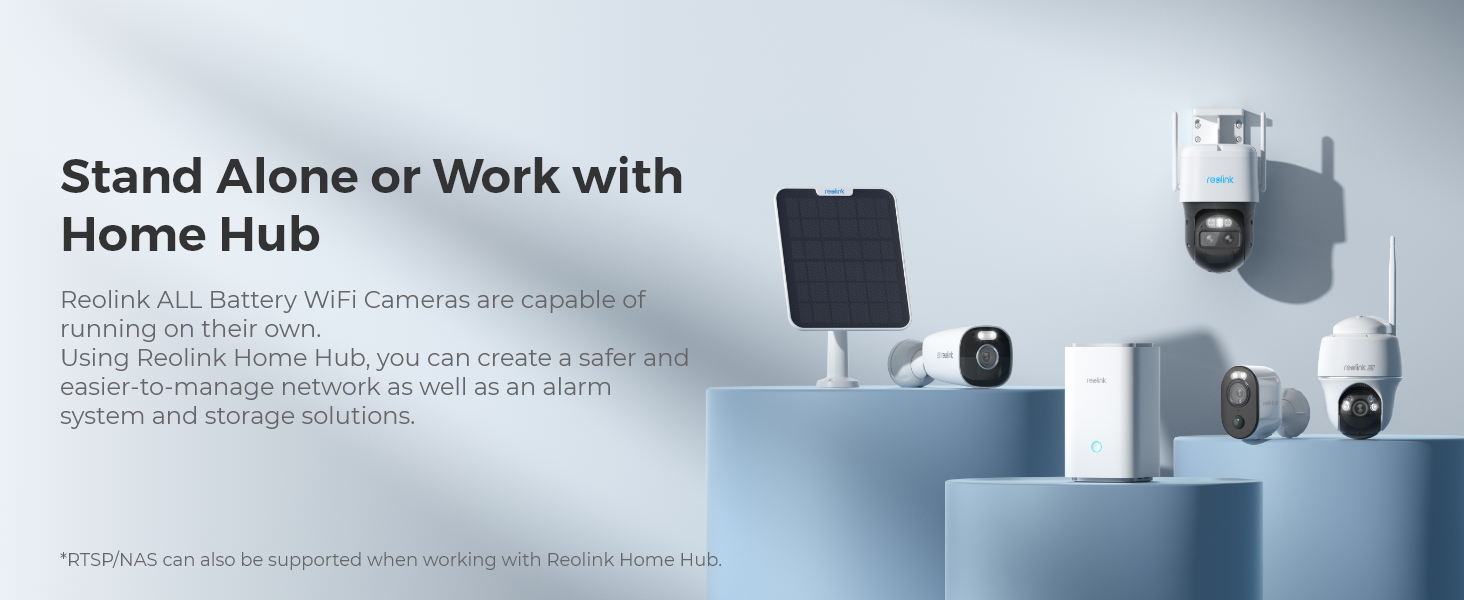
  • 100% Wire-Free Easy Setup: The camera works on 2.4/5GHz WiFi and continuously powered by the new 3W solar panel, freeing you from frequent battery charging hassles. With this easy-to-install wireless camera, you can build up your independent security system within minutes.
  • 360° Coverage & Remote Access: Sweep off blind spots with 355° pan & 140° tilt. With the free Reolink app/client, you can remotely view and control the camera anytime anywhere and talk with your family or delivery person on the camera.
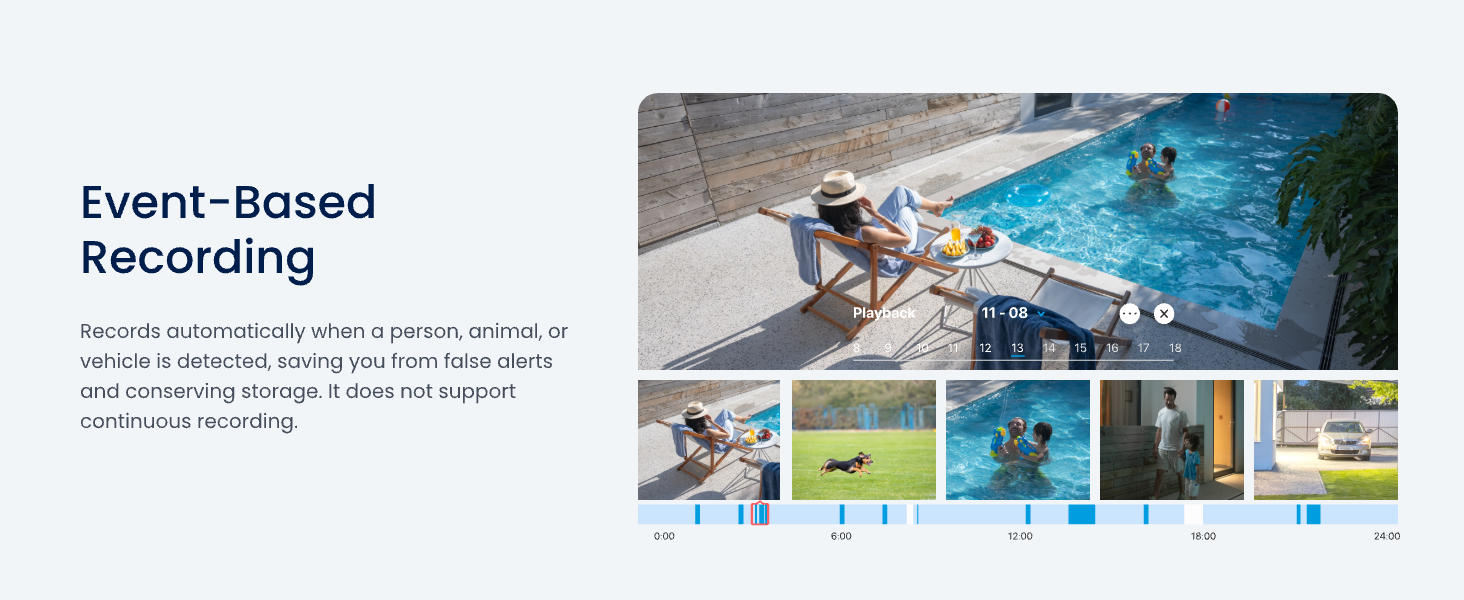
  • Smart Detection Reduces False Alarms: Equipped with an advanced sensor and intelligent algorithms, this battery camera brings more accurate alerts, and you can set the detection sensitivity and zones for person/vehicle/pet motion to further reduce unwanted alerts.
  • Multiple Alerts & Recording Options: The spotlight and siren will be triggered by motion to deter intruders, meanwhile you'll receive email or push notifications in real time. You can record events to the microSD card (purchased separately) and quickly play back with smart filters.
$149.99

In Stock

DeliveryEstimated 3–5 business days · Final delivery speed and cost are confirmed at checkout
Easy Returns · 30-day window
This order is a gift

In Stock

Secure Checkout
Free Returns
30-Day Guarantee
Secure checkoutAll transactions are SSL-encrypted. Your payment info is never stored.
Free returnsReturn or replace within 30 days
Fast deliveryOrders ship within 1 business day and arrive in 4–8 days.
Buyer protectionIf your order arrives damaged or doesn't show up, we'll make it right.
24/7 supportOur team is here to help. Reach us anytime by email or chat.
Ships fromOur Warehouse
Sold byReolinkDirect
Returns
Easy Returns30-day return window
PaymentsSecure transaction
Currently unavailable
Easy Returns · 30-day window

Product details

Recommended Uses For ProductOutdoor Security
BrandREOLINK
Model NameArgus PT Ultra
Connectivity TechnologyWi-Fi
Special FeatureHD Resolution, Local Recording

Technical specifications

indooroutdoor_usageOutdoor
compatible_devicesSmartphone
power_sourceSolar Powered
connectivity_protocolWi-Fi
controller_typeAmazon Alexa
mounting_typeWall Mount
video_capture_resolution4k
colorWhite
number_of_items1
included_componentsArgus PT 4K*1, 3W Solar Panel*1, Quick Start Guide*1, USB-C Cable*1, Bracket*1, Strap*1, Reset Needle*1, Mounting Template*1, Surveillance Sticker*1
number_of_channels1
wireless_communication_technologyWi-Fi
form_factorDome
viewing_angle360 Degrees
installation_typeScrew In
night_vision_range33 Feet
frame_rate15 frames per second
voltage5 Volts (DC)
wattage21.6 Watt-hours
item_dimensions_l_x_w_x_h3.86 x 3.86 x 4.8 inches
water_resistance_levelWater Repellent
batteries_requiredYes
flash_memory_typeMicro SD
item_weight3.03 pounds
video_encodingH.265
shapeDome
focus_typeAuto Focus
field_of_view110 Degrees
low_light_technologyNight Color
zoom_typeDigital Zoom
zoom_ratio10
alert_typeMotion Only
room_typeGarage, Office, Store Room
light_source_typeLED
video_capture_formatMP4
specific_uses_for_product360 Degree Coverage
unit_count1.0 Count
photo_sensor_technologyCMOS
effective_still_resolution8 MP
international_protection_ratingIP64
maximum_webcam_image_resolution8 MP
control_methodApp
flash_memory_supported_size_maximum512 GB
product_gradeResidential
product_dimensions3.86 x 3.86 x 4.8 inches
item_model_numberArgus PT Ultra
batteries1 Lithium Ion batteries required. (included)
best_sellers_rank#31 in Dome Surveillance Cameras
date_first_availableMay 21, 2023
manufacturerReolink Digital

From the brand

Product detailProduct detailProduct detailProduct detailProduct detailProduct detailProduct detailProduct detail
Product detailProduct detailProduct detailProduct detail

Product videos

Product video 1

Customer reviews

4.110,644 ratings

Customers say

Customers find the security camera delivers clear video quality day and night and is very easy to set up.

★★★★★

Hands down the best camera I have ever owned.

HarveyOctober 17, 2025

Incredibly simple setup. Beautifully designed user interfaces for both Win 11 and Android. Couple that to well thought out accessories for mounting the camera and a really solid camera. The image quality is excellent. I have the camera about 30 ft from my WIFI access point and separated from it by two walls. There is sufficient signal that I am getting perfect functionality. The solar panel seems to be working, but only time will tell if there is enough sunlight during a New England Winter to keep the battery charged. This makes me want to replace my other cameras with Reolink. This camera is not natively compatible with Homeassistant. It can work with Homeassistant using the Reolink Home Hub and the Reolink, Homeassistant integration. Read more

★★★★★

UPDATE The best camera we've bought so far and we have several different brands !

Gary and Karen LeightJuly 11, 2020

UPDATE: I had recently got a new router, a Netgear Nighthawk and was having a problem getting the Reolink cameras connected back again but after much research......SUCCESS! I found a solution that worked for me, hopefully this info might help others too. After researching even more online I found a suggestion to try creating a guest wifi network on your router. So I gave it a try and it WORKED to get my 3 Reolink Argus PT cameras connected to me new router. Now while I feel like it wasn't necessary in my case to give the guest wifi network a password without any special characters I did it anyhow and used just numbers and letters (the cameras had connected to my old router with a special character in that password) Another point to remember is I think you need to have your phone on the same network when adding the cameras. Just checked and it seems you need to make sure your phone is connected to the guest network when wanting to access the Reolink cameras you connected thru the guest network. (now I have other brand cameras that I connect to the main network that I can still access when on the guest network but an indoor Reolink camera I have E1 that I was able to connect to the main network I can't access thru the guest network like the other brands. Now I did try seeing if I could switch the cameras back to the main wifi but it didn't work and I have to remove and reinstall the camera I tried it on and add it again to the guest wifi network to access it again. Well, I guess having to switch networks when wanting to go from the outside Reolinks to the inside Reolink is better than buying a new router or new cameras and I am simply thankful I could get them to finally reconnect as I was beginning to think I'd have to replace them with other brands of cameras. Original review: This is Karen's husband writing this review as I am the "tech guy" in our home. I am VERY pleased with how the camera is performing so far, so the 4.2 out of 5 rating seems well deserved. I admit I had some reservations when I read some of the reviews that were negative, in my opinion some may have been because of an individually defective product and some may have been due to lack of detailed enough directions. When I was first trying to connect the camera to our WIFI it wouldn't connect, then I realized I forgot to type in our WIFI password, DUH ! After I added the password it connected immediately. The camera is roughly about 85 feet from our WIFI router and goes thru 2 walls and still has kept connected very well. Also, we have Amazon Alexa and at first could not get Alexa to recognize the camera, so I did an online search for help and found a page on the Reolink support site with the steps needed to connect to Alexa, after reading that page I saw there was a step I didn't know about, once I followed those steps Alexa connected very well ! We can view the live camera feed from our smartphone app, from our "Echo Shows" via voice command, and even on our tv screens with Amazon Firestick (we have other brands of security cameras we view thru the Firestick also) so I can use a voice command and see different cameras on the screens including the Reolink camera, and I did not have to download anything to the Firestick, simply enable Alexa according to the directions on the help page I mentioned. I already had security cameras looking from our home outward, I wanted a wireless solar PTZ camera I could mount away from the house that I could turn to look at the house as well as turn to view other areas of our property not covered by the cameras we already had. So I mounted the camera on a thick (schedule 40) PVC pipe and mounted the solar panel on the very top of the pole, I used 3 hose clamps to fasten the PVC pipe to a 4 foot metal fence post I hammered into the ground, so far it seems to working very well. I will upload a picture of it. I do a lot of research before buying tech stuff, and it would be difficult to find ANY product that is perfect or that you might wish had more or better features, but for the features you get with this camera (including solar powered, PTZ capability, Alexa connectivity) I really can't complain for the price paid. Note: Remember this is not a commercial grade professional system, but commercial grade features likely cost much higher commercial grade prices, so again, for the price paid I really can't complain, I feel this camera does really pretty good for it's price level ! Read more

Review image 1
★★★★☆

Good camera once correctly configured.

F. M.December 29, 2025

Works good once you configure correctly. Make the object minimum size very small. Set Smart detection to 100% for each type. Set PIR sensitivity to 90%. Select auto tracking for cars, people and animals. Mine doesn’t track the cars but usually tracks everything else. Make sure the solar panel faces south and get plenty of sunlight. Mine stays charged at 100%. Have redundancy with other cameras if possible since nothing is 100%. Read more

★★★★★

It works out of the box, simple setup, no optical zoom, get the newer model

E. Reeve FritchmanJuly 24, 2024

Arrived as ordered. Just fiddling around in my office for a few minutes and managed to scan in the QR codes. Downloaded the app on iPad and iPhone without issue. Fired up the app, added the device, and it's working. Video and audio are good but there's no optical zoom (which shouldn't be a surprise at this price point). Don't have a thrombo if the image is upside down--read on. Best mounting is on a vertical surface. The camera's bottom it its top so it seems upsidey-downsidey until it's mounted with the camera on the bottom and then the aformentioned reverse image undergoes spontaneous remission. Installing: mount the solar panel. Take its power cable and run it through the camera bracket from the top down. There's a narrow channel for the cable in the part that screws into the wall. Screw the mounting bracket into the vertical surface. Install the Micro SD card if you have one. Plug the power cable ino the camera. Carefully screw the antenna into the little port--be careful! Mount the camera on the bracket and finger-tighten the mounting screw with the conveniently-supplied hex wrench; "Reolink" logo should face forward. Assuming you're on a ladder, DO NOT take a step backward to admire your handiwork. Vendor included templates for drilling pilot holes for the mounting brackets--nice touch. Pan-title-zoom icon is small and I can't make anything zoom digitally. Not sure about the solar panel's effectiveness because I have trees that partially block my western sun. A wall wart may be necessary in the winter; the sun goes away for six months near Seattle. The power port is behind the camera and you have to unscrew the mounting bolt to get access; not a deal-breaker. Overall: so far, so good. Update: battery drained due to inadequate sunlight, a result of shorter winter days in the Pacific Northwest. I was unable to charge the unit, went through the warranty return process, and then discovered most USB-C cables don't make a proper connection. The supplied cable works; half a dozen other cables from Apple and others did not. IMO this is a design/engineering/manufacturing issue; USB-C is a global standard and cables should be interchangeable. The other issue is the solar panel doesn't provide enough power to keep the system working during short and/or dark days. Read more

Recently Viewed