
SIXWGH

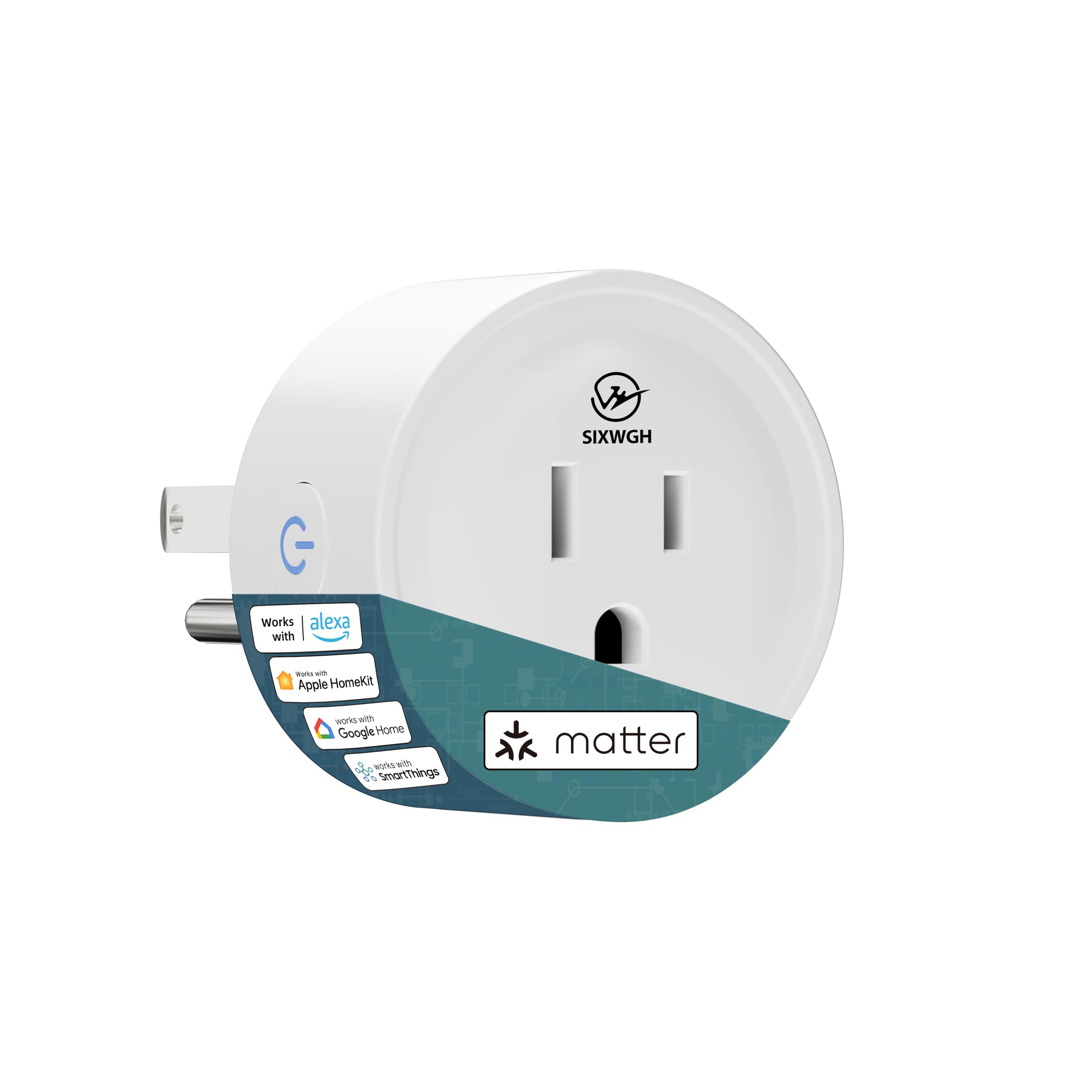
Smart Plug Matter Compatible Matter Hub Required Easy Setup FFS Frustration-Free Setup Work with Alexa Google Home Apple

3.7

$22.98

About this item

  • Easy Setup: Scan the QR code with your phone/smart home app to start instantly—use right after setup.
  • Matter Hub Required: Needs a Matter-compatible hub; works with Apple HomeKit, Google Home, Alexa, SmartThings out of the box. Check manufacturer details for compatibility.
  • Secure Wi-Fi Connectivity: Uses WPA2-secured Wi-Fi for reliable, safe remote control. Only compatible with 2.4 GHz networks.
  • Plug-and-Play Smart Control: Plug into any outlet to add smart control to devices; no complex installs.
  • Product description Previous page Next page 1 Voice Control 2 Remote Control 3 Timer Previous page Next page What do I need to connect Matter Smart Plug? 1. A Matter-enabled Hub. 2. Make sure you're using a 2.4GHz WiFi network (the Matter Hub is also connected to this WiFi). 3. Ensure your mobile phone and app meet the system requirements. What is Frustration Free Setup (FFS)? If you already have a qualifying device (like Echo) connected to your home network and stored credentials, the new device can automatically join. Simply check "Link to your Alexa" when adding to cart. What should I do to set up if Frustration Free Setup (FFS) fails? Click on the "Devices" tab in the Alexa App, then click the "+" sign at the top to add a new Matter-enabled device. Easy Setup: Scan the QR code with your phone/smart home app to start instantly—use right after setup.; Matter Hub Required: Needs a Matter-compatible hub; works with Apple HomeKit, Google Home, Alexa, SmartThings out of the box. Check manufacturer details for compatibility.; Secure Wi-Fi Connectivity: Uses WPA2-secured Wi-Fi for reliable, safe remote control. Only compatible with 2.4 GHz networks.; Plug-and-Play Smart Control:
Specification

Product facts

Key details

Operation Mode
ON-OFF-ON
Current Rating
10 Amps
Contact Type
Normally Open
Connector Type
Plug In
Brand
SIXWGH

Dimensions and fit

dimensions
‎2.01 x 2.01 x 2.01 inches
weight
‎2.39 ounces
Item dimensions L x W x H
2.01 x 2.01 x 2.01 inches
item_dimensions_l_x_w_x_h
2.01 x 2.01 x 2.01 inches
item_weight
2.39 ounces
product_dimensions
2.01 x 2.01 x 2.01 inches

Technical specifications

Operating Voltage
125 Volts
operating_voltage
125 Volts
item_model_number
WHDM01-1P

Item information

Terminal
Plug in
Circuit Type
1-way
operation_mode
ON-OFF-ON
current_rating
10 Amps
contact_type
Normally Open
connector_type
Plug In
circuit_type
1-way
number_of_positions
1
control_method
App, Voice
connectivity_protocol
Matter, Wi-Fi
unit_count
1.0 Count
manufacturer
WH
control_type
Application
compatible_devices
Apple HomeKit, Google Home, Alexa, SmartThings
part_number
WHDM01-1P
style
1 Pack
batteries_included
No
batteries_required
No
best_sellers_rank
#84,932 in Tools & Home Improvement ( See Top 100 in Tools & Home Improvement ) #207 in Electrical Outlet Switches
date_first_available
June 26, 2025
Overview

About this item

  • Easy Setup: Scan the QR code with your phone/smart home app to start instantly—use right after setup.
  • Matter Hub Required: Needs a Matter-compatible hub; works with Apple HomeKit, Google Home, Alexa, SmartThings out of the box. Check manufacturer details for compatibility.
  • Secure Wi-Fi Connectivity: Uses WPA2-secured Wi-Fi for reliable, safe remote control. Only compatible with 2.4 GHz networks.
  • Plug-and-Play Smart Control: Plug into any outlet to add smart control to devices; no complex installs.
  • Product description Previous page Next page 1 Voice Control 2 Remote Control 3 Timer Previous page Next page What do I need to connect Matter Smart Plug? 1. A Matter-enabled Hub. 2. Make sure you're using a 2.4GHz WiFi network (the Matter Hub is also connected to this WiFi). 3. Ensure your mobile phone and app meet the system requirements. What is Frustration Free Setup (FFS)? If you already have a qualifying device (like Echo) connected to your home network and stored credentials, the new device can automatically join. Simply check "Link to your Alexa" when adding to cart. What should I do to set up if Frustration Free Setup (FFS) fails? Click on the "Devices" tab in the Alexa App, then click the "+" sign at the top to add a new Matter-enabled device. Easy Setup: Scan the QR code with your phone/smart home app to start instantly—use right after setup.; Matter Hub Required: Needs a Matter-compatible hub; works with Apple HomeKit, Google Home, Alexa, SmartThings out of the box. Check manufacturer details for compatibility.; Secure Wi-Fi Connectivity: Uses WPA2-secured Wi-Fi for reliable, safe remote control. Only compatible with 2.4 GHz networks.; Plug-and-Play Smart Control:
Close-up view of the Smart Plug Matter Compatible Matter Hub Required Easy Setup FFS Frustration-Free Setup Work with Alexa Google Home Apple
Details

Materials and care

material
‎Acrylonitrile Butadiene Styrene
contact_material
Plastic

Have a question about this product?

From the brand

Product detailProduct detailProduct detailProduct detailProduct detailProduct detailProduct detailProduct detailProduct detail

Product videos

Product video 1

Customer reviews

Customers say

Customer summary is not available yet.

★★★★★

Just plug her

Worked great as soon as I plugged it in, turned it on it hooked right up. Now I’m able to use it. Shut it off. Turn it on easy install compatible with all the Amazon works. Read more
Robin and Mikey
☆☆☆☆

Que no funcionan

Jamás se pudieron conectar Read more

JOSE LARA
★★★★★

Connected as soon as I plugged it in!

This smart plug is the easiest to set up of all the smart plugs I've tried. As soon as I plugged it in, it connected to my phone and directed me through the easy setup. Even a child can do it! Read more

Lost in LA

We use optional analytics and advertising cookies to understand how visitors use Ventari, measure ads, and improve the experience. You can accept all optional cookies, allow analytics only, or decline them. See our Cookie Policy.